
1. Umkhiqizo Uphelileview
This manual provides detailed instructions for the Nitecore MH25 PRO and MH10 V2 rechargeable flashlights. The MH25 PRO features a NiteLab UHi 40 LED with a maximum output of 3,300 lumens, designed for long-range illumination. The MH10 V2 utilizes a CREE XP-L2 V6 LED, offering a maximum output of 1,200 lumens, suitable for everyday carry and general use. Both flashlights are durable, rechargeable, and designed for various outdoor and daily applications.
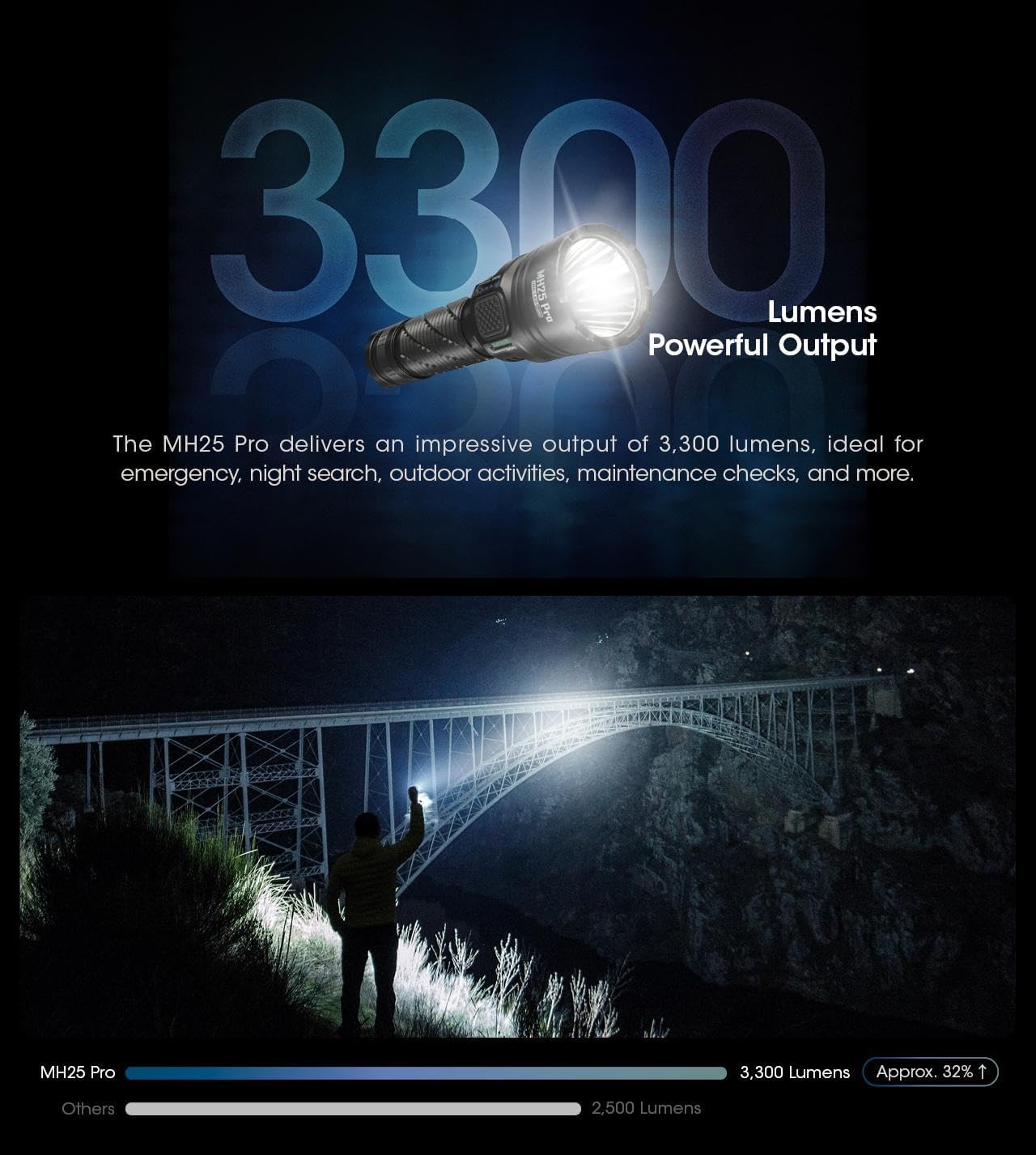
Image: The Nitecore MH25 PRO and MH10 V2 flashlights shown together, highlighting their compact design.
2. Okuqukethwe Kwephakheji
Qinisekisa ukuthi zonke izinto zikhona kuphakheji yakho:
- Nitecore MH25 PRO Flashlight
- Nitecore MH10 V2 Flashlight
- NITECORE NL2153HP Li-ion Battery (for MH25 PRO)
- Li-ion Battery (for MH10 V2)
- Ikhebuli yokushaja ye-USB-C
- Lanyard
- Izindandatho ze-Spare
- Isiqeshana
- Holster
3. Setha
3.1 Ukufakwa kwebhethri
Before first use, ensure the batteries are correctly installed. Unscrew the tail cap of each flashlight and insert the included Li-ion battery with the positive (+) terminal facing towards the head of the flashlight. Screw the tail cap back on tightly to ensure proper contact and water resistance.
3.2 Ukushaja Kwasekuqaleni
Both flashlights are equipped with a USB-C charging port. Connect the provided USB-C cable to the flashlight's charging port and to a USB power source (e.g., wall adapter, computer, power bank). The charging indicator will provide feedback on the charging status. A full charge is recommended before initial use to maximize battery life.

Image: Close-up of the Nitecore MH10 V2's USB-C charging port, showing its location and design for direct charging.
4. Ukusebenza
4.1 Izilawuli Ezijwayelekile
Both MH25 PRO and MH10 V2 feature a tail switch for momentary and constant illumination, and a side mode button for brightness level and special mode selection.
4.2 MH25 PRO Operating Modes
The MH25 PRO offers two user modes: Imodi Yansuku zonke futhi Imodi ye-Tactical. It has 5 brightness levels (Ultralow, Low, Mid, High, Turbo) and 3 special modes (Strobe, Beacon, SOS).
- Vula/Vala: Fully press the tail switch to turn the flashlight on or off.
- Ukulungiswa Kokukhanya: With the light on, press the side mode button to cycle through brightness levels.
- Izindlela ezikhethekile: Double-press the mode button to activate Strobe. Press again to cycle through Beacon and SOS.
- Ukushintsha Imodi: Refer to the detailed instructions in the included manual for switching between Daily and Tactical modes.
4.3 MH10 V2 Operating Modes
The MH10 V2 also features multiple brightness levels and special modes.
- Vula/Vala: Fully press the tail switch to turn the flashlight on or off.
- Ukulungiswa Kokukhanya: With the light on, press the side mode button to cycle through brightness levels (Ultralow, Low, Mid, High).
- Izindlela ezikhethekile: Double-press the mode button to activate Strobe. Press again to cycle through Beacon and SOS.

Image: Diagram illustrating the Daily Mode and Tactical Mode interfaces with their respective brightness and special modes.
4.4 Power and Level Indicators
Both flashlights feature power indicators near the mode button to display remaining battery power and current brightness level. Consult the specific product manual for detailed indicator patterns.
4.5 Sensor Protection Function (MH25 PRO)
The MH25 PRO includes a built-in optical sensor. If an obstruction is detected at close range, the flashlight's brightness will automatically decrease to prevent overheating and potential damage.

Image: The Nitecore MH25 PRO flashlight held in hand, showcasing its anti-slip knurling and overall design for a secure grip.

Image: The Nitecore MH25 PRO flashlight emitting a powerful beam, illustrating its 3300 lumens output and long throw capability.
Image: The Nitecore MH10 V2 flashlight held in a gloved hand, demonstrating its compact size and lightweight design.
5. Imininingwane
5.1 Nitecore MH25 PRO Specifications
| Isici | Imininingwane |
|---|---|
| Okuphumayo Okuphezulu | 3,300 Lumens |
| Ibanga Eliphezulu Lomsebe | 705 amamitha |
| Max Beam Intensity | 124,300 cd |
| I-Max Runtime | 650 hours (Ultralow) |
| I-LED | NiteLab UHi 40 LED |
| Ibhethri | 1 x NL2153HP (5,300mAh) Li-ion |
| Amamodi Akhethekile | STROBE, BEACON, SOS |
| Ukumelana Nomthelela | imitha eyi-1 |
| Isilinganiso Sokungangeni Manzi | IP68 (amamitha angu-2 angaphansi kwamanzi) |
Image: Technical data table for the Nitecore MH25 PRO, detailing lumens, runtime, beam distance, and intensity for various modes.
5.2 Nitecore MH10 V2 Specifications
| Isici | Imininingwane |
|---|---|
| Okuphumayo Okuphezulu | 1,200 Lumens |
| Ibanga Eliphezulu Lomsebe | 202 amamitha |
| Max Beam Intensity | 10,200 cd |
| I-Max Runtime | 1500 hours (Ultralow) |
| I-LED | CREE XP-L2 V6 LED |
| Amabhethri ahambisanayo | 1 x 21700, 1 x 18650, 2 x CR123/RCR123 |
| Amamodi Akhethekile | STROBE, BEACON, SOS |
| Ukumelana Nomthelela | imitha eyi-1 |
| Isilinganiso Sokungangeni Manzi | IP68 (amamitha angu-2 angaphansi kwamanzi) |
Image: Technical data table for the Nitecore MH10 V2, detailing lumens, runtime, beam distance, and intensity for various modes.
5.3 Imininingwane Ejwayelekile
- Okubalulekile: Ingxube ye-aluminium yezinga le-aero
- Qeda: HA III military grade hard-anodized
- Iyashaja: I-USB-C Iyashajwa
- Amalensi okubona: Double-sided scratch resistant coating
6. Isondlo
6.1 Ukuhlanza
Regularly clean the flashlight's body with a soft, damp cloth. For the lens, use a lens cleaning cloth to avoid scratches. Do not use abrasive cleaners or solvents.
6.2 Ukunakekelwa Kwebhethri
To maintain optimal battery performance, charge the batteries regularly. If the flashlight will not be used for an extended period, remove the batteries to prevent leakage and store them in a cool, dry place. Avoid over-discharging or over-charging the batteries.
6.3 Ukumelana Namanzi
Both flashlights are rated IP68, meaning they are dustproof and submersible to 2 meters. Ensure all caps and covers (especially the USB-C port cover) are securely closed before exposing the flashlight to water or dusty environments.
7. Ukuxazulula izinkinga
- I-flashlight ayikhanyi:
- Check if the battery is inserted correctly with the positive (+) terminal facing the head.
- Qinisekisa ukuthi ikepisi lomsila liboshwe ngokuqinile.
- Charge the battery to ensure it has sufficient power.
- Ukukhanya okufiphele noma okucwayizayo:
- Ibhethri lingase libe liphansi; yifake kabusha.
- Hlanza othintana nabo bebhethri kanye nezintambo zethoshi.
- Flashlight gets hot quickly:
- The MH25 PRO has an Advanced Temperature Regulation (ATR) module and sensor protection to prevent overheating. If it becomes excessively hot, it may be operating in a high mode for an extended period or in a high ambient temperature. Reduce the brightness level.
- Izinkinga zokushaja:
- Qinisekisa ukuthi ikhebula le-USB-C lixhunywe kahle kokubili ku-flashlight kanye nomthombo wamandla.
- Zama ikhebuli ye-USB-C ehlukile noma i-adaptha yamandla.
8. Iwaranti kanye Nokusekela
For warranty information, please refer to the warranty card included with your product or visit the official Nitecore website. For technical support or service inquiries, please contact Nitecore customer service directly through their official channels.