
1. Umkhiqizo Uphelileview
The BUGANI Shock Bluetooth Speaker is a powerful and portable audio device designed for both indoor and outdoor use. Featuring 60W super power output, Bluetooth 5.4 connectivity, and IPX6 waterproofing, it delivers robust sound quality and durability. Its long-lasting battery also functions as a power bank for your mobile devices.

2. Yini EseBhokisini
Upon unboxing your BUGANI Shock Bluetooth Speaker, please ensure all the following items are present:
- BUGANI Shock Bluetooth Speaker
- Uhlobo C lokushaja ikhebula
- Ikhebula le-AUX
- Incwadi Yomsebenzisi (le dokhumenti)
- Quick Start Guide

3. Izici Eziyinhloko
3.1. Powerful Audio System
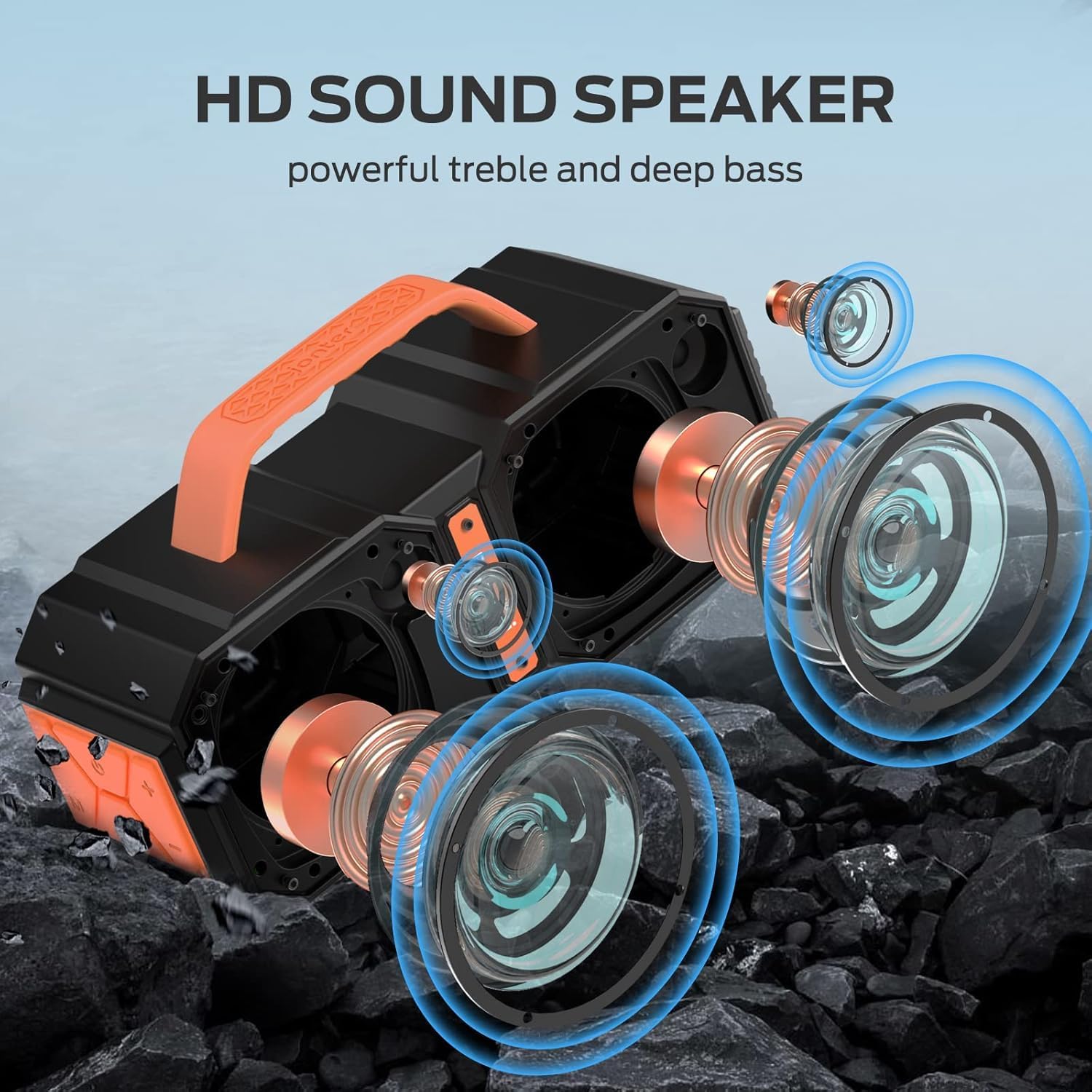
The speaker features two mid-bass external magnetic speakers, two tweeters, and two subwoofer diaphragms. With 60 watts of power, it delivers robust sound quality with deep bass and clear treble, providing surprisingly loud, room-filling volume without distortion, even at maximum levels.
3.2. Advanced Bluetooth 5.4 Connectivity
Equipped with the latest Bluetooth 5.4 technology, the speaker ensures faster connection speeds, more stable signal transmission, and lower power consumption. It offers a wireless connection range of up to 100 feet, allowing seamless pairing with mobile phones, computers, and MP3 players. A built-in microphone supports hands-free calls.
3.3. True Wireless Stereo (TWS) Functionality
For an enhanced audio experience, you can connect two BUGANI Shock speakers together to achieve a combined 120W stereo surround sound. This feature creates a dynamic and immersive listening environment.

3.4. IPX6 Waterproof Rating
The BUGANI Shock speaker boasts an IPX6 waterproof mechanical casing, making it resistant to high-pressure, heavy sprays of water. This robust design ensures durability and reliability for outdoor adventures, whether at the beach, by the pool, or during campuhambo.

3.5. Built-in Power Bank Function
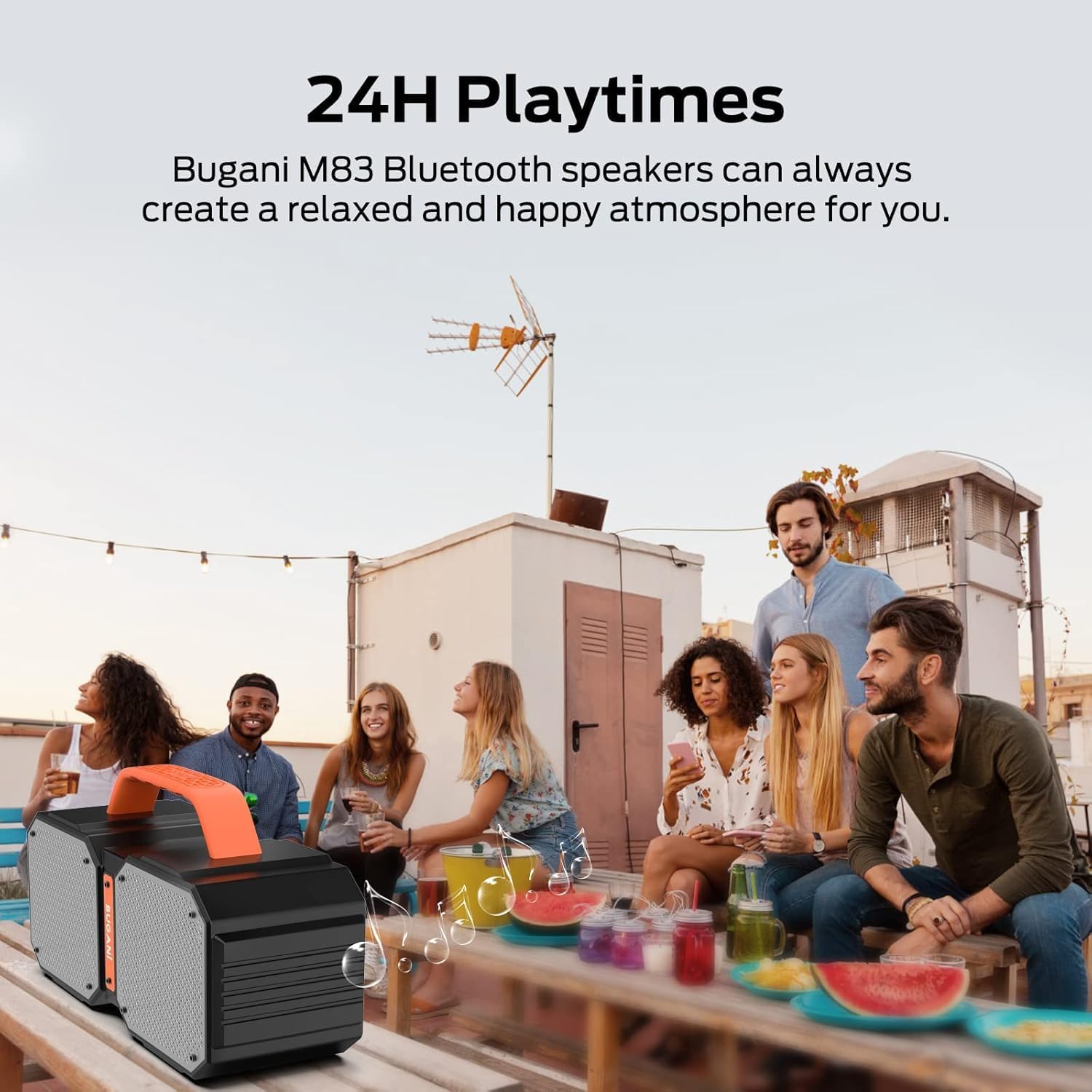
The speaker includes a massive built-in battery that provides up to 32 hours of playtime on a single charge. Additionally, it can function as a power bank, allowing you to charge your smartphone or other USB-powered devices via a USB cable, ensuring your devices stay powered during outdoor activities.

3.6. Dual EQ Modes (Indoor/Outdoor)
The speaker offers two equalization (EQ) modes, optimized for indoor and outdoor listening environments, allowing you to adjust the sound profile for the best audio experience wherever you are.
4. Setha
4.1. Ukushaja uSomlomo
- Connect the provided Type-C charging cable to the speaker's charging port.
- Xhuma enye ingxenye yentambo ku-adaptha yamandla ye-USB (ayifakiwe) noma imbobo ye-USB yekhompyutha.
- The charging indicator light will illuminate. Once fully charged, the light will change or turn off.
4.2. Ukubhanqa kwe-Bluetooth
- Ensure the speaker is powered on. The Bluetooth indicator light will flash, indicating it's in pairing mode.
- Edivayisini yakho (i-smartphone, ithebhulethi, njll.), vula i-Bluetooth bese usesha amadivayisi atholakalayo.
- Select "BUGANI Shock" from the list of devices.
- Once connected, the Bluetooth indicator light will become solid, and you will hear an audible confirmation.
4.3. Ukumataniswa kwe-True Wireless Stereo (TWS).
To pair two BUGANI Shock speakers for TWS:
- Qinisekisa ukuthi zombili izipikha zivuliwe futhi azixhumekile kunoma iyiphi enye idivayisi ye-Bluetooth.
- On one speaker (this will be the primary speaker), press and hold the TWS button (often indicated by two interlocking circles or a similar icon) for a few seconds until you hear a pairing tone.
- Isikhulumi esiyinhloko sizosesha ngokuzenzakalelayo futhi sixhumeke kwisikhulumi sesibili.
- Once successfully paired, both speakers will emit a confirmation tone, and their TWS indicator lights will become solid.
- Manje, xhuma idivayisi yakho kusipika esiyinhloko nge-Bluetooth njengoba kuchazwe esigabeni 4.2. Umsindo uzodlala kuzo zombili izipikha ku-stereo.
5. Iziqondiso Zokusebenza
5.1. Ilawula Ngaphezuluview
| Inkinobho/Imbobo | Umsebenzi |
|---|---|
| Inkinobho Yamandla | Press and hold to power ON/OFF. Short press to play/pause music. |
| IVolumu + | Cindezela isikhashana ukuze ukhuphule ivolumu. |
| Ivolumu - | Cindezela iDemo ukwehlisa ivolumu. |
| Ithrekhi Edlule | Long press Volume - to go to previous track. |
| Ithrekhi Elandelayo | Long press Volume + to go to next track. |
| Inkinobho yemodi (M). | Short press to switch between Bluetooth, AUX, and TF Card modes. |
| Inkinobho ye-TWS | Press and hold to initiate TWS pairing (see section 4.3). |
| I-AUX-in Port | Xhuma amadivayisi omsindo angaphandle ngekhebula le-AUX elingu-3.5mm. |
| I-TF Card Slot | Insert TF card for direct music playback. |
| I-USB-A Port Yokukhipha | Use as a power bank to charge external devices. |
| Imbobo yokufaka ye-USB-C | Imbobo yokushaja yesipikha. |
5.2. Switching EQ Modes
The BUGANI Shock speaker features two EQ modes: Indoor and Outdoor. To switch between these modes, locate the dedicated EQ button (if present, otherwise it might be integrated with another button or automatic). Refer to the Quick Start Guide for specific button functionality related to EQ mode switching.
6. Isondlo
6.1. Ukuhlanza
Sula isipikha ngesithambile, damp cloth. Do not use harsh chemicals or abrasive cleaners. Ensure all ports are dry before charging or connecting cables.
6.2. Ukumelana Namanzi (IPX6)
The IPX6 rating means the speaker can resist high-pressure, heavy sprays of water. It is not designed for submersion. Ensure the charging port cover is securely closed before exposing the speaker to water.
6.3. Isitoreji
Gcina isipikha endaweni epholile, eyomile kude nokukhanya kwelanga okuqondile kanye namazinga okushisa aphezulu. Uma ugcina isikhathi eside, shaja ibhethri cishe ku-50% njalo ezinyangeni ezimbalwa ukuze ulondoloze impilo yebhethri.
7. Ukuxazulula izinkinga
| Inkinga | Imbangela Engenzeka | Isixazululo |
|---|---|---|
| Isipikha asikhanyisi | Ibhethri eliphansi | Shaja isipikha ngokugcwele. |
| Ayikwazi ukubhanqa nge-Bluetooth | Isipikha asikho kwimodi yokubhangqa; I-Bluetooth yedivayisi ivaliwe; Kude kakhulu nesipikha | Ensure speaker is in pairing mode (flashing light). Turn on device Bluetooth. Move device closer to speaker (within 100ft). |
| Awukho umsindo noma ivolumu ephansi | Volume too low on speaker/device; Incorrect input mode; Not connected properly | Increase volume on both speaker and device. Press 'M' button to cycle through modes. Re-pair Bluetooth or re-connect AUX cable. |
| Ukumataniswa kwe-TWS kwehluleka | Speakers already connected to other devices; Too far apart | Disconnect both speakers from any other Bluetooth devices. Ensure speakers are within close proximity during TWS pairing. |
| Charging external device fails | Speaker battery low; Incorrect cable | Ensure speaker has sufficient charge. Use a compatible USB cable for your device. |
8. Imininingwane Yezobuchwepheshe
| Ukucaciswa | Inani |
|---|---|
| Igama Lemodeli | Brief Pro |
| Uhlobo lwesipika | 3D |
| Amadivayisi Ahambisanayo | MP3 Player, Tablet, Smartphone |
| Ukubala kweyunithi | 1.0 Bala |
| Ukucushwa Kwesiteshi Somsindo Esizungezile | 2.1 |
| Umbala | iwolintshi |
| Impilo Yebhethri | Amahora angu-32 |
| Ubukhulu bomkhiqizo | 3"D x 3"W x 3"H |
| Isisindo sento | 7.26 pounds (3.3 kilograms) |
| Ingangeni manzi | true (IPX6) |
| Ibanga eliphezulu | Amafidi angu-100 (i-Bluetooth) |
| Indlela Yokulawula | Remote (via connected device) |
| I-Wireless Communication Technology | I-Bluetooth |
| Umthombo wamandla | Isebenza Ibhethri |
| Inombolo Yamabhethri | 1 A batteries required (internal rechargeable) |
| Uhlobo Lomshayeli Womsindo | I-Dynamic Driver |
| Iphrothokholi Yokuxhumana | I-Bluetooth, i-Axiliary |
| Isitayela | M83 |
| Umkhiqizi | BUGANI |
| Amandla Okukhipha Isipikha aphezulu | 160 Watts (Peak) |
| Imodi Yokukhipha Umsindo | I-Stereo, i-Surround |
9. Iwaranti kanye Nokusekela
The BUGANI Shock Bluetooth Speaker comes with a Iwaranti Enomkhawuko. Please refer to the warranty card included in your package for specific terms and conditions.
BUGANI also offers Usekelo Lokusebenza Lokuphila Kwaphakade for this product. If you encounter any issues or have questions not covered in this manual, please contact our support team:
- I-imeyili: support@bugani.com (example)
- Ucingo: 1-800-BUGANI (example)
- Webindawo: Visit the BUGANI Store on Amazon