
GTRACING 114vc07
Incwadi Yemiyalelo ye-GTRACING Gaming Desk Model 114vc07
Umhlahlandlela ophelele wokuhlanganisa, ukusebenza, nokugcinwa.
1. Isingeniso
Thank you for choosing the GTRACING Gaming Desk. This manual provides essential information for the safe and efficient assembly, operation, and maintenance of your new desk. Please read these instructions carefully before beginning assembly and retain them for future reference.
2. Ulwazi Olubalulekile Lokuphepha
Always assemble the desk according to the provided instructions. Be cautious when moving the desk, as it can be heavy and may pose a risk of injury if not handled properly.
- Qinisekisa ukuthi konke ukuxhumana kuvikelekile ngaphambi kokusetshenziswa.
- Do not overload the desk or monitor stand beyond the recommended weight capacity (300 lbs).
- Keep liquids away from electrical components (power outlets, USB ports, LED lights).
- Children should not climb on or play with the desk.
- Lahla izinto zokupakisha ngokuzibophezela.
3. Okuqukethwe Kwephakheji
Verify that all components are present before assembly. If any parts are missing or damaged, please contact GTRACING customer support.
- Desk components (desktop panels, legs, monitor stand parts)
- Integrated power strip (2 AC outlets, 2 USB ports)
- Umugqa wokukhanya we-LED
- Extended mouse pad
- Headphone hooks (x2)
- Izingxenyekazi zekhompuyutha zokuhlanganisa (izikulufu, amabhawudi, njll.)
- Amathuluzi omhlangano
- Incwadi yeziqondiso
4. Iziyalezo Zomhlangano
Assembly is required. Please follow the detailed step-by-step instructions provided in the separate assembly guide included with your package. All necessary tools are included.
- Khipha zonke izingxenye futhi uqinisekise ngokumelene nohlu lokuqukethwe kwephakheji.
- Identify all hardware and tools.
- Assemble the desk frame and legs.
- Namathisela amaphaneli edeskithophu.
- Faka isitendi sokuqapha.
- Mount the integrated power strip.
- Attach the LED light strip.
- Install the headphone hooks.
- Place the extended mouse pad.

Image: All components of the GTRACING Gaming Desk laid out, ready for assembly. This includes the desktop pieces, legs, monitor stand, and various hardware.

Image: A fully assembled GTRACING Gaming Desk, showcasing the monitor stand, LED lighting, and carbon fiber texture.
5. Iziqondiso Zokusebenza
5.1. Uhlelo Lokukhanyisa lwe-LED
The GTRACING Gaming Desk features an integrated LED light strip to enhance your gaming or work environment. The LED lights offer 16 color changes and 6 dynamic modes.
- Connect the LED light strip to the designated power source.
- Use the included remote control to power on/off, change colors, and select dynamic modes.
- Ensure the remote control has a working battery and is pointed towards the LED receiver for optimal functionality.
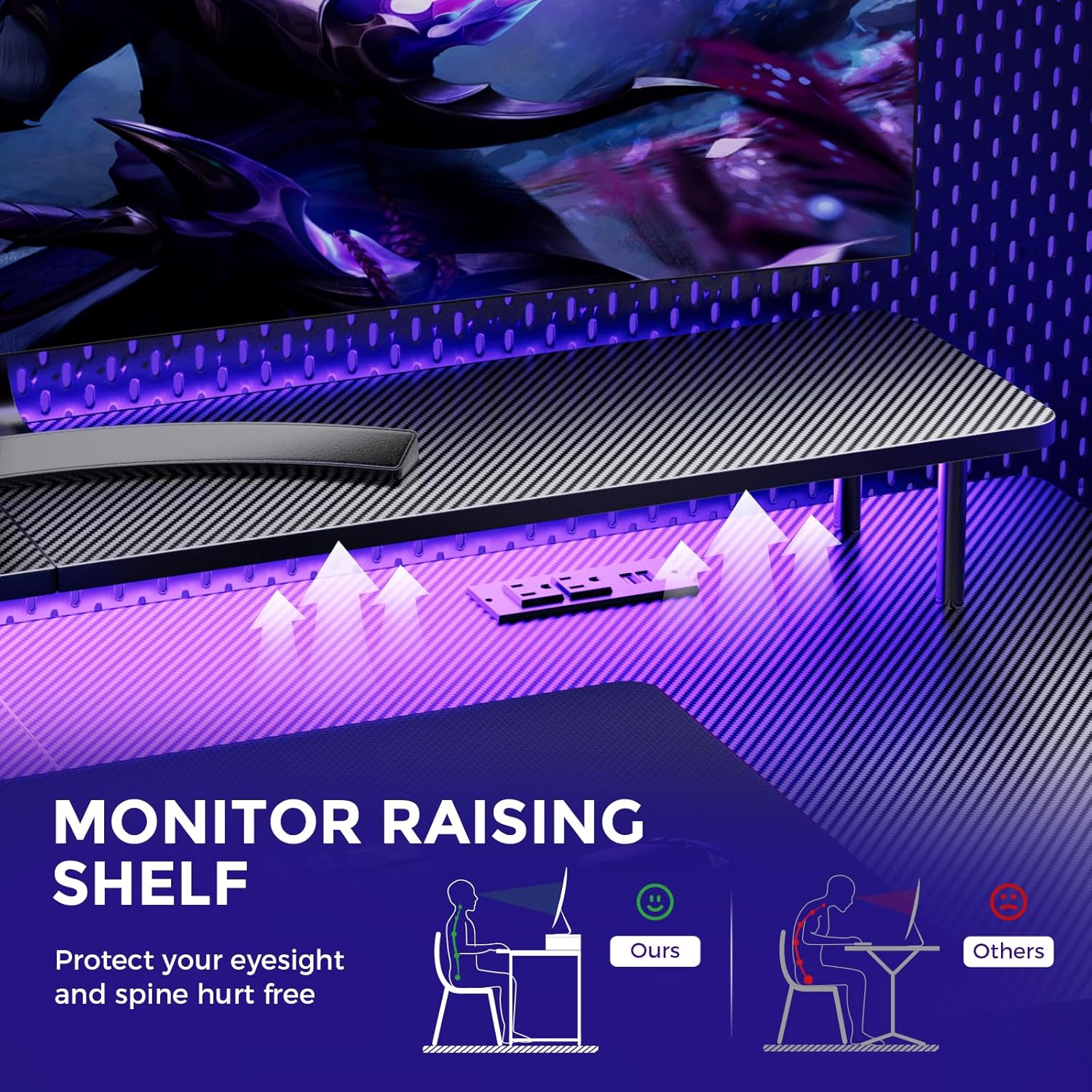
Image: A hand holding a remote control, demonstrating the control over the RGB LED light strip installed beneath the monitor stand of the desk.
Video: An official product video demonstrating the GTRACING 55 Inch Gaming Desk with LED Lights, showcasing its features and aesthetic appeal in a gaming setup.
5.2. Integrated Power Outlets & USB Ports
The desk includes a built-in power strip with 2 AC outlets (120V/12A) and 2 USB charging ports (5V/2A) for convenient device charging and power supply.
- Xhuma intambo kagesi eyinhloko yedeski endaweni yokuxhuma ugesi odongeni.
- Connect your devices to the AC outlets or USB ports as needed.
- Avoid exceeding the maximum power rating of the outlets.

Isithombe: Ukuvala view of the recessed power strip on the desk, showing two AC outlets and two USB charging ports in use, charging a phone and earbuds.
5.3. Isitendi Sokuqapha Esisebenza Nge-Ergonomic
The raised monitor stand positions your screen at eye level, promoting better posture and reducing neck strain during extended use. It also provides additional storage space.

Image: A diagram comparing correct ergonomic posture achieved with the monitor stand to incorrect posture without it, highlighting benefits for eyesight and spine.
6. Isondlo
- Ukuhlanza: Wipe the carbon fiber surface with a soft, damp indwangu. Gwema amakhemikhali anokhahlo angase alimaze isiphetho.
- Izingxenyekazi zekhompuyutha: Periodically check all screws and bolts to ensure they remain tight. Tighten if necessary.
- Izingxenye zikagesi: Keep the power outlets and USB ports free from dust and debris. Do not attempt to repair electrical components yourself.
7. Ukuxazulula izinkinga
7.1. LED Lights Not Working or Remote Not Responding
- Hlola Uxhumo Lwamandla: Ensure the LED light strip is securely plugged into the power source and the desk's main power cord is connected to a live wall outlet.
- Ibhethri yesilawuli kude: Verify that the remote control has a fresh battery and is inserted correctly.
- Umugqa Wokubona: Ensure there is a clear line of sight between the remote control and the LED receiver. Obstructions can block the signal.
- Ukulawulwa Kwezandla: If the remote is unresponsive, check if there's a manual button on the LED controller itself to cycle through modes or power on/off.
7.2. Desk Instability
- Qinisa izingxenyekazi zekhompuyutha: Re-check and tighten all assembly screws and bolts.
- Indawo Yeleveli: Qinisekisa ukuthi ideski libekwe endaweni eyisicaba, elinganayo.
8. Imininingwane
| Isici | Imininingwane |
|---|---|
| Ibhrendi | UKUTHOLA |
| Inombolo Yemodeli | 114vc07 |
| Ubukhulu bomkhiqizo | 24"D x 55"W x 30"H |
| Umbala | I-Carbon Black |
| Uhlobo Lwezinto Eziphezulu | I-Carbon Fiber |
| Izinto eziyisisekelo | Insimbi engagqwali |
| ISincomo Sesisindo Esiphezulu | 300 Amakhilogremu |
| I-Power Strip Ehlanganisiwe | Ama-AC Outlets amabili (120V/12A), Amachweba amabili e-USB (5V/2A) |
| Izici ezikhethekile | Built-In USB Outlet, Ergonomic, Monitor Stand, LED Lights, Headphone Hook |
| Kudingeka Umhlangano | Yebo (Amathuluzi Afakiwe) |

Image: A detailed diagram illustrating the dimensions of the GTRACING Gaming Desk, including the main desktop and the monitor stand.
9. Iwaranti kanye Nokwesekwa Kwekhasimende
GTRACING is committed to providing high-quality products and customer satisfaction. For any questions, concerns, or missing parts, please contact our customer service team.
- Free Replacement/Refund: Zingakapheli izinsuku ezingu-30 zokuthenga.
- Free Replacement/Repair: Within 1 year of purchase.
- Ulwazi lokuxhumana:
- I-imeyili: info@gtracing.com
- Phone: 1-888-660-5669 (9:00-5:30 PST Mon-Fri)
- Webindawo: www.gtracing.com

Image: GTRACING customer service representatives ready to assist with product inquiries and support.
Ask a question about this manual
Ask about setup, troubleshooting, compatibility, parts, safety, or missing instructions. Manuals+ will review the question and use this page’s manual context to help answer it.