1. Isingeniso
The Lemorele R1100 Wireless HDMI Transmission System provides a reliable solution for streaming high-definition audio and video wirelessly. This system supports 1080P Full HD transmission over distances up to 200 meters (656 feet) with low latency, making it suitable for various applications from home entertainment to professional presentations. It features a plug-and-play design for easy setup and supports connecting multiple receivers for expanded monitoring capabilities.
2. Okuqukethwe Kwephakheji
Sicela uqinisekise ukuthi zonke izinto ezibalwe ngezansi zifakiwe kuphakheji yakho:
- 1 x Wireless HDMI Transmitter (TX)
- 1 x Wireless HDMI Receiver (RX)
- 4 x External 5DB High Gain Wi-Fi Antennas
- 1 x Incwadi Yomsebenzisi
- 1 x Intaba Yezihlangu Ezibandayo
- 2 x Amakhebula e-USB-C

3. Umkhiqizo Uphelileview
The Lemorele R1100 system consists of a Transmitter (TX) and a Receiver (RX) unit, designed for robust wireless video and audio transmission. Both units are compact and feature multiple power options and connectivity ports.
3.1 Izici ezibalulekile
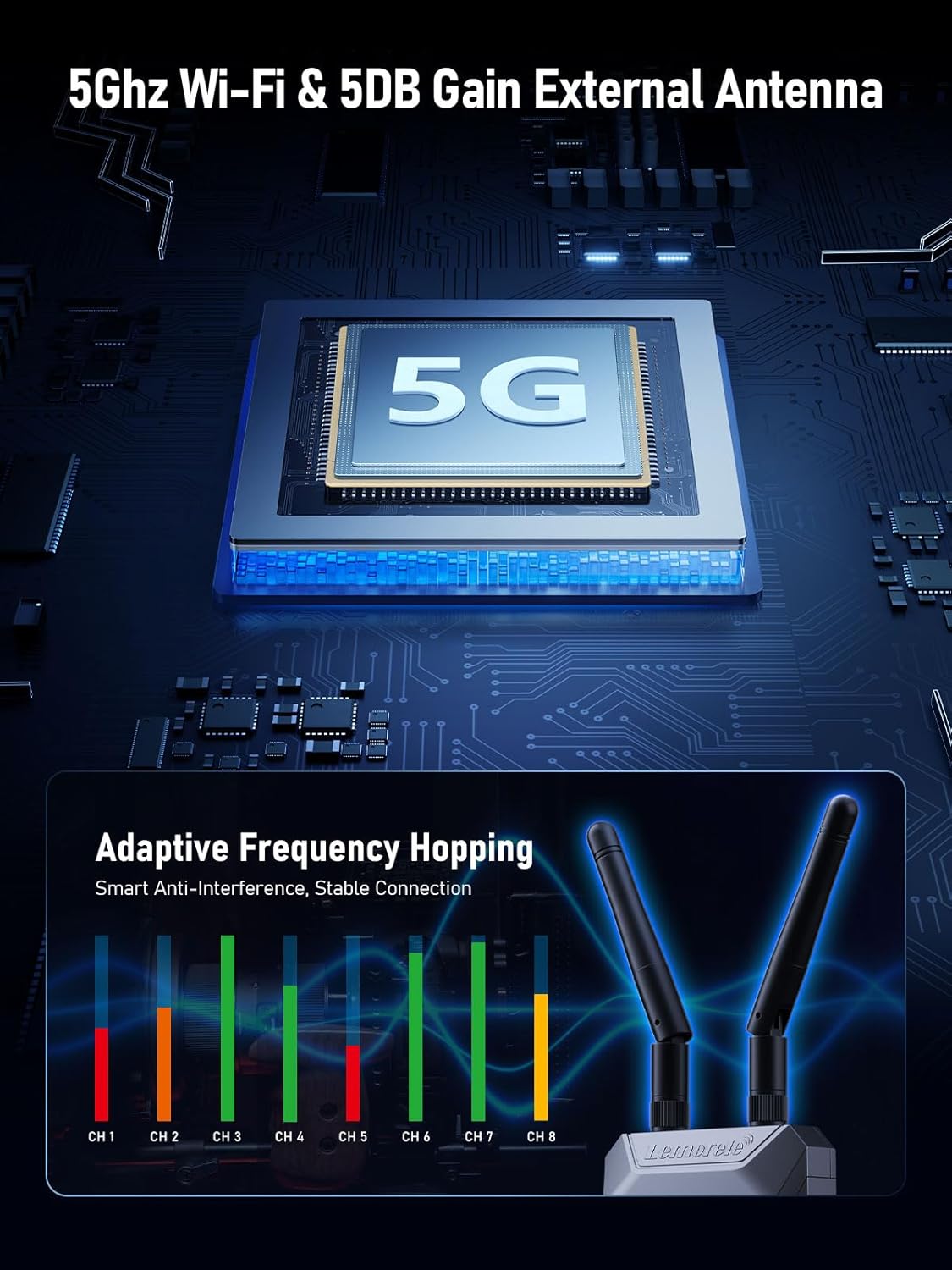
- I-5.8G Wireless Transmission: Utilizes 5GHz Wi-Fi for stable and interference-resistant connections.
- Ububanzi Obunwetshiwe: Up to 656 feet (200 meters) transmission distance with low latency (less than 50ms).
- I-1080P I-HD Egcwele: Supports 1080P@60Hz refresh rate for clear video output.
- HDMI Loop-Out: The transmitter includes an HDMI output for local monitoring.
- Multi-Receiver Support: One transmitter can connect to up to four receivers (additional receivers sold separately).
- Ukuqapha uhlelo lokusebenza: Monitor video feeds on Android and iOS devices using the TuTuPlay app.
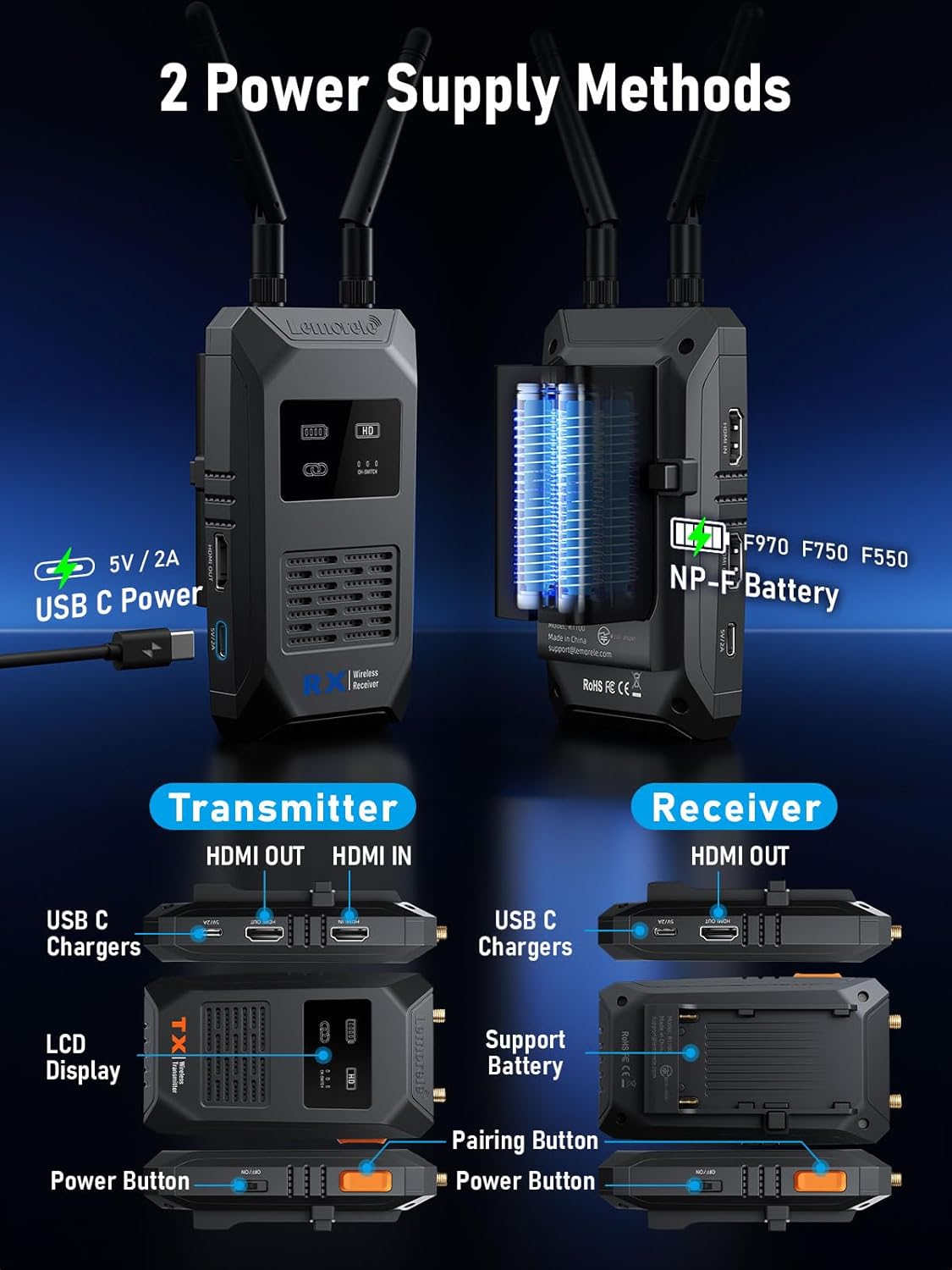
- Ukunikezwa kwamandla okubili: Can be powered via USB-C (5V2A) or NP-F type batteries.

3.2 Izingxenye namachweba
Familiarize yourself with the ports and controls on both the Transmitter (TX) and Receiver (RX) units:

- I-Transmitter (TX): Features HDMI Input (for source device), HDMI Output (for local monitoring), USB-C Power port, LCD Display, Power Button, and Pairing Button.
- Umamukeli (RX): Features HDMI Output (for display device), USB-C Power port, Power Button, Pairing Button, and a battery compartment for NP-F type batteries.
- I-Antennas: Both TX and RX units utilize external 5DB high gain Wi-Fi antennas for enhanced signal strength.
4. Sethaphu Imiyalelo
4.1 Power Supply (Important)
To ensure optimal performance and stable operation of the Wi-Fi module, it is crucial to use a 5V2A amandla kagesi for both the Transmitter and Receiver units. Insufficient power can lead to various issues, including:
- Unsuccessful screen casting
- Connection lags or instability
- Sudden disconnections
- Display interface not showing SSD and password
The units can be powered via the provided USB-C cables connected to a 5V2A power adapter (not included) or by compatible NP-F type batteries (for the Receiver).
4.2 Initial Connection (Plug and Play)
The Lemorele R1100 system is designed for plug-and-play operation, requiring no complex wiring or software configuration for a single TX-RX setup.
- Connect Transmitter (TX): Plug the Transmitter into the HDMI output port of your source device (e.g., camera, PC, TV-Box).
- Connect Receiver (RX): Connect the Receiver to the HDMI input port of your display device (e.g., TV, projector, monitor).
- Sebenzisa Amandla: Connect the 5V2A USB-C power supply to both the TX and RX units.
- Lindela Ukuxhumeka: The system will automatically establish a connection within 5-10 seconds, and your source content will be displayed on the monitor.

4.3 Pairing Additional Receivers
If you have purchased additional receivers separately, they will need to be manually paired with the transmitter. Refer to the specific instructions provided with your additional receiver units for the pairing process.
5. Iziqondiso Zokusebenza
5.1 Wireless Transmission Performance
The R1100 system provides robust wireless transmission with the following characteristics:
- Ibanga lokudlulisela: Up to 200 meters (656 feet) for a single transmitter-receiver pair in an open environment.
- Ukubambezeleka Okuphansi: Less than 50ms delay, ensuring near real-time video and audio synchronization.
- Ukulungiswa kwe-HD: Supports 1080P@60Hz refresh rate, delivering clear and smooth visuals.

5.2 Multi-Receiver Support
The R1100 system allows one transmitter to broadcast to multiple receivers simultaneously, expanding your monitoring options. The transmission distance varies with the number of connected receivers:
- 1 Transmitter + 1 Receiver: Kufika kumamitha ayi-200 (656 amafidi)
- 1 Transmitter + 2 Receivers: Kufika kumamitha angu-130
- 1 Transmitter + 3 or 4 Receivers: Kufika kumamitha angu-100
5.3 App Monitoring (TuTuPlay)
For additional monitoring flexibility, the Lemorele R1100 system supports the TuTuPlay app, available for Android and iOS devices. This app allows you to monitor the video feed directly on your smartphone or tablet.
5.4 Adaptive Frequency Hopping
The system incorporates Wi-Fi adaptive frequency hopping technology, utilizing a Realtek high-performance module. This feature ensures a stable connection and minimizes interference, even in environments with numerous wireless signals or large conference settings.

6. Isondlo
To ensure the longevity and optimal performance of your Lemorele R1100 system, follow these maintenance guidelines:
- Ukuhlanza: Use a soft, dry cloth to clean the units. Avoid using liquid cleaners or solvents.
- Isitoreji: Gcina izisetshenziswa endaweni epholile, eyomile ekude nelanga eliqondile namazinga okushisa aphezulu.
- I-Antennas: Handle the external antennas with care to prevent damage. Ensure they are securely attached during use.
- Ukunikezwa kwamandla kagesi: Always use the recommended 5V2A power supply to prevent damage from insufficient or excessive power.
7. Ukuxazulula izinkinga
If you encounter issues with your Lemorele R1100 system, refer to the following common problems and solutions:
- No Signal/Unsuccessful Screen Casting:
- Ensure both TX and RX units are powered correctly with a 5V2A supply.
- Verify HDMI cables are securely connected to both source and display devices.
- Check that the input source on your display device is set to the correct HDMI port.
- Confirm that the TX and RX units are within the effective transmission range.
- Connection Lags/Sudden Disconnection:
- This is often caused by insufficient power. Ensure a stable 5V2A power supply is used for both units.
- Reduce the distance between the TX and RX units.
- Minimize obstructions (walls, large objects) between the units.
- Check for strong Wi-Fi interference from other devices in the vicinity.
- Display Interface Not Showing SSD/Password:
- This indicates a power issue. Confirm both units are receiving adequate 5V2A power.
- Restart both the TX and RX units.
- Umsindo Awusebenzi:
- Ensure the audio output settings on your source device are correct.
- Check the volume levels on your display device.
- Verify HDMI cable connections.
8. Imininingwane
| Isici | Ukucaciswa |
|---|---|
| Ibhrendi | I-Lemorele |
| Imodeli | R1100 |
| Isixazululo | 1080p (1080P@60Hz) |
| Imvamisa yokudlulisela | I-5.8G Wi-Fi |
| Transmission Distance (1TX to 1RX) | Kufika kumamitha ayi-200 (656 amafidi) |
| Ukubambezeleka | Ngaphansi kuka-50ms |
| Ubuchwepheshe bokuxhumana | I-HDMI |
| Uhlobo Lwesixhumi | I-HDMI |
| Ukunikezwa kwamandla kagesi | USB-C (5V2A recommended), NP-F Battery (RX only) |
| Ubukhulu bomkhiqizo | 10 x 2 x 2.7 cm (approximate per unit) |
| Isisindo sento | 36.2 Grams (approximate per unit) |
9. Iwaranti kanye Nokusekela
For warranty information, technical support, or any inquiries regarding your Lemorele R1100 Wireless HDMI Transmitter and Receiver, please refer to the contact information provided on the product packaging or visit the official Lemorele webindawo. Gcina irisidi yakho yokuthenga ukuze uthole izimangalo zewaranti.