
JUNJIEUNVO YYK-Q16 PRO
JUNJIEUNVO Q30 Bluetooth Earphones User Manual
Model: YYK-Q16 PRO
1. Isingeniso
Thank you for choosing the JUNJIEUNVO Q30 Bluetooth Earphones. These earphones are designed to provide a superior audio experience with advanced features such as an intelligent color touch screen, Active Noise Cancellation (ANC), and Environmental Noise Cancellation (ENC). This manual will guide you through the setup, operation, and maintenance of your new earphones.
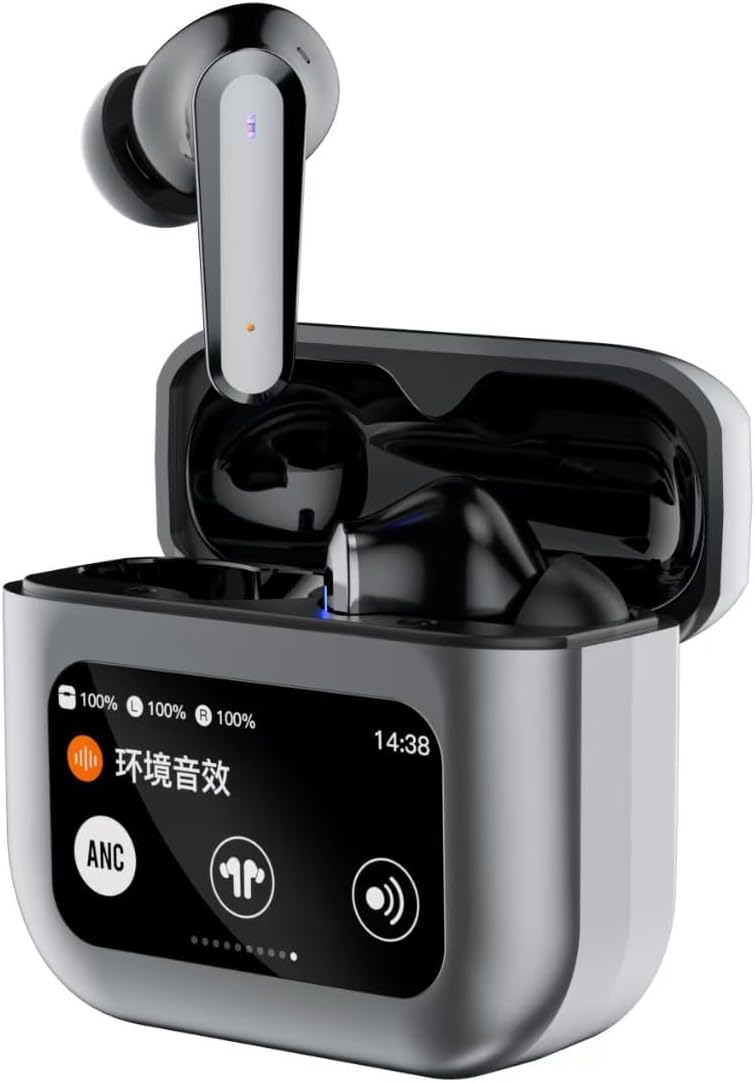
Image 1.1: JUNJIEUNVO Q30 Bluetooth Earphones in their charging case, showcasing the intelligent color touch screen.
2. Okuqukethwe Kwephakheji
Sicela uhlole iphakheji ngezinto ezilandelayo:
- JUNJIEUNVO Q30 Bluetooth Earphones (Left and Right)
- Charging Case with Intelligent Color Touch Screen
- Ikhebula lokushaja le-USB
- Imaniwali yosebenzisayo
- Amathiphu Osayizi Abaningi Bendlebe (S, M, L)
3. Ulwazi Olubalulekile Lokuphepha
- Ungawaqedi noma uguqule izindlebe noma ikesi lokushaja.
- Keep the device away from extreme temperatures, humidity, and liquids.
- Gwema ukuchayeka isikhathi eside kumazinga evolumu ephezulu ukuze uvimbele ukulimala kokuzwa.
- Sebenzisa kuphela ikhebuli yokushaja enikeziwe noma okulinganayo okuqinisekisiwe.
- Lahla ucingo kanye nebhethri lakho ngokuzibophezela ngokwemithetho yendawo.
4. Setha
4.1. Ukushaja ama-Earphone kanye nekesi
Ngaphambi kokusebenzisa okokuqala, shaja ama-earphone ngokugcwele kanye nebhokisi lokushaja.
- Xhuma ikhebula lokushaja le-USB embobeni yokushaja kukesi kanye nomthombo wamandla.
- Isikrini esithintwayo esekesini sizobonisa isimo sokushaja.
- Faka ama-earphone ebhokisini lokushaja. Azoqala ukushaja ngokuzenzakalelayo.
- Ukushaja okugcwele ngokuvamile kuthatha cishe amahora angu-1.5.
4.2. Ukubhanqa kwe-Bluetooth
Ukuxhuma ama-earphone akho kudivayisi:
- Qinisekisa ukuthi ama-earphone ashajwe futhi angaphakathi kwebhokisi lokushaja.
- Vula isivalo sekesi lokushaja. Ama-earphone azongena ngokuzenzakalelayo kumodi yokumatanisa.
- Edivayisini yakho (i-smartphone, ithebhulethi, njll.), vula i-Bluetooth.
- Cinga available Bluetooth devices and select "Q30" from the list.
- Once connected, the earphones will indicate successful pairing, and the touch screen on the case may show connection status.
4.3. Efake ama-Earphone
For optimal sound quality and comfort, choose the ear tips that best fit your ears. Insert the earphones gently into your ear canal and rotate them slightly until they feel secure and comfortable.
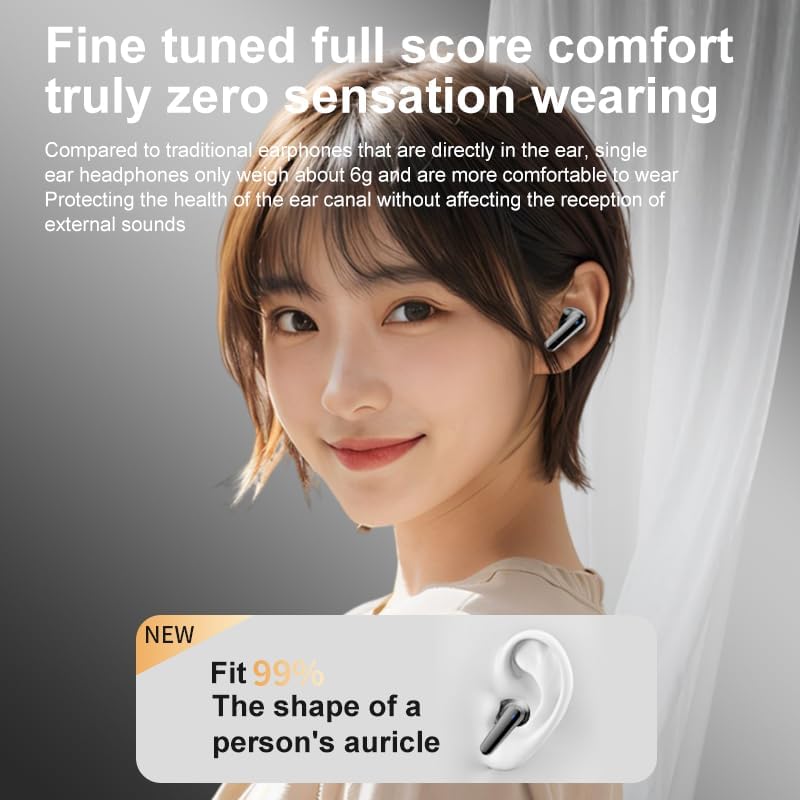
Image 4.1: Illustration of proper earphone fit for comfort and sound.
5. Iziqondiso Zokusebenza
5.1. Vula/Vala
- Vula: Vula isembozo sekesi lokushaja, noma khipha ama-earphone ekesini. Azovuleka ngokuzenzakalelayo.
- Cisha ugesi: Buyisela ama-earphone ebhokisini lokushaja bese uvala isivalo. Azocima ngokuzenzakalelayo.
5.2. Izilawuli Zokuthinta (Ama-Earbud)
The earphones feature touch-sensitive areas for various functions:
- Dlala/Misa kancane: Ukuthepha okukodwa kunoma iyiphi i-earbud.
- Ithrekhi Elandelayo: Thepha kabili ku-earbud engakwesokudla.
- Ithrekhi yangaphambilini: Thepha kabili ku-earbud engakwesokunxele.
- Phendula/Phendula ikholi: Ukuthepha okukodwa kunoma iyiphi i-earbud.
- Yenqaba Ucingo: Cindezela futhi ubambe noma iyiphi i-earbud imizuzwana emi-2.
- Yenza kusebenze umsizi wezwi: Thepha kathathu kunoma iyiphi i-earbud.
- Switch ANC/ENC Modes: Press and hold the left earbud for 2 seconds to cycle through ANC On, Transparency Mode, and ANC Off.
5.3. Intelligent Color Touch Screen Functions (Charging Case)
The charging case features a full-color touch screen for advanced control and settings. Swipe left or right to navigate through the menus.

Isithombe 5.1: Phezuview of the intelligent color touch screen functions on the charging case.
- Ukulawula Umculo: Dlala, misa isikhashana, weqa amathrekhi ngqo kusuka esikrinini.
- Ukulungiswa Kwevolumu: Control the playback volume.
- Isilinganisi: Select from preset equalizer modes or customize your sound profile.
- Pattern Selection (Mode Select): Choose different audio modes, such as gaming or movie mode.
- Lock Wallpaper: Customize the screen background.
- Isilungiselelo Sesikhathi: Adjust the device's time.
- Ukukhanya Kwesikrini: Lungisa ukugqama kwesibonisi.
- Umsebenzi we-Flashlight: Activate a small flashlight feature.
- Ulimi: Shintsha ulimi lokubonisa.
- Find Earphone: Locate misplaced earbuds by emitting a sound.
- Umsebenzi wekhamera: Remotely trigger your phone's camera shutter.
- Ikholi Yezwi: Initiate or manage voice calls.
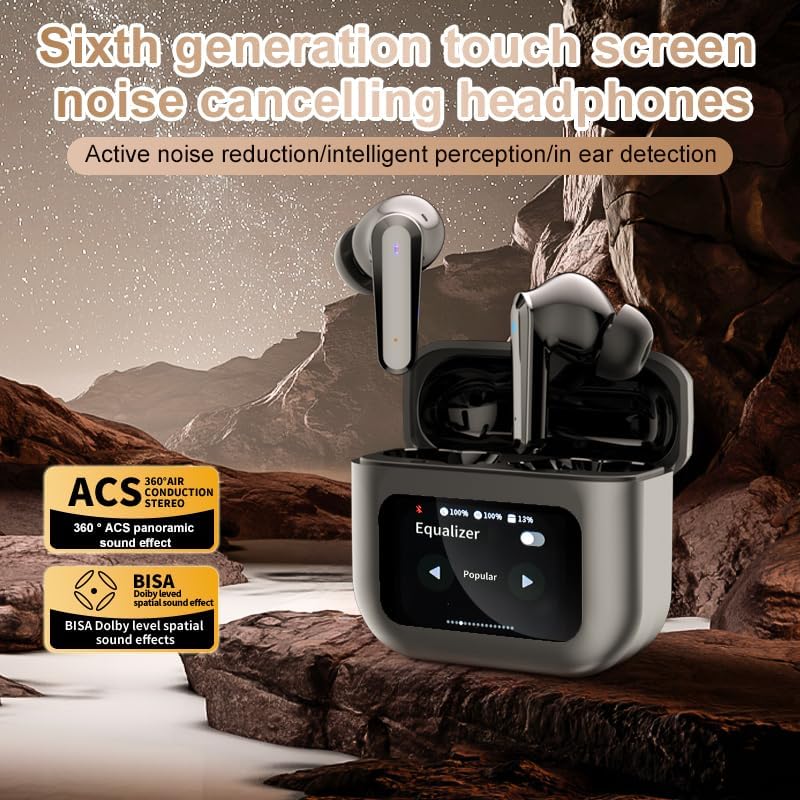
Image 5.2: The touch screen displaying equalizer settings for audio customization.
5.4. Active Noise Cancellation (ANC) and Environmental Noise Cancellation (ENC)
The Q30 earphones feature both ANC for reducing ambient noise and ENC for clear call quality.
- I-ANC: Reduces external low-frequency noise, ideal for travel or noisy environments. Activate via earbud touch control or the charging case screen.
- Imodi yokubonisa ngale: Allows you to hear your surroundings without removing the earphones. Cycle through modes using the earbud touch control.
- I-ENC: Enhances voice clarity during calls by filtering out background noise from your microphone. This feature is automatically active during calls.

Image 5.3: The touch screen interface for selecting various modes, including noise cancellation options.
6. Isondlo
6.1. Ukuhlanza
- Sula kahle ama-earphone nekesi lokushaja ngendwangu ethambile, eyomile, engenantambo.
- Ungasebenzisi izinto zokuhlanza abrasive, utshwala, noma izincibilikisi zamakhemikhali.
- Hlanza amathiphu ezindlebeni njalo ngesikhangisoamp indwangu bese uyivumela ukuthi yome ngokuphelele ngaphambi kokuyinamathisela kabusha.
- Ensure charging contacts on both earphones and case are clean and free of debris.
6.2. Isitoreji
- Uma ingasetshenziswa, gcina ama-earphone ekesini lakho lokushaja ukuze uwavikele futhi uwagcine eshajiwe.
- Gcina endaweni epholile, eyomile, kude nelanga eliqondile namazinga okushisa aphezulu.
7. Ukuxazulula izinkinga
| Inkinga | Imbangela Engenzeka | Isixazululo |
|---|---|---|
| Ama-earphone awabhangqi | Earphones not in pairing mode; Bluetooth off on device; out of range. | Ensure earphones are in pairing mode (open case lid). Turn Bluetooth on your device. Move device closer to earphones. |
| Awukho umsindo ophuma kuma-earphone | Ivolumu iphansi kakhulu; ama-earphone awaxhunyiwe; imidiya imisiwe. | Increase volume on device and earphones. Reconnect earphones. Check if media is playing. |
| I-earphone eyodwa ayinawo umsindo | Low battery; connection issue. | Place both earphones back in the case, close, then reopen to reset connection. Ensure both are charged. |
| Ikesi elishajayo alishaji | Faulty cable; power source issue. | Try a different USB cable and power adapter. Ensure connections are secure. |
| Isikrini esithintwayo asiphenduli | Iphutha lesofthiwe yesikhashana. | Restart the case by closing and reopening it, or allow the battery to drain and recharge. |
8. Imininingwane
| Isici | Imininingwane |
|---|---|
| Igama Lemodeli | YYK-Q16 PRO (Q30) |
| Inguqulo ye-Bluetooth | I-V5.4 + EDR |
| I-chip | Blue Flood |
| Amaphrothokholi Asekelwe | AVRCP V1.6, A2DP V1.3, HFP V1.7, Simultaneous LE and BR / EDR |
| Ukulawula Umsindo | Ukukhansela Umsindo Osebenzayo (i-ANC), Ukukhansela Umsindo Wezemvelo (i-ENC) |
| Isikhathi sokudlala | Cishe amahora angu-8 (ngevolumu engu-80%) |
| Isikhathi sokulinda | 80 amahora |
| Isikhathi sokushaja | Cishe amahora angama-1.5 |
| Ibanga elingenantambo | 10 amamitha |
| Amandla ebhethri ekhanda | 40mAh |
| Ikesi lokushaja Amandla ebhethri | 500mAh |
| Isilinganiso Sokungangeni Manzi | IPX5 (Ama-earphone) |
| Impedance | 32 ohm |
| I-UPC | 884613749491 |
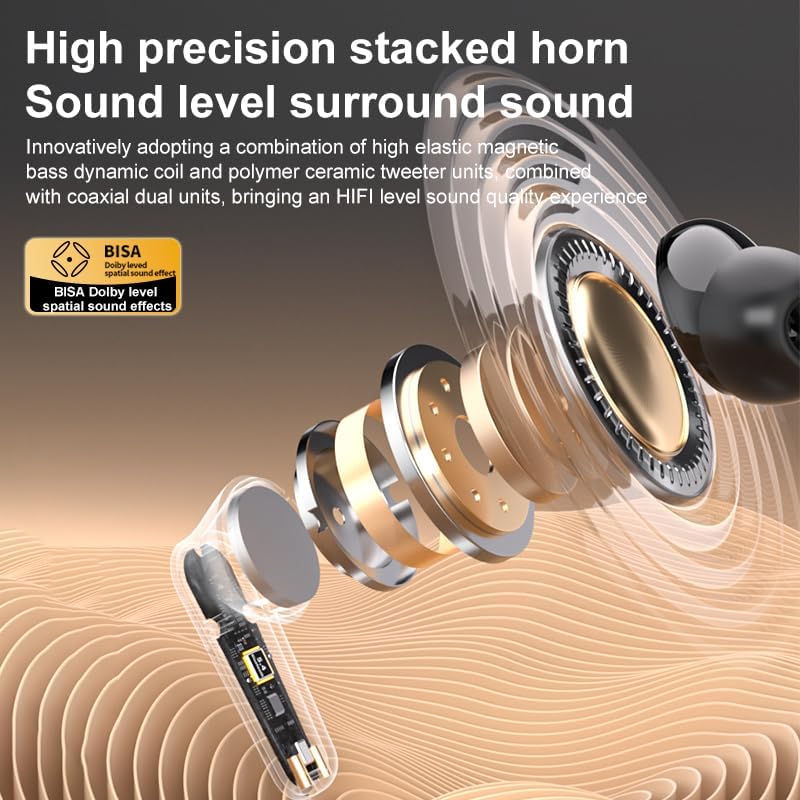
Isithombe 8.1: Okuningiliziwe view of the high-precision stacked horn and internal components for sound delivery.
9. Iwaranti kanye Nokusekela
For warranty information or technical support, please refer to the warranty card included with your product or contact the manufacturer directly. Please have your model number (YYK-Q16 PRO) and purchase details ready when contacting support.
Manufacturer: UNVO
Ask a question about this manual
Ask about setup, troubleshooting, compatibility, parts, safety, or missing instructions. Manuals+ will review the question and use this page’s manual context to help answer it.