
1. Isingeniso
Thank you for choosing the YI Smart Security Camera 360° PTZ Dome Camera. This camera provides comprehensive surveillance with its 360° pan and tilt capabilities, delivering crystal-clear 1080p Full HD video. Designed for indoor use, it features advanced motion detection, smart auto-tracking, enhanced night vision, and two-way audio communication. This manual will guide you through the setup, operation, and maintenance of your new security camera.
Izici Eziyinhloko:
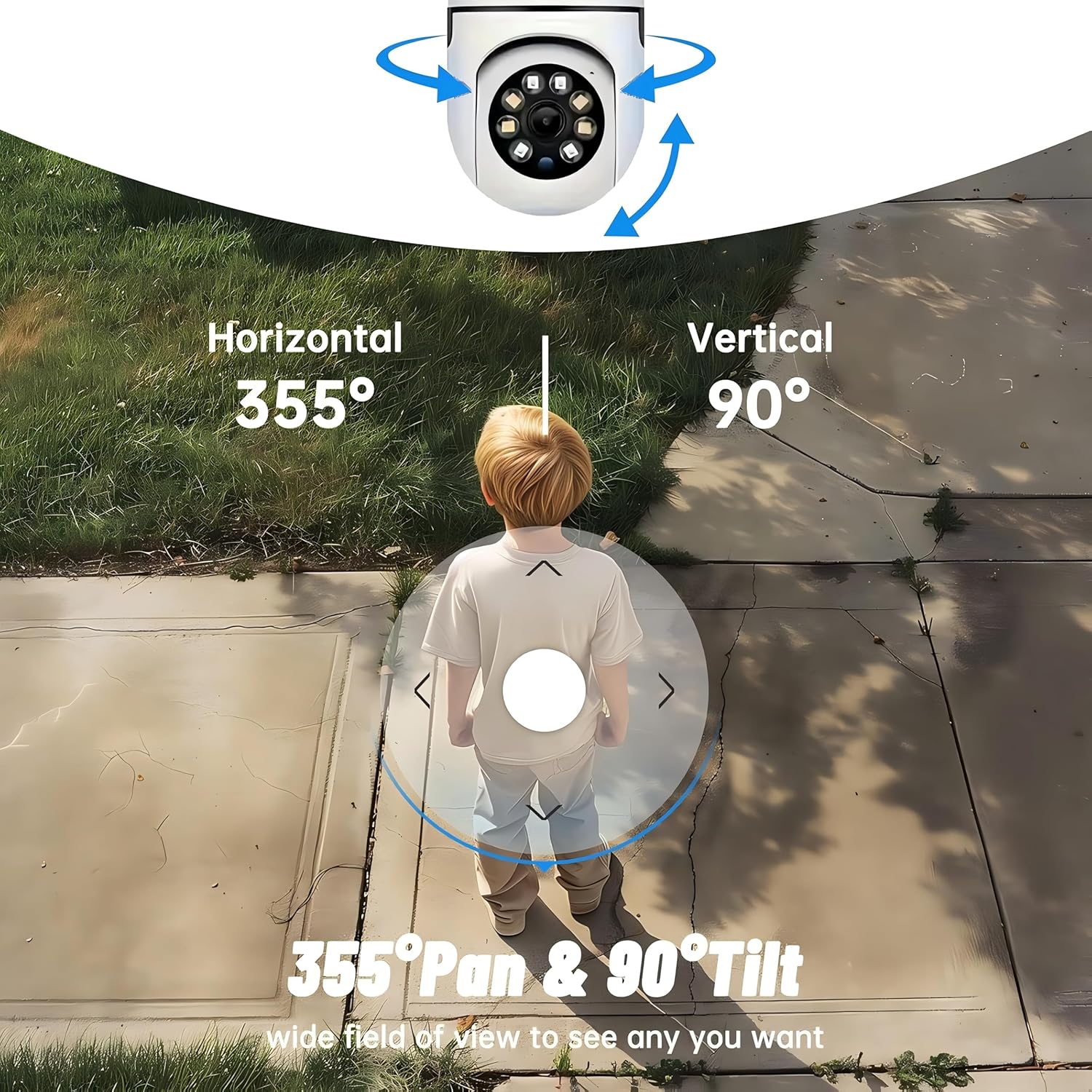
- 360° Ukufakwa: 355° horizontal and 90° vertical rotation for zero blind spots.
- 1080p I-HD Egcwele: High-definition video for clear monitoring.
- Motion Detection & Auto Tracking: Alerts and tracks moving objects automatically.
- Ukubona Kwasebusuku Okuthuthukisiwe: Multiple modes including full-color night vision.
- Umsindo Wendlela Embili: Imakrofoni kanye nesipikha esakhelwe ngaphakathi sokuxhumana ngesikhathi sangempela.
- Isitoreji Esivumelana nezimo: Supports Cloud storage and local storage via microSD card (up to 128GB).
2. Okuqukethwe Kwephakheji
Sicela uhlole iphakheji ngezinto ezilandelayo:
- YI Smart Security Camera x1
- Ikhebula le-USB x1
- User Manual x1 (This document)
3. Umkhiqizo Uphelileview
Familiarize yourself with the components of your YI Smart Security Camera.

Umfanekiso 3.1: Ngaphambili view of the YI Smart Security Camera, showing the lens, LED lights, and two antennas.

Figure 3.2: Dimensions of the YI Smart Security Camera, indicating a height of 180mm (7.08in), width of 102mm (4.0in), and depth of 85mm (3.34in).
4. Ukusetha nokufakwa
4.1 Ukwenyusa Amandla Okuqala
- Connect the provided USB cable to the camera's power port and plug the other end into a compatible USB power adapter (not included).
- The camera will power on and initiate its self-test sequence. Wait for the indicator light to flash, indicating it's ready for setup.
4.2 Ukulanda Uhlelo Lokusebenza kanye nokudalwa kwama-akhawunti
- Landa ifayela le- YI IOT App kusuka ku-App Store (iOS) noma ku-Google Play Store (Android).
- Vula uhlelo lokusebenza bese ulandela imiyalo esesikrinini ukuze udale i-akhawunti entsha noma ungene ngemvume uma usunayo.
4.3 Adding Your Camera to the App
- In the YI IOT App, tap the "+" icon to add a new device.
- Khetha imodeli yekhamera yakho ohlwini.
- Follow the app's instructions to connect the camera to your 2.4GHz Wi-Fi network. This typically involves scanning a QR code generated by the app with the camera's lens.
- Uma usuxhumekile, ungaqamba ikhamera yakho bese uqala bukhoma viewing.
4.4 Ukufaka Ikhamera
The camera is designed for indoor use and can be placed on a flat surface or wall-mounted. For wall mounting, use the included mounting accessories (if applicable) and ensure the camera is securely fastened.
Umfanekiso 4.1: Eksamples of multi-scene applications, including wall and ceiling mounting, and placement in living rooms, bedrooms, and studies.
5. Ukusebenzisa Ikhamera Yakho
5.1 Ukulawula Ukuthambekela Kwe-Pan
The YI Smart Security Camera offers extensive pan and tilt capabilities, allowing you to monitor a wide area.
- Ukuzungezisa Okuvundlile: 355°
- Ukuzungezisa Okuqondile: 90°
In the YI IOT App, use the directional controls on the live view screen to remotely adjust the camera's viewi-angle.

Figure 5.1: Illustration of the camera's 355° horizontal pan and 90° vertical tilt capabilities, providing a wide field of view.
5.2 Motion Detection & Smart Auto Tracking
The camera can detect movement and automatically track objects, sending alerts to your smartphone.
- Ukutholwa kokunyakaza: When motion is detected, the camera will send an instant push notification with a 6-second video clip to your phone via the YI IOT App.
- Smart Auto Tracking: If enabled, the camera will automatically follow moving objects for up to 10 seconds after detection, ensuring continuous monitoring of the activity.
Adjust sensitivity settings and notification preferences within the app.

Figure 5.2: Real-time alarm notification on the YI IOT app, showing an intruder detected by the camera.
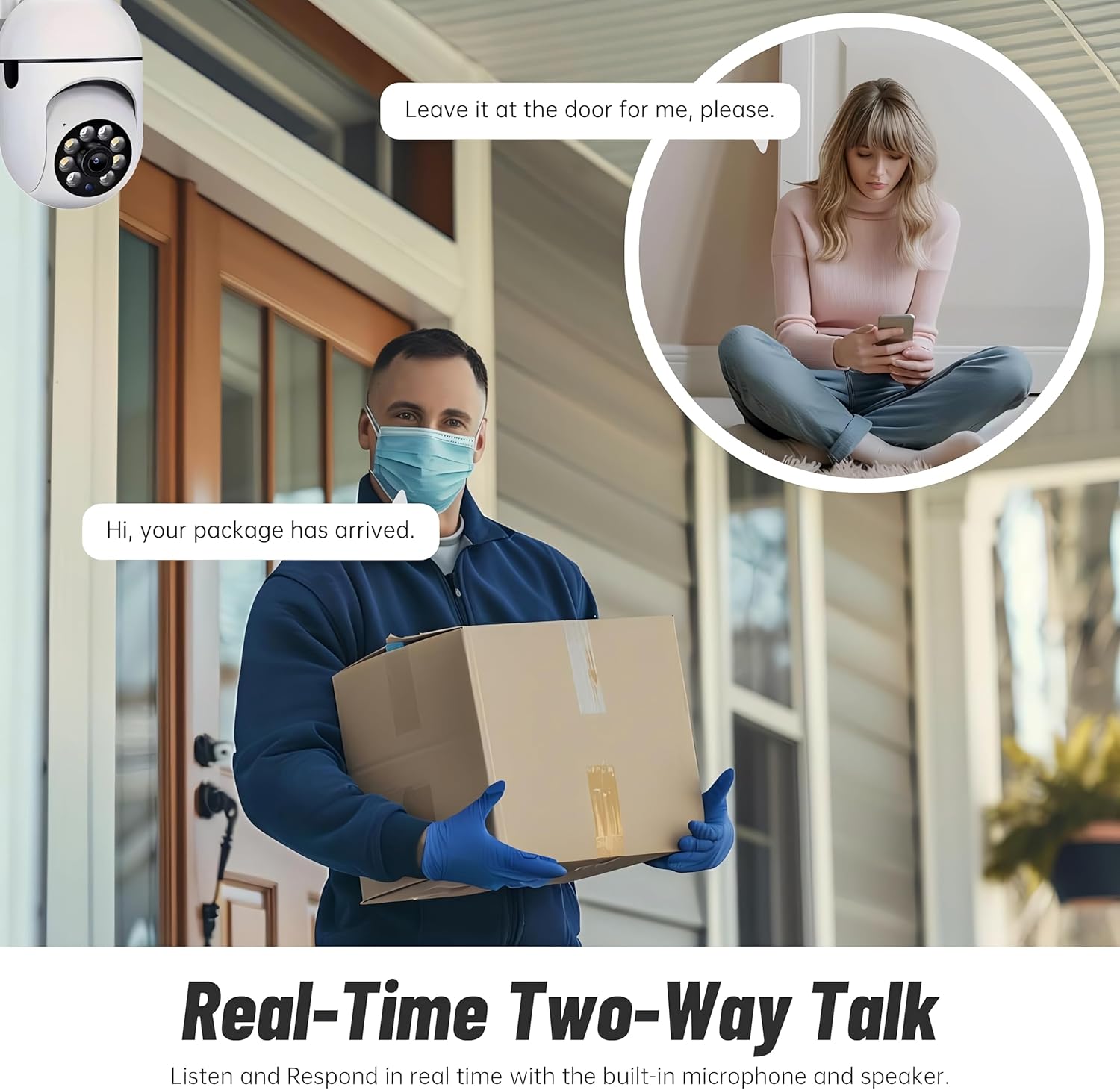
Figure 5.3: The camera's motion tracking feature focusing on a moving pet.

Figure 5.4: Visual representation of a motion detection alert, showing the camera capturing movement and sending notifications.
5.3 Umbono Othuthukisiwe Wasebusuku
The camera is equipped with ultra-long-distance infrared LEDs and floodlight LEDs, offering multiple night vision modes for clear visibility in low-light conditions.
- Normal Night Vision: Standard black and white infrared view.
- Umbono Ohlakaniphile Wasebusuku: Automatically switches between infrared and full-color based on detected activity.
- Umbono Ogcwele Ebusuku: Provides a color image even in low light, utilizing the built-in floodlight.
You can switch between these modes directly from the YI IOT App.

Figure 5.5: Comparison illustrating the difference between standard infrared night vision (monochrome) and 1080p full-color night vision.
5.4 Umsindo Wendlela Embili
Communicate through the camera using its built-in microphone and high-power speaker.
- Imodi ye-Intercom: Press and hold the microphone icon in the app to speak, and release to listen. Ideal for giving commands to pets or deterring unwanted visitors.
- Imodi Yezandla: Allows for a continuous two-way conversation, similar to a phone call.
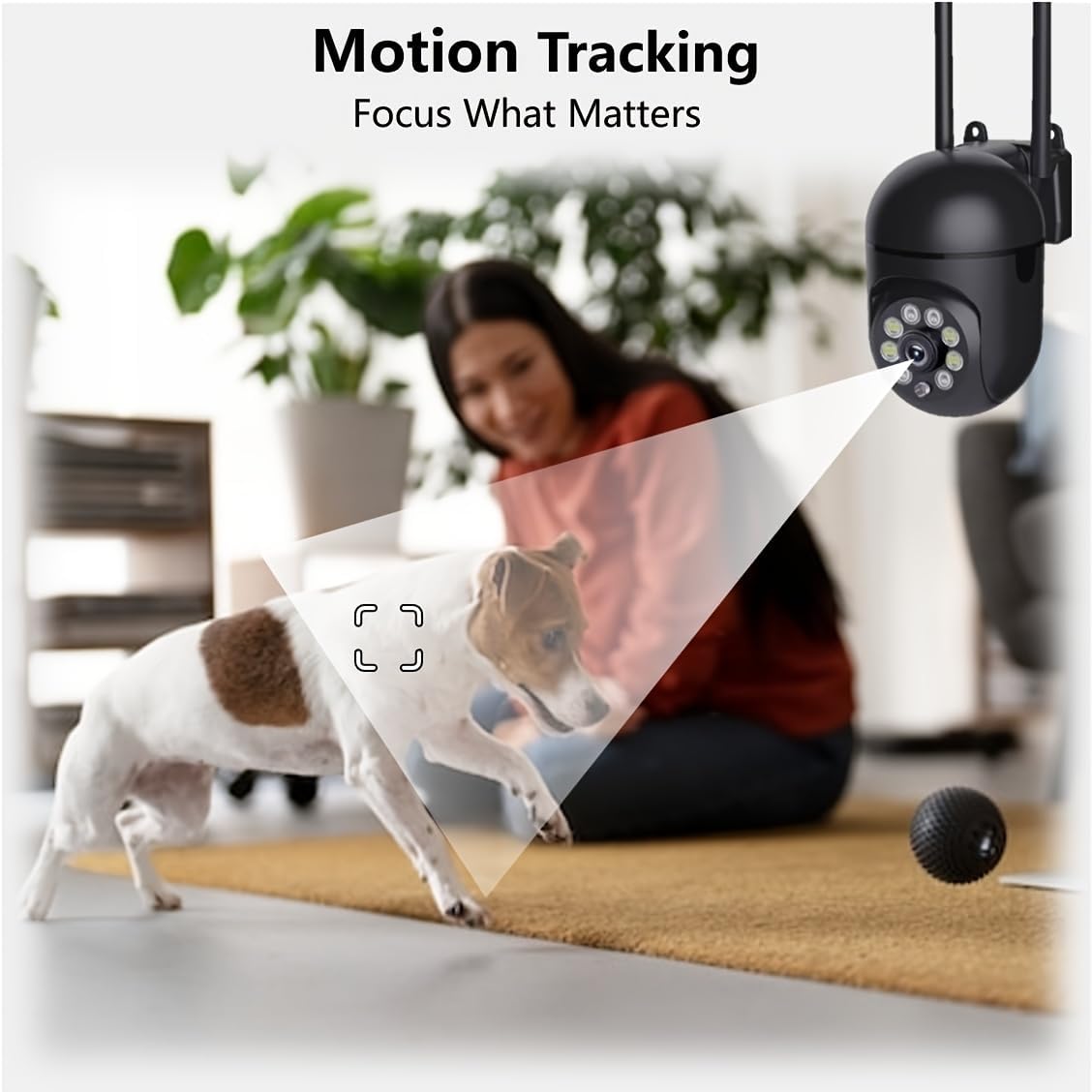
Figure 5.6: Demonstration of real-time two-way talk, allowing communication between the camera's location and the app user.
5.5 Cloud & Local Storage
Your camera offers flexible storage options for your video footage.
- YI Cloud Storage: Securely store 6-second video clips triggered by motion or sound detection. This ensures your footage is safe from loss, theft, or damage to local storage. Available for both iOS and Android.
- Isitoreji Sendawo: The camera supports microSD cards up to 128GB (not included) for continuous recording or event-triggered recordings.
6. Isondlo
To ensure optimal performance and longevity of your camera, follow these maintenance guidelines:
- Ukuhlanza: Sula ngobumnene ilensi yekhamera nomzimba ngendwangu ethambile, eyomile. Gwema ukusebenzisa amakhemikhali anokhahlo noma izinto ezilumayo.
- Ukuvuselelwa kwe-Firmware: Regularly check for and install firmware updates via the YI IOT App. Updates often include performance improvements, new features, and security enhancements.
- Umjikelezo Wamandla: If the camera becomes unresponsive, unplug it from the power source for 10 seconds, then plug it back in to restart it.
7. Ukuxazulula izinkinga
Uma uhlangabezana nezinkinga ngekhamera yakho, bheka izinkinga ezilandelayo nezisombululo:
| Inkinga | Imbangela Engenzeka | Isixazululo |
|---|---|---|
| Ikhamera ayixhunyiwe ku-inthanethi | Akukho mandla; i-Wi-Fi inqanyuliwe; Inkinga ye-router | Check power connection; Restart camera and router; Reconnect camera to Wi-Fi via app. |
| Ikhwalithi yesithombe esibi | Dirty lens; Insufficient lighting; Network bandwidth | Clean the lens; Ensure adequate lighting or enable night vision; Check Wi-Fi signal strength. |
| Ukutholwa kokunyakaza akusebenzi | Feature disabled; Incorrect sensitivity; Obstruction | Enable motion detection in app; Adjust sensitivity; Ensure clear view. |
| Izinkinga zomsindo ezilandelanayo | Microphone/speaker muted; App permissions; Network delay | Check app settings; Grant microphone permissions; Ensure stable network connection. |
| Ikhadi le-MicroSD alaziwa | Card not inserted correctly; Incompatible card; Corrupted card | Reinsert card; Use a compatible card (Class 10 or higher); Format card in app or replace. |
If the problem persists, please contact YI customer support.
8. Imininingwane
Detailed technical specifications for the YI Smart Security Camera.
| Isici | Ukucaciswa |
|---|---|
| Igama Lemodeli | CB201-1X-W |
| Ukusetshenziswa Kwangaphakathi/Kwangaphandle | Ngasendlini |
| Ukulungiswa kokuthwebula ividiyo | 1080p i-HD ephelele |
| Ubuchwepheshe bokuxhumana | Okungenantambo (i-Wi-Fi 2.4GHz) |
| I-Pan/Tilt Range | Evundlile 355°, mpo 90° |
| Ibanga Lombono Wasebusuku | 10 Amamitha |
| Umsindo Wendlela Embili | Yebo |
| Izinketho Zesitoreji | Cloud Storage, MicroSD Card (up to 128GB) |
| Umthombo wamandla | I-Corded Electric |
| Amadivayisi Ahambisanayo | I-Smartphone (i-iOS/Android) |
| Ubukhulu bomkhiqizo (L x W x H) | 4 x 3.35 x 7.09 amayintshi |
| Izingxenye Ezihlanganisiwe | Security Camera x1, USB Cable x1 |
9. Iwaranti kanye Nokusekela
For warranty information and technical support, please refer to the official YI website or contact their customer service directly. Details can typically be found on the product packaging or within the YI IOT App's 'About' or 'Support' section.
Ukusekelwa Kwe-inthanethi: Visit the official YI webisayithi lama-FAQ, imihlahlandlela yokuxazulula inkinga, nezinketho zokuxhumana.
Ukusekelwa kohlelo lokusebenza: Access support resources directly within the YI IOT App.