
Isingeniso
The SEREONIC Portable Wireless TV Speakers are designed to bring crystal-clear television audio closer to you, enhancing your listening experience without disturbing others. This speaker system is ideal for individuals who are hard of hearing or prefer personalized volume control. It offers versatile connectivity options and a portable design, allowing you to enjoy your favorite programs anywhere within your home.
Yini Okufakiwe
Your SEREONIC Portable Wireless TV Speakers package includes the following components:
- Transmitting Base
- Isipikha Esingenantambo
- Ikhebula le-Optical
- 3.5mm kukhebula le-RCA
- RCA splitter
- I-adaptha yamandla
- Umhlahlandlela wokufaka
- Umhlahlandlela Womsebenzisi
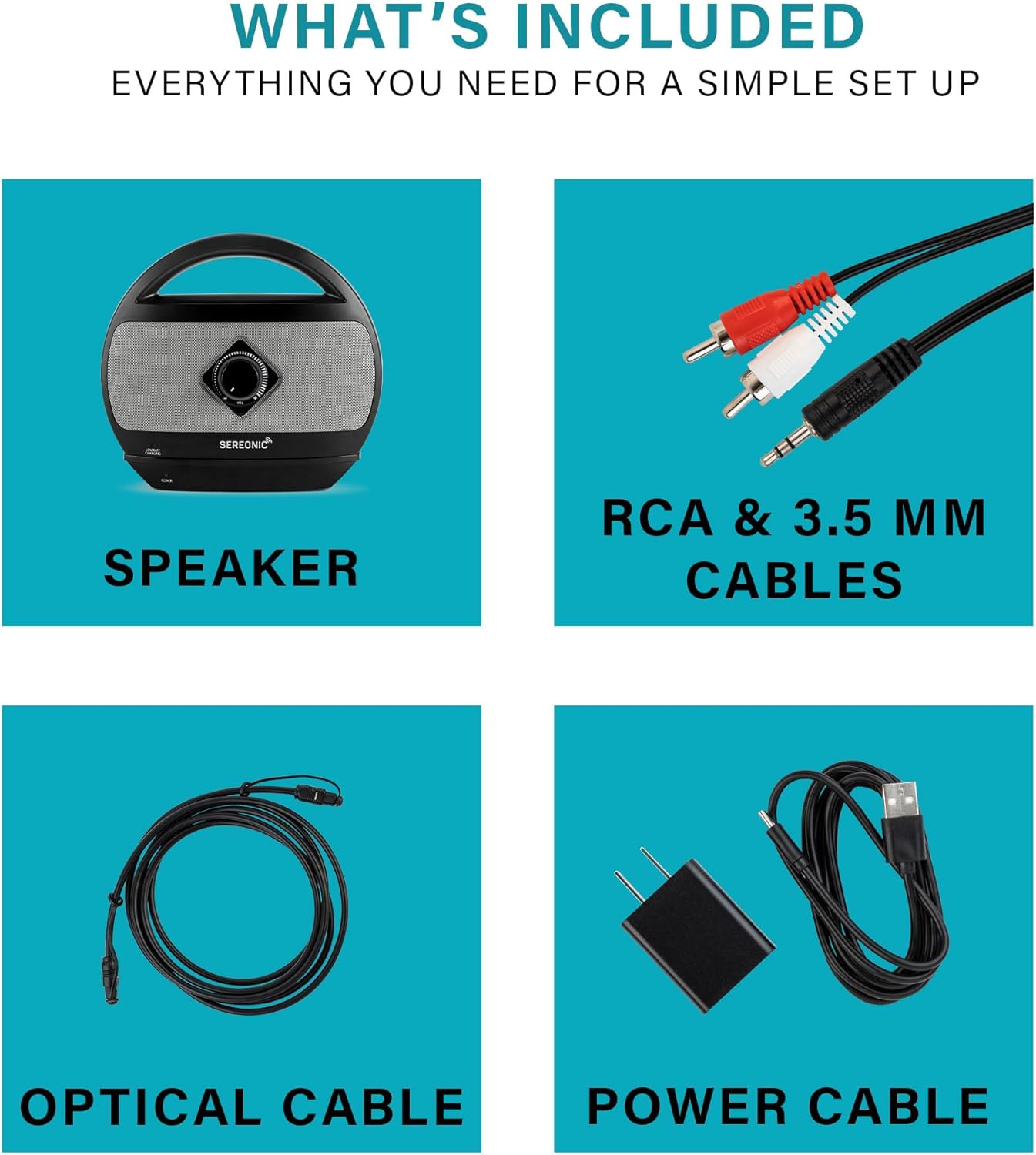
Image: All components included in the SEREONIC TV Soundbox package.
Setha
Follow these steps to set up your SEREONIC Portable Wireless TV Speakers:
1. Ukuxhunywa kwamandla
- Connect the power adapter to the transmitting base.
- Xhuma i-adaptha yamandla endaweni kagesi evamile.
2. Ukuxhumana kwe-TV
Connect the transmitting base to your television using one of the included audio cables:
- Ikhebuli ye-Optical: For digital audio output, connect the optical cable from the base to your TV's optical audio output port.
- 3.5mm to RCA Cable: For analog audio output, connect the 3.5mm end to the base and the RCA ends (red and white) to your TV's audio output ports. An RCA splitter is included if needed.
The system is designed for plug-and-play operation, typically requiring no changes to your TV's audio settings. For HDMI connections, an external HDMI converter (sold separately) is required.
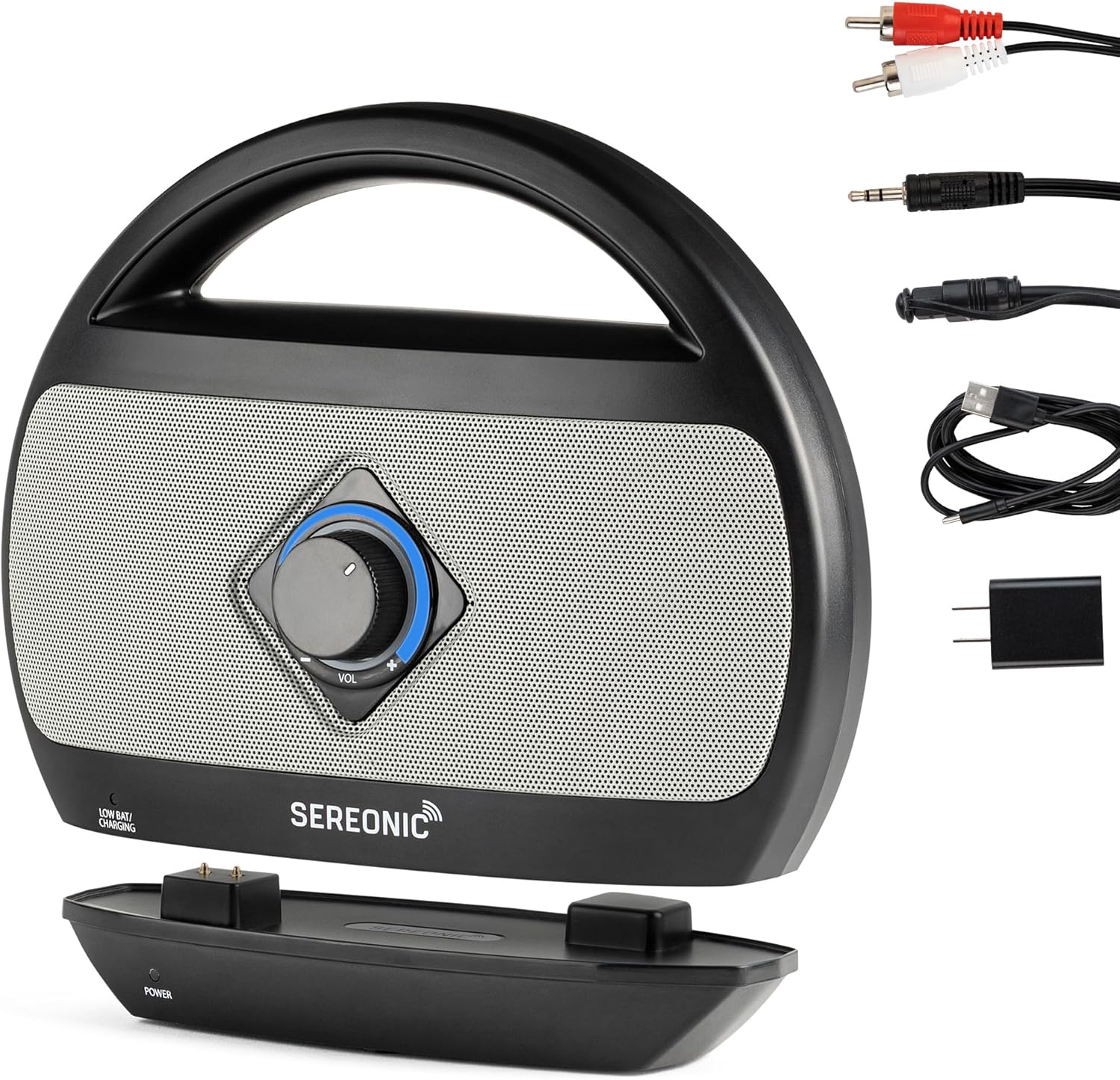
Image: The SEREONIC speaker, its charging base, and the included audio cables for TV connection.
3. Ukushaja uSomlomo
Place the wireless speaker onto the transmitting base to charge. The speaker can run for up to 8 hours on a single charge. You can also charge the speaker directly using the USB-C power cable.

Image: The SEREONIC wireless speaker being lifted from its charging base.
Setup and Operation Video Guide
Video: An official guide demonstrating the setup, portability, volume control, and private listening features of the SEREONIC TV Soundbox.
Imiyalelo yokusebenza
Ukulawula Ivolumu Nethoni
The speaker features independent volume control, allowing you to adjust the audio level without affecting the TV's main volume. You can also adjust the tone (Lo-Med-Hi) to improve dialogue clarity, making conversations easier to understand.

Image: The SEREONIC speaker providing enhanced audio for a couple watching television.
Portability and Range
The wireless speaker can be carried anywhere within 100 feet of its transmitting base, both indoors and outdoors, even through walls. This allows you to move freely around your home while maintaining clear audio from your TV.
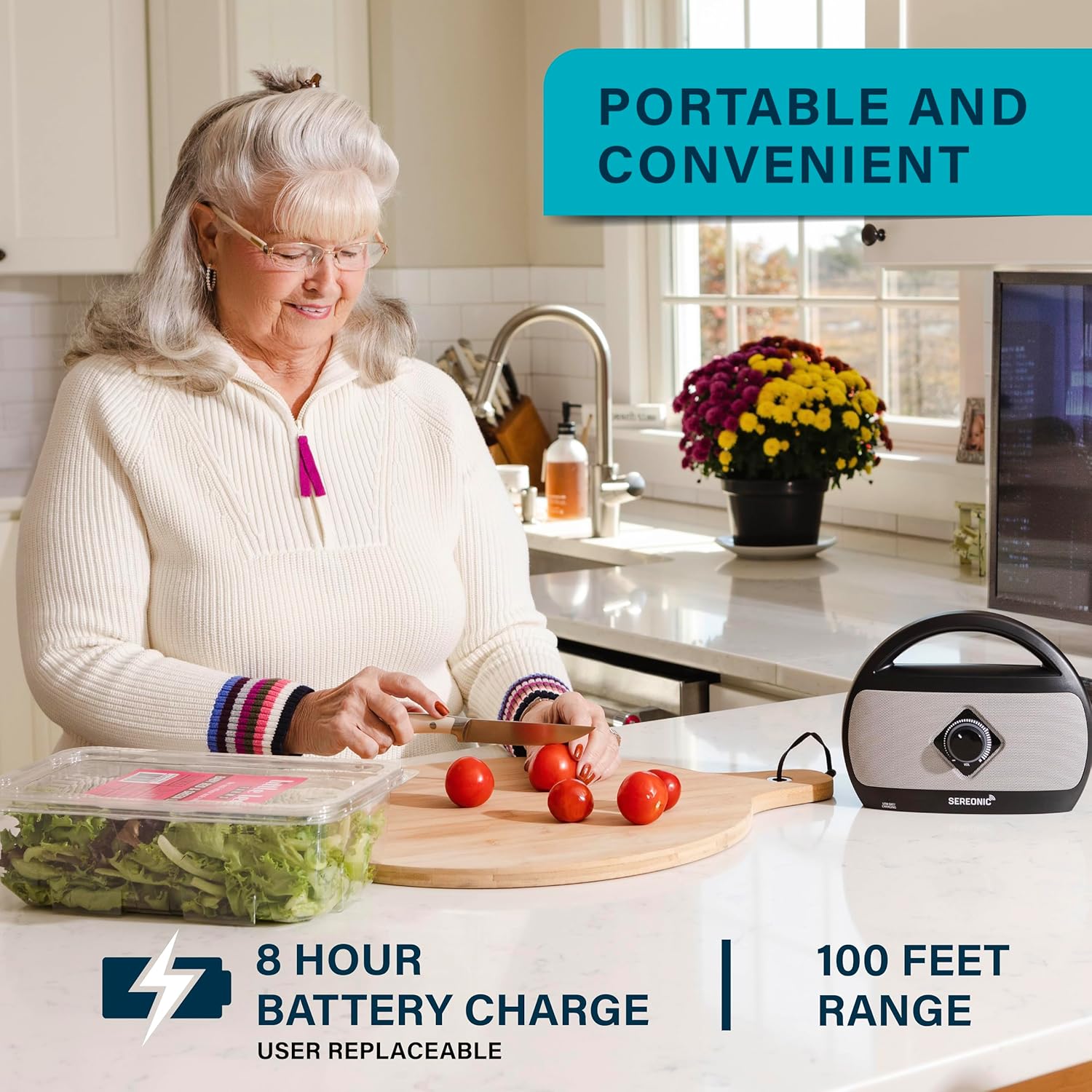
Image: The SEREONIC speaker in a kitchen setting, highlighting its portable design.

Image: The SEREONIC speaker being used outdoors, demonstrating its extended range.
Ukulalela Kwangasese
For private listening, the speaker includes a 3.5mm audio jack. Simply plug in your headphones or earbuds (not included) to listen to your program without disturbing others.
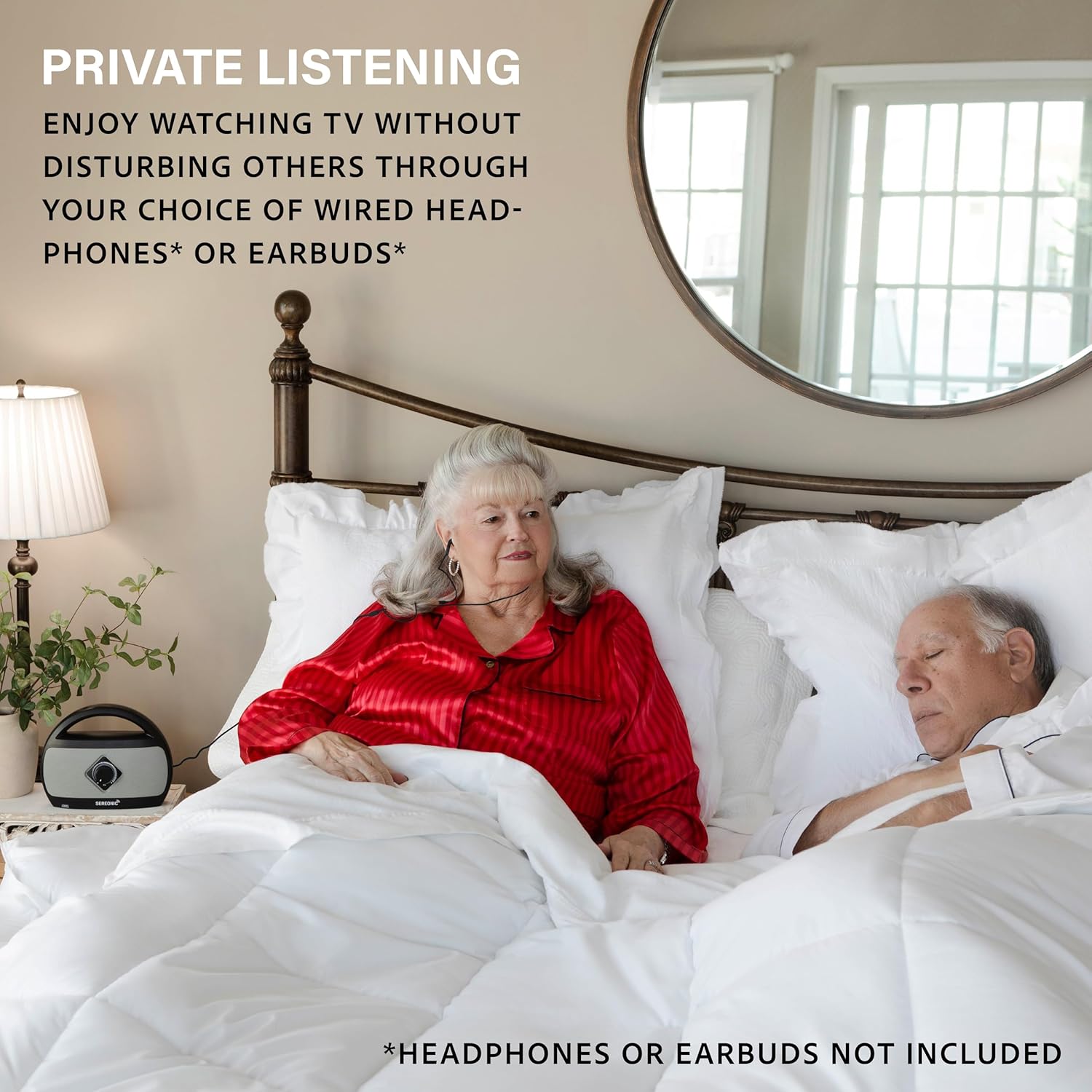
Image: Private listening with the SEREONIC speaker using headphones.
Simultaneous Audio Playback
The SEREONIC TV Soundbox allows audio to be played simultaneously from both your television and the speaker. This feature is useful when watching TV with family or friends, ensuring everyone can hear clearly.
Isondlo
To ensure the longevity and optimal performance of your SEREONIC Portable Wireless TV Speakers, follow these general maintenance guidelines:
- Keep the speaker and base clean by wiping them with a soft, dry cloth. Avoid using abrasive cleaners or solvents.
- Protect the unit from extreme temperatures, direct sunlight, and moisture.
- Ensure proper ventilation around the transmitting base to prevent overheating.
- Store the speaker and base in a cool, dry place when not in use for extended periods.
Ukuxazulula inkinga
If you encounter any issues with your SEREONIC Portable Wireless TV Speakers, please refer to the following common troubleshooting tips:
| Inkinga | Isixazululo Esingenzeka |
|---|---|
| Awukho umsindo ovela esipikheni | Ensure the base is powered on and connected correctly to the TV. Check the speaker's volume level. Verify the TV's audio output settings are configured to send sound through the connected port. |
| Ikhwalithi yomsindo engalungile noma i-static | Check for interference from other wireless devices. Ensure the speaker is within the 100ft range of the base. Adjust the tone setting on the speaker (Lo-Med-Hi). |
| Isipikha asikhokhisi | Ensure the base is properly connected to power. Verify the speaker is correctly seated on the charging pins of the base. Try charging directly via the USB-C port. |
| Ibanga elinomkhawulo | Obstructions like thick walls or metal objects can reduce range. Try repositioning the base or speaker. |
For further assistance, please contact SEREONIC customer support.
Imininingwane
| Isici | Imininingwane |
|---|---|
| Igama Lemodeli | SEREONIC TV Speakers - Wireless speakers for tv surround sound - TV speakers Bluetooth wireless Sound Amplifier for Hearing Impaired, Portable Speaker for Seniors - speakers for TV BT-200B - Decodes all digital audio formats PCM and Dolby |
| Inombolo Yemodeli Yento | I-BT-3001 |
| Ubukhulu bomkhiqizo | 3"D x 8.8"W x 7"H |
| Isisindo sento | 2.81 amakhilogremu |
| Umbala | Black&Silver |
| Okubalulekile | Ipulasitiki |
| Uhlobo lwesipika | Ibha yomsindo |
| Ubuchwepheshe bokuxhumana | Okungenantambo (Imvamisa Yomsakazo) |
| I-Wireless Communication Technology | Imvamisa yeRadio |
| I-Bluetooth Range | 100 Izinyawo |
| Umthombo wamandla | Isebenza Ibhethri (1 Lithium Ion ibhethri lifakiwe) |
| Impilo Yebhethri | Kufika emahoreni angama-8 (ukusebenza okuqhubekayo) |
| Isikhathi sokushaja | Cishe amahora angama-3 |
| Amandla Okukhipha Isipikha aphezulu | 10 Watts |
| Impendulo Yemvamisa | 20000 Hz |
| Imodi Yokukhipha Umsindo | Isitiriyo |
| Umbhalo Wekhodi Womsindo | Analog, Dolby Digital 2.1, PCM 2.0 Stereo |
| Amadivayisi Ahambisanayo | All smart TV with RCA, 3.5mm, or Optical Audio Output |
| Indlela Yokulawula | Thinta |
| Uhlobo Lokukhweza | I-Tabletop Mount |
Iwaranti kanye Nokusekela
Your SEREONIC TV Speakers wireless system is backed by a Iwaranti Enomkhawuko. For specific details regarding warranty coverage and duration, please refer to the included User Guide or contact SEREONIC customer support.
SEREONIC is committed to your satisfaction and offers a full range of hearing devices. If you have any questions, require technical assistance, or need to claim warranty service, please reach out to SEREONIC customer support. Contact information can typically be found in the User Guide or on the official SEREONIC webindawo.