
1. Isingeniso
Thank you for choosing the Intenso O400HA Over-Ear Headphones. These headphones are designed to provide a superior audio experience with advanced features such as Hybrid Active Noise Cancelling (ANC), Transparency Mode, and Bluetooth 5.3 connectivity. This manual will guide you through the setup, operation, and maintenance of your new headphones.
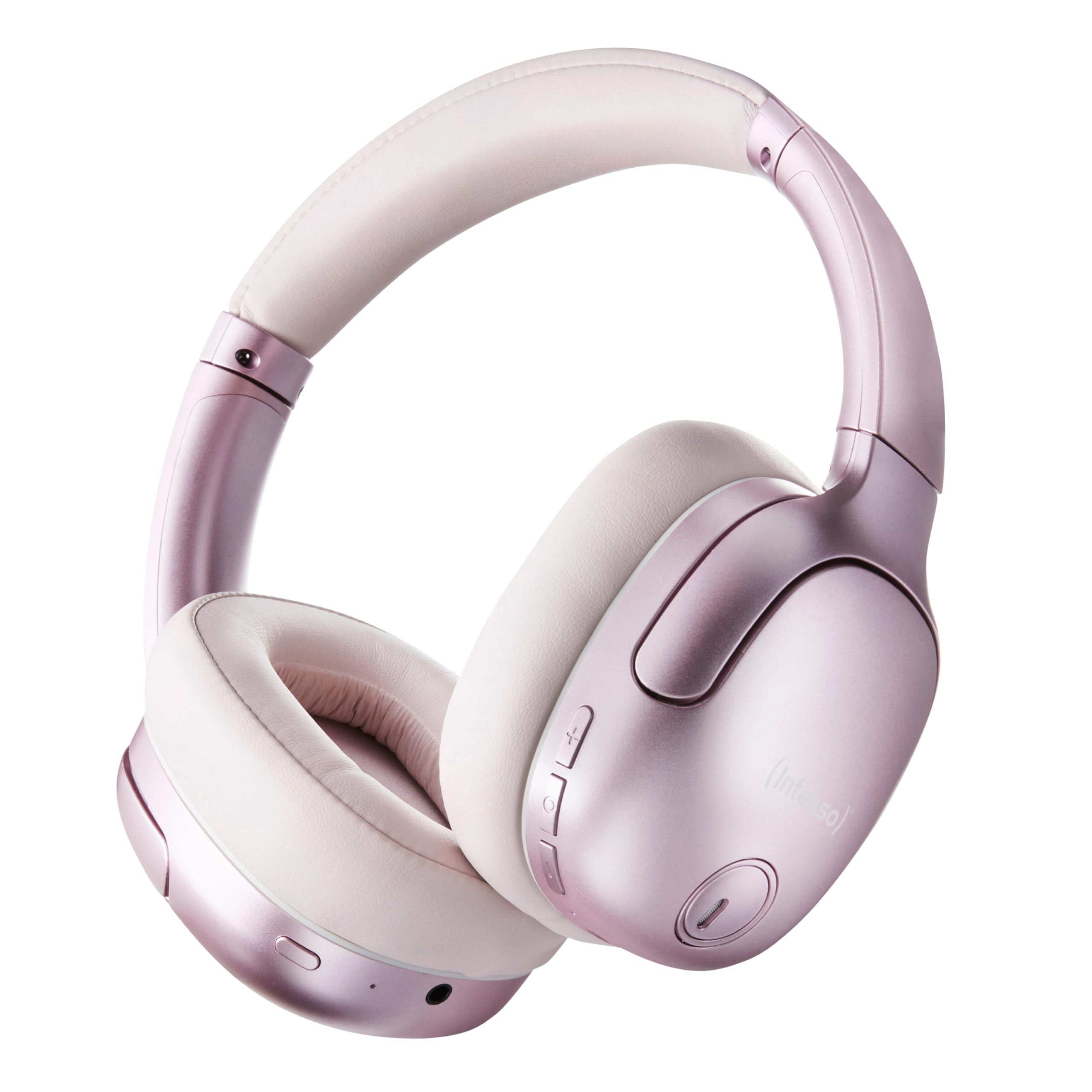
Image 1.1: Intenso O400HA Over-Ear Headphones (Pink)
The Intenso O400HA headphones feature a comfortable over-ear design with soft ear pads, an adjustable headband, and intuitive controls on the earcups.
2. Okuqukethwe Kwephakheji
Sicela uhlole iphakheji ngezinto ezilandelayo:
- Intenso O400HA Over-Ear Headphones
- Ikhebuli yokushaja ye-USB-C kuya ku-USB-C
- 1.5m Audio Cable (3.5mm jack)
- Imaniwali yosebenzisayo
3. Umkhiqizo Uphelileview
Familiarize yourself with the various parts and controls of your Intenso O400HA headphones.

Isithombe 3.1: Uhlangothi view of Intenso O400HA headphones with controls
This image displays the right earcup with its control buttons and ports. These typically include power, volume, multi-function buttons, and a charging port.
Izilawuli nezimbobo:
- Inkinobho yamandla: Used to turn the headphones on/off and initiate Bluetooth pairing.
- Inkinobho Yevolumu ephezulu/Ithrekhi elandelayo: Ukwandisa ivolumu ngokucindezela okufushane, weqa uye kuthrekhi elandelayo ngokucindezela okude.
- Inkinobho Yevolumu Ephansi/Yethrekhi Yangaphambilini: Yehlisa ivolumu ngokucindezela okufushane, iya kuthrekhi yangaphambilini ngokucindezela okude.
- Inkinobho Yemisebenzi eminingi (MFB): Controls playback (play/pause), answers/ends calls, activates voice assistant.
- ANC/Transparency Mode Button: Toggles between Hybrid Active Noise Cancelling, Transparency Mode, and normal mode.
- Imbobo yokushaja ye-USB-C: Ukushaja ama-headphone.
- 3.5mm Audio Jack: Okokuxhuma ngentambo.
- Imakrofoni: Internal and external microphones for ANC and calls.
4. Setha
4.1. Ukushaja ama-headphones
Ngaphambi kokusebenzisa okokuqala, shaja ama-headphone akho ngokugcwele.
- Xhuma ikhebula lokushaja le-USB-C elinikeziwe embobeni ye-USB-C kuma-headphone.
- Xhuma enye ingxenye yentambo ku-adaptha yamandla ye-USB (ayifakiwe) noma imbobo ye-USB yekhompyutha.
- The LED indicator will show the charging status. It typically turns off or changes color when fully charged.
A full charge takes approximately 2 hours. A quick charge of 15 minutes provides up to 6 hours of playtime.
4.2. Ukubhanqa kwe-Bluetooth
Ukuxhuma ama-headphone akho kudivayisi esebenzisa i-Bluetooth:
- Qinisekisa ukuthi ama-headphone avaliwe.
- Cindezela bese ubamba inkinobho ethi Power cishe imizuzwana emi-5-7 kuze kube yilapho inkomba ye-LED ikhanya okwesibhakabhaka nokubomvu, okubonisa imodi yokubhangqa.
- Edivayisini yakho (i-smartphone, ithebhulethi, ikhompyutha ephathekayo), iya kuzilungiselelo ze-Bluetooth bese uvula i-Bluetooth.
- Cinga available devices and select "Intenso O400HA" from the list.
- Once connected, the LED indicator will typically flash blue slowly or remain solid blue.
Ama-headphone azozama ukuxhuma kabusha ngokuzenzakalelayo kudivayisi yokugcina ebhangqiwe uma evuliwe.
5. Ukusebenzisa ama-headphone
5.1. Vula/Vala
- Vula: Cindezela bese ubamba inkinobho yamandla imizuzwana emi-2-3.
- Cisha ugesi: Cindezela bese ubamba inkinobho yamandla imizuzwana emi-3-4.
5.2. Audio Modes: ANC, Transparency, Music
The Intenso O400HA headphones offer three distinct audio modes to suit your environment.

Isithombe 5.1: Phezuview of Noise Control Modes
This image illustrates the key noise control technologies: Hybrid Active Noise Cancellation (ANC) for reducing ambient noise, Environmental Noise Cancellation (ENC) for clear calls, and Transparency Mode for hearing your surroundings.

Image 5.2: Hybrid Active Noise Cancelling Explained
This diagram shows how Hybrid ANC works using both external and internal microphones to filter out up to 95% of ambient noise, such as engine sounds.
- Hybrid Active Noise Cancelling (ANC): Press the ANC/Transparency Mode button to activate. This mode significantly reduces ambient noise, ideal for travel or noisy environments.
- Imodi yokubonisa ngale: Press the ANC/Transparency Mode button again to switch to Transparency Mode. This allows external sounds to pass through, enabling you to hear your surroundings without removing the headphones.
- Normal Mode (Music Mode): Press the ANC/Transparency Mode button a third time to return to normal mode, where ANC and Transparency are off. This mode provides balanced sound for a comprehensive listening experience.
5.3. Ukudlala Umculo Nezingcingo
- Dlala/Misa kancane: Cindezela kafushane inkinobho ye-Multi-function (MFB).
- Ithrekhi Elandelayo: Cindezela isikhathi eside inkinobho yeVolume Up.
- Ithrekhi yangaphambilini: Cindezela isikhathi eside inkinobho yeVolume Down.
- Ivolumu ephezulu: Cindezela kafushane inkinobho ye-Volume Up.
- Ivolumu Phansi: Cindezela kafushane inkinobho ye-Volume Down.
- Phendula/Phendula ikholi: Cindezela kafushane i-MFB.
- Yenqaba Ucingo: Long press the MFB.
- Yenza kusebenze umsizi wezwi: Cindezela kabili i-MFB.
5.4. Wired Connection (Passive Mode)
You can use the headphones in passive mode even if the battery is depleted or if you prefer a wired connection.
- Xhuma uhlangothi olulodwa lwekhebula lomsindo elingu-3.5mm ku-jack yomsindo kuma-headphone.
- Xhuma olunye uhlangothi kumsindo ophumayo wedivayisi yakho ongu-3.5mm.
Note: ANC and Transparency modes may not function or may have reduced performance when using the wired connection without power.
6. Isondlo
To ensure the longevity and optimal performance of your Intenso O400HA headphones, follow these maintenance guidelines:
- Ukuhlanza: Use a soft, dry cloth to clean the headphones. Do not use abrasive cleaners, solvents, or harsh chemicals.
- Isitoreji: Store the headphones in a cool, dry place away from direct sunlight and extreme temperatures. When not in use, it is recommended to store them in a protective case (if provided or purchased separately).
- Ukuchayeka emanzini: These headphones are not waterproof. Avoid exposure to water, moisture, or rain.
- Ukunakekelwa kwebhethri: For optimal battery life, avoid fully discharging the battery frequently. Charge the headphones regularly, even if not used for extended periods.
- Ukunakekelwa Kwekhebula: Handle the charging and audio cables gently. Avoid bending or twisting them excessively.
7. Ukuxazulula izinkinga
If you encounter any issues with your headphones, refer to the following common problems and solutions:
| Inkinga | Imbangela Engenzeka | Isixazululo |
|---|---|---|
| Ama-headphone awavuli amandla | Ibhethri eliphansi | Shaja ama-headphone ngokugcwele. |
| Ayikwazi ukubhanqa nge-Bluetooth | Headphones not in pairing mode; Device Bluetooth off; Interference | Ensure headphones are in pairing mode (flashing blue/red). Turn Bluetooth on your device. Move closer to the device. Forget previous pairings and try again. |
| Awukho umsindo noma ivolumu ephansi | Volume too low; Incorrect audio source; Loose cable (wired mode) | Increase volume on headphones and device. Check if the correct audio output is selected on your device. Ensure 3.5mm cable is securely connected. |
| I-ANC ayisebenzi | ANC not activated; Improper fit | Cindezela inkinobho ye-ANC ukuze uvule. Lungisa ama-headphones ukuze alingane kahle ezindlebeni zakho. |
| Ukuhlanekezela komsindo | Distance from device; Interference; Low battery | Move closer to your device. Avoid strong electromagnetic fields. Charge the headphones. |
8. Imininingwane
| Isici | Imininingwane |
|---|---|
| Igama Lemodeli | Over-Ear O400HA |
| Ubuchwepheshe bokuxhumana | Wireless (Bluetooth 5.3) / Wired (3.5mm jack) |
| Ukulawula Umsindo | Ukukhanselwa komsindo weHybrid |
| Impilo Yebhethri | Kufika emahoreni angu-75 |
| Isikhathi sokushaja | Approximately 2 Hours (15 min for 6 hours playtime) |
| Uhlobo olungenantambo | Kufika kumamitha angu-15 |
| Impendulo Yemvamisa | 20Hz ukuya ku-20KHz |
| Impedance | 32 ohm |
| Indlela Yokulawula | Touch/Buttons |
| Isisindo | 0.25 kg |
| Okubalulekile | I-Thermoplastic Elastomer (TPE) |
| Amadivayisi Ahambisanayo | Mobile phones, Laptops, Tablets, Gaming Consoles, Car Audio Systems |
9. Iwaranti kanye Nokusekela
Intenso products are designed for reliability and performance. For warranty information and customer support, please refer to the warranty card included with your purchase or visit the official Intenso webindawo. Gcina ubufakazi bakho bokuthenga banoma yiziphi izimangalo zewaranti.
For further assistance, you may contact Intenso customer service through their official channels.