
Isingeniso
Thank you for choosing the Shadowhawk S1618 Rechargeable LED Flashlight. This manual provides essential information for the safe and efficient operation of your device. Please read it thoroughly before use and retain it for future reference.
The Shadowhawk S1618 is a high-performance LED flashlight designed for various applications, including outdoor activities, emergencies, and general household use. It features a powerful LED chip, multiple lighting modes, adjustable focus, and a rechargeable battery with a digital display.
1. Setha
1.1 Ukuqaqa
Susa ngokucophelela zonke izingxenye ephaketheni. Qinisekisa ukuthi izinto ezilandelayo zikhona:
- 1 x Shadowhawk S1618 Rechargeable LED Flashlight
- 1 x Powerful Rechargeable Battery
- 3 x AAA Amabhethri
- 1 x 12-LED UV Lamp
- 1 x Ikhebuli yokushaja ye-USB
- 1 x Transparent Battery Holder Sleeve (for AAA batteries)
1.2 Ukufakwa kwebhethri
The Shadowhawk S1618 flashlight can be powered by its included rechargeable lithium-ion battery or by 3 AAA batteries using the provided adapter.

Image: Diagram showing installation of rechargeable and AAA batteries. For the rechargeable battery, remove the protective film and insert with correct polarity. For AAA batteries, insert into the transparent holder sleeve and then into the flashlight.
1.2.1 Rechargeable Battery Installation:
- Khumula ikepisi lomsila wethoshi.
- If a protective film is present on the rechargeable battery, gently peel it off.
- Insert the rechargeable battery into the flashlight body, ensuring the positive (+) end faces towards the flashlight head and the negative (-) end faces the tail cap.
- Khipha ikepisi lomsila emuva ngokuphepha.
1.2.2 AAA Battery Installation (Alternative):
- Khumula ikepisi lomsila wethoshi.
- Insert 3 AAA batteries into the transparent holder sleeve, observing the correct polarity (+/-) for each battery.
- Insert the loaded holder sleeve into the flashlight body.
- Khipha ikepisi lomsila emuva ngokuphepha.
1.3 Ukushaja Kwasekuqaleni
Before first use, fully charge the rechargeable battery. The flashlight features a USB-C charging port.
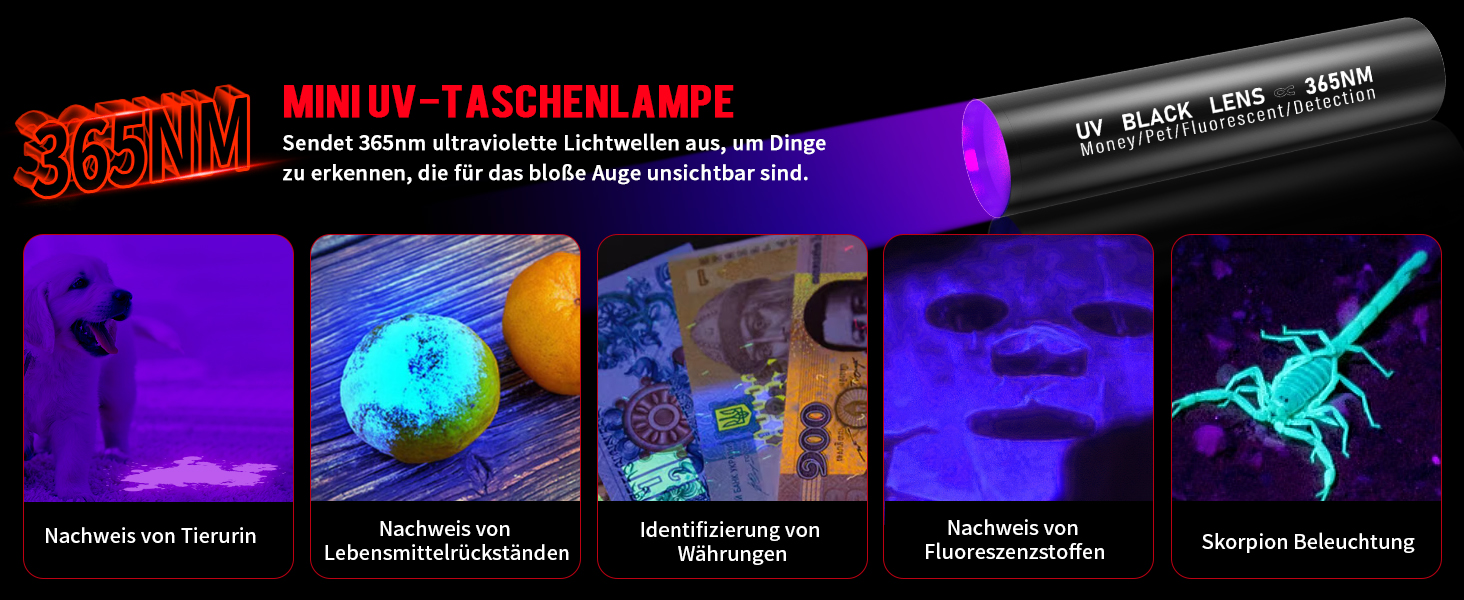
Image: Diagram showing the USB-C input for charging the flashlight and the USB output for using the flashlight as a power bank.
- Locate the USB-C charging port on the flashlight body, usually protected by a rubber cap.
- Vula isivalo senjoloba.
- Connect the provided USB-C cable to the flashlight's port and the other end to a USB power source (e.g., wall adapter, power bank, computer USB port).
- The LCD digital display will show the charging progress. A full charge typically takes 6-8 hours.
- Once fully charged, disconnect the cable and securely close the rubber cap to maintain water resistance.

Image: Close-up of the flashlight's LCD digital display showing the precise battery percentage, contrasting with less accurate LED indicators on other flashlights.
The integrated charging protection features include overcharge protection, deep discharge protection, overvoltage ukuvikelwa, kanye nokuvikelwa overcurrent.
2. Iziqondiso Zokusebenza
2.1 Ukuvula/Ukuvala nokukhetha Imodi
The flashlight features a single button for power control and mode cycling.
- Vula: Press the power button once to turn on the flashlight.
- Ukuhamba ngebhayisikili: With the flashlight on, press the power button repeatedly to cycle through the available lighting modes: High > Medium > Low > Strobe > SOS.
- Cisha ugesi: Press and hold the power button for approximately 2 seconds to turn off the flashlight from any mode.

Image: Visual representation of the five lighting modes: High, Medium, Low, Strobe, and SOS. The image also highlights the smooth current system for gradual brightness changes.
The flashlight incorporates a "Smooth Current System" designed for gradual brightness changes, which helps prevent sudden eye strain and protects the internal components.
2.2 Adjustable Focus (Zoom Function)
The Shadowhawk S1618 features an adjustable head for focusing the beam from a wide floodlight to a concentrated spotlight.

Image: Illustration of the adjustable focus. Pushing the head forward creates a spotlight for long-range illumination, while pulling it back creates a floodlight for wide-area coverage.
- Ukugqama: Extend the flashlight head forward to narrow the beam for long-distance illumination (up to 1200 meters).
- Ukukhanya kwesikhukhula: Retract the flashlight head backward to widen the beam for broad area lighting (up to 200 m²).
2.3 Power Bank Function (USB Output)
The Shadowhawk S1618 can also function as a power bank to charge other small electronic devices in emergencies.
- Open the rubber cap covering the USB ports.
- Connect your device's charging cable to the USB-A output port on the flashlight.
- Ithoshi lizoqala ukushaja idivayisi yakho.
- Remember to close the rubber cap after use to maintain water resistance.

Image: The flashlight connected via USB to a smartphone, demonstrating its emergency power bank capability.
2.4 Mini UV Flashlight Operation
The included mini UV flashlight (365nm) is useful for detecting pet urine, food residues, verifying currency, and identifying fluorescent substances.

Image: The mini UV flashlight in use, demonstrating its ability to detect pet urine, food residues, verify currency, and identify fluorescent materials.
- Vula/Vala: Press the button at the bottom of the mini UV flashlight to turn it on or off.
- Iyashaja: The mini UV flashlight has its own USB charging port. Connect it to a USB power source using a compatible cable.
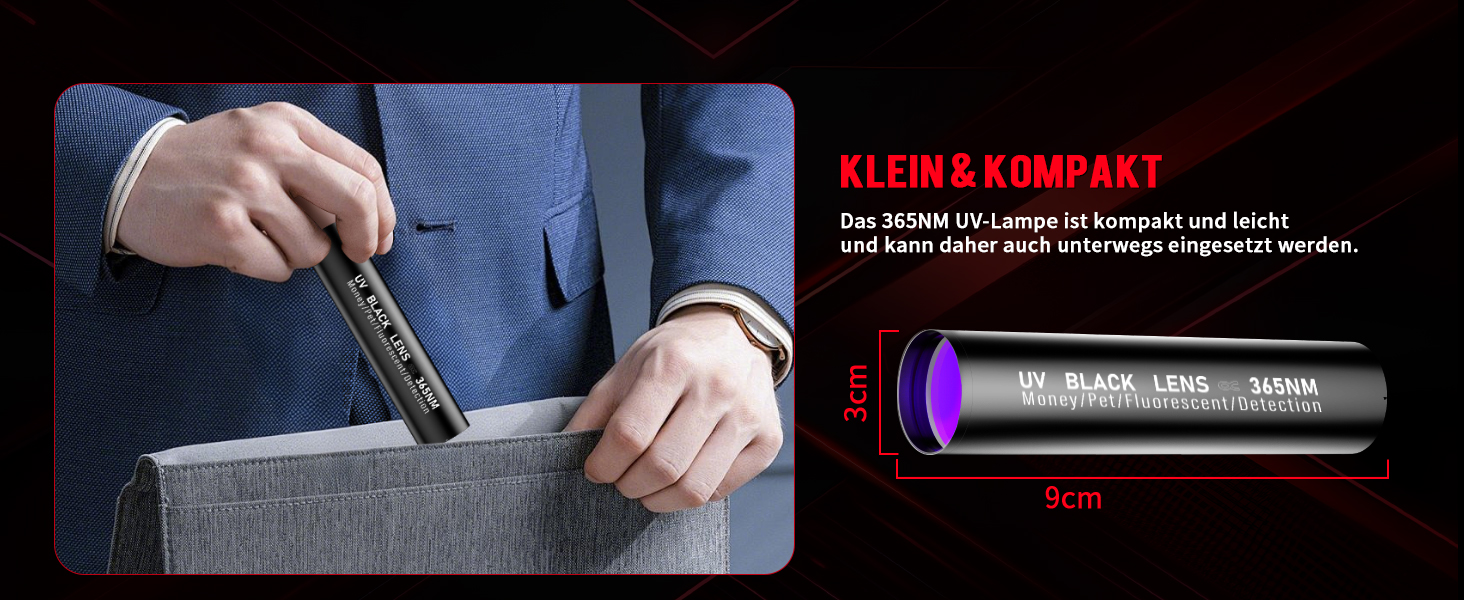
Image: Close-up of the mini UV flashlight showing its USB charging port and the power on/off button at the bottom.
3. Isondlo
3.1 Ukuhlanza
- Sula umzimba wethoshi ngesithambile, damp indwangu. Ungasebenzisi izinto zokuhlanza abrasive noma izincibilikisi.
- Keep the lens clean for optimal light output. Use a lens cleaning cloth or a soft, lint-free cloth.
3.2 Ukunakekelwa Kwebhethri
- If storing the flashlight for an extended period, remove the rechargeable battery to prevent potential leakage.
- Recharge the battery every 3-6 months during storage to maintain its lifespan.
- If using AAA batteries, remove them when not in use for prolonged periods.
3.3 Ukumelana Namanzi
The Shadowhawk S1618 is rated IP67 waterproof, meaning it is protected from dust and can withstand immersion in water up to 1 meter for 30 minutes. Ensure all rubber caps and the tail cap are securely closed to maintain water resistance.

Image: The Shadowhawk S1618 flashlight shown in rainy conditions, highlighting its IP67 waterproof rating and durable construction.
4. Ukuxazulula izinkinga
If you encounter issues with your Shadowhawk S1618 flashlight, please refer to the following common problems and solutions:
| Inkinga | Imbangela Engenzeka | Isixazululo |
|---|---|---|
| I-flashlight ayivuli. | Low or depleted battery. Incorrect battery installation. Loose tail cap. | Charge the battery. Ensure battery is inserted with correct polarity. Tighten the tail cap. |
| Ukukhanya kufiphele noma kuyacwayiza. | Low battery charge. Dirty lens or contacts. | Recharge the battery. Clean the lens and battery contacts. |
| I-flashlight ayishaji. | Faulty USB cable or power source. Charging port obstruction. | Try a different USB cable and power source. Check the charging port for debris. |
| Adjustable focus is stiff. | Ukungcola noma imfucumfucu emshinini. | Gently clean the adjustable head area. Avoid forcing the mechanism. |
5. Imininingwane
| Isici | Imininingwane |
|---|---|
| Inombolo Yemodeli | SH-S1618 |
| Uhlobo Lomthombo Wokukhanya | LED (Upgraded XHM90.2 Chip) |
| Ukukhanya | 500,000 Lumens |
| Wattage | 30 Watts |
| Amamodi Okukhanyisa | 5 modes (High, Medium, Low, Strobe, SOS) |
| Izici ezikhethekile | Adjustable focus (zoom), LCD digital power display, Power bank function, Smooth Current System |
| Uhlobo Lwebhethri | 1 x Lithium-ion rechargeable battery (included), 3 x AAA batteries (included, with adapter) |
| Isikhathi sokugijima | Kufika emahoreni angu-12 |
| Isikhathi sokushaja | Amahora angu-6-8 (cishe.) |
| Imbobo yokushaja | I-USB-C |
| Ukumelana Namanzi | IP67 (engangeni manzi) |
| Ubukhulu (L x W x H) | 4.51 x 3.5 x 16.5 cm (1.77 x 1.38 x 6.5 amayintshi) |
| Isisindo | Amagremu angu-45 (0.1 lbs) |
| Izingxenye Ezihlanganisiwe | Flashlight, rechargeable battery, 3 AAA batteries, 12-LED UV lamp, ikhebula le-USB |
| UV Lamp Ubude begagasi | 365nm |
6. Iwaranti & Ukusekela
6.1 Ulwazi Lwewaranti
Shadowhawk products are manufactured with high-quality materials and undergo rigorous testing. Specific warranty details may vary by region. Please retain your proof of purchase for any warranty claims.
6.2 Ukwesekwa Kwamakhasimende
If you have any questions, concerns, or require assistance with your Shadowhawk S1618 flashlight, please contact our customer support team. We are committed to providing a satisfactory solution to your inquiries.
For support, please refer to the contact information provided with your product packaging or visit the official Shadowhawk webindawo.
Note: The manufacturer aims to respond to inquiries promptly, typically within 24/7.