
1. Isingeniso
Thank you for choosing the FOFUN T-Fun NC95 Hybrid Active Noise Cancelling Headphones. This manual provides essential information for the safe and efficient use of your headphones. Please read it thoroughly before use and retain it for future reference.

Image 1.1: T-Fun NC95 Hybrid Active Noise Cancelling Headphones.
2. Okuqukethwe Kwephakheji
Qinisekisa ukuthi zonke izinto zikhona kuphakheji:
- NC95 ANC Headphones
- Ikhebula Lomsindo elingu-3.5mm
- Type A-C Charging Cable
- PU Bag (Carrying Case)
- Quick Start Guide
- Digital Manual (Downloadable)

Image 2.1: Included accessories and headphones.
3. Umkhiqizo Uphelileview
3.1 Izingxenye Ze-headphone

Isithombe 3.1: Phezuview of headphone ports and buttons.
3.2 Fit and Adjustability
- Ibhande lekhanda elilungisekayo: The headband can be extended or retracted to fit various head sizes, ensuring a personalized and comfortable fit.
- Ama-Earcup Azungeziswayo angu-90°: The earcups rotate more than 90 degrees, allowing for a comfortable fit and easy storage when not in use.
- Izikhushini Zendlebe Ezithambile: Made with quality protein memory foam for extended comfort.
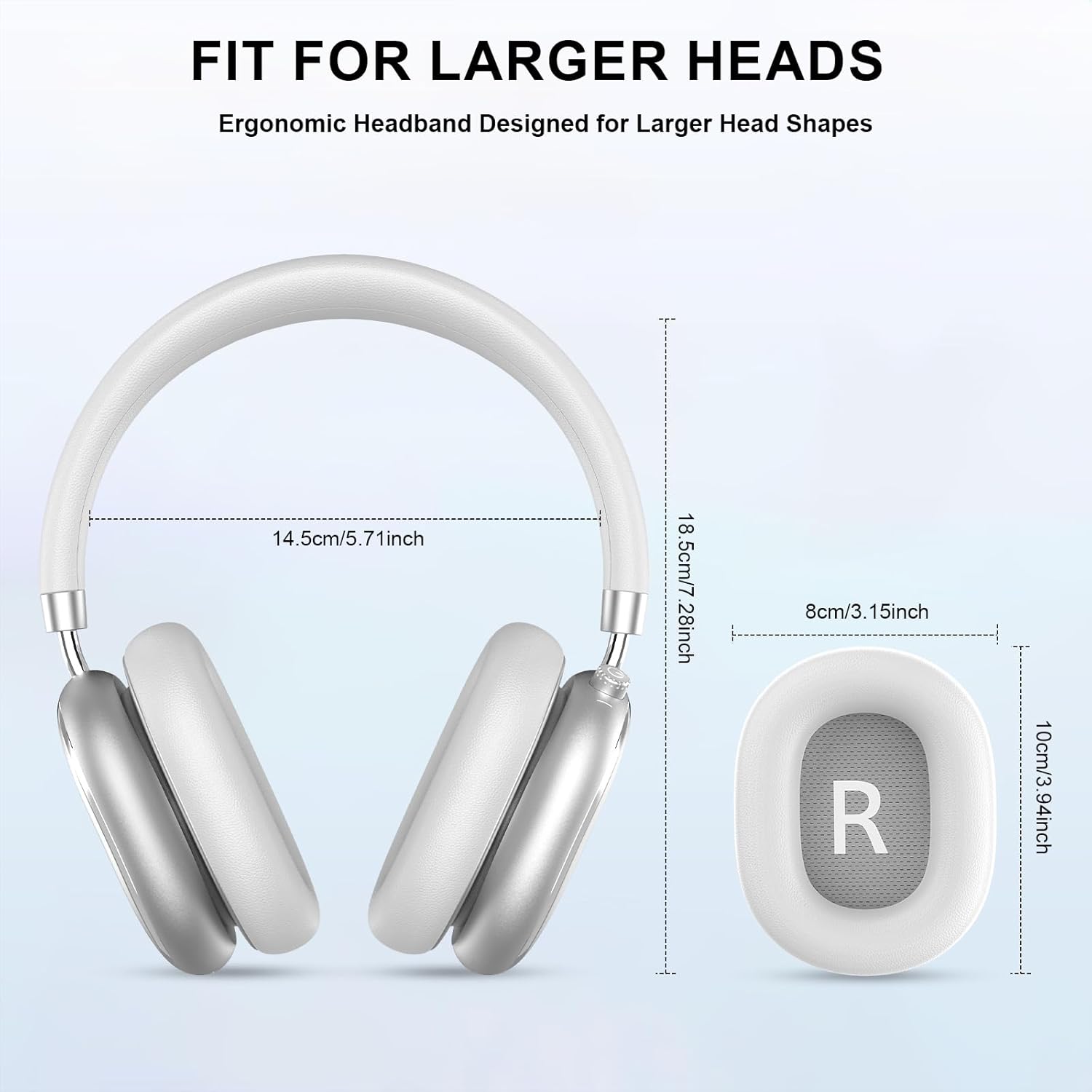
Image 3.2: Headphone dimensions for fit reference.
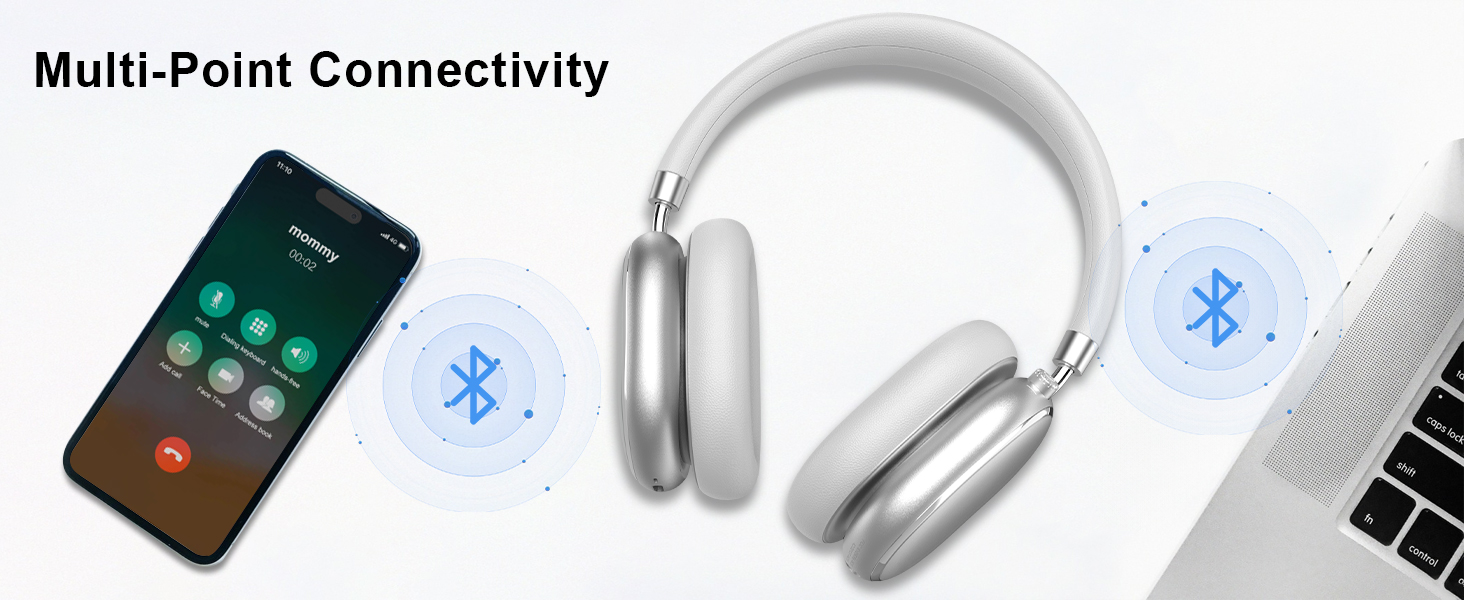
Image 3.3: Adjustable headband for personalized comfort.
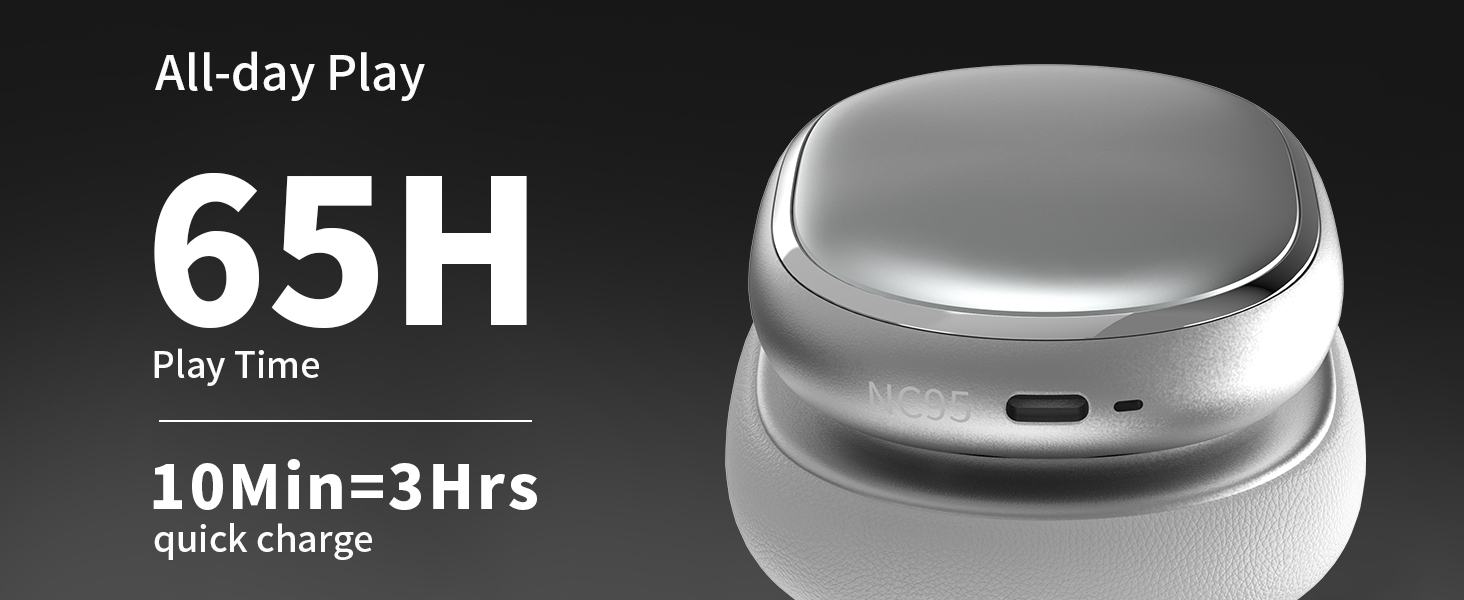
Image 3.4: Earcups rotate for comfort and storage.

Image 3.5: Ultra-soft protein leather ear cushions for comfort.
4. Setha
4.1 Amalungiselelo Okuqala
- Remove Protective Sticker: Before first use, gently remove the protective sticker from the sides of the headphones. You may warm the area with a hairdryer (low heat) for easier removal. Peel slowly and remove any sticky residue with warm water or rubbing alcohol.

Image 4.1: Steps for removing the protective sticker.
4.2 Ukushaja ama-headphones
Before initial use, fully charge the headphones. Use the provided Type A-C charging cable.
- Connect the USB-C end of the cable to the charging port on the headphones.
- Connect the USB-A end to a compatible USB power source (e.g., wall adapter, computer USB port).
- Inkomba ye-LED izobonisa isimo sokushaja. Ukushaja okuphelele kuthatha cishe amahora ama-2.5.
- A 10-minute quick charge provides approximately 3 hours of playback.

Image 4.2: Battery life and charging information.
4.3 Ukumatanisa kwe-Bluetooth
- Qinisekisa ukuthi ama-headphone ashajiwe futhi acishiwe.
- Press and hold the power button (located on the knob control) for 3-5 seconds until the LED indicator flashes, indicating pairing mode.
- Edivayisini yakho (i-smartphone, ithebhulethi, ikhompuyutha ephathekayo), vula i-Bluetooth bese usesha amadivaysi atholakalayo.
- Select "T-Fun NC95" from the list of devices.
- Uma isixhunyiwe, isibonakaliso se-LED sizoshintsha sibe ukukhanya okuzinzile noma sikhanye kancane.
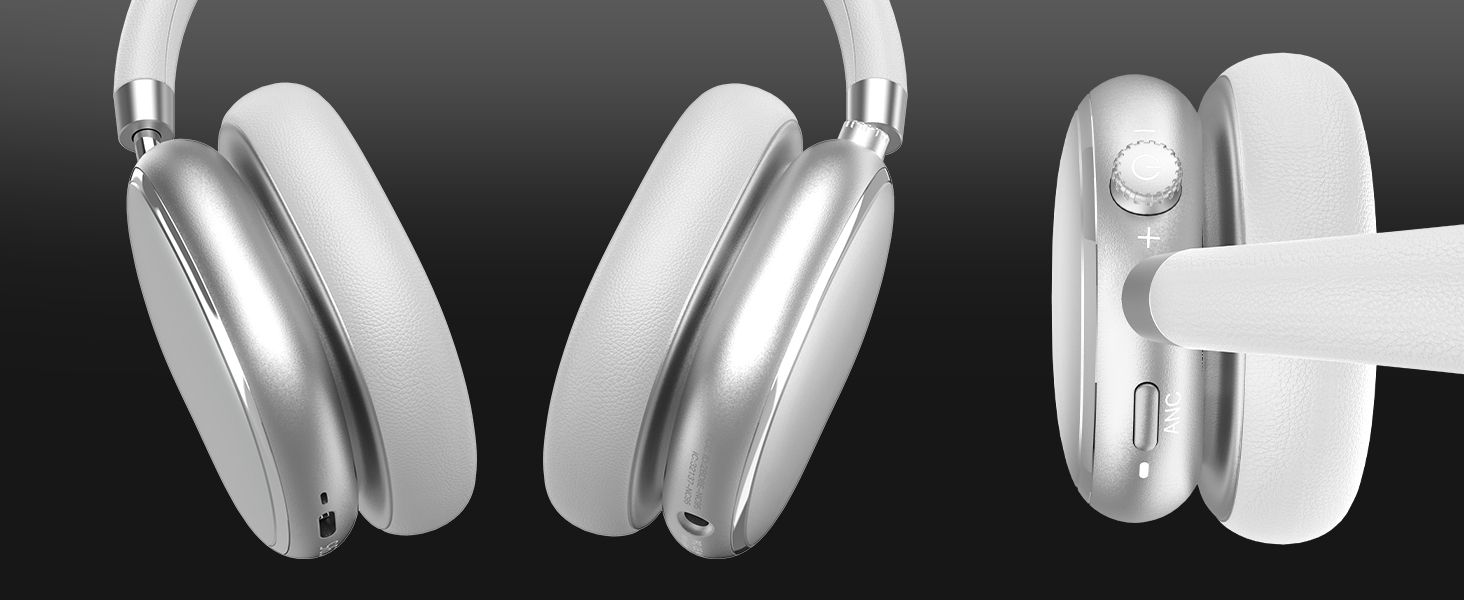
Image 4.3: Multipoint Bluetooth connectivity.
4.4 T-Fun App Installation
For enhanced control and customization, download the official "T-fun" app.
- Cinga "T-fun" on the Apple App Store or Google Play Store.
- Landa futhi ufake uhlelo lokusebenza.
- Open the app and follow the on-screen instructions to connect your NC95 headphones.

Image 4.4: T-Fun app customization features.

Image 4.5: App download and connection process.
5. Iziqondiso Zokusebenza
5.1 Vula/Vala amandla
- Vula: Press and hold the power button (on the knob) for 3-5 seconds.
- Cisha ugesi: Press and hold the power button (on the knob) for 3-5 seconds.
5.2 Knob Control Functions
The multi-functional knob control allows for intuitive operation:
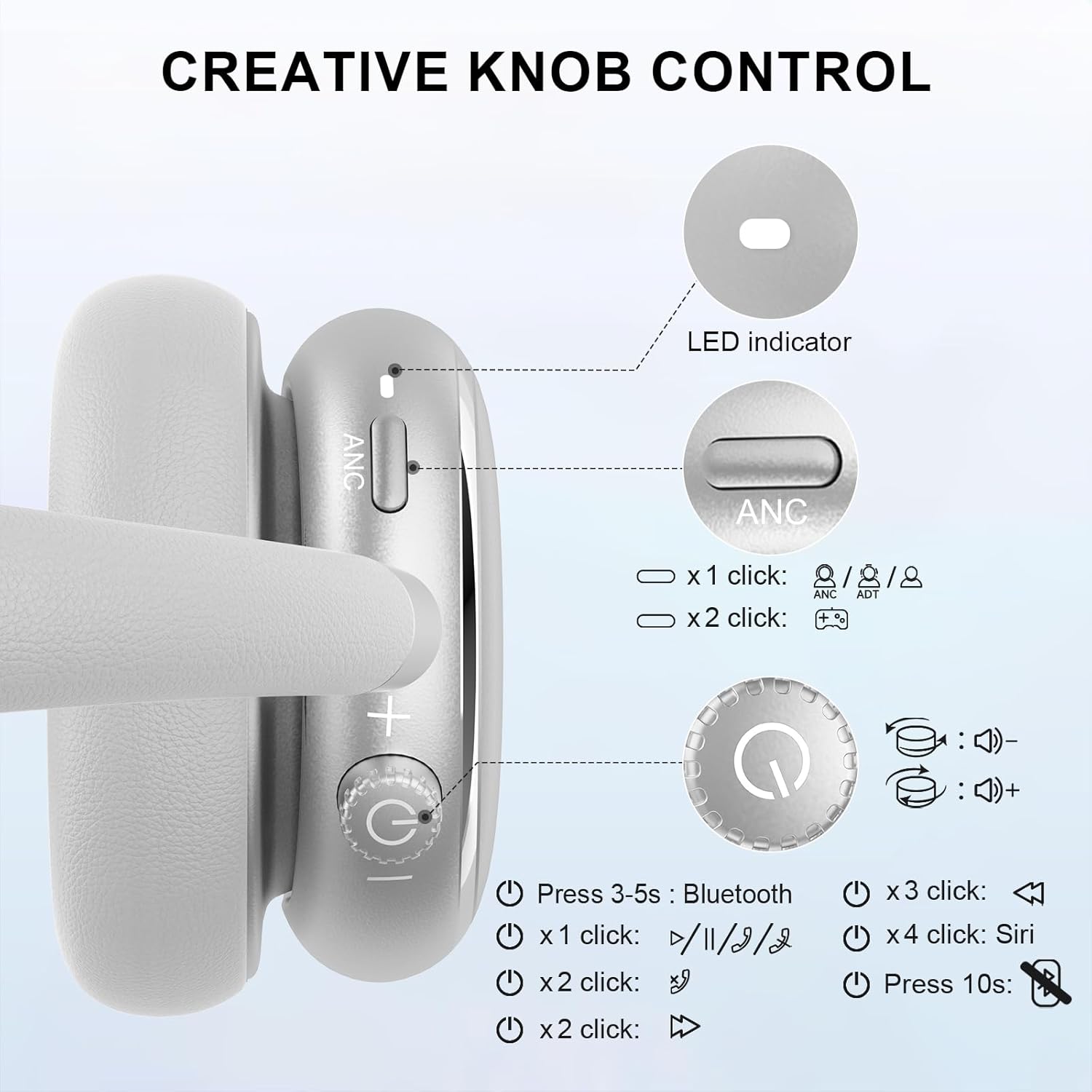
Image 5.1: Creative Knob Control functions.
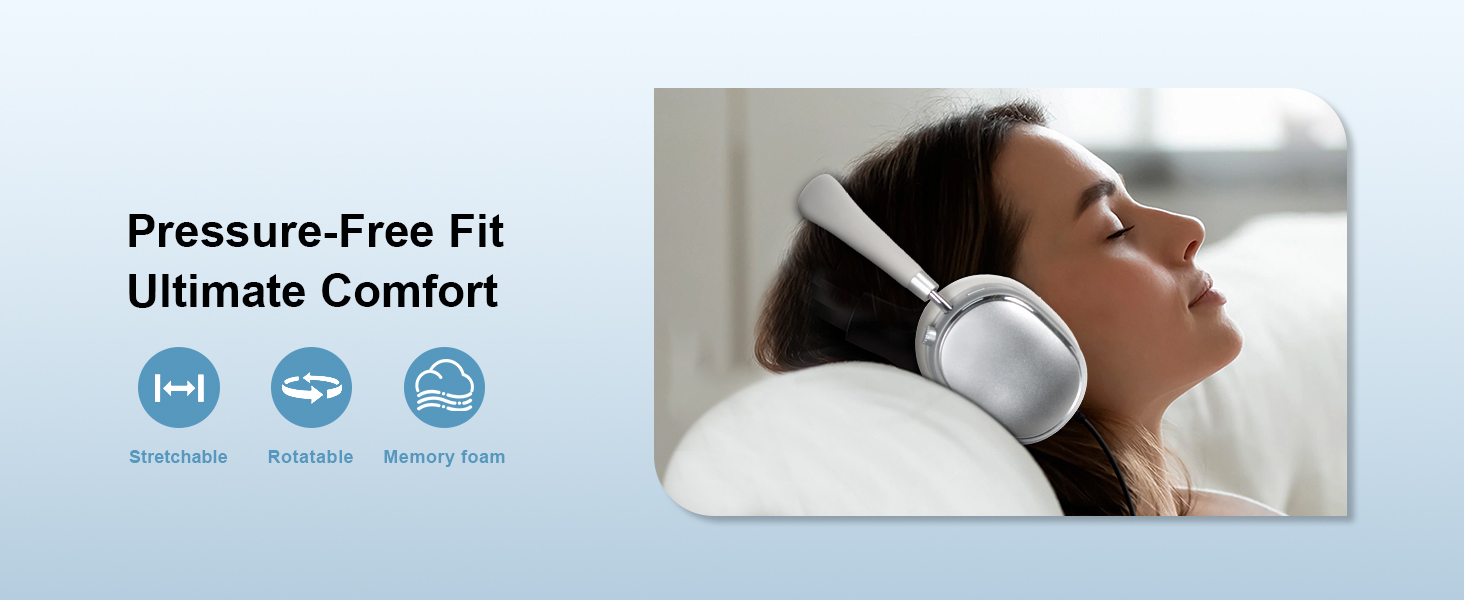
Image 5.2: Multi-functional Knob Control for volume adjustment.
- Ukulungiswa Kwevolumu: Rotate the knob clockwise to increase volume, counter-clockwise to decrease volume.
- Dlala/Misa kancane: Press the knob once.
- Phendula/Phendula ikholi: Press the knob once.
- Ithrekhi Elandelayo: Press the knob twice.
- Ithrekhi yangaphambilini: Press the knob three times.
- Sebenzisa Umsizi Wezwi (Siri): Press the knob four times.
- Setha kabusha: Cindezela bese ubamba inkinobho imizuzwana engu-10.
Note: Knob functions are only available in wireless connection mode.
5.3 Ukucishwa Komsindo Okusebenzayo (i-ANC) kanye Nendlela Esobala
The NC95 headphones feature Hybrid Active Noise Cancellation and Transparency Mode, controlled by a dedicated button.
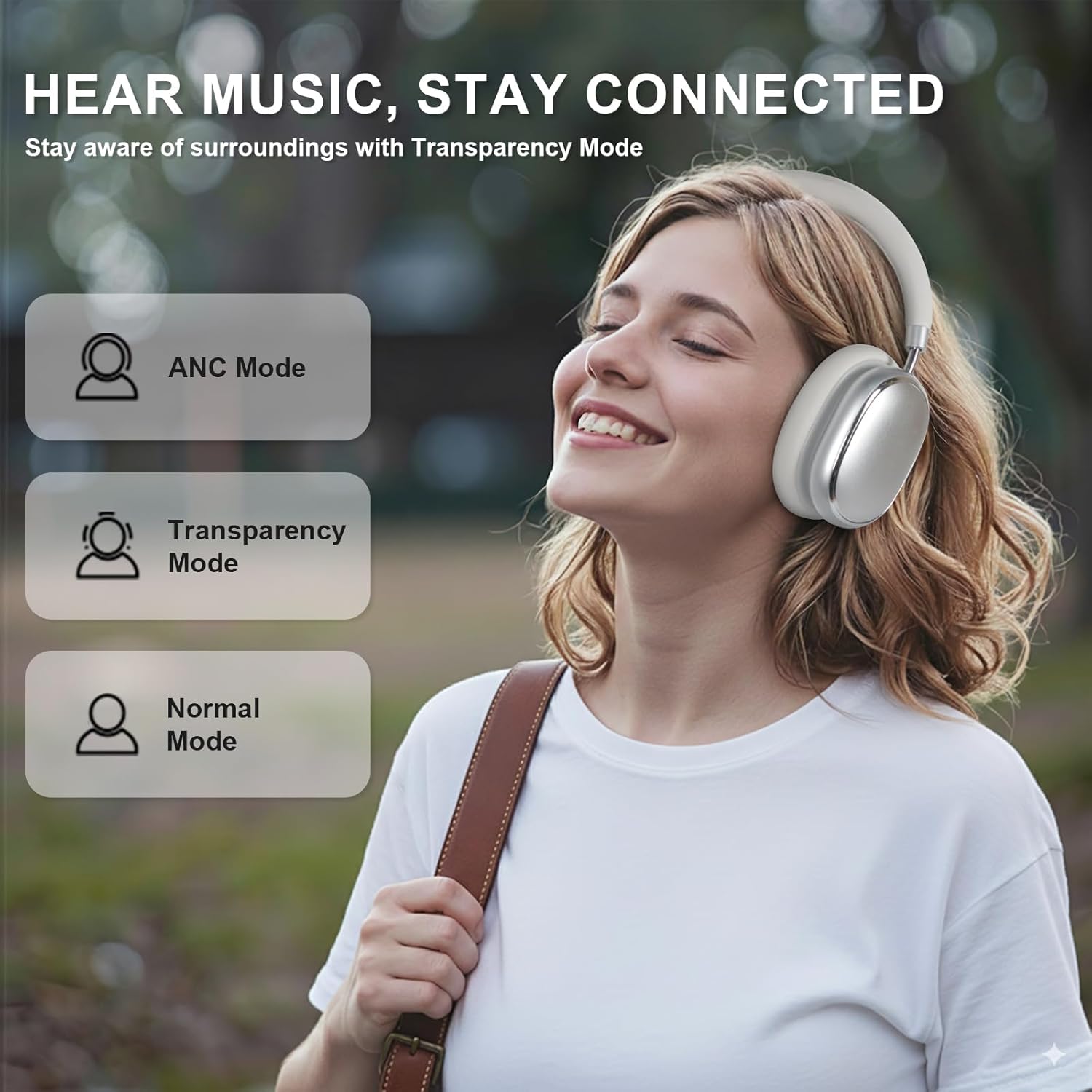
Image 5.3: ANC, Transparency, and Normal modes.

Image 5.4: Noise reduction effectiveness.
- Imodi ye-ANC: Press the ANC button once to activate Hybrid Active Noise Cancellation, reducing ambient noise by up to 35dB.
- Imodi yokubonisa ngale: Press the ANC button again to switch to Transparency Mode, allowing you to hear your surroundings without removing the headphones.
- Imodi Ejwayelekile: Press the ANC button a third time to return to Normal Mode, with ANC and Transparency off.
Note: ANC mode is only available in wireless connection mode.
5.4 Uxhumano olunentambo
For a wired audio experience or when battery is low, use the 3.5mm audio cable.
- Xhuma uhlangothi olulodwa lwekhebula lomsindo elingu-3.5mm ku-jack yomsindo kuma-headphone.
- Xhuma olunye uhlangothi kumsindo ophumayo wedivayisi yakho ongu-3.5mm.
- In wired mode, the knob control functions for volume, playback, and calls are not available.
Image 5.5: Wired connection with 3.5mm audio cable.
5.5 Ukuphathwa Kwezingcingo
When connected via Bluetooth, you can manage calls using the knob control.
- Phendula/Phendula ikholi: Press the knob once.
- Yenqaba Ucingo: Cindezela bese ubamba inkinobho imizuzwana engu-2.

Image 5.6: Clear hands-free calls with built-in microphones.
6. Isondlo
6.1 Ukuhlanza
- Sula ama-headphone ngendwangu ethambile neyomile.
- Ungasebenzisi amakhemikhali anokhahlo noma izinto ezilumayo.
- Gwema ukuthola umswakama kunoma yiziphi izimbobo.
6.2 Isitoreji
- Store the headphones in the provided PU bag when not in use to protect them from dust and scratches.
- Gwema ukugcina emazingeni okushisa aphezulu noma kunomswakama ophezulu.
6.3 Detachable Ear Cushions
The ear cushions are detachable for easy cleaning and replacement, ensuring long-term use.

Image 6.1: Detachable ear cushions for easy care.
7. Ukuxazulula izinkinga
If you encounter issues with your NC95 headphones, refer to the following common solutions:
| Inkinga | Imbangela Engenzeka | Isixazululo |
|---|---|---|
| Ama-headphone awavuli amandla | Ibhethri eliphansi | Shaja ama-headphone ngokugcwele. |
| Ayikwazi ukubhanqa nge-Bluetooth | Headphones not in pairing mode; Device Bluetooth off; Interference | Ensure headphones are in pairing mode (flashing LED). Turn device Bluetooth off and on. Move closer to the device. |
| Awukho umsindo | Volume too low; Incorrect audio source; Loose wired connection | Increase volume on headphones and device. Check audio output settings on your device. Re-insert 3.5mm cable firmly. |
| I-ANC ayisebenzi kahle | ANC not activated; Environmental noise too high | Press the ANC button to cycle through modes. ANC is most effective against low-frequency noise. |
| Izinkinga zokuxhumeka kohlelo lokusebenza | Bluetooth not connected; App glitch | Ensure headphones are connected via Bluetooth. Restart the app or your phone. |
Uma inkinga iqhubeka, sicela uxhumane nokwesekwa kwamakhasimende.
8. Imininingwane
| Isici | Imininingwane |
|---|---|
| Igama Lemodeli | I-NC95 |
| Ukulawula Umsindo | Ukukhanselwa komsindo weHybrid |
| Impendulo Yemvamisa | 20Hz - 20KHz |
| Ukuzwela | 105db |
| Impedance | 32 ohm |
| Ama-headphone Jack | 3.5 mm Jack |
| Ubuchwepheshe bokuxhumana | Wireless (Bluetooth), Wired |
| I-Wireless Communication Technology | I-Bluetooth 5.3 |
| I-Bluetooth Range | 15 Amamitha |
| Ukubambezeleka komsindo | 50 amasekhondi |
| Usayizi Womshayeli Womsindo | 40 amamilimitha |
| Uhlobo Lokulawula | App Control, Push Button, Knob |
| Impilo Yebhethri | Up to 65 Hours (ANC playback) |
| Isikhathi sokushaja | Amahora angu-2.5 |
| Izinga Lokumelana Namanzi | Ayizweli Amanzi |
| Isisindo sento | 1.28 amakhilogremu |
| Umkhiqizi | FOFUN |
9. Iwaranti kanye Nokusekela
9.1 Ulwazi Lwewaranti
For detailed warranty information, please refer to the documentation included with your purchase or contact FOFUN customer service directly. Warranty terms may vary by region and retailer.
9.2 Ukwesekwa Kwamakhasimende
If you require further assistance or have questions not covered in this manual, please contact FOFUN customer support through their official channels. You can also visit the T-Fun Store on Amazon ukuthola izinsizakusebenza ezingeziwe.