
Isingeniso
The SHIDU H11 is a versatile 40W wireless voice amplifier designed to provide clear and powerful sound projection for various applications. This portable PA system features Bluetooth connectivity, support for USB, TF card, and Aux inputs, and includes both wireless headset and handheld microphones. Its robust design and long-lasting battery make it suitable for teachers, public speakers, tour guides, and karaoke enthusiasts.
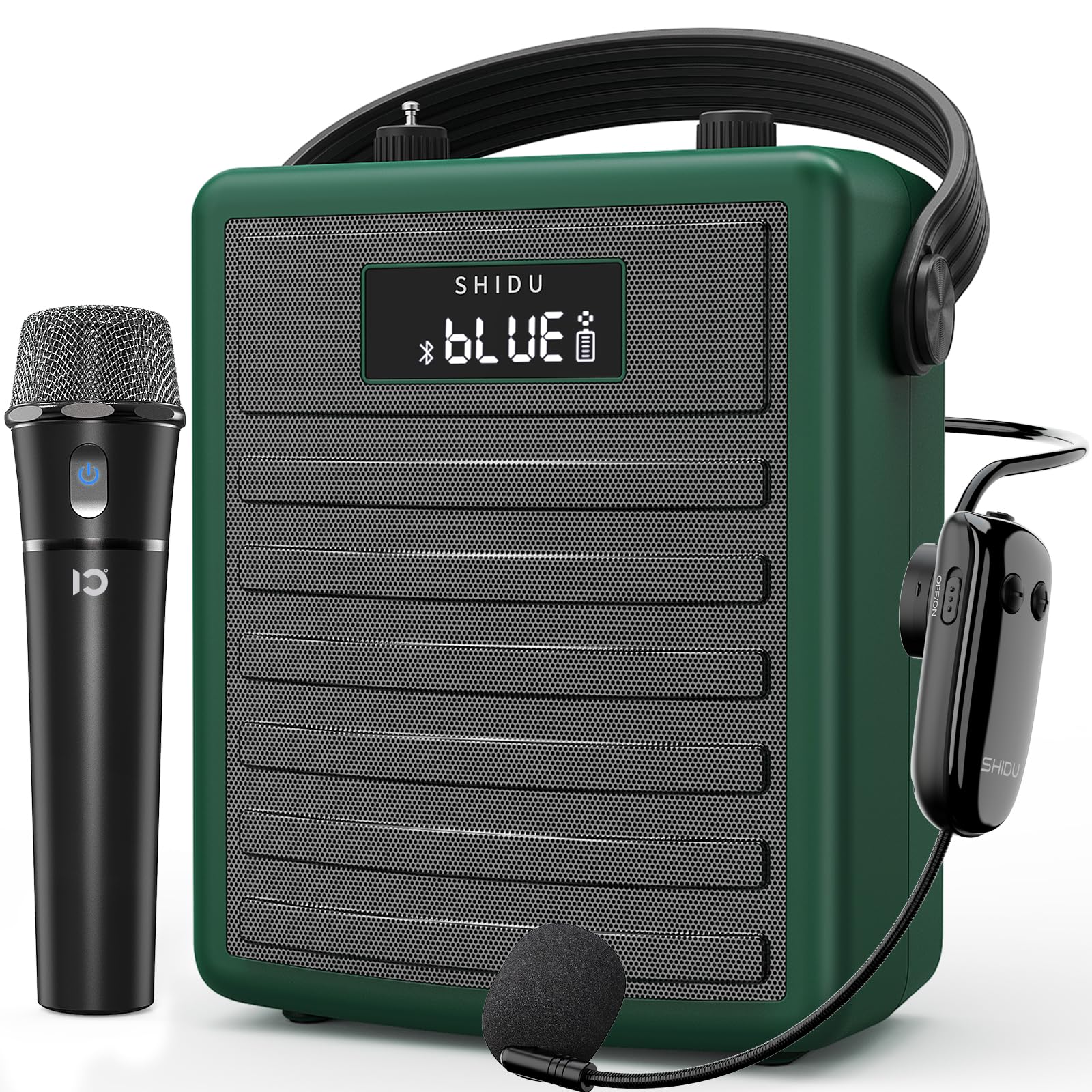
Figure 1: SHIDU H11 40W Wireless Voice Ampokokuphila
Okuqukethwe Kwephakheji
Sicela uhlole iphakheji ngokucophelela ukuze uqinisekise ukuthi zonke izinto zikhona:
- SHIDU H11 Voice AmpIyunithi ye-lifier
- Imakrofoni yehedisethi engenantambo
- Imakrofoni Ephathwayo Engenantambo
- Uhlobo C lokushaja ikhebula
- Adjustable Carrying Strap
- Ikhebuli yomsindo (3.5mm)
- I-Antenna
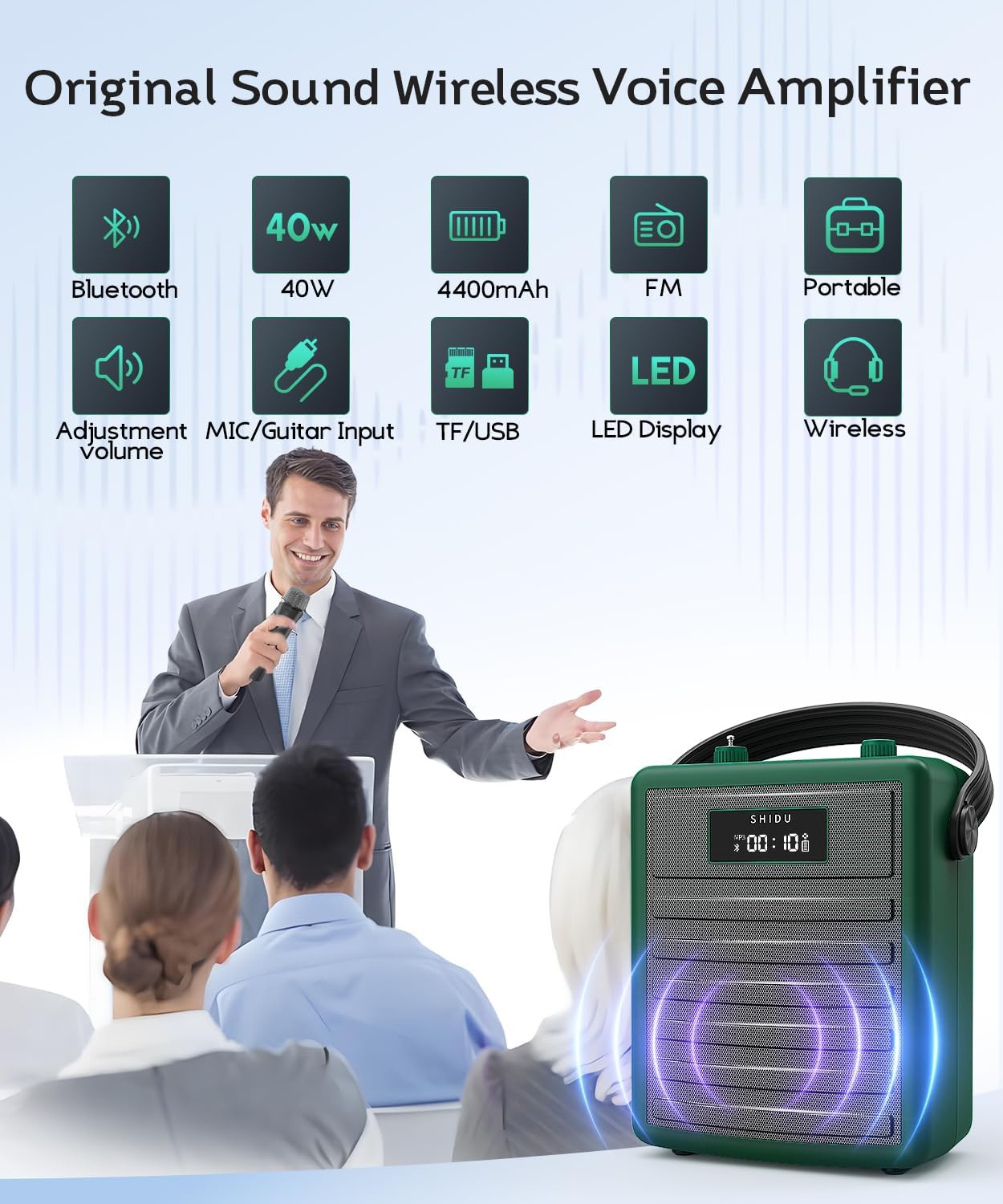
Figure 2: All items included in the SHIDU H11 package.
Umkhiqizo Uphelileview
Main Unit Controls and Ports

Umfanekiso 3: Okuningiliziwe view of the SHIDU H11 controls and ports.
- Vula/Vala: Ukushintsha kwamandla amakhulu.
- Inkinobho yemodi: Switches between Bluetooth, FM, USB, TF Card, and AUX modes.
- Izinkinobho Zangaphambili/Okulandelayo: Navigates tracks in music playback modes.
- Inkinobho Dlala/Yemisa Isikhashana: Controls music playback.
- Umsebenzi we-REC: Okokurekhoda umsindo.
- Iphedi Yenombolo: For direct track selection or FM frequency input.
- Inkinobho Yevolumu Yomculo: Adjusts the volume of music playback.
- I-Echo Knob: Adjusts the echo effect for microphones.
- Instrument Input (INST): 6.35mm jack for connecting instruments like a guitar.
- Instrument Volume Knob (INST VOL): Ilungisa ivolumu yensimbi exhunyiwe.
- Audio Input (AUX IN): 3.5mm jack for external audio sources.
- Audio Output (AUX OUT): 3.5mm jack for connecting to other audio devices.
- Isikhala se-USB: Okwe-USB flash drives.
- Isikhala Sekhadi le-TF: For TF (MicroSD) cards.
- Imbobo yokushaja ye-DC 5V: Type-C port for charging the unit.
Imininingwane yemakrofoni

Figure 4: Wireless Microphones
- Imakrofoni Ephathwayo Engenantambo: Features an on/off switch, UHF pairing indicator light, and DC 5V charge jack. Provides 8-10 hours of work time.
- Adjustable Wireless Headset Microphone: Includes an indicator light, ON/OFF switch, volume controls (+/-), pairing key, and DC 5V charge port. Offers 3-5 hours of work time. The flexible gooseneck allows for distance adjustment.
Setha
1. Charging the Unit and Microphones
Ngaphambi kokusebenzisa okokuqala, shaja izwi ngokugcwele amplifier and both wireless microphones. Use the provided Type-C charging cable. The amplifier has a robust 4400mAh rechargeable battery.

Figure 5: Battery life and charging indication.
2. Ukuhlanganisa i-Antenna
Screw the included antenna into the designated port on the top of the amplifier unit for optimal wireless signal reception, especially for FM radio and microphone connectivity.
3. Ukugqoka Ampokokuphila
Attach the adjustable carrying strap to the amplifier. You can wear it over your shoulder, across your body, or around your waist for hands-free operation.
Imiyalelo yokusebenza
1. Vula/Vala
Ukuze amandla ku amplifier, turn the Power On/Off knob (1) clockwise. The display will light up. To power off, turn the knob counter-clockwise until it clicks.
2. Using Wireless Microphones
Turn on your preferred wireless microphone (headset or handheld) using its dedicated ON/OFF switch. The microphone will automatically pair with the amplifier. Adjust the microphone's volume using the volume controls on the headset or the main unit's master volume. Use the Echo knob (8) on the main unit to add or remove echo effects.
3. Ukubhanqa kwe-Bluetooth
Press the Mode button (2) until "BLUE" appears on the display. On your mobile device, search for "SHIDU H11" in the Bluetooth settings and connect. Once paired, you can play audio from your device through the amplifier. Adjust music volume using the Music Volume knob (7).
4. USB/TF Card/AUX Playback
- USB/TF Card: Insert a USB flash drive into the USB Slot (13) or a TF card into the TF Card Slot (14). The amplifier will automatically switch to the corresponding mode and begin playback. Use the Previous/Next (3, 4) and Play/Pause (4) buttons to control playback.
- Okokufaka kwe-AUX: Connect an external audio device (e.g., smartphone, MP3 player) to the Audio Input (AUX IN) (11) using the 3.5mm audio cable. Press the Mode button (2) to select AUX mode.
5. Instrument Connectivity
Connect an instrument, such as a guitar, to the Instrument Input (INST) (9) using a 6.35mm cable. Adjust the instrument's volume using the Instrument Volume knob (INST VOL) (10).

Figure 6: Instrument connectivity for music and karaoke.
6. Recording Function (REC)
In USB or TF card mode, press the REC button (5) to start recording. Press it again to stop. Recordings will be saved to the inserted storage device.
Video 1: Official product video demonstrating the features and sound quality of the SHIDU H11 40W Wireless Voice Amplifier, including its design, controls, and usage in various settings.
Imininingwane
| Isici | Imininingwane |
|---|---|
| Ibhrendi | SHIDU |
| Inombolo Yemodeli | H11 |
| Okukhiphayo Wattage | 40 Watts |
| Ubuchwepheshe bokuxhumana | I-Bluetooth, AUX, ne-USB |
| Okokufaka komsindo | Microphone, Bluetooth, AUX, TF Card, USB Disk |
| Umthombo wamandla | Battery Powered (4400mAh rechargeable) |
| Isisindo sento | 1.71 kg |
| Impahla Ebiyelwe | I-Acrylonitrile Butadiene Styrene (ABS) |
| Isilinganiso Sokungangeni Manzi | IPX5 (i-splash-proof) |
| Speaker Coverage | Up to 320 people / 22,000 square feet |
Isondlo
To ensure the longevity and optimal performance of your SHIDU H11 voice ampi-lifier, landela lezi ziqondiso zokulungisa:
- Ukuhlanza: Use a soft, dry cloth to clean the exterior of the unit and microphones. Avoid using harsh chemicals or abrasive cleaners.
- Isitoreji: Gcina i amplifier and accessories in a cool, dry place away from direct sunlight and extreme temperatures.
- Ukunakekelwa kwebhethri: For long-term storage, charge the battery to about 50-70% every three months to prevent deep discharge.
- Ukumelana Namanzi: The unit has an IPX5 waterproof rating, protecting it from gentle water sprays and splashes. Do not submerge the device in water.
Ukuxazulula inkinga
If you encounter any issues with your SHIDU H11, please refer to the following common problems and solutions:
- No Sound from Microphone:
- Ensure both the ampi-lifier nemakrofoni kuvuliwe.
- Check if the microphone is properly paired with the ampokokuphila.
- Increase the volume on both the microphone and the ampokokuphila.
- Ensure the microphone is charged.
- Impendulo esuka ku Noise:
- Move the microphone further away from the ampokokuphila.
- Reduce the volume of the microphone or the ampokokuphila.
- Adjust the position of the microphone to avoid pointing directly at the speaker.
- Izinkinga zokumatanisa kwe-Bluetooth:
- Qinisekisa ukuthi amplifier is in Bluetooth mode ("BLUE" displayed).
- Vala bese uvula i-Bluetooth yedivayisi yakho, bese uzama ukubhanqa futhi.
- Ensure no other devices are currently connected to the ampi-lifier nge-Bluetooth.
- Ikhadi le-USB/TF Alidlali:
- Qinisekisa ukuthi amplifier is in the correct mode (USB or TF Card).
- Hlola uma ngabe umsindo files on the device are in a supported format.
- Ensure the USB drive or TF card is inserted correctly and is not corrupted.
Uma inkinga iqhubeka, sicela uxhumane nokwesekwa kwamakhasimende.
Iwaranti kanye Nokusekela
The SHIDU H11 Voice Ampi-lifier iza ne-a Iwaranti Yomkhiqizi Yonyaka ongu-1. SHIDU is dedicated to delivering superior sound quality and customer satisfaction. If you have any questions, require assistance, or experience any issues with your product, please do not hesitate to contact SHIDU customer support. We are always here to help.