
Isingeniso
The Xiaomi Smart Camera C500 is an advanced indoor surveillance camera designed to provide comprehensive monitoring for your home. Featuring a dual-lens system, 4-megapixel resolution, and dual-band Wi-Fi 6 connectivity, it offers enhanced security features such as human tracking, crying detection, and pet tracking. This manual provides detailed instructions for setting up, operating, and maintaining your camera to ensure optimal performance.
Ulwazi Lokuphepha
- Qinisekisa ukuthi ikhamera ifakiwe endaweni eqinile ukuze ingawi.
- Sebenzisa kuphela i-adaptha yamandla yokuqala enikezwe nedivayisi.
- Ungabeki ikhamera endaweni eshisa kakhulu, emswakama, noma elangeni eliqondile.
- Keep the camera away from water or other liquids. This product is not water-resistant.
- Ungazami ukuqaqa noma ukulungisa ikhamera ngokwakho. Xhumana nabasebenzi benkonzo abagunyaziwe ukuze uthole usizo.
- Gcina endaweni lapho izingane zingafinyeleleki khona.
Okuqukethwe Kwephakheji
Qinisekisa ukuthi zonke izinto zikhona kuphakheji yakho:
- 1 × Xiaomi Smart Camera C500 4MP Dual Lens with Wi-Fi 6 Dual-Band
- I-adaptha yamandla
- Mounting Accessories (if applicable for ceiling/wall mount)
- Imaniwali yosebenzisayo
Umkhiqizo Uphelileview
The Xiaomi Smart Camera C500 features a compact dome design with dual lenses for extended coverage. It includes a power port, status indicator light, and a microSD card slot for local storage.
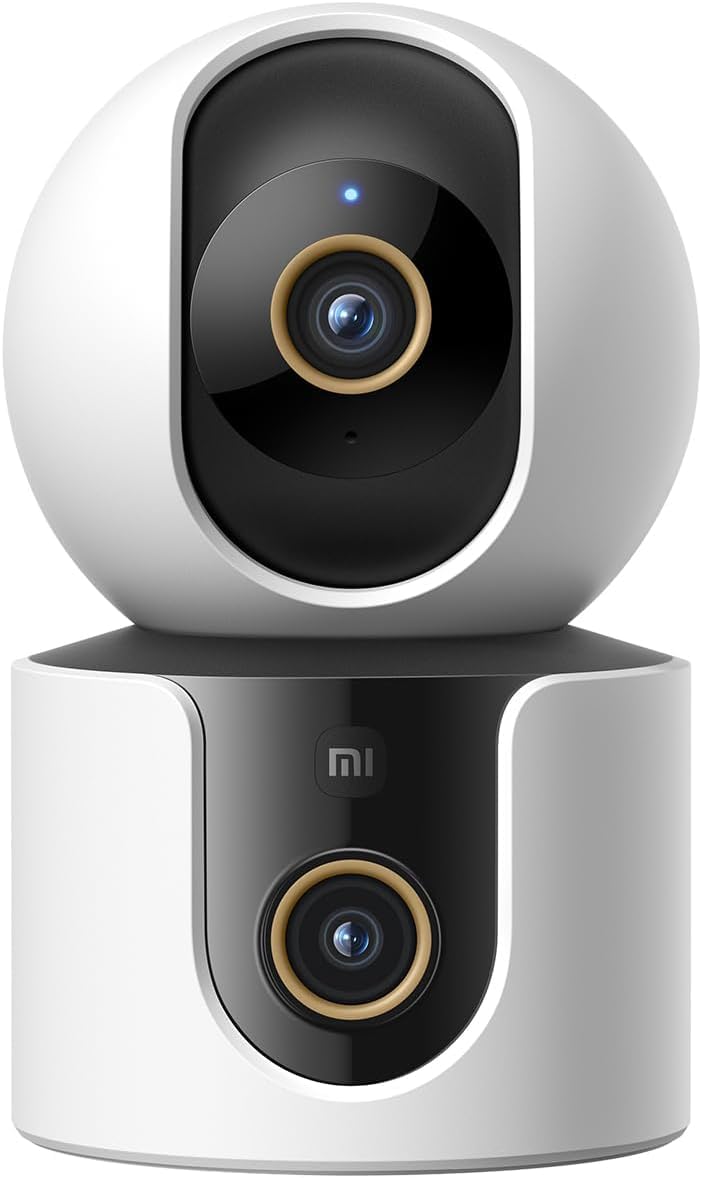
Umfanekiso 1: Ngaphambili view of the Xiaomi Smart Camera C500, showing its dual-lens design and white and black casing.

Umfanekiso 2: Phezulu-phansi view of the Xiaomi Smart Camera C500, highlighting its spherical upper section and ventilation holes.

Umfanekiso 3: Uhlangothi view of the Xiaomi Smart Camera C500, showing the power input and other ports on the base.
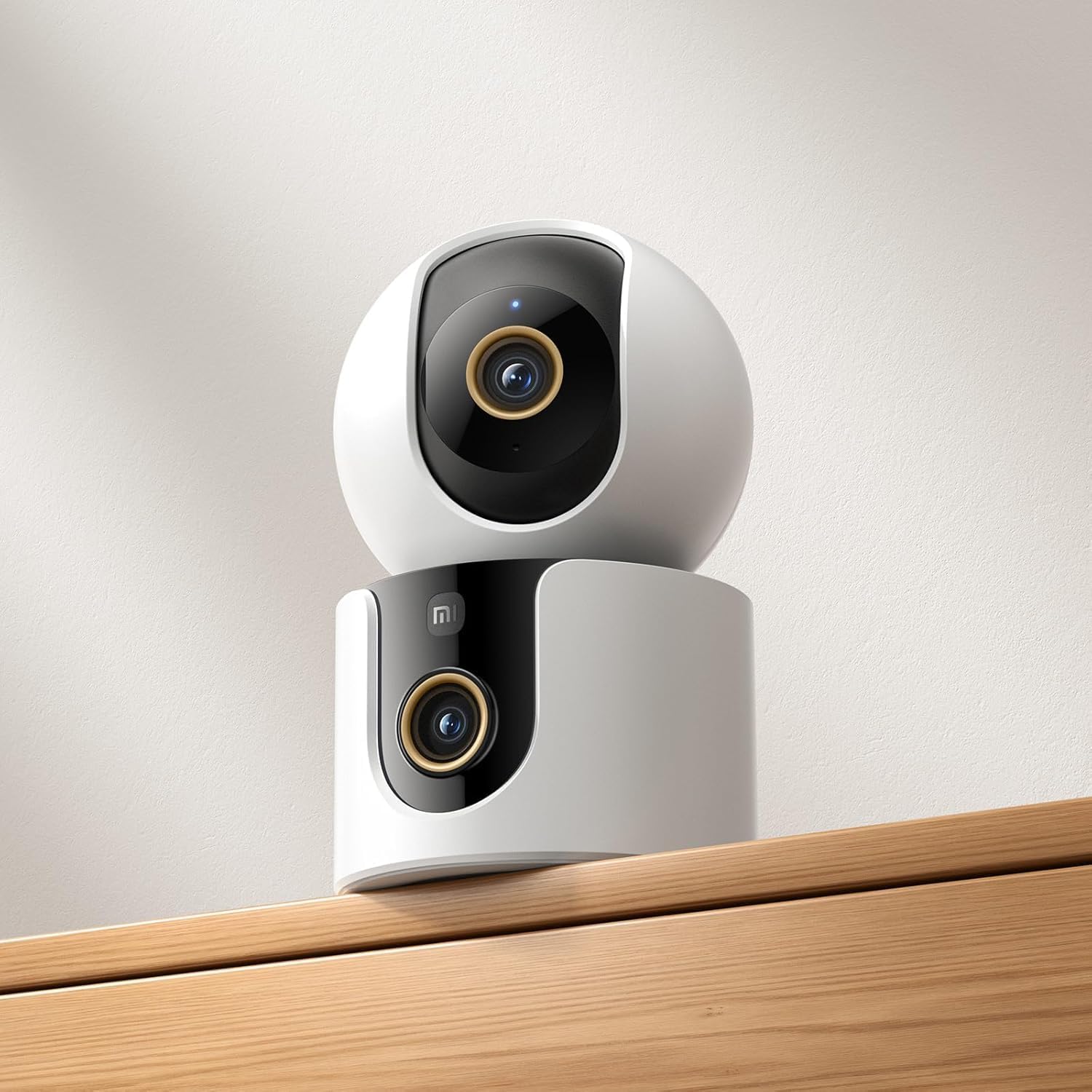
Figure 4: The Xiaomi Smart Camera C500 positioned on a wooden shelf, demonstrating its compact size and discreet placement.
Setha
1. Ivula amandla
- Xhuma i-adaptha yamandla embobeni yokufaka amandla yekhamera.
- Xhuma i-adaptha yamandla odongeni.
- The camera will automatically power on, and the indicator light will begin to flash, indicating it is ready for connection.
2. Ukufakwa kohlelo lokusebenza
- Landa ifayela le- Ikhaya le-Xiaomi uhlelo lokusebenza olusuka esitolo sezinhlelo zokusebenza ze-smartphone yakho (i-Google Play Isitolo se-Android noma i-Apple App Store ye-iOS).
- Open the app and create a Xiaomi account or log in if you already have one.
3. Ukumatanisa nohlelo lokusebenza
- In the Xiaomi Home app, tap the "+" icon in the top right corner to add a new device.
- Select the Xiaomi Smart Camera C500 from the list of available devices.
- Follow the on-screen instructions to connect the camera to your Wi-Fi network. Ensure your phone is connected to a 2.4GHz or 5GHz Wi-Fi network (the camera supports dual-band Wi-Fi 6).
- Scan the QR code displayed on your phone screen using the camera lens. You will hear a voice prompt confirming successful scanning.
- Uma usuxhumekile, ungayiqamba ikhamera yakho bese uyinika igumbi elithile.
4. Ukukhweza Ikhamera
The camera supports tabletop placement or ceiling/wall mounting.
- I-Tabletop Mount: Place the camera on a flat, stable surface.
- Ceiling/Wall Mount: Use the provided mounting base and screws to secure the camera to a desired location. Ensure the camera is securely attached and has a clear field of view.
Imiyalelo yokusebenza
1. Phila View
Open the Xiaomi Home app and select your camera to view the live feed. You can pan and tilt the camera remotely using the controls in the app to achieve 360-degree coverage.
2. Ukurekhoda nokudlala
- Isitoreji Sendawo: Insert a microSD card (up to 256GB) into the camera's slot for continuous or event-triggered recording.
- Isitoreji Samafu: Optional cloud storage services may be available through the Xiaomi Home app for secure backup of recordings.
- Ukudlala: Finyelela i-foo erekhodiwetage through the app's playback feature, navigating by date and time.
3. Umsindo Wendlela Embili
Use the microphone and speaker icon in the live view interface to enable two-way communication. This allows you to speak through the camera and hear audio from its location.
4. Motion Detection and Human Tracking
The camera can detect motion and intelligently track human figures. Enable these features in the app settings to receive alerts and automatically record when activity is detected.
5. Crying Detection
For parents, the crying detection feature can be enabled to send instant notifications to your phone when a baby's cry is detected, allowing for quick response.
6. Pet Tracking
The camera can also track pets, providing alerts and recording their movements. This feature is useful for monitoring your furry companions throughout the day.
7. Umbono Wasebusuku
The camera automatically switches to ultra-low light color mode or infrared night vision in dim conditions, ensuring clear visibility up to 15 meters even in complete darkness.
Isondlo
- Ukuhlanza: Sula kancane ilensi yekhamera nomzimba ngendwangu ethambile neyomile. Ungasebenzisi amakhemikhali anamandla noma izihlanzi ezihudulayo.
- Ukuvuselelwa kwe-Firmware: Regularly check for and install firmware updates through the Xiaomi Home app to ensure optimal performance and access to new features.
- Ikhadi le-MicroSD: If using a microSD card, periodically check its status and format it if necessary to maintain recording quality and prevent data corruption.
Ukuxazulula inkinga
| Inkinga | Isixazululo Esingenzeka |
|---|---|
| Camera fails to connect to Wi-Fi | Ensure your Wi-Fi network is 2.4GHz or 5GHz. Check Wi-Fi password. Move camera closer to router. Reset camera and try pairing again. |
| Akukho bukhoma view noma ukurekhoda | Check power connection. Ensure Wi-Fi is stable. Verify microSD card is inserted correctly and not full. Check app permissions. |
| Ikhwalithi yevidiyo embi | Clean the camera lens. Ensure adequate lighting. Check Wi-Fi signal strength. Adjust video resolution settings in the app. |
| Izaziso azitholwanga | Check app notification settings on your phone. Ensure motion/crying detection is enabled in the camera settings. Verify app has necessary permissions. |
| Umsindo wezindlela ezimbili awusebenzi | Check microphone and speaker settings in the app. Ensure phone volume is up. Avoid placing camera in noisy environments. |
Imininingwane
| Isici | Imininingwane |
|---|---|
| I gama le-brand | Xiaomi |
| Igama Lemodeli | Ikhamera yokugada |
| Inombolo Yemodeli | I-C500 Dual |
| Ukusetshenziswa Okunconyiwe Komkhiqizo | Ukuphepha Kwangaphakathi |
| Ubuchwepheshe bokuxhumana | Okungenantambo |
| Izici ezikhethekile | High Definition |
| Ukusetshenziswa Kwangaphakathi/Kwangaphandle | Ngasendlini |
| Amadivayisi Ahambisanayo | I-smartphone |
| Umthombo wamandla | I-Corded Electric |
| Iphrothokholi Yezokuxhumana | Inethiwekhi ye-Wi-Fi |
| Uhlobo lwesilawuli | I-Amazon Alexa |
| Uhlobo Lokukhweza | Tabletop Mount, Freestanding |
| Umbala | Emhlophe |
| I-Form Factor | Dome |
| Okubalulekile | I-Acrylonitrile Butadiene Styrene (ABS) |
| Izinga Lokumelana Namanzi | Ayizweli Amanzi |
| Umumo Wento | Dome |
| Uhlobo Lwesaziso | Umsindo nokunyakaza |
| Uhlobo Lwegumbi | Ihhovisi |
| Umthombo Wokukhanya | I-infrared |
| Ukulungiswa Kwenzwa Yesithombe | 4 megapixels |
| Indlela Yokulawula | Nge-App |
| Voltage | 5.0 |
| Wattage | 10.0 |
| Kudingeka Amabhethri? | Cha |
| Inombolo Yeziteshi | 2 |
| Umbhalo Wekhodi Wevidiyo | H.265 |
| Ifomethi yokuthwebula ividiyo | I-MPEG-4 |
| Ibanga Lombono Wasebusuku | 15 amamitha |
| Umbono Wasebusuku | Umbala Wasebusuku |
| Number of Infrared LED Lights | 10 |
| Uhlobo Lwememori Ye-Flash | I-Micro SD |
| Maximum Supported Flash Memory Size | 256 GB |
| Inombolo Yezinto | 1 |
| Ukusetshenziswa Kwemikhiqizo Ethize | I-360 Degree Coverage, Ukubhekwa |
| Umkhiqizi | Xiaomi |
| I-Wireless Communication Technology | I-Wi-Fi |
| Ukulungiswa kokuthwebula ividiyo | 1080p |
| Ukukalwa kwe fulemu | 25 ozimele ngesekhondi |
| Viewing engela | 360 degrees |
| Uhlobo lokugxila | I-Auto Focus |
| Ubuchwepheshe benzwa yesithombe | I-CMOS |
| Ubukhulu bento | 7.8 x 7.8 x 11.5 cm |
| Isisindo sento | awu 327g |
| Ukubala kweyunithi | 1.0 Bala |
Iwaranti kanye Nokusekela
For warranty information, please refer to the warranty card included in your product packaging or visit the official Xiaomi website. For technical support, troubleshooting assistance, or to report issues, please contact Xiaomi customer service through their official channels or the Xiaomi Home app.
You can find additional resources and FAQs on the Xiaomi official support page.