
Isingeniso
This manual provides instructions for the AWEI H25 Smart Watch. Please read this manual carefully before using the device to ensure proper operation and maintenance.

Figure 1: AWEI H25 Smart Watch in use.
1. Setha
1.1 Okuqukethwe Kwephakheji
Qinisekisa ukuthi izinto ezilandelayo zifakiwe kuphakheji yakho:
- AWEI H25 Smart Watch
- Ikhebula lokushaja
- Incwadi Yomsebenzisi (le dokhumenti)
1.2 Ukushaja Idivayisi
Before first use, fully charge the smart watch. Connect the charging cable to the charging port on the back of the watch and to a standard USB power adapter (not included).
- Ukushaja okugcwele ngokuvamile kuthatha amahora angu-2-3.
- The watch has a 230mAh battery capacity.
- Battery life is approximately 5-7 days with daily use, and up to 30 days in standby mode.

Figure 2: Battery life and performance overview.
1.3 Ukulanda kanye nokumatanisa kohlelo lokusebenza
To utilize all features, download the companion app to your smartphone. Scan the QR code provided in the watch's interface or search for the app name (usually mentioned in the watch's initial setup screen or packaging) in your phone's app store.
- Nika amandla i-Bluetooth ku-smartphone yakho.
- Vula uhlelo lokusebenza oluhambisanayo bese ulandela imiyalelo esesikrinini ukuze udale i-akhawunti noma ungene ngemvume.
- Select "Add Device" or "Pair Device" within the app.
- The app will search for available devices. Select "AWEI H25" from the list.
- Qinisekisa isicelo sokumatanisa kukho kokubili iwashi lakho ne-smartphone.
1.4 Ukwenza Ngokwezifiso Ubuso Bewashi
The AWEI H25 features a 1.83-inch screen. You can customize the watch face through the companion app.
- Choose from multiple cloud-based watch faces.
- Upload your own photos to create a personalized watch face.
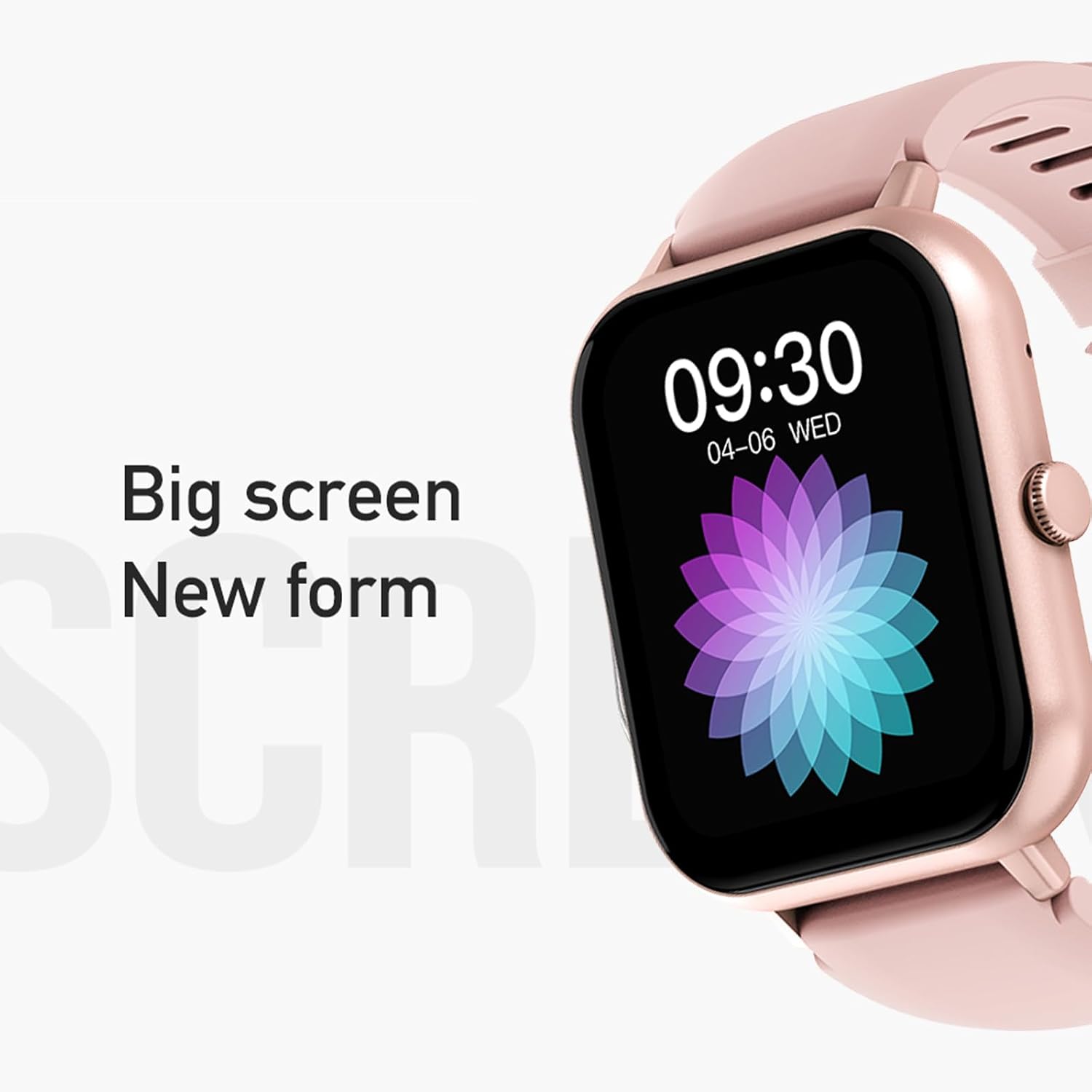
Figure 3: The 1.83-inch screen of the AWEI H25 Smart Watch.
2. Iziqondiso Zokusebenza
2.1 Ukuhamba Okuyisisekelo
- Swayiphela Phezulu/Phansi: Zulazula kumamenyu nezaziso.
- Swayiphela Kwesokunxele/Kwesokudla: Finyelela imisebenzi noma amawijethi asheshayo.
- Cindezela Inkinobho Eseceleni: Buyela esikrinini sasekhaya noma finyelela uhlu lohlelo lokusebenza.
- Long Press Side Button: Power on/off or access system settings.
2.2 Umsebenzi Wokushaya Nge-Bluetooth
After successful pairing with your smartphone, the watch supports Bluetooth calls.
- Ukuphendula Izingcingo: When a call comes in, tap the green icon on the watch screen.
- Ukushaya izingcingo: Finyelela i-dial pad noma uhlu loxhumana nabo ewashini ukuze uqalise ucingo.
2.3 Izindlela Zezemidlalo
The AWEI H25 offers over 100 sport modes to track your physical activity.
- Access the "Sports" menu on the watch.
- Select your desired activity (e.g., Running, Walking, Hiking, Basketball, Cycling, Yoga).
- The watch will track exercise time, calories burned, and other relevant metrics.

Umdwebo 4: Ngaphezuluview of available sport modes.
2.4 Ukuqapha Ezempilo
The watch provides monitoring for various health metrics:
- Ukuqapha Kwezinhliziyo: Continuous or on-demand heart rate measurement.
- Ukuqapha Umfutho Wegazi: Inikeza ukufundwa komfutho wegazi okulinganiselwe.
- Ukuqapha Oksijini Wegazi: Measures blood oxygen saturation (SpO2).
- Umjikelezo Wempilo Yabesifazane: Track and predict menstrual cycles (requires setup in the app).
- Izikhumbuzi Zokuhlala: Ikwazisa ukuthi uthuthe ngemva kwezinkathi zokungasebenzi.
Qaphela: The health monitoring features are for reference only and should not be used for medical diagnosis or treatment. Consult a medical professional for health concerns.
2.5 Smart Voice Assistant
After binding the watch to the companion app, you can use the smart voice assistant function.
- Click the voice function icon on the watch's menu screen.
- Speak your command (e.g., "What's the weather today?", "Call [Contact Name]").

Figure 5: Smart Voice Assistant interface.
2.6 Izici Ezengeziwe
- Ukulawula Umculo: Lawula ukudlalwa komculo ku-smartphone yakho.
- Izithombe ezikude: Sebenzisa iwashi njenge-remote shutter yekhamera yefoni yakho.
- Iwashi eline alamu: Setha ama-alamu ngqo kusuka ewashini.
- Isibonisi Sesikhathi: Standard time and date display.
- Wrist-Flip Display: Screen activates when you raise your wrist.
3. Isondlo
3.1 Waterproof Rating (IP67)
The AWEI H25 Smart Watch has an IP67 waterproof rating. This means it is protected against dust ingress and can withstand immersion in water up to 1 meter for up to 30 minutes.
- Suitable for daily use such as washing hands, face, or light rain.
- Ayifanele: Swimming, diving, hot showers, saunas, or high-pressure water activities.
- Avoid contact with hot water, steam, or corrosive liquids.
3.2 Ukuhlanza nokunakekela
- Wipe the watch and strap regularly with a soft, dry cloth.
- Uma kunesidingo, sebenzisa kancane damp cloth with mild soap, then wipe dry.
- Ungasebenzisi amakhemikhali anamandla, izihlanzi ezihudulayo, noma izinyibilikisi.
- Gcina oxhumana nabo bokushaja behlanzekile futhi bomile ukuqinisekisa ukuthi bayashaja kahle.
3.3 Ukunakekelwa Kwebhethri
- Gwema ukukhipha ibhethri ngokugcwele njalo.
- Do not expose the watch to extreme temperatures (very hot or very cold).
- If storing the watch for an extended period, charge it to about 50% and store in a cool, dry place.
4. Ukuxazulula izinkinga
4.1 Idivayisi Ayivuliwe
- Qinisekisa ukuthi iwashi lishajwe ngokugcwele. Yixhume kushaja okungenani imizuzu engama-30.
- Try a long press (approx. 10-15 seconds) of the side button to force a power-on.
4.2 Unable to Pair with Smartphone
- Qinisekisa ukuthi i-Bluetooth ivuliwe ku-smartphone yakho.
- Qiniseka ukuthi iwashi lingaphakathi kwebanga le-Bluetooth (ngokuvamile amamitha ayi-10).
- Qala kabusha kokubili iwashi kanye ne-smartphone yakho.
- Sula i-Bluetooth cache efonini yakho (uma ikhona) bese uzama ukuhlanganisa futhi.
- Qinisekisa ukuthi uhlelo lokusebenza oluhambisanayo lubuyekezwe kunguqulo yakamuva.
4.3 Ukufundwa Kwezempilo Okungalungile
- Qinisekisa ukuthi iwashi ligqokwa kahle esihlakaleni sakho, alikumpintshi kakhulu noma alixegi kakhulu.
- Keep the sensor on the back of the watch clean and free from debris.
- Gwema ukunyakaza ngokweqile ngesikhathi sokulinganisa.
- Remember that these readings are for reference and not medical grade.
4.4 Watch Not Receiving Notifications
- Check notification permissions for the companion app on your smartphone.
- Qinisekisa ukuthi iwashi lixhunywe nge-Bluetooth efonini yakho.
- Verify that "Do Not Disturb" mode is not active on either the watch or phone.
5. Imininingwane
| Inombolo Yemodeli | H25 |
| Ibhrendi | AWEI |
| Usayizi Wesikrini | 1.83 amayintshi |
| Amandla ebhethri | 230 mAh |
| Ukuxhumana | I-Bluetooth |
| Isilinganiso Sokungangeni Manzi | IP67 |
| Izici ezikhethekile | 100+ sport modes, Multiple customizable dials, Smart voice assistant, Heart rate, Blood pressure, Blood oxygen monitoring, Bluetooth call function. |
| I-GPS | Ayikho i-GPS |
6. Iwaranti kanye Nokusekela
6.1 Iwaranti Yomkhiqizo
The AWEI H25 Smart Watch comes with a one-year warranty from the date of purchase. This warranty covers manufacturing defects under normal use. It does not cover damage caused by misuse, accidents, unauthorized modifications, or failure to follow instructions in this manual.
Sicela ugcine ubufakazi bakho bokuthenga izimangalo zewaranti.
6.2 Ukwesekwa Kwamakhasimende
If you encounter any issues not covered in the troubleshooting section or require further assistance, please contact AWEI customer support. Refer to the product packaging or the official AWEI webindawo yolwazi lokuxhumana lwamanje kakhulu.