
1. Isingeniso
The Hello Kitty Sunrise Alarm Clock is designed to provide a gentle and natural waking experience with its sunrise simulation feature. This digital alarm clock includes multicolor lights, an LED display showing time, date, and temperature, a USB charging port, and a convenient snooze function. Its charming Cinnamoroll design adds a whimsical touch to any room.

Image 1: Hello Kitty Cinnamoroll Sunrise Alarm Clock with multicolor lighting.
2. Ulwazi Lokuphepha
- Ungalibeki idivayisi emazingeni okushisa aphezulu, elangeni eliqondile, noma umswakama ophezulu.
- Sebenzisa kuphela ikhebula lamandla le-USB elinikeziwe noma ikhebula elilingana nalo eliqinisekisiwe.
- Gcina idivayisi ikude namanzi noma olunye uketshezi.
- Ungazami ukuqaqa noma ukulungisa idivayisi ngokwakho. Xhumana nabasebenzi besevisi abaqeqeshiwe.
- Qinisekisa ukuthi idivayisi ibekwe endaweni ezinzile, eyisicaba.
3. Okuqukethwe Kwephakheji
Sicela uhlole iphakheji ngezinto ezilandelayo:
- Hello Kitty Sunrise Alarm Clock (Cinnamoroll design)
- Ikhebula le-USB Power
- Incwadi Yomsebenzisi (le dokhumenti)
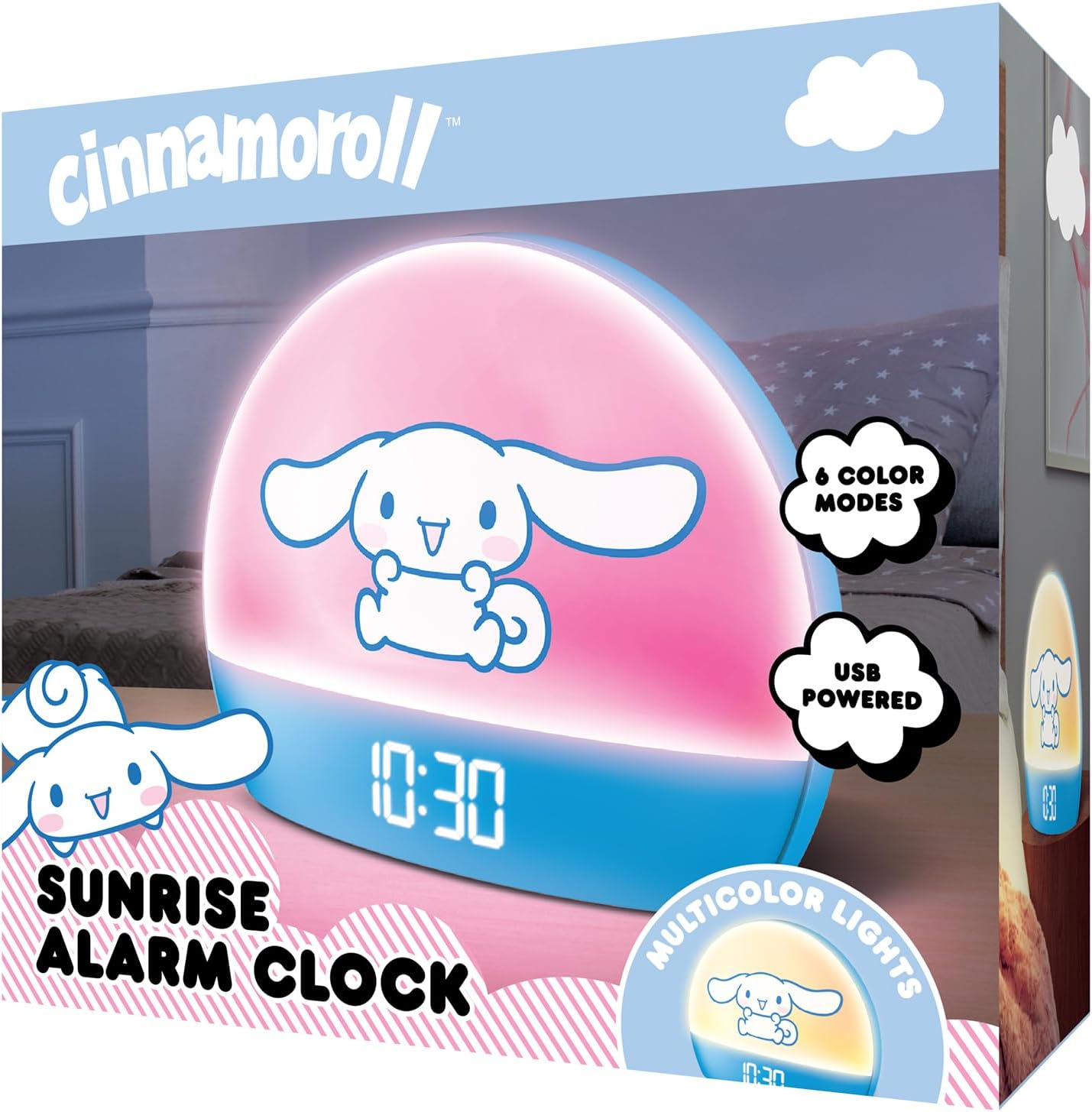
Image 2: Front packaging of the Hello Kitty Cinnamoroll Sunrise Alarm Clock.
4. Umkhiqizo Uphelileview
Familiarize yourself with the main components of your alarm clock.
- Ukuboniswa kwe-LED: Shows time, date, and temperature.
- Iphaneli yokukhanya: Emits multicolor and sunrise simulation lights.
- Izinkinobho Zokulawula: Located on the back or bottom for setting time, alarm, and light functions.
- I-Port yokushaja ye-USB: For powering the device and charging external devices.
- Inkinobho Yokusnuza: Typically a prominent button on the top or front.

Image 3: Hello Kitty Cinnamoroll Sunrise Alarm Clock in a bedroom setting.
5. Setha
5.1 Ukuxhuma Amandla
- Connect the provided USB power cable to the USB port on the back of the alarm clock.
- Plug the other end of the USB cable into a compatible USB power adapter (not included) or a powered USB port.
- The LED display will light up, indicating the device is powered on.
5.2 Ukubeka Isikhathi Nosuku
Specific button names are not provided, so general instructions are given. Refer to the physical device for exact button labels.
- Press the "SET" or "TIME" button to enter time setting mode.
- Use the "UP" and "DOWN" buttons to adjust the hour. Press "SET" again to confirm.
- Adjust the minute using "UP" and "DOWN" buttons. Press "SET" to confirm.
- Continue this process to set the year, month, and day.
- The clock may offer 12-hour or 24-hour format selection. Follow on-screen prompts or consult the device's specific button functions.
6. Iziqondiso Zokusebenza
6.1 Ukubeka i-Alamu
- Press the "ALARM" button to enter alarm setting mode.
- Use "UP" and "DOWN" buttons to set the desired alarm hour. Press "ALARM" to confirm.
- Adjust the alarm minute. Press "ALARM" to confirm.
- Some models may allow setting alarm volume or sound. Follow prompts if available.
- To activate/deactivate the alarm, look for an "ALARM ON/OFF" button or a toggle within the alarm setting menu.
6.2 Sunrise Simulation
The sunrise simulation feature gradually increases light intensity before your set alarm time, mimicking a natural sunrise.
- This feature is typically linked to the alarm function. When the alarm is active, the light will begin to brighten a set period (e.g., 30 minutes) before the alarm sounds.
- Consult the device's specific controls for adjusting the duration or intensity of the sunrise simulation, if applicable.
Izibani ezingama-6.3 Multicolor
The clock offers various color modes for ambient lighting.
- Press the "LIGHT" or "COLOR" button to cycle through different color options or activate a color-changing mode.
- Press and hold the "LIGHT" button to turn off the ambient light.
- Brightness of the display and ambient light can often be adjusted using dedicated buttons or by holding the "LIGHT" button.
Umsebenzi we-6.4 Snuza
When the alarm sounds, press the large "SNOOZE" button (usually on top) to temporarily pause the alarm. The alarm will sound again after a short interval (e.g., 5-10 minutes).
6.5 Imbobo yokushaja ye-USB
The integrated USB port can be used to charge small electronic devices like smartphones or tablets. Simply connect your device's charging cable to the USB port on the alarm clock.
6.6 Isibonisi Sezinga lokushisa
The LED display shows the current room temperature. No specific action is usually required to view this, as it cycles with time and date or is displayed continuously.
7. Isondlo
- Hlanza iwashi ngendwangu ethambile neyomile. Ungasebenzisi izihlanzi ezikhuhlayo noma izinyibilikisi.
- Qinisekisa ukuthi imbobo ye-USB ayinazo uthuli kanye nemfucumfucu.
- Store the clock in a cool, dry place when not in use for extended periods.
8. Ukuxazulula izinkinga
| Inkinga | Imbangela Engenzeka | Isixazululo |
|---|---|---|
| Iwashi alivuli. | USB cable not connected properly or power source issue. | Check USB cable connection. Try a different USB power adapter or port. Ensure the cable is securely inserted. |
| Time is incorrect or drifts. | Time not set correctly or internal clock issue. | Re-set the time following Section 5.2. If the issue persists, try disconnecting and reconnecting power. |
| I-alamu ayizwakali. | I-alamu ayenziwanga isebenze noma isethwe ngokungalungile. | Verify the alarm is set and activated (check for an alarm icon on the display). Ensure the volume is not set to zero if adjustable. |
| Izinkinobho aziphenduli. | Temporary software glitch or physical button issue. | Disconnect power for a few seconds and reconnect to reset the device. If buttons remain unresponsive, contact support. |
| Imbobo yokushaja i-USB ayisebenzi. | Cable issue, device not fully powered, or port malfunction. | Ensure the clock is properly powered. Try a different USB charging cable. Check if the port is clean and free of debris. |
9. Imininingwane
| Ibhrendi | Sawubona Kitty |
| Inombolo Yemodeli | HKCLK01CR-MFN |
| Umbala | I-Cinnamoroll |
| Uhlobo lokubonisa | Idijithali |
| Izici ezikhethekile | Adjustable Brightness, Alarm, Charging Port, LED Display, Temperature Display, Sunrise Simulation, Multicolor Lights |
| Ubukhulu bomkhiqizo | 7"W x 6"H |
| Umthombo wamandla | I-Corded Electric (USB) |
| Okubalulekile | Ipulasitiki |
| Isisindo sento | 0.4 Kilogram (14 ounces) |
| Ubuchwepheshe bokuxhumana | I-USB |
| Umkhiqizi | I-Southern Telecom |
10. Iwaranti kanye Nokusekela
For warranty information or technical support, please refer to the contact details provided on the product packaging or visit the official Hello Kitty product support webindawo. Gcina irisidi yakho yokuthenga ukuze uthole izimangalo zewaranti.