
1. Isingeniso
The Awei H15 Smartwatch is designed to integrate seamlessly into your daily life, offering health monitoring, communication features, and smart notifications. This manual provides essential information for setting up, operating, and maintaining your device.
2. Yini EseBhokisini
- 1 x Awei H15 Smartwatch
- 1 x Ikhebuli yokushaja
- 1 x Incwadi Yomsebenzisi (le dokhumenti)
3. Umkhiqizo Uphelileview
Familiarize yourself with the key components of your Awei H15 Smartwatch.
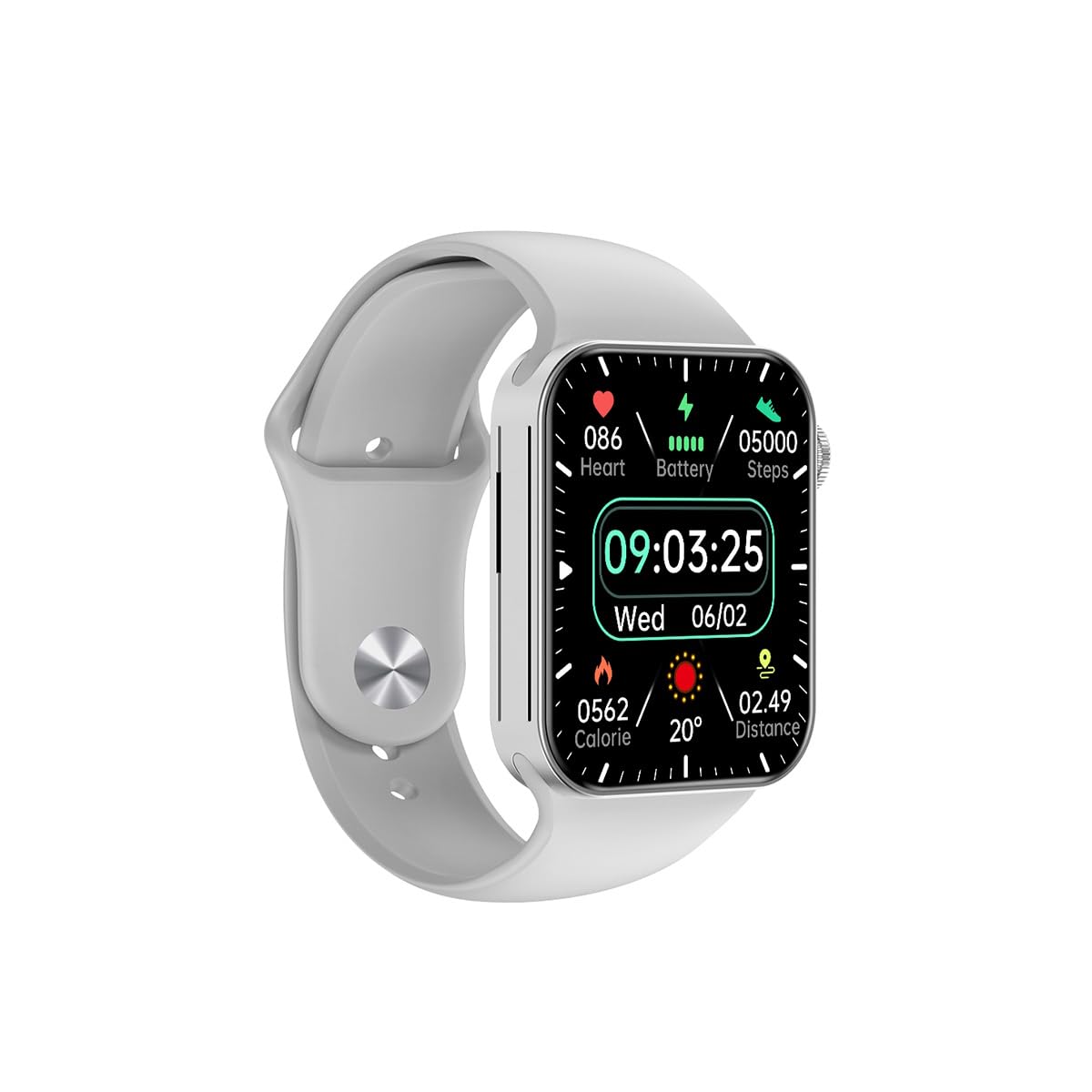
Umfanekiso 3.1: Ngaphambili view of the Awei H15 Smartwatch display, illustrating various health metrics and time.

Umfanekiso 3.2: Side view of the smartwatch, highlighting the rotary crown for navigation and an additional button.
4. Setha
4.1 Ukushaja i-Smartwatch
Before first use, fully charge your Awei H15 Smartwatch. Connect the provided charging cable to the charging port on the back of the watch and to a standard USB power adapter (not included).
- Isikhathi Sokushaja: Cishe amahora angu-2-3 ukuze ushaje ngokugcwele.
- Battery Life: Up to 7 days with calls, up to 15 days without calls.
4.2 Vula/Vala amandla
- Ukuvula: Press and hold the side button until the Awei logo appears.
- Ukucisha: Cindezela bese ubamba inkinobho eseceleni, bese ukhetha okuthi 'Cima' esikrinini.
4.3 Ukumatanisa Nomakhalekhukhwini Wakho
The Awei H15 Smartwatch uses Dual Bluetooth 3.0/5.0 for stable connectivity. To unlock full features, download the companion app (refer to the packaging or quick start guide for app name) from your smartphone's app store.
- Ensure your smartwatch is powered on and fully charged.
- Nika amandla i-Bluetooth ku-smartphone yakho.
- Open the companion app and follow the on-screen instructions to search for and connect to your Awei H15 Smartwatch.
- Qinisekisa isicelo sokubhanqa kokubili ku-smartphone yakho kanye newashi elihlakaniphile.
5. Iziqondiso Zokusebenza
5.1 Ukuhamba Okuyisisekelo
- Isikrini sokuthinta: Swayiphela kwesokunxele, kwesokudla, phezulu, noma phansi ukuze uzulazule kumamenyu nezikrini. Thepha ukuze ukhethe izinto.
- Rotary Crown: Rotate the crown to scroll through lists or zoom in/out (where applicable). Press the crown to return to the home screen or confirm selections.
5.2 Multi-Dial Switching
Customize your smartwatch's appearance by switching between various watch faces.

Umfanekiso 5.1: Examples of different watch faces available on the Awei H15 Smartwatch.
Ukushintsha ubuso bewashi:
- From the home screen, press and hold the display.
- Swipe left or right to browse available watch faces.
- Tap on a watch face to select it.
5.3 Ukuqapha Ezempilo
The Awei H15 Smartwatch tracks various health metrics to support your active lifestyle.
- Isilinganiso senhliziyo: Monitor your heart rate throughout the day.
- Ukulandelela umsebenzi: The built-in G-Sensor (MSA311) accurately tracks steps, distance, and calories burned.
- Ukuqapha Ukulala: Track your sleep patterns (light sleep, deep sleep, wake-up times).
Access detailed health data through the companion app on your smartphone.
5.4 Izici ezihlakaniphile
- Izingcingo: Make and receive calls directly from your smartwatch when connected to your phone via Bluetooth.
- Izaziso: Receive alerts for messages, emails, and app notifications.
- Izibuyekezo zesimo sezulu: Get real-time weather information.
- Ukulawula Umculo: Lawula ukudlalwa komculo ku-smartphone yakho.
6. Isondlo
6.1 Ukuhlanza
Regularly clean your smartwatch to ensure optimal performance and hygiene.
- Sula isikrini nomzimba ngendwangu ethambile, engenantambo.
- Ngokungcola okunenkani, kancane dampen indwangu ngamanzi. Gwema amakhemikhali anokhahlo.
- Hlanza oxhumana nabo bokushaja njalo ukuqinisekisa ukuxhumana okuhle.
6.2 Ukumelana Namanzi (IP67)
The Awei H15 Smartwatch is IP67 water-resistant, meaning it is protected against dust and can withstand immersion in water up to 1 meter for 30 minutes.
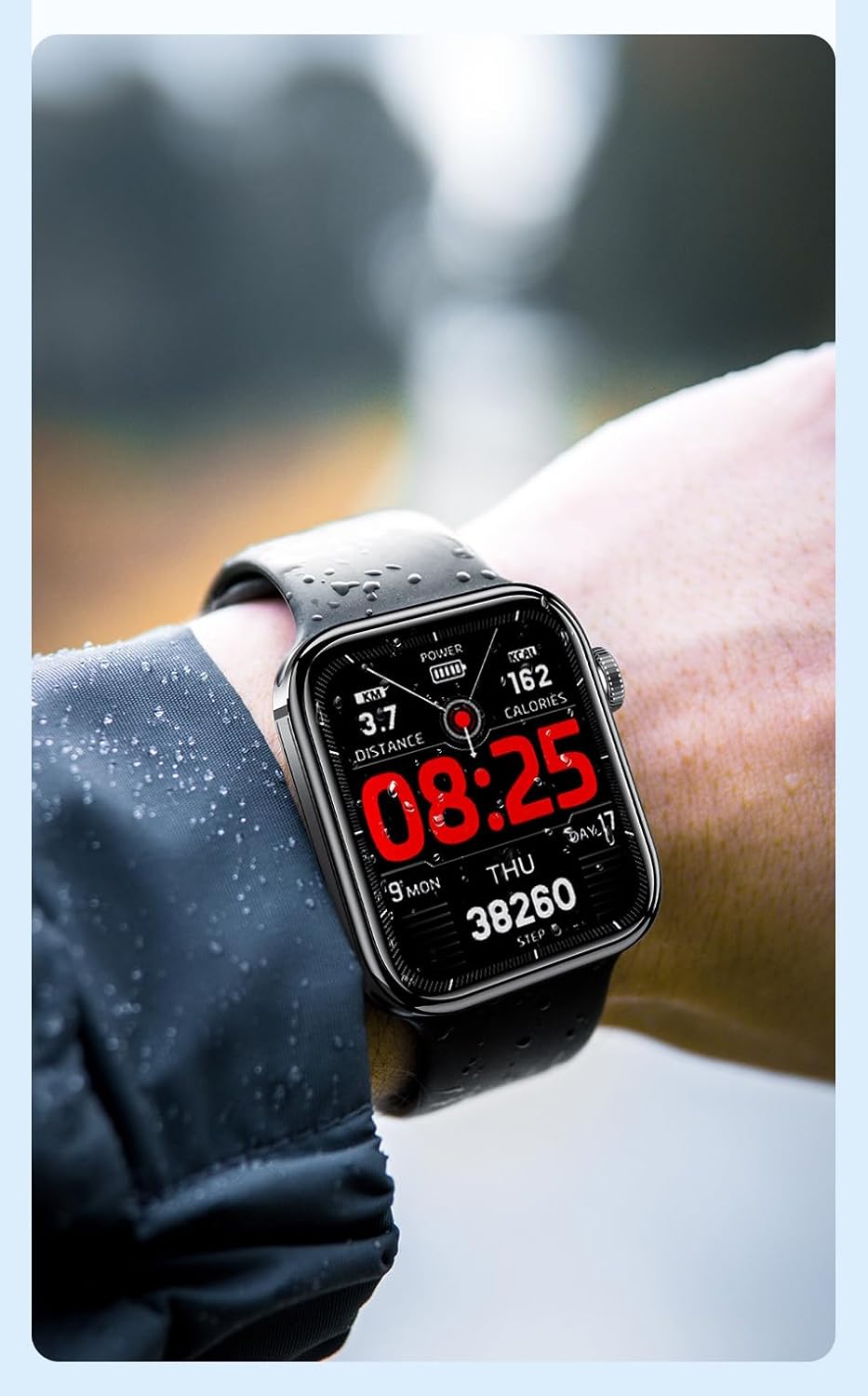
Umfanekiso 6.1: The Awei H15 Smartwatch is designed to withstand splashes and dust.
Important: IP67 rating does not mean the watch is suitable for swimming, showering, or diving. Avoid exposing the watch to hot water, steam, or high-velocity water.
7. Ukuxazulula izinkinga
- Iwashi elingavuliwe: Qinisekisa ukuthi iwashi lishajwe ngokugcwele. Yixhume kushaja okungenani imizuzu engama-30.
- Ayikwazi ukubhanqa ne-smartphone:
- Qinisekisa ukuthi i-Bluetooth ivuliwe efonini yakho nasewashini.
- Qiniseka ukuthi iwashi lingaphakathi kwebanga lefoni yakho.
- Qala kabusha kokubili iwashi nefoni yakho.
- Hlola ukuthi uhlelo lokusebenza oluhambisanayo lubuyekezwe kunguqulo yakamuva.
- Idatha yezempilo enganembile: Qinisekisa ukuthi iwashi ligqokwa kahle esihlakaleni sakho, alikumpintshi kakhulu noma alixegi kakhulu. Hlanza inzwa ngemuva kwewashi.
- Impilo yebhethri emfushane: Nciphisa ukukhanya kwesikrini, khubaza izaziso ezingadingekile, futhi unciphise ukuqapha okuqhubekayo kwenhliziyo.
8. Imininingwane
| Isici | Ukucaciswa |
|---|---|
| Imodeli | H15 |
| Ubuchwepheshe bokuxhumana | I-Bluetooth 3.0/5.0 |
| Ukumelana Namanzi | IP67 |
| Amandla ebhethri | 260mAh |
| Isikhathi sokushaja | 2-3 amahora |
| Isikhathi sokusebenzisa | Up to 7 days (with calls), 15 days (without calls) |
| Inzwa ye-G | I-MSA311 |
| Ubukhulu | 36.8 × 42.5 × 13.2mm |
| Ubude beWristband | 270 mm |
| Umkhiqizi | Awei |
9. Iwaranti kanye Nokusekela
Your Awei H15 Smartwatch comes with a Iwaranti yezinyanga eziyi-6 kusukela ngedethi yokuthenga. Lesi siqinisekiso sifaka amaphutha okukhiqiza ngaphansi kokusetshenziswa okuvamile.
For warranty claims or technical support, please contact your retailer or the official Awei customer service. Keep your proof of purchase for warranty validation.