
Isingeniso
Thank you for choosing the AWEI T36 Bluetooth Earbuds. This manual provides detailed instructions on how to set up, operate, and maintain your new earbuds. Please read this manual carefully before use to ensure optimal performance and longevity of your device.
Okuqukethwe Kwephakheji
- AWEI T36 Wireless Earbuds (Left and Right)
- Ikesi lokushaja
- Ikhebuli yokushaja ye-USB-C
- Izindlebe (osayizi abahlukahlukene)
- Imaniwali yosebenzisayo
Umkhiqizo Uphelileview
Familiarize yourself with the components of your AWEI T36 earbuds and charging case.
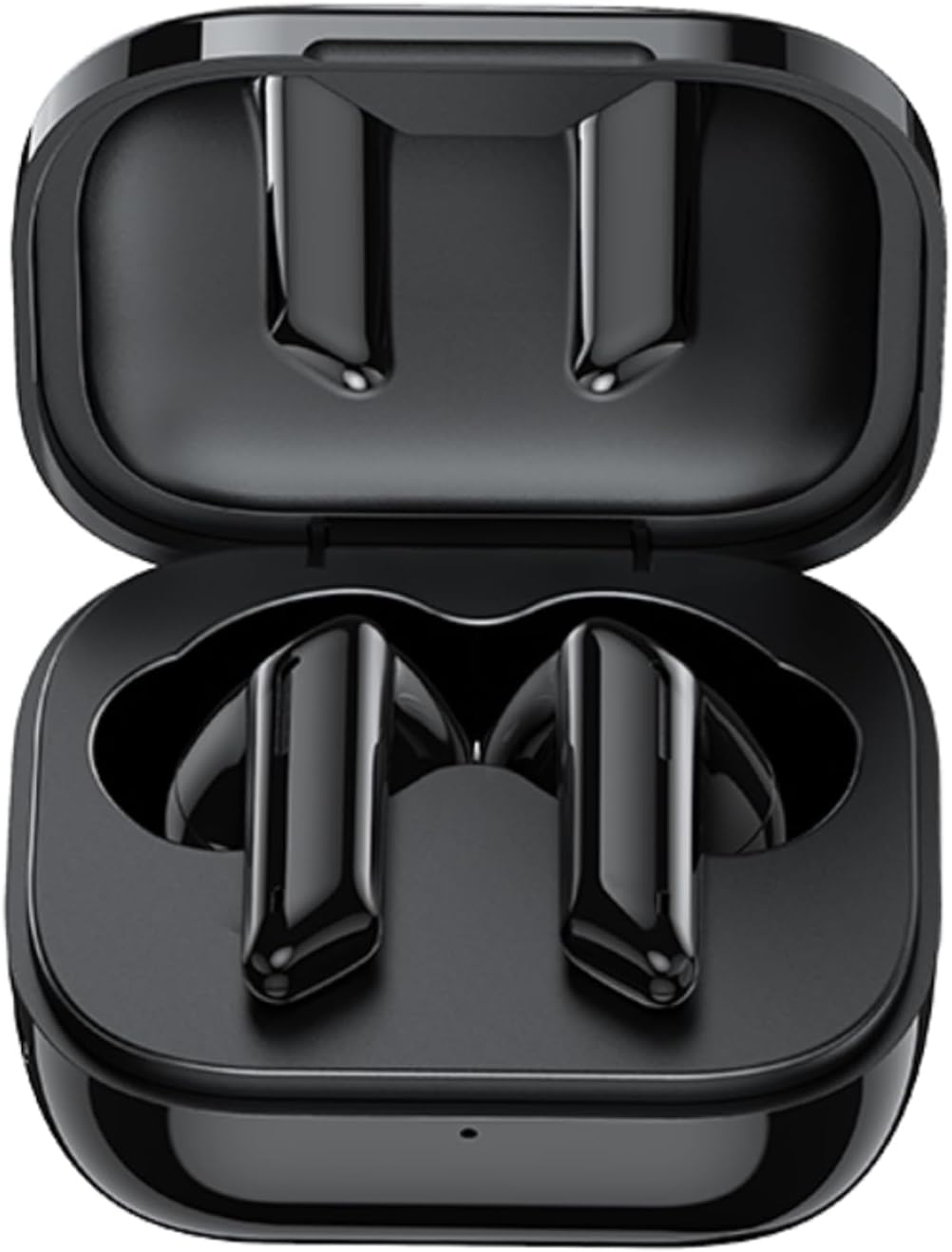
Image: AWEI T36 earbuds securely placed inside their open charging case, showcasing the sleek black design of both the earbuds and the case interior.
Izingxenye ze-Earbud
- Indawo yokulawula ukuthinta: For managing music playback, calls, and voice assistant.
- Imakrofoni: For clear call performance.
- Ishaja Oxhumana Nabo: Located at the bottom of each earbud.
- Inkomba ye-LED: Shows pairing status and battery level.
Izingxenye Zekesi Lokushaja
- Izikhala Zokushaja Ama-Earbud: Bamba ngokuphephile futhi ushaje ama-earbud.
- Imbobo yokushaja ye-USB-C: Ukushaja icala.
- Inkomba ye-LED: Displays charging status of the case.
Setha
1. Ukushaja ama-Earbud nekesi
Ngaphambi kokusebenzisa okokuqala, shaja ngokugcwele ama-earbud kanye nebhokisi lokushaja.
- Place the earbuds into the charging case, ensuring they are correctly seated. The earbuds' LED indicators will light up to show they are charging.
- Xhuma ikhebula lokushaja le-USB-C embobeni yokushaja ekhasethini bese kuthi elinye icala libe yi-adaptha yamandla ye-USB (engafakiwe) noma imbobo ye-USB yekhompyutha.
- The charging case LED indicator will show charging progress. A full charge takes approximately 1.5 hours for the case.

Image: AWEI T36 earbuds and their charging case resting on a circular charging pad, illustrating the product's battery life and charging capabilities. The image indicates a 320mAh charging case, 4-5 hours playtime, and 1.5 hours charging time.
Note: The product specifications indicate 7 hours of continuous use per charge for earbuds and 35 hours of playback with the charging case.
2. Ukumatanisa Nedivayisi Yakho
The earbuds support Bluetooth 5.3 for a stable and fast connection.
- Ukumatanisa Kokuqala:
- Vula ikesi lokushaja. Ama-earbud azovula ngokuzenzakalelayo futhi angene kumodi yokumatanisa.
- Edivayisini yakho (i-smartphone, ithebhulethi, ikhompyutha ephathekayo), vula i-Bluetooth.
- Cinga "AWEI T36" in the list of available Bluetooth devices and select it to connect.
- Once connected, you will hear a confirmation tone, and the earbud LED indicators will turn off or flash slowly.
- Ukumatanisa Okulandelayo:
- Once paired, the earbuds will automatically connect to the last paired device when taken out of the charging case, provided Bluetooth is enabled on the device.

Image: A smartphone displaying a game, with the AWEI T36 earbuds and their charging case in the foreground, illustrating the Bluetooth connection. The image highlights "Bluetooth 5.1 Faster & More Stable" (Note: Product specifications state Bluetooth 5.3 for this model, which offers improved performance.)

Image: Two AWEI T36 earbuds, one in its open charging case and one outside, demonstrating that both earbuds can function independently as "hosts" or "main engines" for flexible use.
Imiyalelo yokusebenza
The AWEI T36 earbuds feature smart touch controls for easy operation.
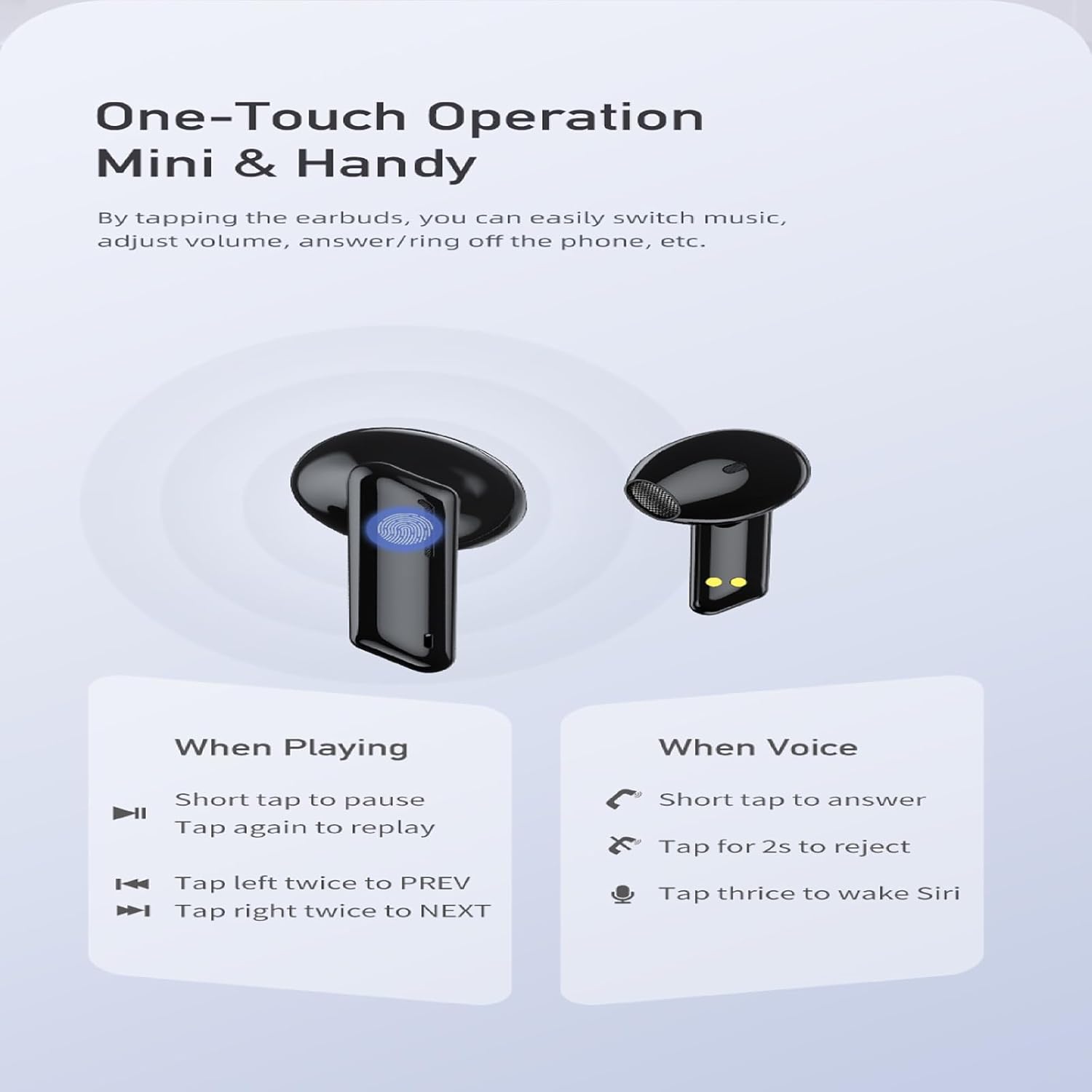
Image: A visual guide to the one-touch operation of the AWEI T36 earbuds, detailing touch commands for music playback (pause/play, previous/next song) and call management (answer/reject, activate voice assistant).
Ukudlala Komculo
- Dlala/Misa kancane: Short tap on either earbud.
- Ingoma Elandelayo: Thepha i-earbud engakwesokudla kabili.
- Ingoma Edlule: Thepha i-earbud engakwesokunxele kabili.
- Ukulawula ivolumu: (Specific gesture not detailed in image, typically long press or multiple taps. Refer to device settings if not working as expected.)
Ukuphathwa Kwezingcingo
- Phendula Ucingo: Short tap on either earbud.
- Yenqaba Ucingo: Thepha futhi ubambe noma iyiphi i-earbud imizuzwana emi-2.
- Qeda ikholi: Short tap on either earbud during a call.
Umsizi Wezwi
- Vula Umsizi Wezwi (Siri/Umsizi we-Google): Tap either earbud three times.
Vula/Vala
- Vula: Earbuds automatically power on when removed from the charging case.
- Cisha ugesi: Earbuds automatically power off when placed back into the charging case and the lid is closed.
Isondlo
Ukuhlanza
- Hlanza njalo ama-earbud nekesi lokushaja ngendwangu ethambile, eyomile, engena-lint.
- Sebenzisa i-swab yekotini kancane dampened with isopropyl alcohol to clean the charging contacts on both the earbuds and inside the case.
- Do not use abrasive cleaners or immerse the earbuds or case in water.
Isitoreji
- Gcina ama-earbud kukesi lawo lokushaja uma lingasetshenziswa ukuze uwavikele futhi uwagcine eshajiwe.
- Avoid storing the device in extreme temperatures (hot or cold) or in highly humid environments.
Ukunakekela Ibhethri
- To preserve battery life, charge the earbuds and case regularly, even if not used frequently.
- Gwema ukukhipha ngokuphelele ibhethri ngaphambi kokulishaja kabusha.

Image: AWEI T36 earbuds and their charging case with water droplets on them, emphasizing their IPX4 waterproof rating, which protects against sweat and light rain during exercise.
Ukuxazulula inkinga
If you encounter any issues with your AWEI T36 earbuds, please refer to the following common solutions:
- Ama-earbud awamataniswa nedivayisi:
- Qinisekisa ukuthi ama-earbud ashajwe ngokugcwele.
- Make sure Bluetooth is enabled on your device and the earbuds are within range (up to 10 meters).
- Forget "AWEI T36" from your device's Bluetooth list and try pairing again.
- Place both earbuds back into the charging case, close the lid, wait a few seconds, then open the lid to reset them.
- I-earbud eyodwa kuphela esebenzayo:
- Qinisekisa ukuthi womabili ama-earbud ashajiwe.
- Place both earbuds back into the charging case, close the lid, then open it again. This often re-syncs them.
- Hlanza oxhumana nabo bokushaja kuma-earbud kanye nangaphakathi kwekhava.
- Ama-earbud awashaji:
- Hlola ukuthi ikhebula lokushaja lixhunywe ngokuphephile yini kokubili ebhokisini kanye nomthombo wamandla.
- Qinisekisa ukuthi abathintwayo abashajayo kuma-earbud nangaphakathi kwekesi bahlanzekile futhi abanayo imfucumfucu.
- Zama ikhebuli ye-USB-C ehlukile noma i-adaptha yamandla.
- Ivolumu ephansi noma ikhwalithi yomsindo ephansi:
- Lungisa ivolumu kukho kokubili idivayisi yakho nama-earbud.
- Ensure the eartips are properly seated in your ears to create a good seal. Try different sized eartips.
- Clean any earwax or debris from the earbud speaker mesh.
Imininingwane
| Isici | Incazelo |
|---|---|
| Igama Lemodeli | T36 |
| Ibhrendi | AWEI |
| Ubuchwepheshe bokuxhumana | Okungenantambo (Bluetooth 5.3) |
| I-Bluetooth Range | Kufika kumamitha ayi-10 (33 amafidi) |
| Impilo Yebhethri Ye-Earbud | Kufika emahoreni ayi-7 (inkokhelo eyodwa) |
| Isikhathi sokudlala esiphelele (kanye nekesi) | Kufika emahoreni angu-35 |
| Isikhathi sokushaja (Ikesi) | Cishe. Amahora angu-1.5 |
| Ukumelana Namanzi | IPX4 (Sweat and splash proof) |
| Uhlobo Lokulawula | Ukulawula Ukuthinta |
| Ukuma kwe-Earpiece | Endlebeni |
| Okubalulekile | Silicone (Eartips) |
| Izingxenye Ezihlanganisiwe | Earbuds, Charging Case, USB-C Cable, Eartips, User Manual |
Iwaranti kanye Nokusekela
AWEI products are manufactured to the highest quality standards. For information regarding warranty coverage, technical support, or customer service, please refer to the warranty card included in your package or visit the official AWEI webindawo.
For further assistance, please contact AWEI customer support with your product model number (T36) and purchase details.