
AWEI T78
AWEI T78 Mini Wireless Earbuds User Manual
Imodeli: T78
Isingeniso
Thank you for choosing the AWEI T78 Mini Wireless Earbuds. These earbuds are designed to provide an immersive audio experience with advanced Bluetooth 5.4 technology, clear call performance, and a lightweight, ergonomic design. This manual will guide you through the setup, operation, and maintenance of your new earbuds to ensure optimal performance and longevity.

Image: AWEI T78 earbuds and charging case, highlighting immersive stereo sound.
Yini EseBhokisini
- Ama-Earbud Angenantambo we-AWEI T78
- Ikesi lokushaja
- Ikhebuli yokushaja ye-USB (Uhlobo-C)
- Imaniwali yosebenzisayo
- Ama-Eartips
Umkhiqizo Uphelileview
The AWEI T78 earbuds consist of two lightweight earbuds and a portable charging case. The earbuds feature touch-sensitive controls for easy operation, while the charging case provides extended battery life on the go.
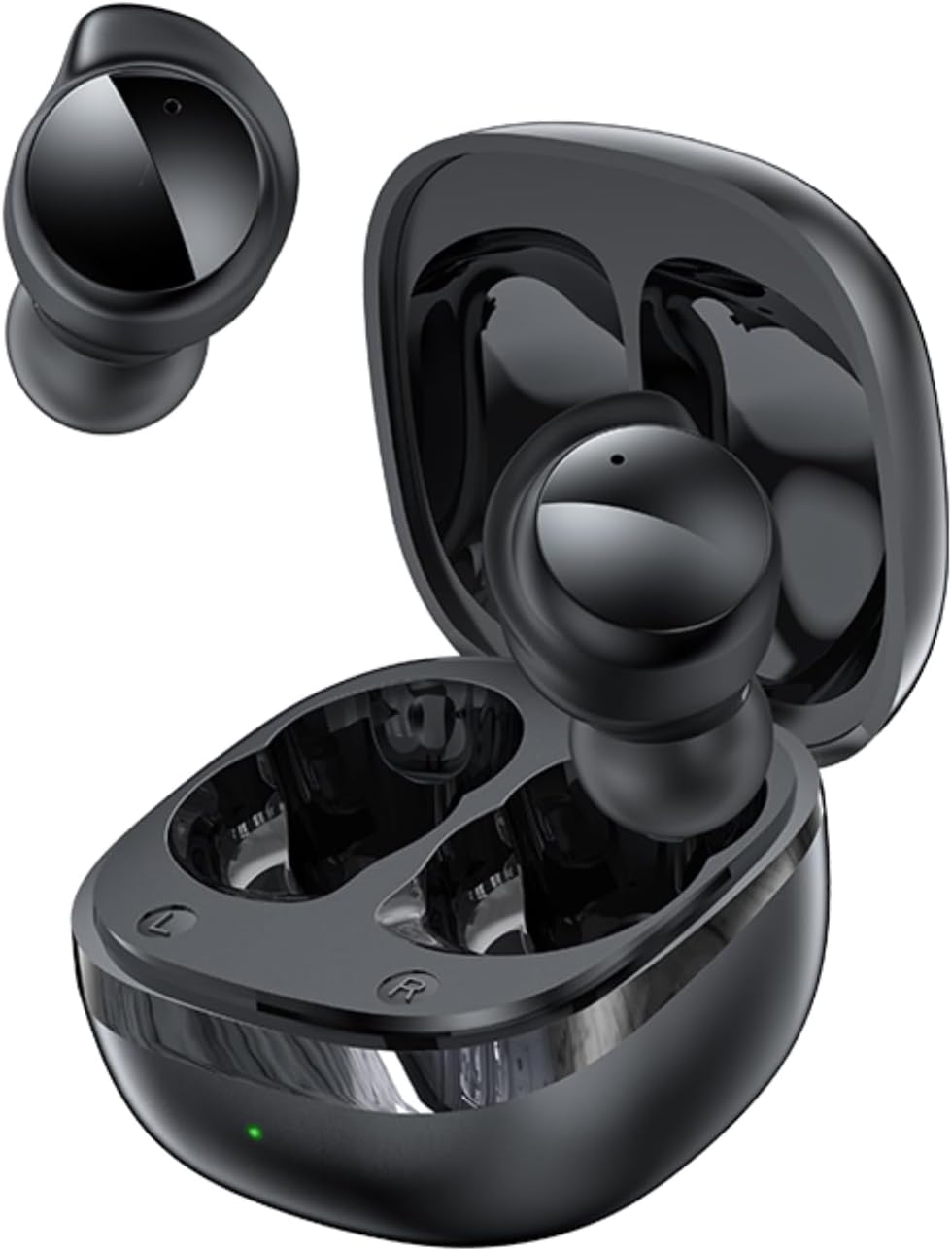
Image: AWEI T78 Mini Wireless Earbuds and Charging Case.

Image: Internal components of an AWEI T78 earbud, showcasing the 13mm speaker.
Setha
1. Ukushaja ama-Earbud nekesi
Before first use, fully charge the charging case and earbuds. Connect the provided Type-C USB cable to the charging port on the case and a power source. The charging indicator light will show the charging status.
- Ibhethri yekesi lokushaja: 200mAh
- Isikhathi sokushaja (Ikesi): Cishe ihora elingu-1
- Earbud Play Time: Up to 4 hours per charge
- Earbud Talk Time: Up to 3 hours per charge
- Total Playback with Charging Case: Up to 30 hours (dual-ear mode), up to 52 hours (single-ear alternating mode)

Image: Battery life details for AWEI T78 earbuds.
2. Ukumatanisa Nedivayisi Yakho
- Qinisekisa ukuthi ama-earbud ashajiwe.
- Vula ikesi lokushaja. Ama-earbud azovula ngokuzenzakalelayo futhi angene kumodi yokumatanisa.
- Edivayisini yakho (i-smartphone, ithebhulethi, ikhompyutha ephathekayo), vula i-Bluetooth.
- Cinga available Bluetooth devices and select "AWEI T78" from the list.
- Once connected, you will hear a confirmation sound, and the earbuds will be ready for use.
The earbuds feature Bluetooth 5.4 for a fast, stable, and low-latency connection up to 10 meters (33 feet). They will automatically reconnect to the last paired device when taken out of the case.

Image: AWEI T78 earbuds demonstrating Bluetooth 5.4 connectivity.
Isebenza
Vula/Vala
- Vula: Vula ikesi lokushaja, futhi ama-earbud azovuleka ngokuzenzakalelayo.
- Cisha ugesi: Buyisela ama-earbud ekesini lokushaja bese uvala isivalo. Azocisha ngokuzenzakalelayo futhi aqale ukushaja.
Izilawuli zokuthinta
The AWEI T78 earbuds feature intuitive touch controls on each earbud. The functions are as follows:
- Dlala/Misa kancane: Tap once on either L/R earbud.
- Ingoma Elandelayo: Tap twice on either L/R earbud.
- Ingoma Edlule: Tap thrice on either L/R earbud.
- Phendula/Vala ucingo: Tap once on either L/R earbud.
- Yenqaba Ucingo: Touch for 1 second on either L/R earbud.
- Yenza kusebenze umsizi wezwi: Long touch for 2 seconds on either L/R earbud.

Image: Detailed diagram of AWEI T78 earbud touch controls.
Imodi ye-Earbud eyodwa
You can use either the left or right earbud independently. Simply take one earbud out of the case, and it will automatically connect to your device. The other earbud can remain in the case or be used later.

Image: AWEI T78 earbud worn, emphasizing its lightweight design.
Isondlo
Ukuhlanza
Hlanza njalo ama-earbud akho kanye nesikhwama sokushaja ukuze ugcine ukusebenza kahle kanye nokuhlanzeka.
- Sebenzisa indwangu ethambile, eyomile, engena-lint ukuze usule ama-earbud nekesi lokushaja.
- Gently remove any earwax or debris from the earbud mesh and charging contacts using a clean, dry cotton swab or a small, soft brush.
- Ungasebenzisi izinto zokuhlanza abrasive, utshwala, noma izincibilikisi zamakhemikhali.
Ukumelana Namanzi (IPX5)
The AWEI T78 earbuds are IPX5 waterproof, meaning they are protected against low-pressure water jets from any direction. This makes them suitable for workouts and light rain. However, they are not designed for submersion in water or for use during swimming or showering.
Isitoreji
Uma ingasetshenziswa, gcina ama-earbud kukesi lawo lokushaja ukuze uwavikele othulini nasekonakaleni, futhi uwagcine eshajile.
Ukuxazulula inkinga
- Ama-earbud awamataniswa nedivayisi:
- Qinisekisa ukuthi i-Bluetooth ivuliwe kudivayisi yakho.
- Make sure the earbuds are charged and out of the charging case.
- Try forgetting "AWEI T78" from your device's Bluetooth list and re-pairing.
- Restart your device and try again. - I-earbud eyodwa kuphela esebenzayo:
- Place both earbuds back into the charging case, close the lid, and then take them out again.
- Qinisekisa ukuthi womabili ama-earbud ashajwe.
- If the issue persists, try resetting the earbuds (refer to manufacturer's webisayithi ukuthola imiyalelo ethile yokusetha kabusha uma kudingeka). - Awukho umsindo:
- Check the volume level on both your device and the earbuds.
- Qinisekisa ukuthi ama-earbud axhunywe kahle kudivayisi yakho.
- Zama ukudlala umsindo ovela kolunye uhlelo lokusebenza noma umthombo. - Ikesi elishajayo alikhokhisi:
- Ensure the charging cable is securely connected to both the case and the power source.
- Zama ikhebula lokushaja elihlukile noma i-adaptha yamandla.
- Check if the charging port on the case is clean and free of debris.
Imininingwane
| Igama Lemodeli | T78 |
| Ibhrendi | AWEI |
| Ubuchwepheshe bokuxhumana | Okungenantambo (Bluetooth 5.4) |
| I-Bluetooth Range | Kufika kumamitha ayi-10 (33 amafidi) |
| Izinga Lokumelana Namanzi | IPX5 |
| Ukubekwa Kwendlebe | Endlebeni |
| Uhlobo Lokulawula | Ukulawula Ukuthinta |
| Imbobo yokushaja | Uhlobo C |
| Ibhethri yekesi yokushaja | 200mAh |
| Usayizi wesipika | 13 mm |
| Impedance | 32 ohm |
| Ukulawula Umsindo | Ukukhansela Umsindo Okusebenzayo |
Iwaranti kanye Nokusekela
For warranty information and technical support, please refer to the warranty card included with your product or visit the official AWEI website. If you encounter any issues not covered in this manual, please contact AWEI customer service for assistance.
Ask a question about this manual
Ask about setup, troubleshooting, compatibility, parts, safety, or missing instructions. Manuals+ will review the question and use this page’s manual context to help answer it.