
SIMATE K3
SIMATE 6.5" Self-Balancing Scooter Instruction Manual
Imodeli: K3
1. Isingeniso
Siyabonga ngokuthengaasing the SIMATE 6.5" Self-Balancing Scooter. This manual provides essential information for the safe operation, maintenance, and troubleshooting of your scooter. Please read this manual thoroughly before first use and retain it for future reference.
2. Ulwazi Lokuphepha
Your safety is paramount. Always wear appropriate safety gear, including a helmet, knee pads, and elbow pads, when operating the scooter. Ensure you understand and comply with all local laws and regulations regarding the use of self-balancing scooters.
- This product is UL2272 Safety Certified, ensuring compliance with U.S. safety regulations.
- Ungasisebenzisi isikuta uphuze utshwala noma izidakamizwa.
- Avoid riding on uneven surfaces, steep slopes (over 15 degrees), or in wet conditions.
- Gcina ibanga eliphephile ukusuka kwabahamba ngezinyawo nezinye izimoto.
- Children should be supervised by an adult during operation.
- Maximum load capacity is 220 lbs. Do not exceed this limit.
3. Okuqukethwe Kwephakheji
Qinisekisa ukuthi zonke izinto zikhona kuphakheji yakho:
- SIMATE 6.5" Self-Balancing Scooter
- Ishaja
- Incwadi Yokufundisa (le dokhumenti)
4. Umkhiqizo Uphelileview
The SIMATE 6.5" Self-Balancing Scooter features dual 250W motors, LED lights, and a self-balancing control system. It is designed for ease of use and enjoyment.

Isithombe 4.1: Ngaphambili view of the SIMATE 6.5" Self-Balancing Scooter in white.
Izici Eziyinhloko:
- Self-Balancing System: Assists in maintaining balance for easier learning and riding.
- Izibani ze-LED: Includes head lights and central lights for enhanced visibility and aesthetics.
- Bluetooth Music Speaker: Allows connection to a device for audio playback.
- Ukulawulwa kwe-APP: Compatible with the "XsCar" app for advanced control and monitoring.
- Dual 250W Motors: Provides power for speeds up to 7.5 mph and a range of 7.5 miles.

Image 4.2: Diagram illustrating the self-balancing function and basic movement controls (Go Ahead, Back, Self-Balancing).
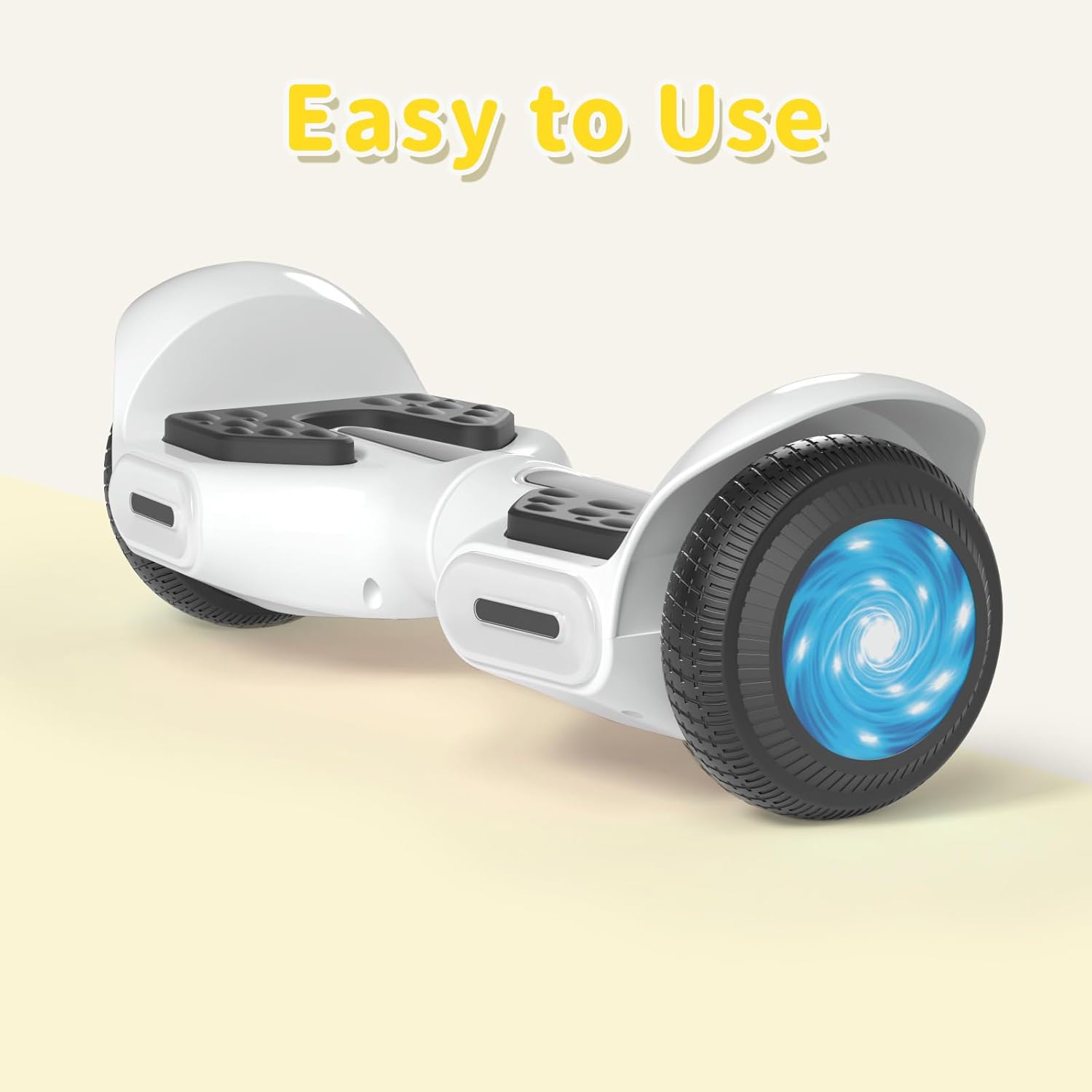
Isithombe 4.3: Ukuvala view of the head and central LED lights on the scooter.
5. Setha
5.1 Ukushaja Kwasekuqaleni
- Before first use, fully charge the scooter. Connect the charger to the charging port on the scooter and then to a power outlet.
- The indicator light on the charger will change (e.g., from red to green) when charging is complete. Charging typically takes 2-3 hours.
- Ungalikhokhi ibhethri ngokweqile. Nqamula ishaja uma ukushaja sekuqediwe.
5.2 Vula/Vala amandla
- To power on, press and hold the power button located on the scooter.
- Ukuze ucime, cindezela bese ubamba inkinobho yamandla futhi.
6. Iziqondiso Zokusebenza
6.1 First Ride Guidelines
- Place the scooter on a flat, level surface.
- Step onto one footpad, then quickly and confidently step onto the other footpad. Use a wall or another person for support initially.
- Lean slightly forward to move forward, and lean backward to slow down or move in reverse.
- Ukuze ujike, cindezela kancane ngonyawo lwakho lwesobunxele ukuze ujike kwesokudla, nangonyawo lwakho lwesokudla ukuze ujike kwesobunxele.
- Ukuze wehle, yehla ngonyawo olulodwa ngesikhathi, uqinisekise ukuthi isikuta sihlala sizinzile.
Video 6.1: Demonstration of basic riding techniques and self-balancing features for the SIMATE Kids Scooter.
6.2 Amamodi esivinini
The scooter features three adjustable speed modes:
- Imodi ephephile: Maximum speed 5 mph (suitable for beginners).
- Imodi yabaqalayo: Maximum speed 6.5 mph (suitable for novices).
- Imodi Yezemidlalo: Maximum speed 8.5 mph (suitable for proficient users).

Image 6.2: Visual representation of the three speed modes: Safe, Beginner, and Sports.
6.3 App Control ("XsCar")
Download the exclusive "XsCar" app to unlock additional features and control options:
- Scan the QR code (if provided on packaging or scooter) or search for "XsCar" in your device's app store.
- Pair your scooter with the app via Bluetooth.
- Ngohlelo lokusebenza, unga:
- Power on/off the scooter.
- Adjust LED lights.
- Monitor speed and battery power.
- Set speed modes.
- Access other control features.

Image 6.3: Illustration of the "XsCar" app interface and its control capabilities for lights, speed, and battery.
6.4 Bluetooth Music Speaker
To use the built-in Bluetooth speaker:
- Ensure the scooter is powered on.
- Nika amandla i-Bluetooth kudivayisi yakho yeselula.
- Cinga available Bluetooth devices and select "SIMATE Scooter" (or similar name).
- Once paired, you can play music through the scooter's speaker.
7. Isondlo
7.1 Ukuhlanza
- Sula isikuta ngesikhangisoamp cloth after use. Avoid using excessive water or harsh cleaning agents.
- Do not use high-pressure water jets to clean the scooter, as this can damage electronic components.
7.2 Ukunakekelwa Kwebhethri
- Charge the battery regularly, even if the scooter is not in use, to maintain battery health.
- Gcina isikuta endaweni epholile, eyomile ngaphandle kwelanga eliqondile kanye namazinga okushisa aphezulu.
- If the scooter will not be used for an extended period, charge it to approximately 50% before storage.
7.3 Isitoreji
- Store the scooter indoors to protect it from weather elements.
- Keep the scooter away from flammable materials.
8. Ukuxazulula izinkinga
| Inkinga | Imbangela Engenzeka | Isixazululo |
|---|---|---|
| Isikuta asivuli amandla. | Ibhethri eliphansi noma inkinobho yamandla ayicindezelwanga kahle. | Charge the scooter fully. Ensure the power button is pressed and held for a few seconds. |
| Scooter is not balancing. | Rider weight distribution is incorrect or surface is uneven. | Ensure feet are centered on the footpads. Practice on a flat, smooth surface. |
| Isipikha se-Bluetooth asixhumi. | Bluetooth not enabled on device or scooter, or device is too far. | Ensure scooter is on and Bluetooth is enabled on your device. Move device closer to the scooter. Re-pair if necessary. |
| Ibanga noma isivinini esincishisiwe. | Low battery, heavy load, or riding on inclines. | Charge the battery fully. Reduce load. Avoid steep inclines. |
9. Imininingwane
| Isici | Imininingwane |
|---|---|
| Igama Lemodeli | 6.5" Scooter (K3) |
| Ibhrendi | SIMATE |
| Usayizi Wesondo | 6.5 amayintshi |
| Amandla Ezimoto | I-Dual 250W Motors |
| Isivinini esikhulu | 7.5 mph (3 adjustable speed modes) |
| UMax Range | 7.5 amamayela |
| Umthwalo Omkhulu | 220 lbs |
| Isikhathi sokushaja | 2-3 amahora |
| Okubalulekile | I-Aluminium, Irabha |
| Izici ezikhethekile | Built-In Bluetooth speaker, LED Lights, App Control |
| Isitifiketi Sokuphepha | I-UL2272 |
10. Ulwazi Lwewaranti
The SIMATE 6.5" Self-Balancing Scooter comes with a Iwaranti yonyaka ongu-1 from the date of purchase. This warranty covers manufacturing defects under normal use. It does not cover damage caused by misuse, accidents, unauthorized modifications, or normal wear and tear.
Sicela ugcine ubufakazi bakho bokuthenga izimangalo zewaranti.
11. Ukwesekwa Kwamakhasimende
For any questions, technical assistance, or warranty claims, please contact SIMATE customer support:
- Isevisi ye-inthanethi: SIMATE provides 7*24 hours online service.
- Othintana naye: Refer to the contact information provided on the product packaging or the official SIMATE webisayithi leziteshi zosekelo zakamuva.

Image 11.1: Illustration of a customer support representative, symbolizing available assistance.
Ask a question about this manual
Ask about setup, troubleshooting, compatibility, parts, safety, or missing instructions. Manuals+ will review the question and use this page’s manual context to help answer it.