
1. Umkhiqizo Uphelileview
The Vieta Pro VM-BS1000WH is a portable, battery-powered Bluetooth speaker designed for high-quality audio playback. Its elegant design allows it to integrate seamlessly into various environments, while its robust features make it suitable for both indoor and outdoor use.
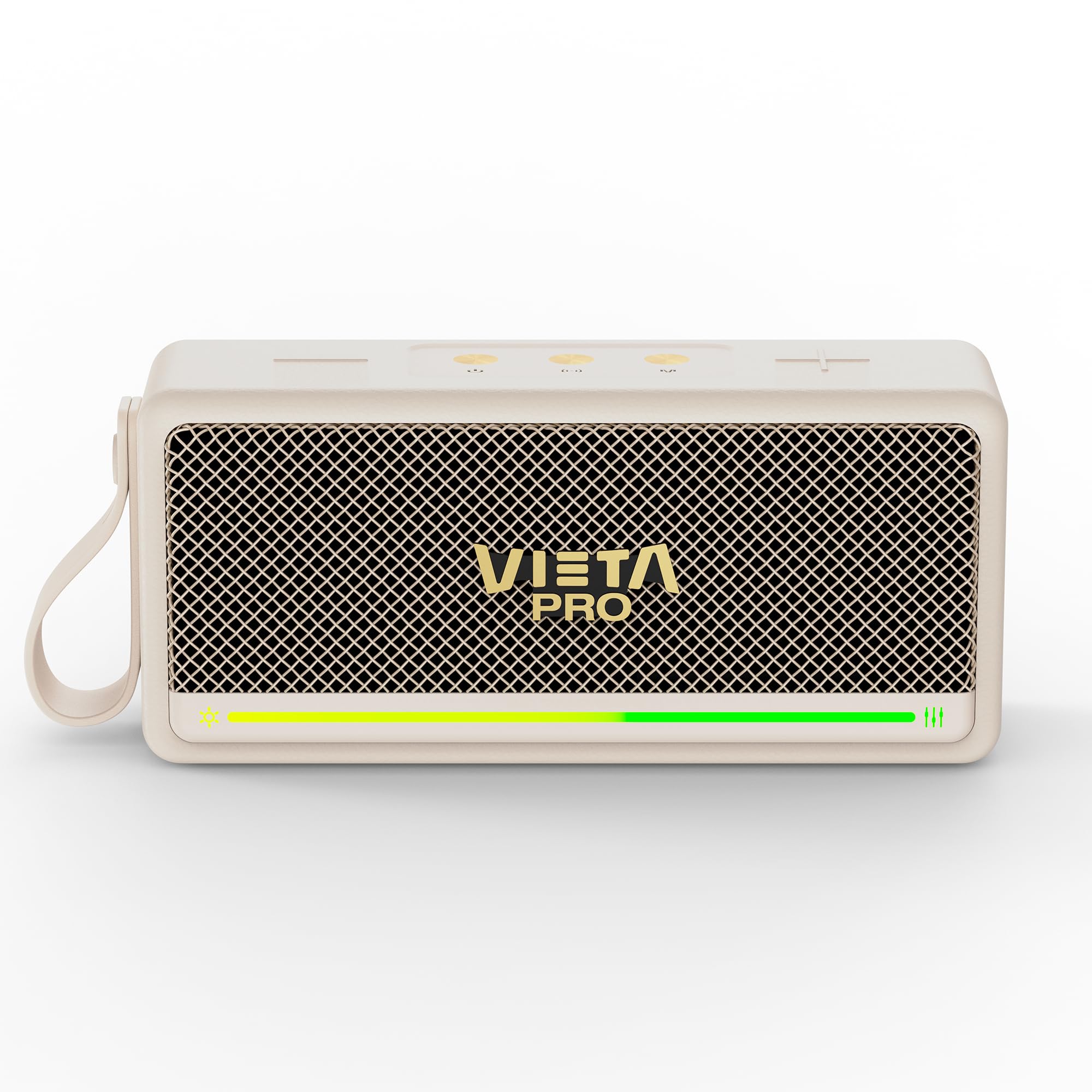
Umfanekiso 1: Ngaphambili view of the Vieta Pro VM-BS1000WH Portable Bluetooth Speaker.
2. Izici Eziyinhloko
- I-Bluetooth 5.3: Advanced wireless technology for fast and stable connections.
- Imodi ye-TWS (True Wireless Stereo): Enables a true wireless stereo sound experience for immersive listening.
- I-IPX7 Ukumelana Namanzi: Certified to withstand splashes and brief immersion in water.
- Isidlali se-USB: Allows direct music playback from a USB drive.
- Impilo Yebhethri Yamahora angu-10: Provides extended use without frequent recharging.
- Shock-resistant design: Ukuqina okuthuthukisiwe kwezindlela zokuphila ezisebenzayo.
- Ukulawula Ukuthinta: Intuitive control method for ease of use.
3. Umhlahlandlela wokusetha
3.1. Ukushaja uSomlomo
Before initial use, fully charge the speaker. Connect the provided USB charging cable to the speaker's charging port and a compatible USB power adapter (not included). The charging indicator light will illuminate during charging and turn off when fully charged. A full charge provides up to 10 hours of playback.
3.2. Ukuvula/Ukucisha
To power on the speaker, press and hold the power button located on the control panel until you hear an audible prompt and the indicator light turns on. To power off, press and hold the power button again until the indicator light turns off.

Umfanekiso 2: Uhlangothi view of the speaker, highlighting the control panel and ports.
4. Iziqondiso Zokusebenza
4.1. Ukubhanqa kwe-Bluetooth
- Qinisekisa ukuthi isipikha sivuliwe futhi sikwimodi yokumatanisa ye-Bluetooth (ekhonjiswa yi-LED ekhanyayo).
- Edivayisini yakho (i-smartphone, ithebhulethi, ikhompuyutha ephathekayo), vula i-Bluetooth bese usesha amadivaysi atholakalayo.
- Select "Vieta Pro VM-BS1000WH" from the list of devices.
- Once paired, the speaker will emit an audible confirmation, and the LED indicator will become solid.
4.2. TWS (True Wireless Stereo) Mode
To achieve a true wireless stereo experience, you can pair two VM-BS1000WH speakers together:
- Qinisekisa ukuthi zombili izipikha zivuliwe futhi azixhumekile kunoma iyiphi enye idivayisi ye-Bluetooth.
- On one speaker, press and hold the TWS button (refer to the control panel diagram) until you hear a pairing tone.
- The two speakers will automatically connect to each other. Once connected, one speaker will act as the master and the other as the slave.
- Now, connect your device to the master speaker via Bluetooth as described in section 4.1. Audio will play in stereo through both speakers.
4.3. Ukudlala nge-USB
Faka idrayivu ye-USB equkethe umsindo we-MP3 files into the USB port on the speaker. The speaker will automatically detect the USB drive and begin playing music. Use the playback controls to navigate tracks.
4.4. Volume and Playback Control
The speaker features touch controls for volume adjustment and music playback:
- Ivolumu ephezulu: Tap the '+' button.
- Ivolumu Phansi: Tap the '-' button.
- Dlala/Misa kancane: Tap the Play/Pause button.
- Ithrekhi Elandelayo: Cindezela bese ubamba inkinobho ethi '+'.
- Ithrekhi yangaphambilini: Cindezela bese ubamba inkinobho ethi '-'.
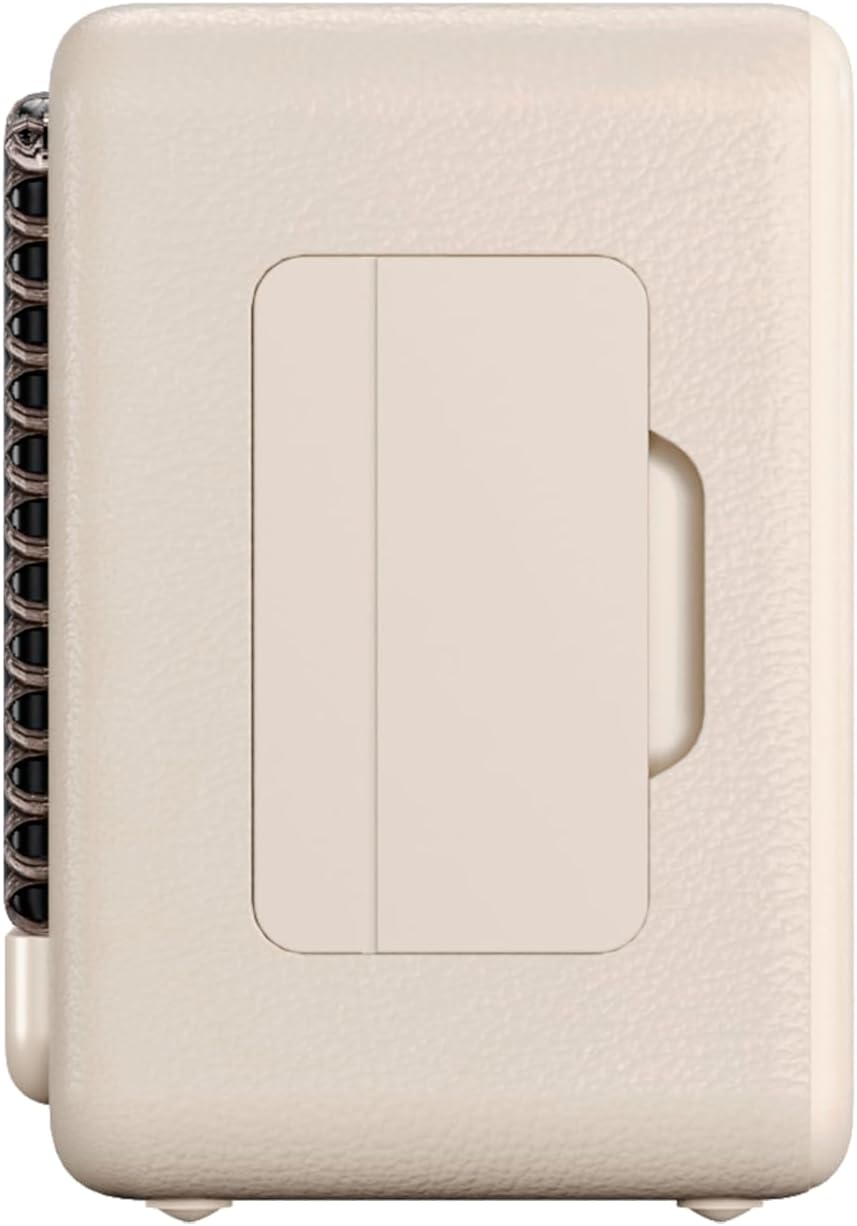
Umfanekiso 3: I-Side profile of the speaker, illustrating its compact design.
5. Isondlo
5.1. Ukuhlanza
Wipe the speaker with a soft, dry cloth. Do not use abrasive cleaners, alcohol, or chemical solvents, as these may damage the surface. Ensure all ports are dry before charging or connecting other devices.
5.2. Ukumelana Namanzi (IPX7)
The VM-BS1000WH speaker is IPX7 water-resistant, meaning it can be immersed in water up to 1 meter for up to 30 minutes. However, it is not designed for continuous underwater use. Always ensure the charging port cover is securely closed before exposing the speaker to water. After exposure to water, dry the speaker thoroughly before charging.
6. Ukuxazulula izinkinga
- Awekho Amandla: Qinisekisa ukuthi isipikha sishajiwe. Sixhume emthonjeni wamandla bese uzama futhi.
- Ayikwazi Ukubhanqa i-Bluetooth: Make sure the speaker is in pairing mode and within range of your device. Disconnect from any previously paired devices. Try restarting both the speaker and your device.
- Awukho Umsindo: Hlola amaleveli evolumu kukho kokubili isipika kanye nedivayisi yakho exhunyiwe. Qinisekisa ukuthi isipikha sibhanqwe ngendlela efanele.
- Ikhwalithi Yomsindo Engalungile: Move the speaker closer to your Bluetooth device to reduce interference. Ensure there are no obstructions between the speaker and the device.
- USB Playback Not Working: Ensure the USB drive is formatted correctly (FAT32) and contains compatible audio files (MP3). Try a different USB drive.
7. Imininingwane Yezobuchwepheshe
| Isici | Ukucaciswa |
|---|---|
| I gama le-brand | I-Vieta Pro |
| Igama Lemodeli | VM-BS1000WH |
| Uhlobo lwesipika | Isipikha seBluetooth esiphathekayo |
| Amandla Okukhipha Isipikha Esiphezulu | 25 Watts |
| Ubuchwepheshe bokuxhumana | I-Bluetooth |
| Inguqulo ye-Bluetooth | 5.3 |
| Imodi Yokukhipha Umsindo | Isitiriyo |
| Izinga Lokumelana Namanzi | IPX7 (Ingazweli Amanzi) |
| Impilo Yebhethri | Kufika emahoreni angu-10 |
| Umthombo wamandla | Ibhethri Elisebenza Ngebhethri (kufakwe ibhethri elingu-1 C) |
| Indlela Yokulawula | Thinta |
| Usayizi wesipika | 7.5 cm |
| Ubukhulu bomkhiqizo (D x W x H) | 7.7 x 5.6 x 17.1 cm |
| Amadivayisi Ahambisanayo | Smartphone, Tablet, Laptop, MP3 Player |
| Izici ezikhethekile | Shock-resistant, Wireless speakers, USB port |
8. Iwaranti kanye Nokusekela
8.1. Iwaranti enomkhawulo
This Vieta Pro VM-BS1000WH speaker comes with a Limited Warranty. Please refer to the warranty card included in the product packaging for detailed terms and conditions, including coverage period and limitations. Keep your proof of purchase for warranty claims.
8.2. Ukwesekwa Kwamakhasimende
For technical assistance, troubleshooting, or warranty inquiries, please contact FRAMASON AUDIO S.A., the manufacturer. Contact information can typically be found on the product packaging or the official Vieta Pro website. Please have your model number (VM-BS1000WH) and proof of purchase ready when contacting support.