
1. Isingeniso
Thank you for choosing the KIDYWOLF KIDYMICPARENT Bluetooth Microphone. This all-in-one microphone features a built-in speaker, light effects, and Bluetooth connectivity, designed to provide an engaging music experience. This manual provides essential information for the safe and effective use of your device. Please read it thoroughly before use and retain it for future reference.
2. Ulwazi Lokuphepha
- Keep the microphone away from water and moisture.
- Ungalibeki idivayisi emazingeni okushisa aphezulu noma elangeni eliqondile.
- Avoid dropping or subjecting the microphone to strong impacts.
- Ungazami ukuqaqa noma ukulungisa idivayisi ngokwakho. Xhumana nabasebenzi besevisi abaqeqeshiwe.
- Use only the provided USB-C charging cable or a certified equivalent.
- This product contains a rechargeable battery. Do not dispose of it in fire.
- Ensure children use the microphone under adult supervision.
3. Okuqukethwe Kwephakheji
Sicela uhlole iphakheji ngezinto ezilandelayo:
- 1 x KIDYWOLF KIDYMICPARENT Bluetooth Microphone
- 1 x Ikhebula lokushaja le-USB-C
4. Umkhiqizo Uphelileview
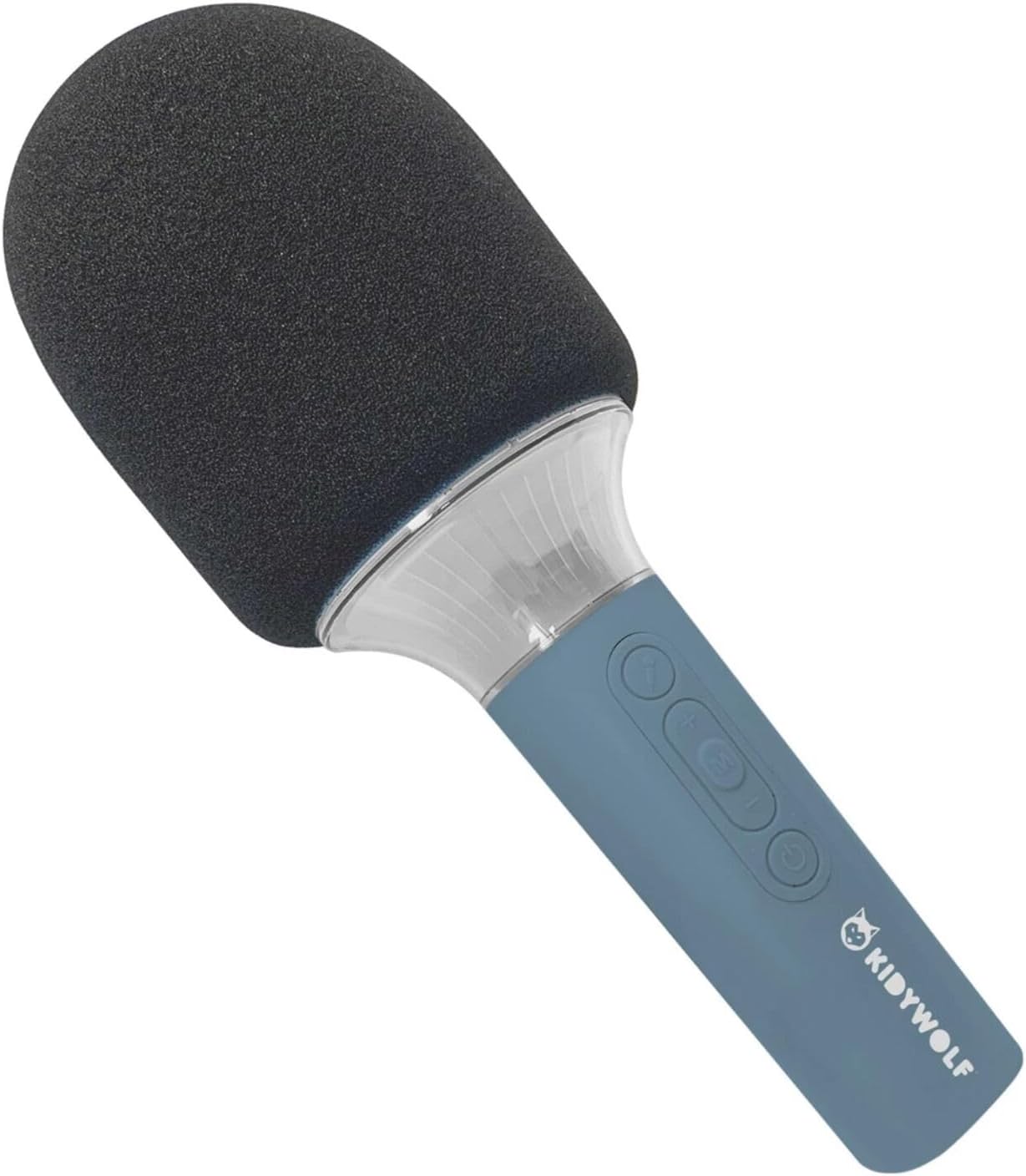
The KIDYWOLF KIDYMICPARENT is a versatile microphone designed for entertainment. It integrates a 5W speaker, dynamic light effects, and various voice modulation features.
Umfanekiso 4.1: Ngaphambili view of the KIDYWOLF KIDYMICPARENT Bluetooth Microphone. This image shows the microphone head with its foam cover and the main body with control buttons.
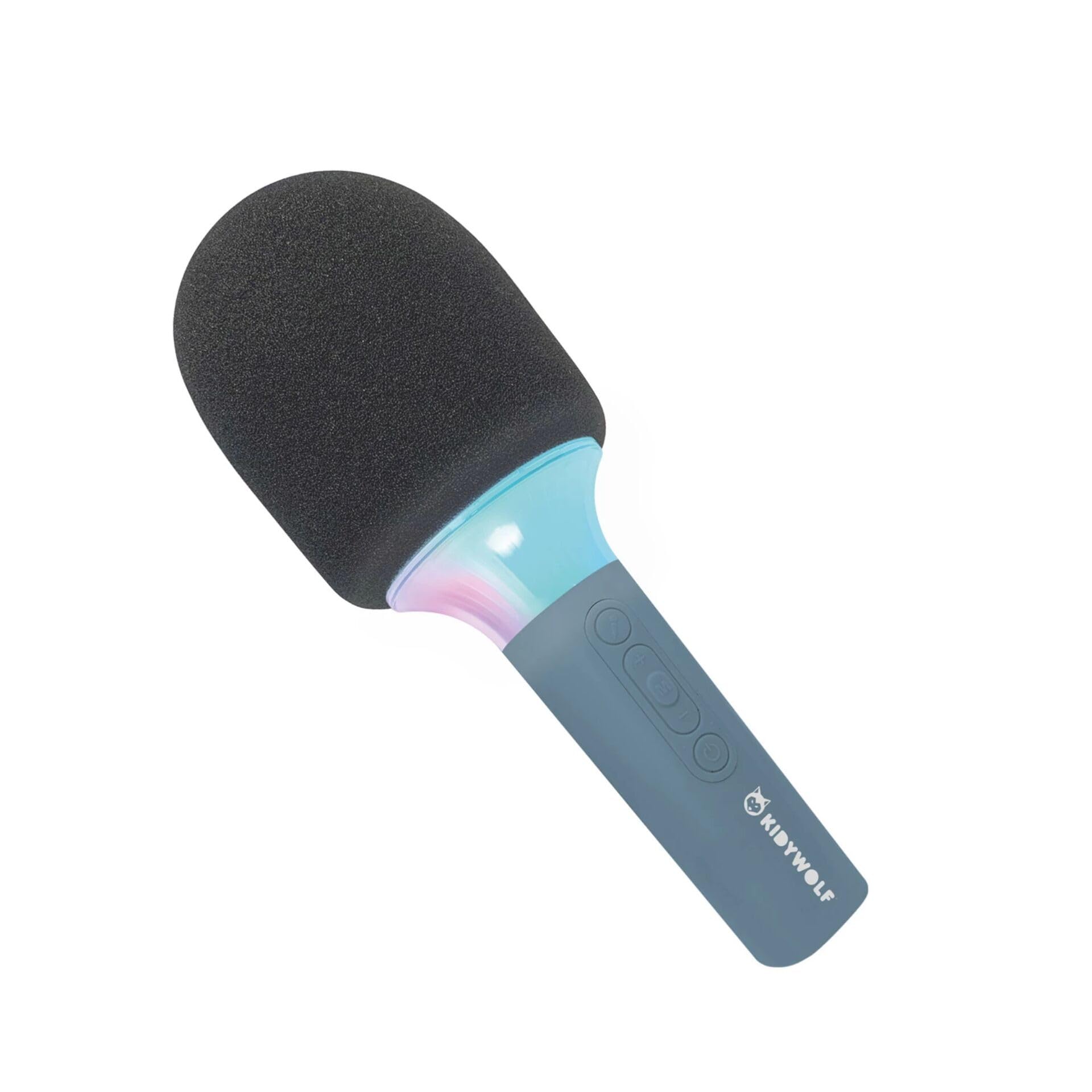
Umfanekiso 4.2: I-engeli view of the KIDYWOLF KIDYMICPARENT Bluetooth Microphone. This perspective highlights the ergonomic design of the handle and the placement of the control buttons.

Umfanekiso 4.3: The KIDYWOLF KIDYMICPARENT Bluetooth Microphone with its integrated light effects active, showcasing the illuminated section below the microphone head.
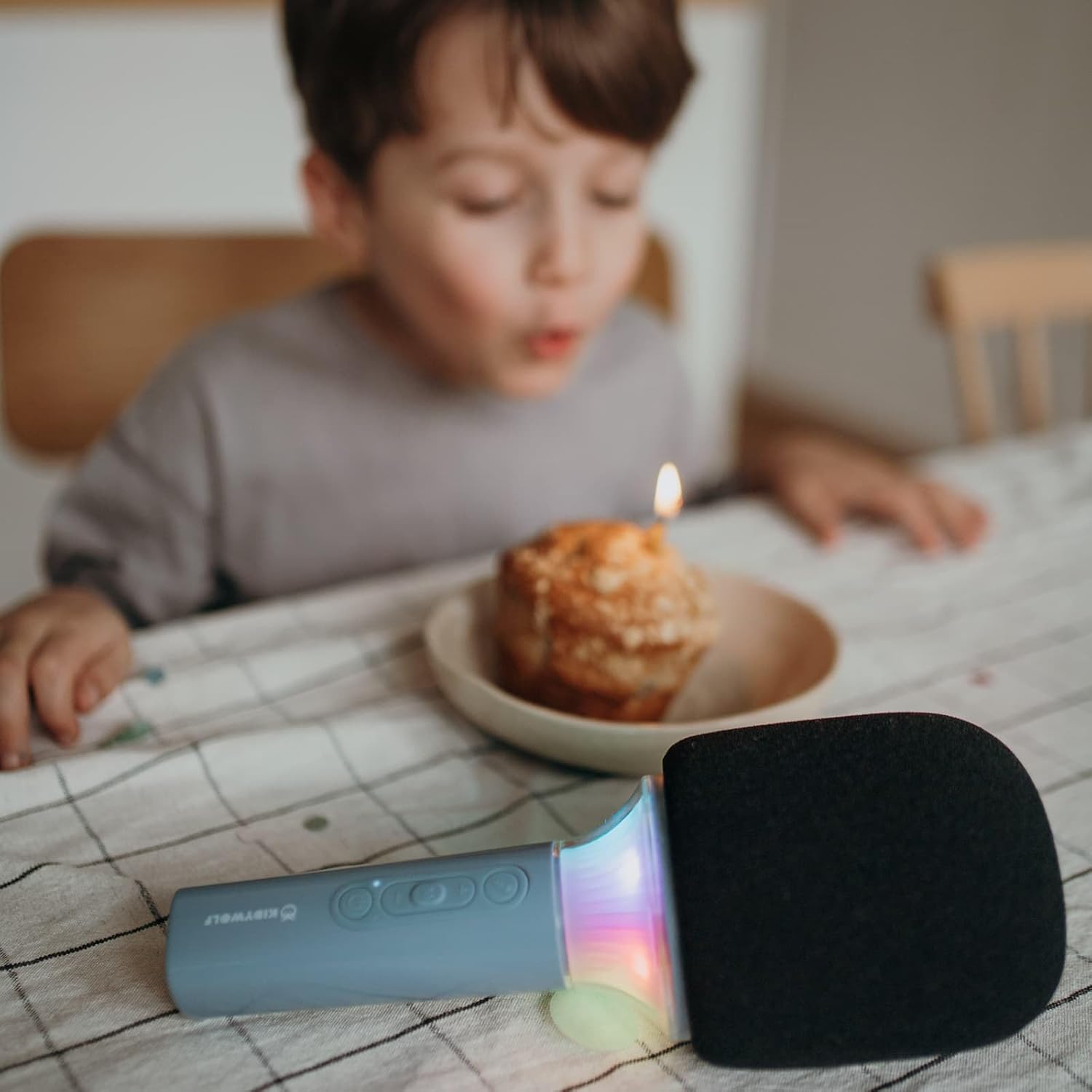
Umfanekiso 4.4: A child using the KIDYWOLF KIDYMICPARENT Bluetooth Microphone, demonstrating its intended use for entertainment.
5. Setha
5.1 Ukushaja Imakrofoni
- Locate the USB-C charging port on the microphone.
- Connect the provided USB-C cable to the microphone's charging port.
- Xhuma enye ingxenye yentambo ye-USB-C ku-adaptha yamandla ye-USB ehambisanayo (ayifakiwe) noma imbobo ye-USB yekhompyutha.
- Isibani sesikhombisi sokushaja sizokhanya ngesikhathi sokushaja bese sicisha noma sishintshe umbala uma sesishajwe ngokugcwele.
- Ukushaja okugcwele ngokuvamile kuthatha cishe amahora angu-2-3.
5.2 Ukumatanisa kwe-Bluetooth
- Vula: Press and hold the Power button (usually marked with a power symbol) on the microphone until the indicator light turns on and you hear an audible prompt.
- Yenza kusebenze i-Bluetooth: The microphone will automatically enter Bluetooth pairing mode, indicated by a flashing light or an audible prompt.
- Nika amandla i-Bluetooth kudivayisi yakho: On your smartphone, tablet, or other Bluetooth-enabled device, go to the Bluetooth settings and ensure Bluetooth is turned on.
- Khetha Idivayisi: Look for "KIDYMICPARENT" or a similar name in the list of available Bluetooth devices and select it to pair.
- Ukuqinisekisa: Once successfully paired, you will hear a confirmation sound from the microphone, and the indicator light will stop flashing and remain solid.
Qaphela: If pairing fails, turn off the microphone and your device's Bluetooth, then repeat the steps. The microphone will automatically attempt to reconnect to the last paired device when powered on.
6. Iziqondiso Zokusebenza
6.1 Vula/Vala amandla
- Ukuvula: Cindezela bese ubamba inkinobho Yamandla cishe imizuzwana emi-3.
- Ukucisha: Cindezela bese ubamba inkinobho Yamandla cishe imizuzwana emi-3.
6.2 Ukulawula ivolumu
- Sebenzisa i- '+' button to increase the microphone and speaker volume.
- Sebenzisa i- '-' button to decrease the microphone and speaker volume.
6.3 Ukudlala Umculo
Once paired via Bluetooth, you can play music from your connected device. The microphone's built-in speaker will output the audio. Use your connected device to control music playback (play, pause, skip tracks).
6.4 Imiphumela Yokukhanya
The microphone features integrated light effects. Refer to the specific button (if available, often marked with a light bulb symbol or integrated with another function) to cycle through different light modes or turn them on/off. If no dedicated button is present, the lights may activate automatically with sound or be controlled via a multi-function button.
7. Voice Effects
The KIDYWOLF KIDYMICPARENT microphone offers 6 different voice settings to enhance your singing experience. To change voice effects:
- Locate the dedicated voice effect button (often marked with a microphone icon or "FX").
- Press the button repeatedly to cycle through the available voice effects.
- Listen to the audio output to select your desired voice effect.
8. Isondlo
8.1 Ukuhlanza
- Wipe the microphone's exterior with a soft, dry, or slightly damp indwangu.
- Ungasebenzisi amakhemikhali anamandla, izihlanzi ezihudulayo, noma izinyibilikisi.
- Ensure no liquid enters the microphone's openings.
8.2 Isitoreji
- Store the microphone in a cool, dry place away from direct sunlight.
- Keep it away from dust and extreme temperatures.
9. Ukuxazulula izinkinga
| Inkinga | Imbangela Engenzeka | Isixazululo |
|---|---|---|
| Imakrofoni ayivuli. | Ibhethri liphelile. | Shaja imakrofoni usebenzisa ikhebula le-USB-C. |
| Ayikwazi ukuxhuma nge-Bluetooth. | Bluetooth is off on the device; microphone is not in pairing mode; device is too far. | Ensure Bluetooth is enabled on your device. Put the microphone into pairing mode. Move the device closer to the microphone (within 10 meters). |
| Awukho umsindo ovela kusipika. | Volume is too low; microphone is muted; device is not playing audio. | Increase volume using the '+' button. Check if the microphone is muted. Ensure audio is playing on the connected device. |
| Voice effects are not changing. | Incorrect button pressed; feature not active. | Ensure you are pressing the correct voice effect button. |
10. Imininingwane
| Igama Lemodeli | KIDYMICPARENT |
| Ibhrendi | I-KIDYWOLF |
| I-Form Factor | Uphethe ngesandla |
| Ubukhulu (LxWxH) | 24 x 9 x 9 cm |
| Isisindo | 414 g |
| Umthombo wamandla | Ibhethri Elishajwa kabusha |
| Okubalulekile | Ipulasitiki |
| Inombolo Yeziteshi | 1 |
| Ubuchwepheshe bokuxhumana | I-Bluetooth |
| Uhlobo Lokuxhumana | I-USB Type-C |
| Izici ezikhethekile | Volume Control, Light Effects, Voice Modulation (6 settings) |
| Izingxenye Ezihlanganisiwe | Microphone, USB-C Charging Cable |
| Ukusetshenziswa Okunconyiwe | I-Karaoke |
11. Iwaranti kanye Nokusekela
For warranty information and customer support, please refer to the documentation provided at the time of purchase or contact your retailer. You may also visit the official KIDYWOLF website for the latest support resources and contact details.