
Dosilkc DS-QS23
Dosilkc 4K Outdoor Security Camera User Manual
Model: DS-QS23
1. Isingeniso
Thank you for choosing the Dosilkc 4K Outdoor Security Camera. This manual provides detailed instructions for the installation, operation, and maintenance of your new security camera. Please read this manual thoroughly before use and retain it for future reference.

Image: The Dosilkc 4K Outdoor Security Camera, a white dome-shaped camera with two antennas, mounted on a wall bracket.
2. Okuqukethwe Kwephakheji
Sicela uqinisekise ukuthi zonke izinto zikhona ephaketheni lakho:
- 1 x 8MP Wifi Camera
- 1 x 12V DC Power Supply (2.5m cable)
- 1 x Incwadi Yomsebenzisi
- 1 x Screw Bag (for mounting)
- 1 x LAN Cable Waterproof Cover
3. Ukusetha nokufakwa
3.1 Ukufakwa ngokomzimba
The camera is designed for both indoor and outdoor use and supports wall mounting. Choose a location that provides optimal viewing coverage and is within reach of a power outlet.
- Mark the drilling points on the wall using the camera's mounting bracket as a template.
- Geza izimbobo bese ufaka amahange odongeni uma kunesidingo.
- Vikela ubakaki okhwezwayo odongeni usebenzisa izikulufu ezinikeziwe.
- Namathisela ikhamera ku-bracket efakiwe.
- Connect the 12V DC power supply to the camera and plug it into a power outlet. Ensure the power supply is protected from direct weather if installed outdoors.
3.2 Uxhumano lwenethiwekhi
The camera supports both 2.4G/5G Wi-Fi and wired LAN cable connections for stable video streaming.

Image: Illustrations demonstrating how to connect the camera via 2.4G/5G Wi-Fi to a router and via an RJ45 LAN cable for a wired connection.
- Uxhumano lwe-Wi-Fi: Download the recommended mobile application (details in the user manual) and follow the in-app instructions to connect the camera to your 2.4G or 5G Wi-Fi network.
- Uxhumano Lwezintambo: Connect an Ethernet cable from your router to the camera's LAN port. Use the provided waterproof cover for outdoor installations.
3.3 Initial App Setup
The camera is primarily controlled via a mobile application (compatible with Android devices). Refer to the included user manual for specific app download and setup instructions.
4. Ukusebenzisa Ikhamera
4.1 Pan, Tilt, and Digital Zoom (PTZ)
The camera offers a 360° view with 355° pan and 90° tilt capabilities, along with 4X digital zoom, allowing you to remotely adjust the viewing angle and zoom in for more detail via the mobile app.

Image: A diagram illustrating the 355° pan and 90° tilt movement of the camera lens.
4.2 High-Definition Imaging
The camera captures crystal-clear 4K 8MP images (3840x2160 resolution), ensuring high detail for surveillance.

Image: A side-by-side comparison showing the superior clarity and detail of 4K 8MP resolution compared to 1080P.
4.3 Motion Detection & Auto Tracking
Equipped with advanced motion detection, the camera alerts you instantly upon detecting movement. The human tracking feature ensures the camera follows detected individuals within its range, providing continuous monitoring.
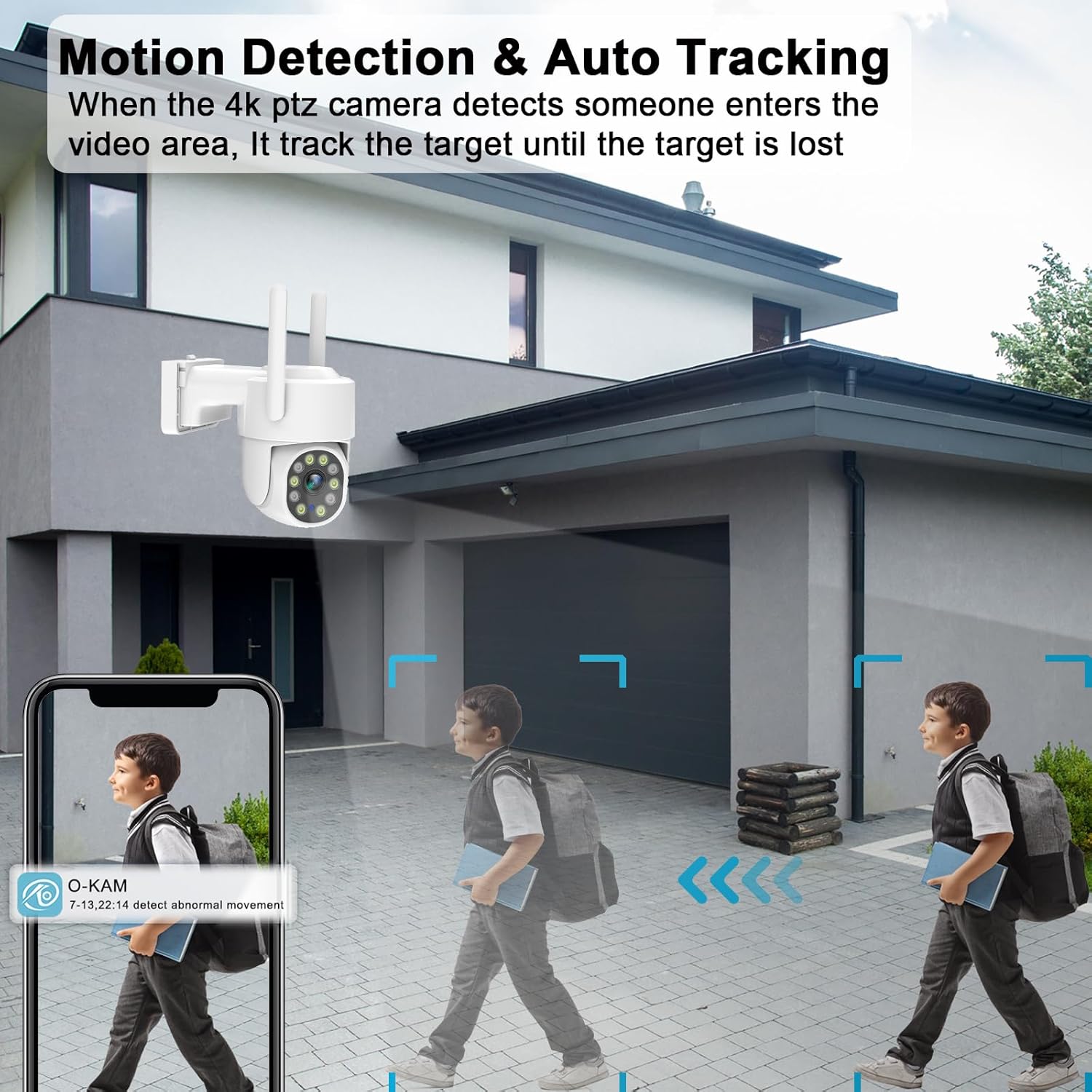
Image: A scene depicting the camera detecting and tracking a person walking, with a mobile app notification shown.

Image: An illustration showing the camera's AI Humanoid Tracking feature, highlighting how it intelligently tracks moving targets.
4.4 Ukuxhumana Komsindo Okusebenzisa Izindlela Ezimbili
The built-in microphone and speaker allow for real-time two-way communication. You can speak to visitors or deter intruders directly through the camera via the app.

Image: A split image showing a delivery person at a door and a user interacting via the camera's two-way audio feature on a smartphone.
4.5 Full Color Night Vision
Experience clear and vivid full-color night vision, even in low-light conditions, thanks to the camera's 10pcs spot white light LEDs and IR night vision capabilities. This allows for accurate identification of objects and people at night.
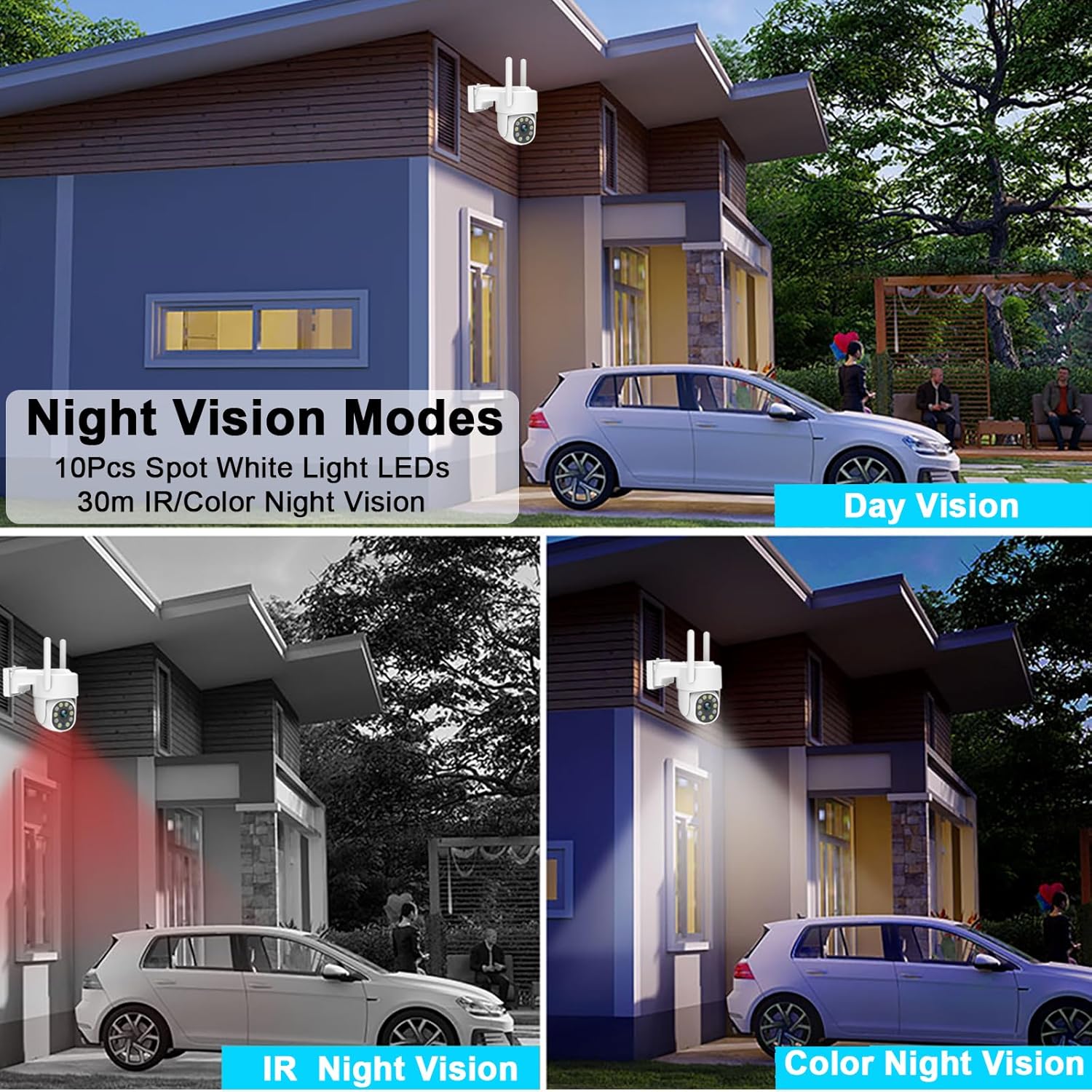
Image: A comparison of day vision, IR night vision (black and white), and full-color night vision captured by the camera.
4.6 Video Recording Options
The camera supports both Micro TF Card (up to 256GB, not included) and cloud storage options for 24/7 recording. It also supports ONVIF protocol for integration with NVRs and third-party software.

Image: A visual representation of the camera supporting Micro TF card and cloud storage for continuous recording, with examples of recorded footage.

Image: A detailed graphic showing the camera's support for up to 256GB MicroSD card and cloud storage for 24/7 recording, along with a timeline view of recorded events.
4.7 Pre-Position & Cruise Control
Set specific pre-defined positions for the camera to monitor. The cruise control feature allows the camera to automatically cycle through these positions, ensuring comprehensive area coverage.

Image: A diagram illustrating how the camera can be set to monitor multiple pre-defined points in an outdoor area, forming a patrol route.
5. Isondlo
5.1 Ukumelana Nesimo Sezulu
The camera has an IP66 waterproof rating, making it suitable for various outdoor weather conditions, including sunny, snowy, and thundery days.

Image: The camera shown with water droplets, alongside icons representing sunny, snowy, and thundery weather, indicating its IP66 waterproof rating.
5.2 Ukuhlanza
To ensure optimal performance, regularly clean the camera lens and housing with a soft, damp indwangu. Gwema ukusebenzisa amakhemikhali anamandla noma izinto ezihudulayo ezingalimaza ubuso noma ilensi yekhamera.
6. Ukuxazulula izinkinga
Uma uhlangabezana nezinkinga ngekhamera yakho, sicela ubheke izinkinga ezilandelayo nezisombululo:
- Awekho Amandla: Ensure the power adapter is securely connected to the camera and the power outlet. Verify the outlet is functional.
- Ayikwazi ukuxhuma ku-Wi-Fi:
- Ensure your Wi-Fi network is 2.4GHz or 5GHz and stable.
- Check that the camera is within range of your Wi-Fi router.
- Qala kabusha irutha yakho nekhamera.
- Qinisekisa ukuthi iphasiwedi ye-Wi-Fi efakwe kuhlelo lokusebenza ilungile.
- Frequent Motion Detection Alerts: Adjust the motion detection sensitivity settings in the mobile app. Consider setting up specific detection zones to reduce false alarms from irrelevant areas.
- Ikhwalithi Yesithombe Engalungile: Ensure the camera lens is clean. Check your network connection speed; a slow connection can affect streaming quality.
- Izinkinga Zokurekhoda:
- If using a Micro TF card, ensure it is properly inserted and formatted. Check if the card is full.
- For cloud recording, verify your subscription status and internet connection.
- Umsindo Wendlela Embili Awusebenzi: Check the microphone and speaker settings in the app. Ensure volume levels are adequate and there is no physical obstruction to the microphone or speaker.
For further assistance, please consult the detailed troubleshooting section within the mobile application or contact customer support.
7. Imininingwane
| Isici | Ukucaciswa |
|---|---|
| Igama Lemodeli | DS-QS23 |
| Ukulungiswa kokuthwebula ividiyo | I-4K (3840x2160) |
| Isixazululo Esisebenzayo | 8 MP |
| Ubuchwepheshe bokuxhumana | Wired, Wireless (2.4G/5G Wi-Fi) |
| Iphrothokholi Yokuxhumana | ONVIF, Wi-Fi |
| I-Pan/Tilt Range | 355° Pan, 90° Tilt |
| Ukusondeza kwedijithali | 4X |
| Umbono Wasebusuku | Full Color Night Vision, IR Night Vision (10 IR LEDs) |
| Izinketho Zesitoreji | Micro TF Card (Max 256GB, not included), Cloud Storage |
| Umsindo | Umsindo Wendlela Embili |
| Ukumelana Nesimo Sezulu | IP66 Ingangeni manzi |
| Umthombo wamandla | I-Corded Electric (12V) |
| Ubukhulu (L x W x H) | 5.51 x 3.54 x 7.79 amayintshi |
| Isisindo sento | 1.1 Amakhilogremu |
| Okubalulekile | Ipulasitiki |
8. Iwaranti kanye Nokusekela
This product is manufactured by Shenzhen Xiangge Technology Co., Ltd under the Dosilkc brand. For any product-related inquiries, technical support, or warranty claims, please refer to the contact information provided with your purchase documentation or visit the official Dosilkc webindawo.