
1. Isingeniso
Welcome to the DITONG HY300 Plus HD Projector user manual. This guide will help you set up, operate, and maintain your new projector. The HY300 Plus is a portable projector equipped with Android 11 and dual-band WiFi 6, offering a seamless and high-quality viewing experience for movies, presentations, and more, both indoors and outdoors.
2. Umkhiqizo Uphelileview
2.1 Izingxenye
The DITONG HY300 Plus projector package typically includes the following items:
- DITONG HY300 Plus Projector
- I-adaptha yamandla
- Isilawuli kude

Image: The DITONG HY300 Plus projector in white, accompanied by its black remote control and a protective cover for the lens.
2.2 Izici ezibalulekile
- I-Android 11 OS: Built-in smart operating system for direct access to streaming apps without external devices.
- Dual-band WiFi 6 (5G + 2.4G): Ensures faster and more reliable wireless connectivity for smooth streaming and screen mirroring.
- I-Electronic Focus: Easily adjust image clarity using the remote control.
- 4K Decoding & 720P Native Resolution: Supports 4K video input with a native resolution of 1280x720P for clear images.
- Ukulungiswa kwe-Auto Keystone: Automatically adjusts image distortion for a perfectly rectangular picture.
- 180° Flexible Projection Angle: Allows projection onto walls, ceilings, or floors.
- Ukusebenza Komsindo Ophansi: Operates at less than 25dB for a quiet viewisipiliyoni.
- Ukukhanya Okuphezulu: 8000 Lux (250 ANSI lumens) for vivid and bright images.
- Multiple Aspect Ratios: Supports 16:9, 4:3, and 16:10.
- Ukuxhumana kwe-Bluetooth: Okokuxhuma amadivaysi omsindo angaphandle.

Isithombe: I-overview of the DITONG HY300 Plus features, including electronic focus, Bluetooth 5.0, 4K decoding, 720P native resolution, WiFi 5G/2.4G, and auto keystone correction.

Image: A demonstration of the electronic focus feature, showing a clear image projected onto a screen with the projector and remote control in the foreground.

Image: Illustrates the 180-degree flexible projection angle, showing the projector casting an image onto a wall and a ceiling in a bedroom setting.

Image: Depicts the dual-band WiFi 5G/2.4G capability, showing a fast connection for screen mirroring with a projected image of a car chase.

Image: Illustrates the low noise level of the projector, comparing its sound output to common ambient noises like whispering and a motorcycle passing.
3. Setha
3.1 Ukuvula nokuhlola
Carefully remove all components from the packaging. Inspect for any signs of damage. If any items are missing or damaged, contact customer support immediately.
3.2 Ukuxhuma Amandla
- Xhuma i-adaptha yamandla echwebeni lokufaka amandla lephrojektha.
- Xhuma i-adaptha yamandla endaweni kagesi efanelekile.
3.3 Amandla Okuqala Avuliwe
Press the power button on the projector or the remote control to turn on the device. The projector will boot up, displaying the Android 11 interface.
3.4 Placement and Projection Distance
Beka iphrojektha endaweni ezinzile, eyisicaba. Ukuze kube ngcono kakhulu viewing, consider the projection distance:
- For a 130-inch display, an optimal projection distance is approximately 1.68 meters.
- The projector supports various screen sizes from 40 inches to 130 inches depending on distance.

Image: A diagram illustrating optimal projection distances for different screen sizes, showing that 1.68 meters is ideal for a 130-inch display.
3.5 Izinketho zokukhweza
The HY300 Plus is designed for versatile placement:
- Ukusetshenziswa Okuphathekayo: Place it on a table or flat surface.
- I-Ceiling Mount: The bottom of the projector features a 1/4-inch screw hole, compatible with standard ceiling mounts or camera tripods.
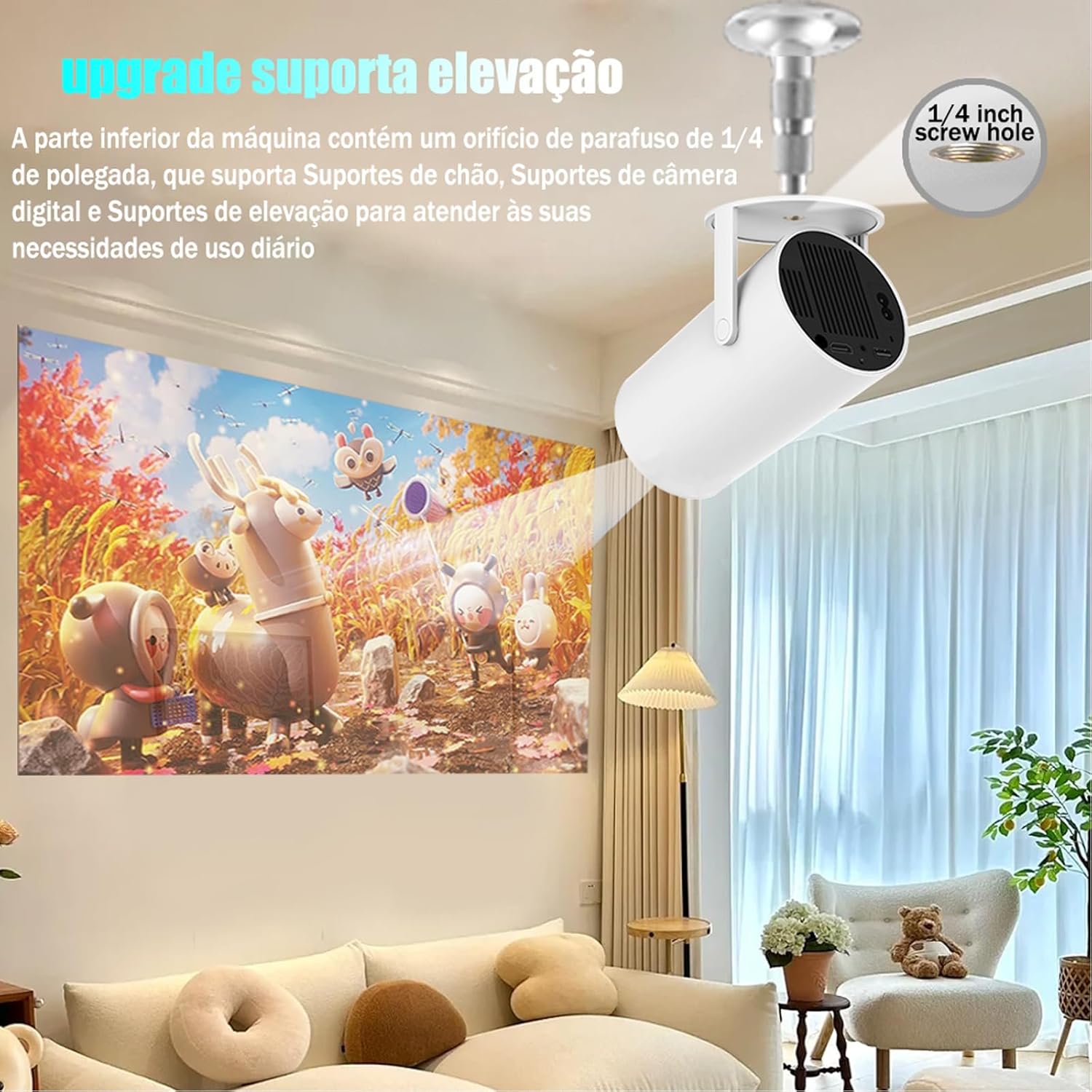
Image: The projector shown mounted to a ceiling, highlighting the 1/4-inch screw hole for various mounting solutions.
4. Iziqondiso Zokusebenza
4.1 Imisebenzi yokulawula kude
Use the included remote control to navigate the projector's interface. Key functions include:
- Vula/Vala
- Ukuzulazula (Phezulu, Phansi, Kwesobunxele, Kwesokudla, Kulungile)
- Back/Home buttons
- Ukulawula Ivolumu
- Ukulungisa Ukugxila

Image: The DITONG HY300 Plus projector with its remote control, demonstrating the electronic focus feature.
4.2 Electronic Focus Adjustment
To adjust the image clarity:
- Point the remote control at the projector.
- Press the dedicated focus buttons (usually marked with a circle or 'F' icon) on the remote to sharpen the image.
4.3 Automatic Keystone Correction
The HY300 Plus features automatic keystone correction. When the projector is moved or angled, it will automatically adjust the image to maintain a rectangular shape. Manual adjustments are typically not required.
4.4 Ukuxhumanisa Amadivayisi Angaphandle
- I-HDMI: Xhuma ama-laptop, ama-gaming console, noma amanye amadivayisi asebenzisa i-HDMI usebenzisa ikhebula le-HDMI.
- Screen Mirroring (WiFi): Connect your smartphone or tablet wirelessly via WiFi for screen mirroring. Ensure both devices are connected to the same WiFi network.
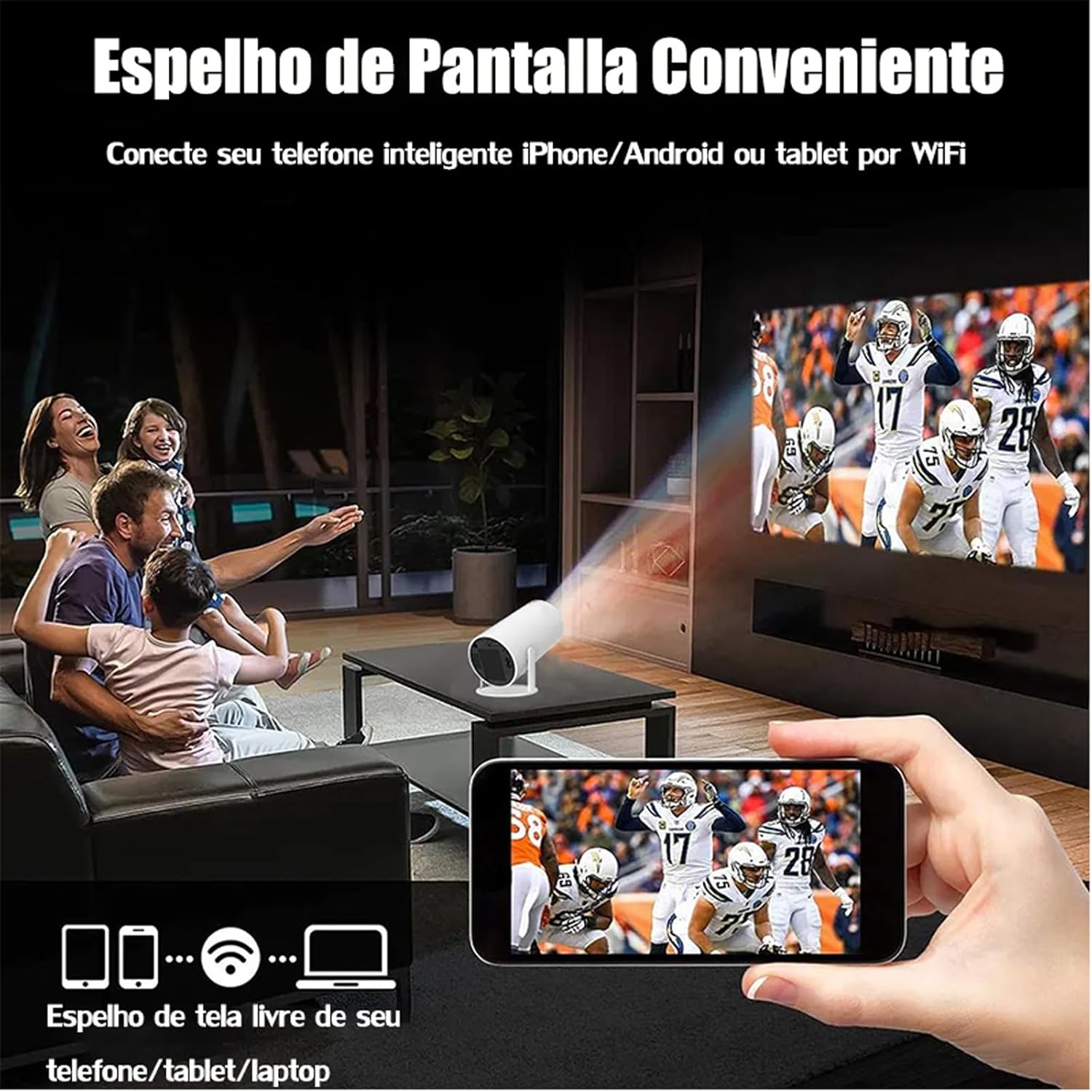
Image: A family watching a football game projected onto a screen, with a smartphone in the foreground demonstrating wireless screen mirroring.
4.5 Navigating Android 11
The projector's smart interface allows you to download and use various applications. Use the remote control to navigate through menus, select apps, and adjust settings. Connect to your home WiFi network to access online content.
4.6 Okukhipha umsindo
The projector has built-in speakers. For enhanced audio, you can connect external Bluetooth speakers or headphones via the Bluetooth interface.
5. Isondlo
Ukugcinwa kahle kuqinisekisa ukuthi iphrojektha yakho ihlala isikhathi eside futhi isebenza kahle.
- Ukuhlanza ilensi: Gently wipe the projector lens with a soft, lint-free cloth or a lens cleaning brush. Avoid abrasive materials that could scratch the lens.
- Ukungenisa umoya: Ensure the projector's ventilation ports are clear of dust and obstructions to prevent overheating. Do not block the air vents during operation.
- Isitoreji: When not in use, store the projector in a cool, dry place, away from direct sunlight and extreme temperatures. Use the protective cover if provided.
6. Ukuxazulula izinkinga
If you encounter issues with your DITONG HY300 Plus projector, refer to the following common problems and solutions:
- Asikho Isithombe:
- Ensure the power adapter is securely connected and the projector is powered on.
- Check the input source. Make sure the correct HDMI or mirroring input is selected.
- Isithombe Esifiphele:
- Use the remote control to adjust the electronic focus.
- Qinisekisa ukuthi i-projection surface iphansi futhi iprojektha izinzile.
- Awukho Umsindo:
- Check the volume level on the projector and the connected device.
- If using external speakers, ensure they are properly connected via Bluetooth.
- Izinkinga Zokuxhumana kwe-WiFi:
- Ensure the projector is within range of your WiFi router.
- Restart the projector and your WiFi router.
- Verify the WiFi password is entered correctly.
If the problem persists, please contact DITONG customer support for further assistance.
7. Imininingwane
Below are the detailed specifications for the DITONG HY300 Plus HD Projector:
| Isici | Ukucaciswa |
|---|---|
| Ibhrendi | DITONG |
| Imodeli | HY300 PLUS |
| Isistimu esebenzayo | I-Android 11 |
| Ukuxhumana Okungenantambo | Dual-band WiFi 6 (5G + 2.4G) |
| I-Bluetooth | Yebo |
| Bonisa Ubuchwepheshe | I-LCD |
| Ukukhanya | 8000 Lux (250 ANSI lumens) |
| Isixazululo Somdabu | 1280 x 720P |
| Ukulungiswa Okusekelwe | Kufika ku-4K |
| I-Aspect ratio | 16:9, 4:3, 16:10 |
| Isilinganiso Sokuvuselela | 60 Hz |
| Gxila | I-Electronic Focus |
| Ukulungiswa kwe-Keystone | Okuzenzakalelayo |
| Amadivayisi Ahambisanayo | Smartphones, devices with HDMI output |
| Uhlobo Lwesixhumi | Bluetooth, HDMI, Wifi |
| I-Form Factor | Iyaphatheka |
| Uhlobo Lokukhweza | Ceiling Mount |
| Isisindo Somkhiqizo | 2.27 g |
| Voltage | 1.2E+2 Volts |
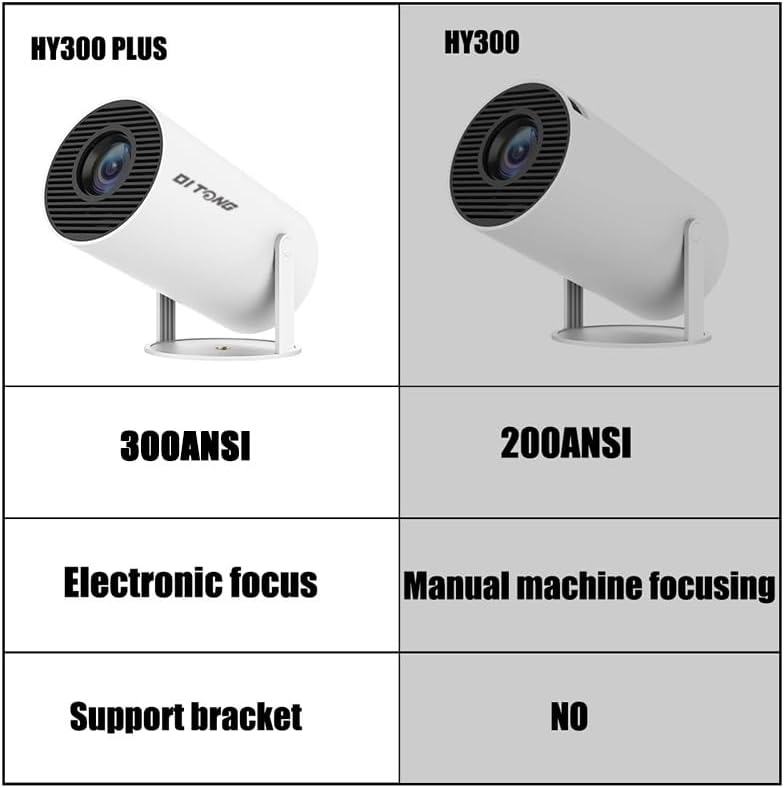
Image: A comparison table highlighting the differences between the HY300 Plus and the original HY300, showing the Plus model has 300 ANSI lumens, electronic focus, and a support bracket.
8. Iwaranti kanye Nokusekela
The DITONG HY300 Plus Projector comes with a manufacturer's warranty. Please refer to the product packaging or the official DITONG webindawo yemigomo nemibandela ethile yewaranti.
For technical support, troubleshooting assistance, or warranty claims, please contact DITONG customer service through the contact information provided with your purchase or on the official DITONG support channels.