
1. Isingeniso
Thank you for choosing the CHiQ 22F650 22-inch FHD Monitor. This manual provides essential information for setting up, operating, and maintaining your monitor. Please read it thoroughly before use to ensure optimal performance and safety.
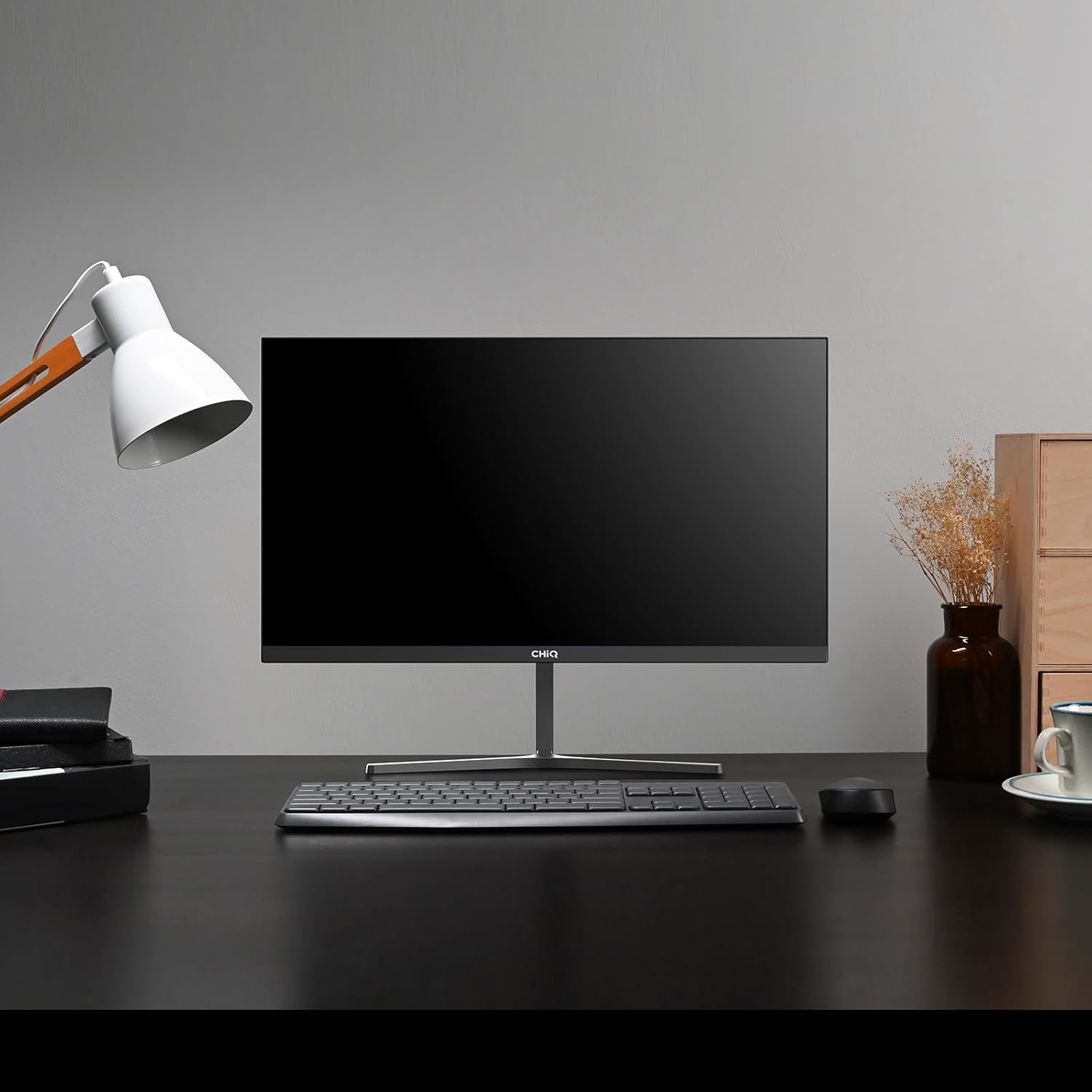
Image 1.1: The CHiQ 22F650 monitor set up on a desk.
The CHiQ 22F650 monitor features a 22-inch Full HD (1920 x 1080) display with a 100Hz refresh rate and AMD FreeSync technology for smooth visuals. Its ultra-thin, borderless design offers an immersive viewing experience, complemented by 100% sRGB color gamut and DC dimming for eye comfort.
2. Ulwazi Lokuphepha
Please observe the following safety precautions to prevent damage to the monitor and ensure your safety:
- Ungayibeki imonitha emvuleni, emswakameni, noma emazingeni okushisa aphezulu.
- Qinisekisa ukuthi umoya ungena kahle eduze kwesibonisi. Ungavimbi izikhala zomoya.
- Sebenzisa kuphela i-adaptha yamandla kanye nezintambo ezinikezwe noma ezinconywe ngumenzi.
- Gwema ukubeka izinto ezisindayo entanjeni yamandla.
- Nqamula ipulaki yamandla endaweni yokukhipha uma imonitha ingeke isetshenziswe isikhathi eside.
- Ungazami ukulungisa i-monitha ngokwakho. Thumela konke ukusevisa kubasebenzi abafanelekayo.
3. Okuqukethwe Kwephakheji
Qinisekisa ukuthi zonke izinto zikhona kuphakheji yakho:
- CHiQ 22F650 Monitor
- I-Monitor Stand (Isisekelo nentamo)
- I-adaptha yamandla nekhebula
- Ikhebula le-HDMI
- Incwadi Yomsebenzisi (le dokhumenti)
4. Ukuhlanganisa nokuhlela
4.1 Ukuhlanganisa Isitendi
- Susa ngokucophelela isikrini ekupakishweni kwaso, ugcine isikrini sivikelekile.
- Namathisela intamo yokuma kuphaneli yokuqapha.
- Secure the stand base to the stand neck using the provided screw.
The monitor features a quick detachable Y-shaped metal stand for easy assembly.
4.2 Ukuxhuma i-Monitor
Connect the monitor to your computer or other devices using the available ports:
- I-HDMI: Connect an HDMI cable from your computer's HDMI output to the monitor's HDMI input.
- VGA: Connect a VGA cable from your computer's VGA output to the monitor's VGA input.
- Umsindo: Connect headphones or external speakers to the 3.5mm headphone output jack.
- Amandla: Connect the power adapter to the monitor's DC input and then plug it into a power outlet.

Image 4.1: Monitor connectivity ports (HDMI, VGA, Headphone Output).
4.3 Adjusting the Monitor Angle
The monitor's stand allows for tilt adjustment from +5° to -15° to achieve an optimal viewi-angle.

Image 4.2: Monitor tilt adjustment and VESA mount points.
4.4 Ukufakwa Odongeni lwe-VESA
The monitor is compatible with VESA 75x75mm wall mounts. To mount the monitor on a wall, remove the stand and attach a compatible VESA bracket (sold separately) to the mounting holes on the back of the monitor.
5. Iziqondiso Zokusebenza
5.1 Vula/Vala amandla
Cindezela inkinobho yamandla etholakala ngemuva kwesibonisi ukuze uyivule noma uyivale.
5.2 Imenyu yokubonisa okusesikrinini (OSD).
The monitor features joystick-type buttons on the rear for navigating the OSD menu. Use these buttons to adjust various display settings:
- Ukukhanya/Ukugqama: Lungisa ukukhanya kanye nomehluko phakathi kwezindawo ezikhanyayo nezimnyama.
- Izilungiselelo zombala: Shintsha izinga lokushisa lombala, i-gamma, kanye namanani e-RGB ngamanye.
- Umthombo Wokufaka: Khetha mathupha phakathi kokufakwayo kwe-HDMI ne-VGA.
- Imodi Yesithombe: Khetha kusuka kumamodi okubonisa asethwe ngaphambilini (isb., Okujwayelekile, Umdlalo, I-Movie).
- Umsindo: Adjust volume for the headphone output.

Image 5.1: Visual features of the CHiQ 22F650 monitor, including 100% sRGB and DC Dimming.
5.3 FreeSync Technology
The CHiQ 22F650 monitor supports AMD FreeSync technology, which synchronizes the monitor's refresh rate with your graphics card's frame rate. This helps eliminate screen tearing and stuttering, providing a smoother gaming and viewing experience. FreeSync is typically enabled automatically when connected to a compatible AMD graphics card.
Video 5.1: This video demonstrates the smooth performance of the CHiQ 22F650 monitor, highlighting features like 100Hz refresh rate and FreeSync technology, and its ultra-thin design.
6. Isondlo
6.1 Ukuhlanza Imonitha
- Ngaso sonke isikhathi khipha imonitha endaweni kagesi ngaphambi kokuhlanza.
- Sebenzisa indwangu ethambile, engenantambo kancane dampifakwe ngamanzi noma isicoci sesikrini esithambile esingaqhumi.
- Ungafafazi isicoci ngqo esikrinini.
- Sula isikrini kahle ukuze ususe uthuli nama-smudges.
- Okokuqapha casing, sebenzisa indwangu ethambile, eyomile.
6.2 Isitoreji
If storing the monitor for an extended period, place it in its original packaging in a dry, cool environment to protect it from dust and damage.
7. Ukuxazulula izinkinga
Uma uhlangabezana nezinkinga ngemonitha yakho, bheka izinkinga ezilandelayo nezisombululo:
| Inkinga | Imbangela Engenzeka | Isixazululo |
|---|---|---|
| Akunasithombe esikrinini | Power cable disconnected, video cable loose/disconnected, incorrect input source selected. | Check power and video cable connections. Ensure the correct input source (HDMI/VGA) is selected in the OSD menu. |
| Isithombe sifiphele noma sihlanekezelwe | Incorrect resolution, faulty video cable. | Set the display resolution to 1920 x 1080. Try a different video cable. |
| Imibala ayilungile | Color settings in OSD, faulty video cable. | Lungisa izilungiselelo zombala kumenyu ye-OSD. Zama ikhebuli yevidiyo ehlukile. |
| Isikrini siyacwayiza | Refresh rate mismatch, FreeSync issue, faulty cable. | Ensure your graphics card output matches the monitor's 100Hz refresh rate. Check FreeSync settings. Try a different video cable. |
| No audio from headphone output | Volume too low, incorrect audio output selected on computer. | Adjust volume in OSD. Ensure the monitor is selected as the audio output device on your computer. |
8. Imininingwane
Detailed technical specifications for the CHiQ 22F650 monitor:
| Isici | Ukucaciswa |
|---|---|
| Ibhrendi | I-CHiQ |
| Inombolo Yemodeli | 22F650 |
| Umkhiqizi | Changhong |
| Usayizi Wesikrini | 22 amayintshi |
| Isixazululo | FHD 1080p (1920 x 1080 Pixels) |
| I-Aspect ratio | 16:9 |
| Indawo Yesikrini | Anti-glare / Anti-slip |
| Isilinganiso Sokuqhathanisa | 3000:1 |
| Isikhathi sokuphendula | 6 millisecond |
| Isilinganiso Sokuvuselela | 100 Hz |
| Ukuvumelanisa Okuguquguqukayo | I-FreeSync |
| Uhlobo lokubonisa | I-LCD |
| Viewing engela | 178 degrees |
| Ukukhanya | 250 candelas per square meter |
| Ukuthuthukiswa Kwesithombe | DC Dimming, Anti-glare coating |
| Ubukhulu (D x W x H) | 13.9 x 49.3 x 37.7 cm |
| Isisindo | 1.92 kg |
| Ukuxhumana | 1x HDMI, 1x VGA, 1x Headphone Output |
| I-VESA Mount | Wall mount (75x75mm) |
| Voltage | 220 volts |
| Umbala | Mnyama |
Image 8.1: Product Information Sheet with technical data. For more details, visit the Isizindalwazi se-EPREL.
Image 8.2: EU Energy Label for the CHiQ 22F650 monitor. For more details, visit the Isizindalwazi se-EPREL.
9. Iwaranti kanye Nokusekela
9.1 Ulwazi Lwewaranti
CHiQ monitors are protected by a Iwaranti yonyaka ongu-3. Sicela ugcine ubufakazi bakho bokuthenga izimangalo zewaranti.
9.2 Ukwesekwa Kwamakhasimende
If you encounter any problems or have questions regarding your CHiQ 22F650 monitor, please do not hesitate to contact CHiQ customer service. An online hotline managed by professional staff is available on weekdays to assist you.
For further assistance, please visit the official CHiQ webisayithi noma ubheke imininingwane yokuxhumana enikezwe nemibhalo yomkhiqizo wakho.