
1. Isingeniso
Thank you for choosing the MONODEAL DV68 Bone Conduction Headphones. These headphones are designed to provide a comfortable and safe listening experience, especially during sports and outdoor activities. Utilizing advanced bone conduction technology and Bluetooth 5.3, they deliver clear audio while keeping your ears open to ambient sounds. The integrated smart light enhances visibility and safety during nighttime use.
2. Okuqukethwe Kwephakheji
Sicela uhlole iphakheji ngezinto ezilandelayo:
- MONODEAL DV68 Bone Conduction Headphones
- Ikhebula leMagnetic Ukushaja
- Imaniwali yosebenzisayo
- Earplugs (optional, for enhanced sound isolation)
3. Umkhiqizo Uphelileview
Familiarize yourself with the components of your MONODEAL DV68 headphones.
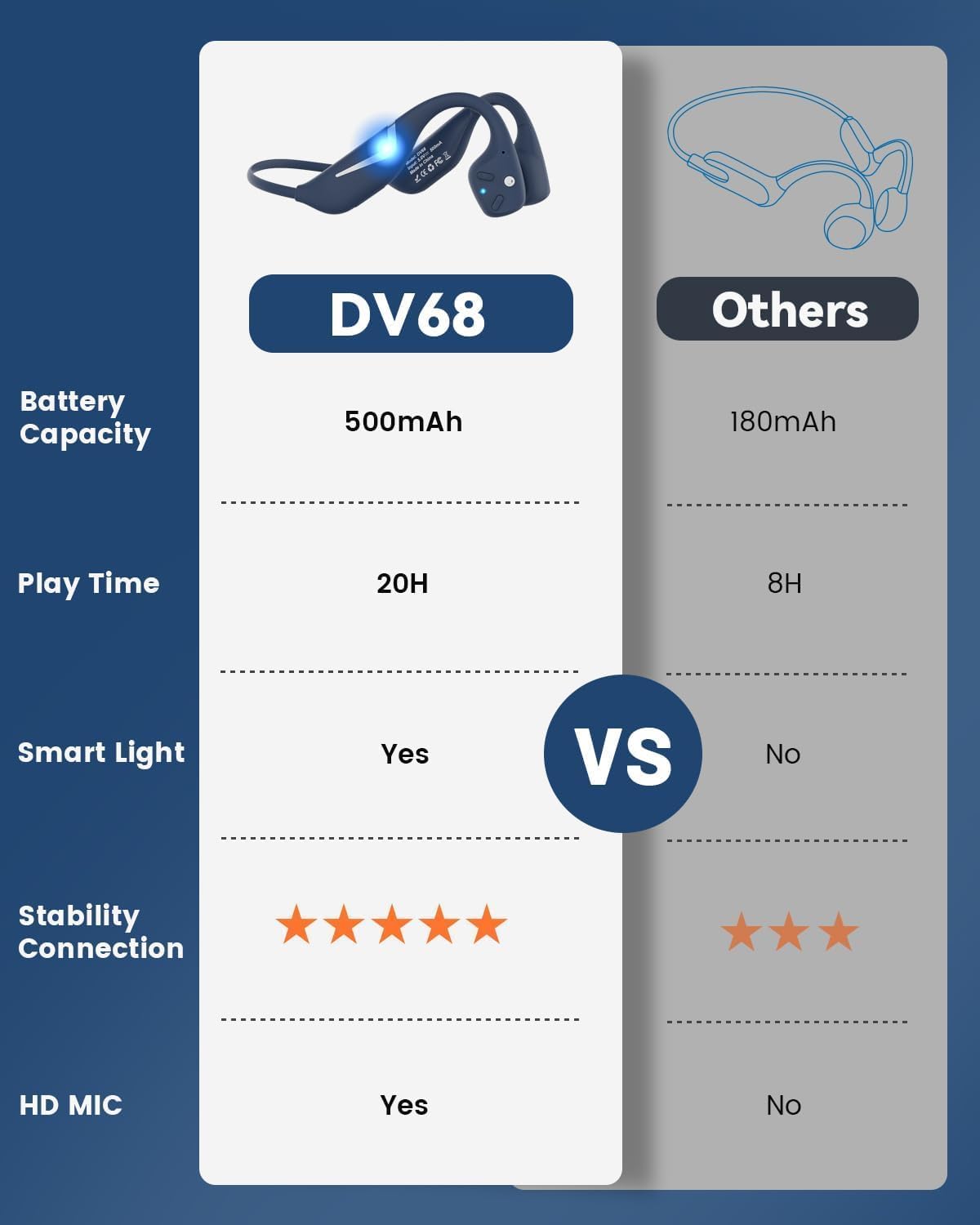
Figure 3.1: MONODEAL DV68 Bone Conduction Headphones, showing the overall design.

Umfanekiso 3.2: Kuqhume view illustrating the bone conduction transducer and built-in microphone.
3.1 Izilawuli kanye namachweba
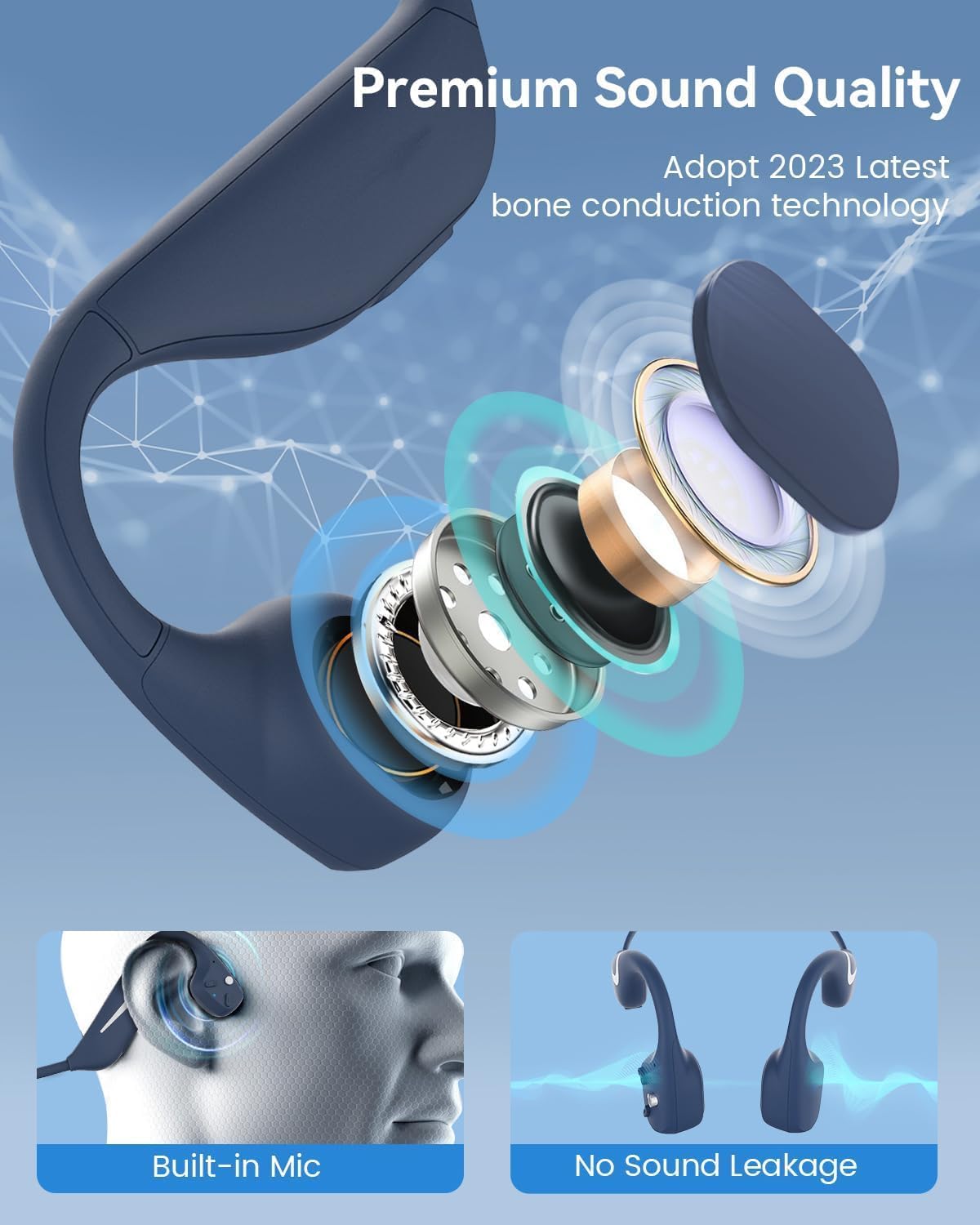
Umfanekiso 3.3: Uhlangothi view of the headphones highlighting the control buttons.

Umfanekiso 3.4: Vala-up view of the magnetic charging port.
The headphones feature physical buttons for power, volume, and playback control. The magnetic charging port is located on one of the ear pieces for convenient charging.
4. Imininingwane
| Isici | Ukucaciswa |
|---|---|
| Inombolo Yemodeli | I-DV68 |
| Inguqulo ye-Bluetooth | 5.3 |
| Amandla ebhethri | 500 mAh |
| Isikhathi sokudlala | Kufika emahoreni angu-20 |
| Isilinganiso Sokumelana Namanzi | IP67 (Sweat, rain, and splash resistant) |
| Isisindo | awu 34g |
| I-Frequency Range | 20 Hz - 20,000 Hz |
| Ubuchwepheshe bokuxhumana | Okungenantambo (Bluetooth) |
| Uhlobo Lomshayeli Womsindo | I-Bone Conduction |
| Izici ezikhethekile | Smart LED Light, Built-in Microphone, Multipoint Pairing |

Umdwebo 4.1: Ngaphezuluview of key features including Open-Ear design, IP67 Waterproofing, 500mAh Battery, Bluetooth V5.3, Lightweight, HD Microphone, Multipoint Pairing, and RGB Light.
5. Setha
5.1 Ukushaja ama-headphones
Ngaphambi kokusebenzisa okokuqala, shaja ama-headphone akho ngokugcwele.
- Xhuma ikhebula lokushaja elinozibuthe embobeni yokushaja kuma-headphone.
- Xhuma enye ingxenye yentambo ku-adaptha yamandla ye-USB (ayifakiwe) noma imbobo ye-USB yekhompyutha.
- The LED indicator will show the charging status. A full charge typically takes approximately 2 hours.

Figure 5.1: Illustration of 20-hour battery life and quick charge feature (10 minutes charging for 2 hours playtime).
5.2 Ukumatanisa kwe-Bluetooth
Ukuxhuma ama-headphone akho kudivayisi:
- Qinisekisa ukuthi ama-headphone avaliwe.
- Cindezela bese ubamba inkinobho ethi Power kuze kube yilapho inkomba ye-LED ikhanya ngokubomvu nokuluhlaza okwesibhakabhaka, okubonisa imodi yokubhangqa.
- Edivayisini yakho (i-smartphone, ithebhulethi, ikhompuyutha), vula i-Bluetooth bese usesha amadivaysi atholakalayo.
- Select "MONODEAL DV68" from the list of found devices.
- Uma isixhunyiwe, inkomba ye-LED izoshintsha ibe luhlaza okwesibhakabhaka noma ibe luhlaza okwesibhakabhaka kancane.
The headphones support multipoint pairing, allowing connection to two devices simultaneously. Refer to your device's Bluetooth settings for managing multiple connections.
6. Iziqondiso Zokusebenza
6.1 Vula/Vala amandla
- Vula: Cindezela bese ubamba inkinobho Yamandla imizuzwana emi-3.
- Cisha ugesi: Cindezela bese ubamba inkinobho Yamandla imizuzwana emi-5.
6.2 Ukudlala Umculo
- Dlala/Misa kancane: Cindezela inkinobho yeMulti-function kanye.
- Ithrekhi Elandelayo: Press and hold the Volume + button for 2 seconds.
- Ithrekhi yangaphambilini: Press and hold the Volume - button for 2 seconds.
- Ivolumu ephezulu: Cindezela inkinobho yevolumu.
- Ivolumu Phansi: Cindezela inkinobho ethi Ivolumu.
6.3 Ukuphathwa Kwezingcingo
- Phendula/Phendula ikholi: Cindezela inkinobho yeMulti-function kanye.
- Yenqaba Ucingo: Cindezela bese ubamba inkinobho ye-Multifunction imizuzwana emi-2.
- Umsizi Wezwi: Cindezela kabili inkinobho ye-Multi-function.
6.4 Smart LED Light
The headphones feature a smart LED light for enhanced visibility during nighttime activities.
- Vula/Vala ukukhanya: Refer to the specific button combination in your quick start guide (usually a dedicated light button or a long press of a volume button).
- The light can cycle through different colors (e.g., blue, green, red) to increase your safety and visibility.

Figure 6.1: A runner demonstrating the smart LED light feature for night safety.
7. Isondlo
7.1 Ukuhlanza
To maintain hygiene and product longevity:
- After sweating or intense workouts, gently wipe the headphones with a damp indwangu noma ukusula okumanzi.
- Gwema ukusebenzisa amakhemikhali anokhahlo noma izihlanzi ezilumayo.
7.2 Isitoreji
- Gcina ama-headphone endaweni epholile, eyomile, kude nokukhanya kwelanga okuqondile kanye namazinga okushisa aphezulu.
- When not in use, it is recommended to store them in their original packaging or a protective case.
7.3 Ukumelana Namanzi
The MONODEAL DV68 headphones are IP67 rated, meaning they are resistant to sweat, rain, and splashes. However, they are not suitable for swimming or submersion in water.

Figure 7.1: A person exercising with the headphones, demonstrating their IP67 water resistance against sweat and rain. Note: Not for swimming.
8. Ukuxazulula izinkinga
If you encounter issues with your headphones, please refer to the following common solutions:
- Awekho Amandla:
Ensure the headphones are fully charged. Connect them to the charging cable and a power source. - Awukwazi ukubhanqa:
Make sure the headphones are in pairing mode (LED flashing red and blue). Turn off Bluetooth on other nearby devices that may have previously connected. Try restarting both the headphones and your device. - Awukho Umsindo/Ivolumu Ephansi:
Check the volume levels on both the headphones and your connected device. Ensure the headphones are properly positioned on your cheekbones. If using earplugs, ensure they are correctly inserted. - Ukuxhumana Kwesikhashana:
Ensure your device is within the Bluetooth range (up to 15 meters) and there are no significant obstacles between the headphones and your device. Avoid strong electromagnetic interference. - Ikhwalithi Yekholi Engalungile:
Ensure the microphone is not obstructed. Move to an area with better network reception for your phone.
9. Iwaranti kanye Nokusekela
9.1 Ulwazi Lwewaranti
MONODEAL provides a Iwaranti yonyaka ongu-2 for the DV68 Bone Conduction Headphones from the date of purchase. This warranty covers manufacturing defects and ensures the product meets its specified performance. Please retain your proof of purchase for warranty claims.
9.2 Ukwesekwa Kwamakhasimende
For further assistance, technical support, or warranty inquiries, please contact MONODEAL customer service through the retailer where you purchased the product or visit the official MONODEAL webindawo yolwazi lokuxhumana.