
1. Isingeniso
Siyabonga ngokuthengaasing the ZEBRONICS Music Bomb 2 Party Speaker. This manual provides essential information for the safe and efficient use of your speaker. Please read it thoroughly before operating the device and retain it for future reference.
Ividiyo 1: Ngaphezuluview of the ZEBRONICS Music Bomb 2 Party Speaker, highlighting its key features and design.
2. Iziyalezo Zokuphepha
- Ungabeki isikhulumi emanzini noma kumswakama.
- Gwema ukubeka isipikha eduze kwemithombo yokushisa noma elangeni eliqondile.
- Do not attempt to disassemble or repair the speaker yourself. Refer all servicing to qualified personnel.
- Sebenzisa kuphela ikhebula lokushaja elichaziwe kanye ne-adaptha.
- Gcina isikhulumi kude nezingane nezilwane ezifuywayo.
- Qinisekisa ukungena komoya ofanele ukuvimbela ukushisa ngokweqile.
3. Okuqukethwe Kwephakheji
Iphakheji ihlanganisa izinto ezilandelayo:
- ZEBRONICS Music Bomb 2 Party Speaker - 1 unit
- Wireless Microphone - 1 unit
- Type-C Charging Cable - 1 unit
- AUX Cable - 1 unit
- Detachable Carry Strap - 1 unit
- User Manual (this document) - 1 unit
4. Umkhiqizo Uphelileview
The Music Bomb 2 features a robust design with intuitive controls and multiple connectivity options. Familiarize yourself with the various parts of the speaker.

Isithombe 1: Ngaphambili view of the ZEBRONICS Music Bomb 2 Party Speaker, showcasing its grille and overall design.
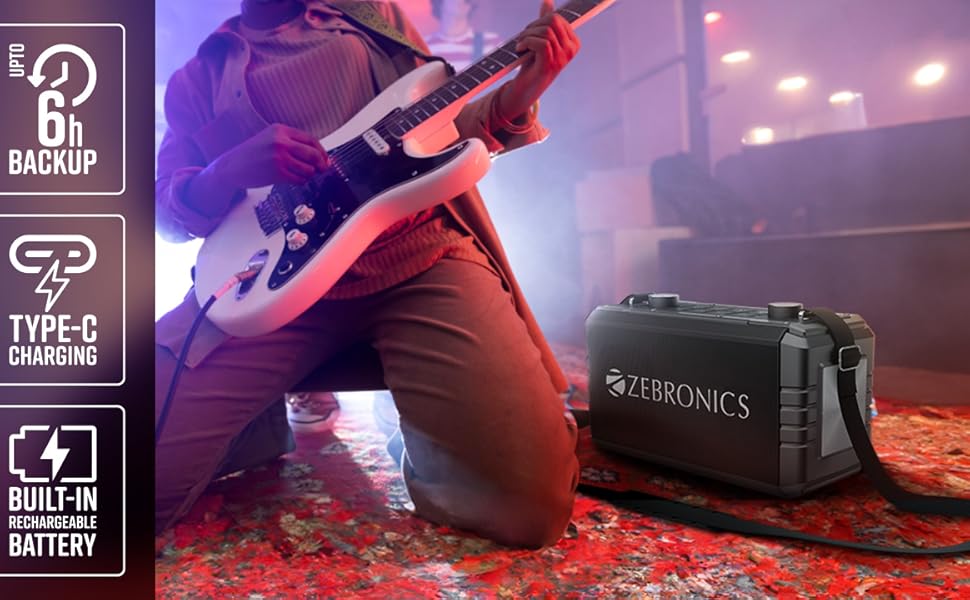
Isithombe 2: Emuva view of the speaker, highlighting the Type-C charging port, USB, mSD, AUX, and microphone/guitar input jacks.

Image 3: Close-up of the top control panel, featuring bass and volume knobs, and media control buttons.
5. Setha
5.1 Ukushaja uSomlomo
Before first use, fully charge the speaker. Connect the provided Type-C charging cable to the speaker's charging port and the other end to a compatible USB power adapter (not included). The charging indicator will show the charging status.
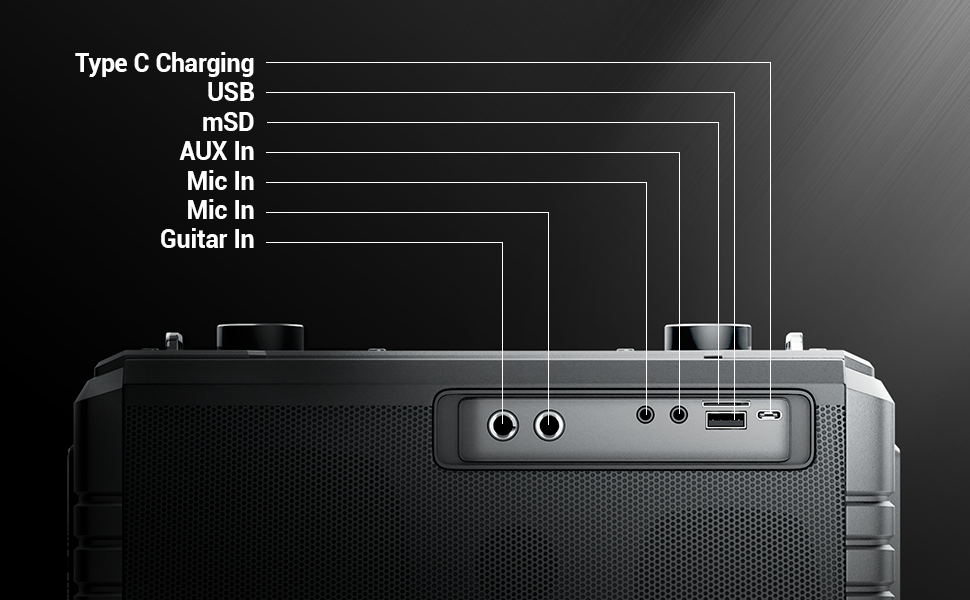
Image 4: Illustration of the speaker being charged via its Type-C port.
5.2 Ukuvula / Ukuvula
Press and hold the power button on the control panel to turn the speaker on or off. A sound indicator will confirm the action.
6. Ukusebenza
6.1 Bluetooth Connectivity (BT v5.1)
- Turn on the speaker. It will automatically enter Bluetooth pairing mode.
- Enable Bluetooth on your mobile device and search for "ZEB-MUSIC BOMB 2".
- Khetha isipikha ohlwini ukuze usibhangqe. Ithoni yokuqinisekisa izozwakala uma uxhumano luphumelele.

Image 5: Visual representation of the speaker's Bluetooth 5.1 capability alongside other input options.
6.2 USB/mSD Playback
Insert a USB drive or mSD card (up to 32GB) into the respective port. The speaker will automatically detect and play audio files from the storage device. Use the media control buttons to navigate tracks.
6.3 AUX Okokufaka
Connect an external audio device using the provided 3.5mm AUX cable to the AUX input port. The speaker will switch to AUX mode automatically. Ensure the volume on both the speaker and the connected device is adjusted appropriately.
6.4 Okokufaka isiginci
Connect your guitar to the 6.3mm guitar input port. Adjust the volume on your guitar and the speaker for optimal sound. This feature allows for direct amplification of your instrument.
Video 2: Demonstration of connecting a guitar to the ZEBRONICS Music Bomb 2 speaker and playing music.
6.5 Microphone Input (Karaoke)
Connect the wireless microphone or a wired microphone (6.3mm or 3.5mm) to the respective input ports. The speaker supports karaoke functionality, allowing you to sing along with your music. Adjust microphone volume and echo effects using the dedicated controls.

Isithombe 6: Okuningiliziwe view of the speaker's control panel and the included wireless microphone.
6.6 Umsebenzi we-TWS (True Wireless Stereo).
To experience True Wireless Stereo, you need two ZEBRONICS Music Bomb 2 speakers. Follow these steps:
- Vula zombili izipikha.
- Ensure neither speaker is connected to any Bluetooth device.
- On one speaker, press and hold the 'TWS' button. It will search for the other speaker.
- Once connected, a confirmation tone will sound, and the TWS indicator will light up.
- Now, connect your mobile device to one of the speakers via Bluetooth. Both speakers will play audio in stereo.
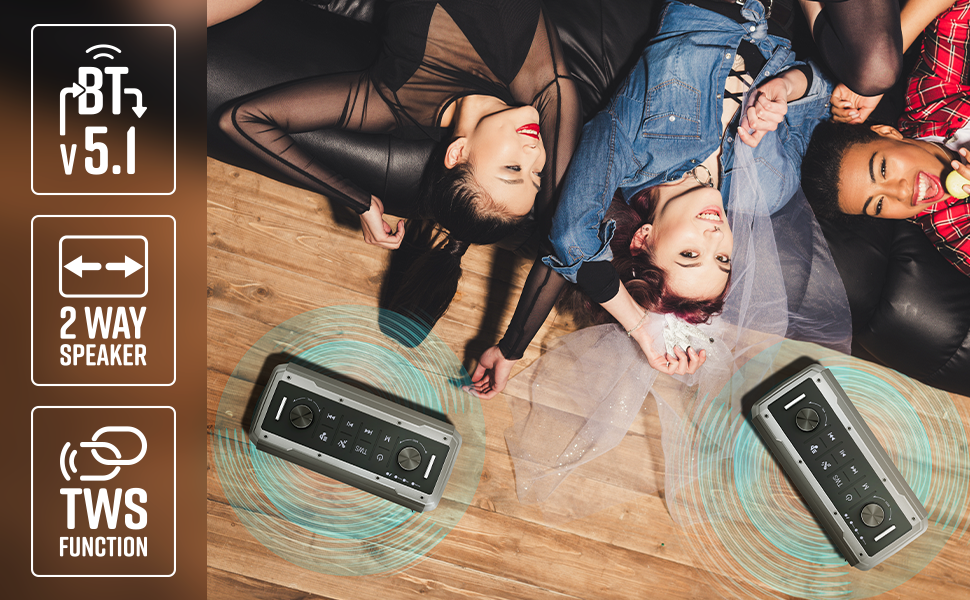
Image 7: Illustration of two Music Bomb 2 speakers paired using the TWS function for an immersive stereo audio experience.
7. Izilawuli
The speaker features a user-friendly control panel. Here's a breakdown of the main controls:
| Lawula | Umsebenzi |
|---|---|
| Inkinobho Yamandla | Press and hold to turn the speaker ON/OFF. Short press to change modes (BT/USB/mSD/AUX). |
| Inkinobho ye-TWS | Press and hold to initiate TWS pairing with another Music Bomb 2 speaker. |
| M (Imodi) Inkinobho | Short press to switch between input modes (Bluetooth, USB, mSD, AUX). |
| Ithrekhi Yangaphambili / Ivolumu Yehla | Short press for previous track. Long press to decrease volume. |
| Dlala/Misa kancane | Cindezela kafushane ukuze udlale noma umise umsindo. |
| Ithrekhi elandelayo / ivolumu ephezulu | Short press for next track. Long press to increase volume. |
| IBass Knob | Zungezisa ukuze ulungise izinga le-bass. |
| Ivolumu Knob | Zungezisa ukuze ulungise izinga levolumu eyinhloko. |
| I-Mic Volume Knob | Ilungisa ivolumu yemakrofoni exhunyiwe. |
| I-Echo Knob | Ilungisa umphumela we-echo wemakrofoni. |
8. Isondlo
- Ukuhlanza: Sebenzisa indwangu ethambile, eyomile ukuze uhlanze isipikha. Ungasebenzisi izinto zokuhlanza abrasive noma izincibilikisi.
- Isitoreji: Gcina isipikha endaweni epholile, neyomile kude nelanga eliqondile namazinga okushisa aphezulu.
- Ukunakekelwa kwebhethri: Ukuze welule isikhathi sokuphila kwebhethri, gwema ukukhipha isikhulumi ngokugcwele njalo. Sishaje njalo, noma singasetshenziswa isikhathi eside.
9. Ukuxazulula izinkinga
| Inkinga | Isixazululo |
|---|---|
| Awekho amandla | Ensure the speaker is charged. Connect the Type-C charging cable and allow it to charge for some time before attempting to power on. |
| Awukho umsindo | Check the volume levels on both the speaker and the connected device. Ensure the correct input mode is selected. Verify cable connections for AUX/Guitar inputs. |
| Ukumataniswa kwe-Bluetooth kwehlulekile | Ensure the speaker is in pairing mode. Disable and re-enable Bluetooth on your device. Move the speaker closer to your device. Clear previous Bluetooth connections on your device. |
| Imakrofoni ayisebenzi | Ensure the microphone is powered on (if wireless) and properly connected. Adjust the microphone volume and echo knobs. |
| Izinkinga zokuxhuma kwe-TWS | Ensure both speakers are not connected to any other Bluetooth device. Follow the TWS pairing steps carefully. |
10. Imininingwane
| Isici | Imininingwane |
|---|---|
| Amandla Okukhiphayo | 80W RMS |
| Inguqulo ye-Bluetooth | v5.1 |
| Izinketho Zokuxhuma | Bluetooth, USB, mSD, AUX, 6.3mm Guitar Input, 6.3mm & 3.5mm Mic Inputs |
| Impilo Yebhethri | Kufika emahoreni angu-10 (ngevolumu engu-50%) |
| Uhlobo lokushaja | Uhlobo C |
| Uhlobo lwesipika | Isistimu yesipikha yezindlela ezi-2 |
| Ubukhulu (L x W x H) | 17.3 x 27.4 x 33.3 Amasentimitha |
| Isisindo | 4040 amagremu |
| Impendulo Yemvamisa | 20 Hz (ubuncane) |
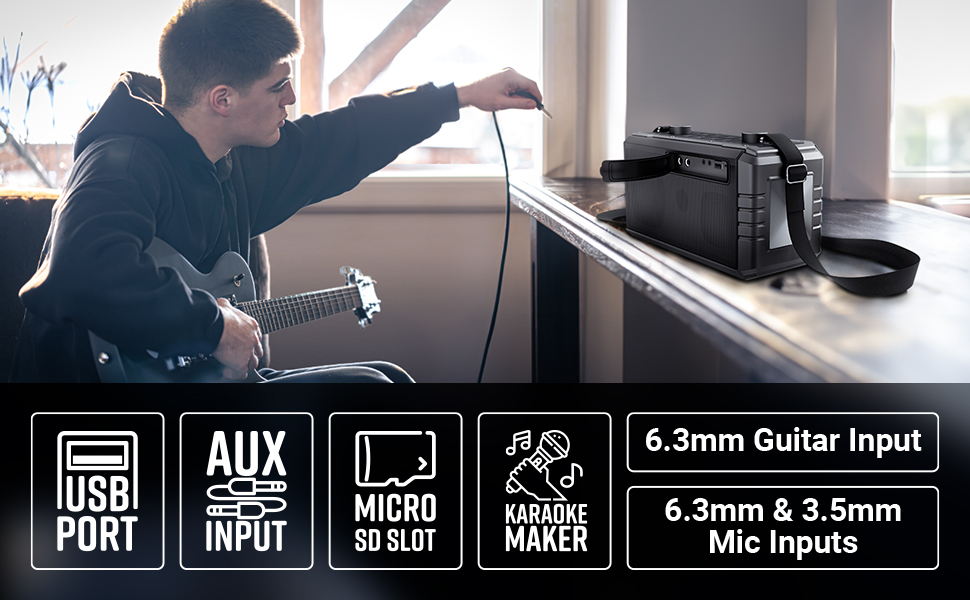
Image 8: Visual summary of the speaker's technical specifications.

Image 9: Diagram illustrating the length, width, and height of the ZEBRONICS Music Bomb 2 speaker.
11. Iwaranti kanye Nokusekela
The ZEBRONICS Music Bomb 2 Party Speaker comes with a 1-year carry-in warranty to the service center. For warranty claims or technical support, please contact ZEBRONICS customer service. Keep your purchase receipt as proof of purchase.
Imininingwane Yokuxhumana Nomkhiqizi: 13/7, Smith Road, Royapettah CHENNAI-600002, Zebronics India Private Limited
Ukuze uthole ulwazi olwengeziwe, vakashela isikhulu ZEBRONICS Store on Amazon.