
1. Isingeniso
Siyabonga ngokuthengaasing the T&G TG-516 Portable Bluetooth Speaker. This device is designed for high-quality audio playback and portability, featuring Bluetooth 5.3 connectivity, TF card and USB drive support, FM radio, and a built-in microphone for hands-free calls. Its waterproof design makes it suitable for various environments. Please read this manual carefully to ensure proper use and to maximize your speaker's performance.
2. Izici zomkhiqizo
- Iyaphatheka futhi Ayisindi: Designed for easy transport and use on the go.
- I-Bluetooth 5.3 Ukuxhumana: Provides a stable and fast wireless connection up to 10 meters.
- Izindlela Zokudlala Eziningi: Supports TF (Micro SD) cards, USB drives, FM radio, and AUX input.
- Ukushaya Kwezandla: Built-in microphone allows for answering calls directly through the speaker.
- TWS Umsebenzi: Connect two TG-516 speakers wirelessly for enhanced stereo sound.
- Idizayini engenamanzi: IPX5 rating protects against splashes and light rain, making it suitable for outdoor activities.
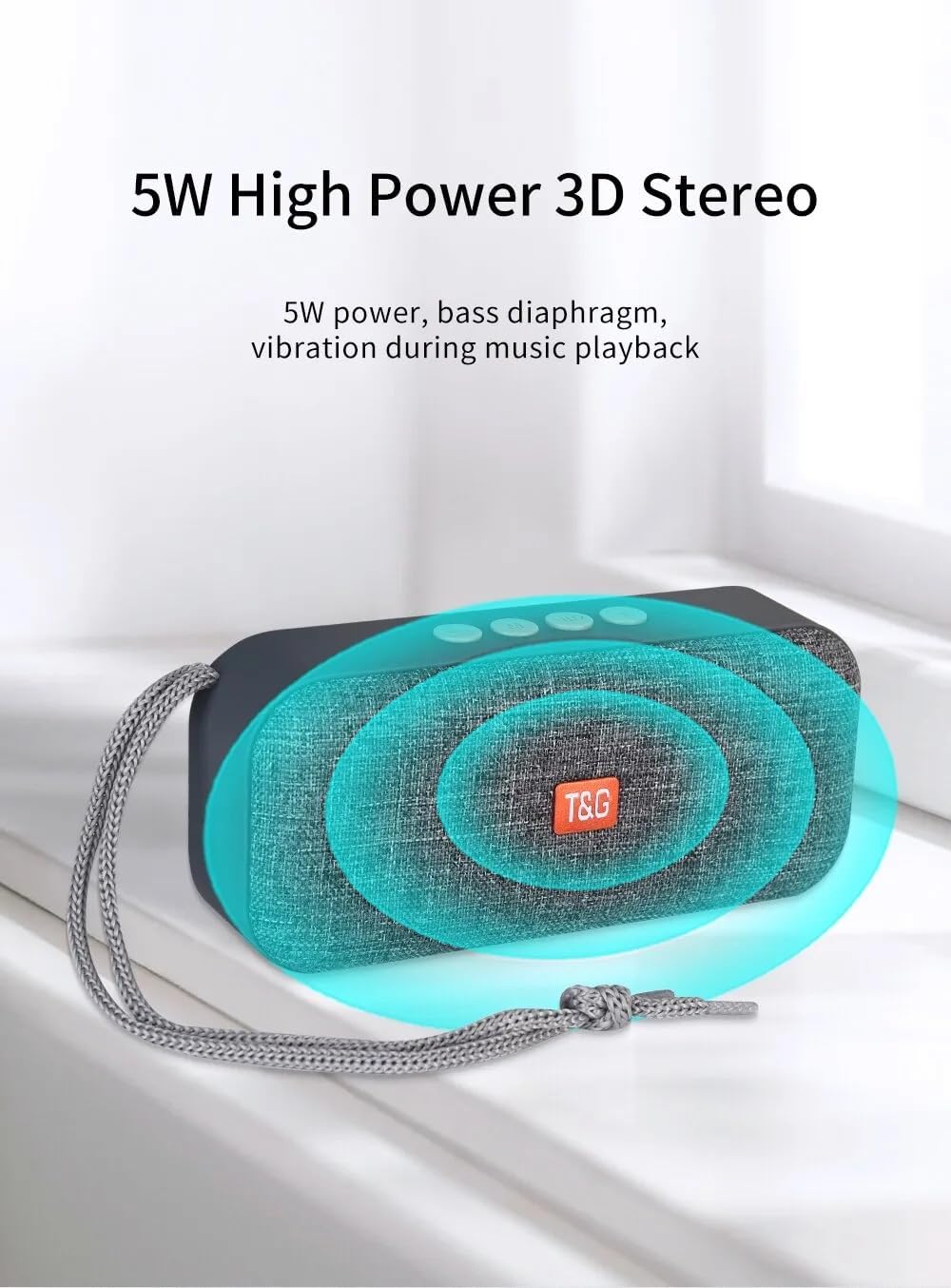
- 5W High Power 3D Stereo: Delivers clear audio with a bass diaphragm for enhanced sound.
- Ibhethri Elihlala Isikhathi Eside: Integrated 500mAh battery provides approximately 1 hour of playback at moderate volume.

3. Okuqukethwe Kwephakheji
- 1 x T&G TG-516 Portable Bluetooth Speaker
- 1 x Ikhebuli yokushaja ye-USB
4. Ukuhlelwa Kwedivayisi Nokulawula

- Ivolumu Yehla / Ithrekhi Yangaphambilini: Short press for previous track (in music mode), long press to decrease volume.
- Ukushintsha Imodi: Short press to switch between modes (USB drive, TF card, FM radio, Bluetooth, LINE IN). Long press for hard searching in FM mode.
- Play/Pause / Call Control: Short press to play/pause music. In Bluetooth mode, short press to answer a call, long press to end a call. In FM mode, short press to automatically search for radio stations, and short press during search to cancel.
- Ivolumu ephezulu / Ithrekhi elandelayo: Short press for next track (in music mode), long press to increase volume.
- VULA / VULA Shintsha: Inkinobho yamandla.
- DC 5V Power Interface: Imbobo yokushaja ye-Micro USB.
- TF Card Input Interface: Decodes MP3 format audio playback when a TF card is inserted.
- I-AUX Input Interface: 3.5mm audio jack for external audio input.
- USB Drive Input Interface: Decodes MP3 format audio playback when a USB drive is inserted.
5. Isethaphu kanye nokusebenzisa kokuqala
5.1 Ukushaja uSomlomo
Before first use, fully charge the speaker. Connect the provided USB charging cable to the DC 5V power interface (6) on the speaker and the other end to a USB power source (e.g., computer, USB wall adapter). The charging indicator light will illuminate during charging and turn off when fully charged.

5.2 Ukuvula / Ukuvula
To power on the speaker, slide the ON/OFF switch (5) to the "ON" position. To power off, slide it to the "OFF" position.
5.3 Ukumatanisa kwe-Bluetooth
- Ensure the speaker is powered on and in Bluetooth mode (indicated by a flashing blue light). If not, short press the Mode Switch button (2) until it enters Bluetooth mode.
- Kudivayisi yakho yeselula (i-smartphone, ithebhulethi, njll.), vula i-Bluetooth bese usesha amadivaysi atholakalayo.
- Select "TG-516" from the list of devices.
- Once paired, the speaker will emit a confirmation sound, and the blue light will stop flashing.

5.4 Ukumatanisa kwe-TWS (True Wireless Stereo).
To connect two TG-516 speakers for a stereo experience:
- Ensure both TG-516 speakers are powered on and in Bluetooth mode, but not yet paired with any device.
- On one of the speakers (this will be the primary speaker), long press the Play/Pause button (3) for a few seconds until you hear a pairing tone.
- Izipikha ezimbili zizoxhuma ngokuzenzakalelayo. Uma sezixhunyiwe, uzozwa umsindo wokuqinisekisa.
- Now, pair your mobile device with the primary speaker as described in section 5.3. Audio will play through both speakers in stereo.

6. Iziqondiso Zokusebenza
6.1 Switching Playback Modes
Short press the Mode Switch button (2) to cycle through available modes: Bluetooth, TF Card, USB Drive, FM Radio, and AUX Input. The speaker will announce the current mode.
6.2 Ukudlala Umculo
- Dlala/Misa kancane: Short press the Play/Pause button (3).
- Ithrekhi Elandelayo: Short press the Volume Up / Next Track button (4).
- Ithrekhi yangaphambilini: Short press the Volume Down / Previous Track button (1).
- Ukulungiswa Kwevolumu: Long press the Volume Up / Next Track button (4) to increase volume. Long press the Volume Down / Previous Track button (1) to decrease volume.
6.3 Ukusebenza komsakazo we-FM
- Switch to FM Radio mode using the Mode Switch button (2).
- For better reception, connect the USB charging cable to the speaker; it acts as an antenna.
- Usesho lwesiteshi oluzenzakalelayo: Short press the Play/Pause button (3) to start an automatic search for radio stations. The speaker will scan and save available stations. Short press again during the search to cancel.
- Navigate Stations: Short press the Volume Up / Next Track button (4) or Volume Down / Previous Track button (1) to switch between saved stations.
6.4 Ukufona Okungenazandla
When connected via Bluetooth to your phone:
- Phendula Ucingo: Short press the Play/Pause button (3) when an incoming call rings.
- Qeda ikholi: Long press the Play/Pause button (3) during a call to end it.
- Yenqaba Ucingo: Long press the Play/Pause button (3) when an incoming call rings to reject it.

7. Isondlo
- Ukuhlanza: Use a soft, dry cloth to clean the speaker. Do not use harsh chemicals or abrasive cleaners.
- Ukumelana Namanzi: The speaker is IPX5 waterproof, meaning it is protected against low-pressure water jets from any direction. Do not submerge the speaker in water or expose it to heavy rain for extended periods. Ensure all port covers are securely closed before exposure to water.
- Ukunakekelwa kwebhethri: Ukwelula impilo yebhethri, gwema ukukhipha isipikha ngokugcwele njalo. Yishaje njalo, noma ingasetshenziswa isikhathi eside. Gcina endaweni epholile, eyomile.
- Isitoreji: When not in use, store the speaker in a cool, dry place away from direct sunlight and extreme temperatures.
8. Ukuxazulula izinkinga
| Inkinga | Imbangela Engenzeka | Isixazululo |
|---|---|---|
| Isipikha asivuli. | Ibhethri liphelile. | Shaja isipikha usebenzisa intambo ye-USB enikeziwe. |
| Ayikwazi ukubhanqa nge-Bluetooth. | Speaker is not in pairing mode or too far from device. | Ensure speaker is in Bluetooth mode (flashing blue light). Move speaker closer to your device. Turn off and on Bluetooth on your device. |
| Awukho umsindo. | Ivolumu iphansi kakhulu noma ithulisiwe. Imodi engalungile ikhethiwe. | Increase volume on both speaker and connected device. Ensure correct playback mode (Bluetooth, TF, USB, AUX) is selected. |
| Ukwemukelwa kahle komsakazo we-FM. | Akukho antenna exhunyiwe noma isignali ebuthakathaka. | Connect the USB charging cable to the speaker; it acts as an antenna. Try moving to a location with better signal. |
| Ukumatanisa kwe-TWS kwehlulekile. | Speakers already paired to a device or not in TWS pairing mode. | Ensure both speakers are not connected to any device. Follow TWS pairing steps carefully (Section 5.4). |
9. Imininingwane
| Imodeli: | TG-516 |
| Inguqulo ye-Bluetooth: | V5.3 |
| Ibanga elingenantambo: | Kufika kumamitha ayi-10 (33 amafidi) |
| Usayizi wesipikha: | 5.2 cm (Woofer) |
| Amandla Okukhiphayo: | 5 Watts |
| Impendulo esuka ku Frequency: | 50Hz - 20KHz |
| Isilinganiselo-to-Noise kwesilinganiselo: | ≥ 85 dB |
| Ibhethri: | 3.7 V, 500 mAh |
| Playback Time (moderate volume): | Cishe ihora elingu-1 |
| Ubukhulu: | 145 mm x 46.5 mm x 66 mm (5.7 x 1.8 x 2.6 amayintshi) |
| Isisindo: | 210 amagremu (0.46 lbs) |
| Isilinganiso Sokungangeni Manzi: | IPX5 |
| Imidiya Esekelwe: | Bluetooth, TF Card, USB Drive, AUX, FM Radio |
10. Iwaranti kanye Nokusekela
The T&G TG-516 Portable Bluetooth Speaker comes with a manufacturer's warranty. Please refer to your purchase documentation or contact your retailer for specific warranty terms and conditions. For technical support or further assistance, please contact the vendor or manufacturer directly.