
1. Umkhiqizo Uphelileview
The Nitecore NL1416R is a high-capacity 1600mAh USB-C rechargeable Li-ion battery designed for high-drain devices, such as the Nitecore MT2A Pro flashlight. It features an integrated USB-C charging port and a light indicator for charging status. This battery incorporates advanced safety features, including a built-in intelligent protective circuit and a pressure relief valve, to prevent overcharging, over-discharging, and short circuits. Constructed with durable materials like nickel-plated stainless steel protectors and a metallic film coating, the NL1416R offers enhanced resilience and efficient conductivity.
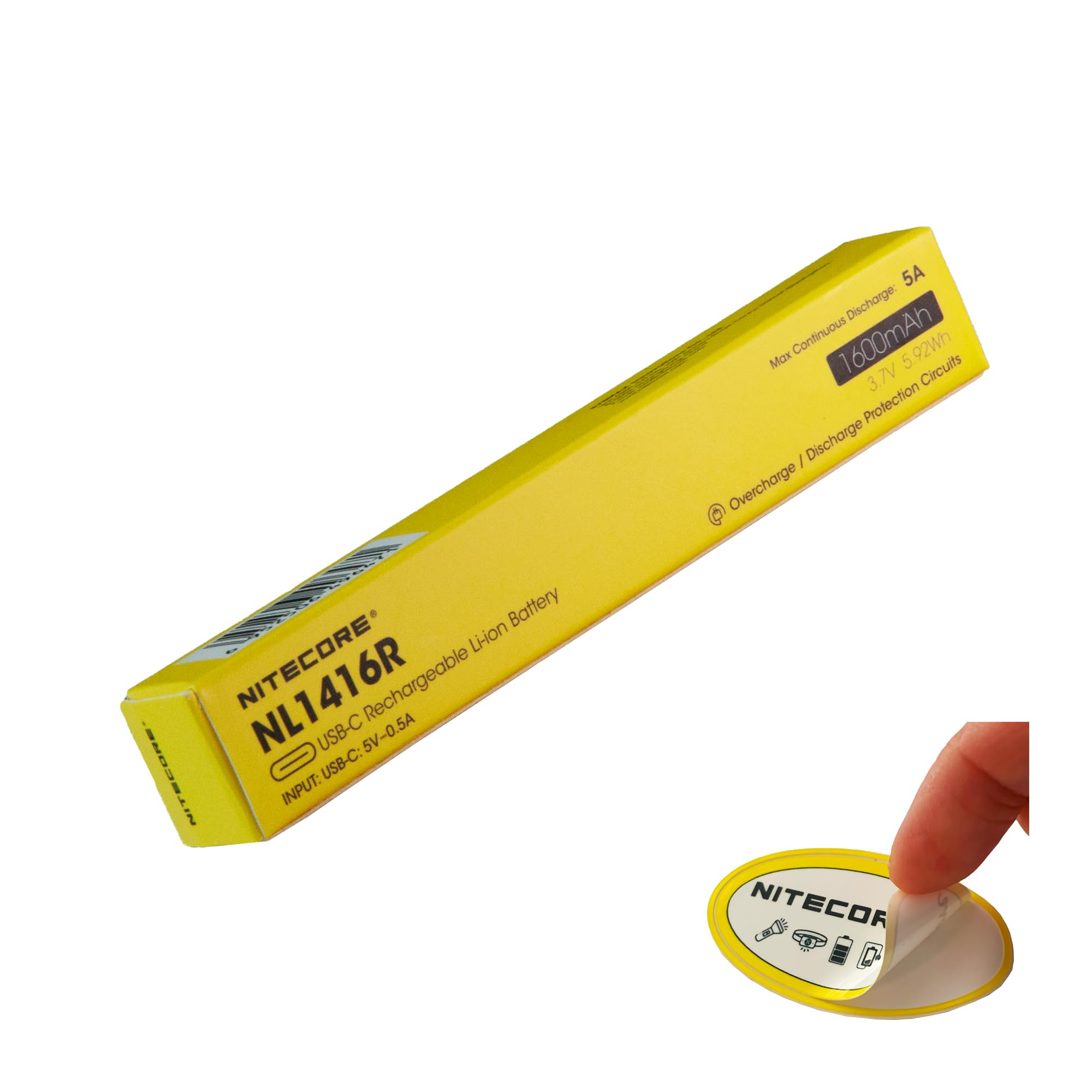
Image 1.1: The Nitecore NL1416R 1600mAh USB-C Rechargeable Battery, showcasing ukwakheka kwayo okuhlangene.
2. Setha nokusebenzisa Okokuqala
Before initial use, fully charge the Nitecore NL1416R battery. The battery comes with an integrated USB-C charging port for convenience.
- Ukukhokhiswa kokuqala: Connect a standard USB-C cable to the battery's charging port and to a USB power source (e.g., wall adapter, computer USB port).
- Inkomba yokushaja: A light indicator on the battery will illuminate during charging. This indicator will change color or turn off once the battery is fully charged. Refer to the "Operating" section for details on indicator behavior.
- Ukufakwa Kwebhethri: Once charged, insert the battery into your compatible device, such as the Nitecore MT2A Pro flashlight, ensuring correct polarity.
3. Ukusebenza
3.1 Ukushaja Ibhethri
The NL1416R battery features a built-in USB-C charging port, eliminating the need for an external charger.
- Xhuma: Plug a USB-C cable into the battery's USB-C port.
- Umthombo wamandla: Connect the other end of the USB-C cable to any compatible USB power source (e.g., USB wall adapter, power bank, computer USB port).
- Inkomba Yesimo sokushaja: The indicator light on the battery will show the charging status.
- Red Light (or similar): Kubonisa ukuthi ibhethri liyashaja okwamanje.
- Green Light (or similar) / Light Off: Ikhombisa ukuthi ibhethri ishajeke ngokuphelele.
3.2 Using the Battery in Devices
The NL1416R is designed for devices requiring high-drain 14500-sized Li-ion batteries, such as the Nitecore MT2A Pro flashlight.
- Ukufaka: Insert the battery into your device according to the device's instructions, paying close attention to polarity (+/-). Incorrect insertion can damage the battery or device.
- Ukukhipha: The battery provides a continuous 5A discharge current, suitable for devices requiring consistent power output.
Video 3.1: This video demonstrates the Nitecore MT series EDC flashlights, including the MT2A Pro, which is compatible with the NL1416R battery. It provides context for the battery's intended use.
4. Ukugcinwa kanye nokugcinwa
- Ukushaja Okuvamile: For optimal performance and longevity, avoid fully discharging the battery. Recharge it when the device indicates low power.
- Isitoreji: Store the battery in a cool, dry place away from direct sunlight and extreme temperatures. For long-term storage, it is recommended to charge the battery to approximately 50% capacity.
- Ukuhlanza: Gcina othintana nabo bebhethri behlanzekile. Sebenzisa indwangu eyomile, ethambile ukuze usule noma yiluphi uthuli noma imfucumfucu.
- Gwema Umthelela: While designed with impact protection, avoid dropping or subjecting the battery to severe physical shocks.
- Ukulahlwa: Dispose of depleted or damaged batteries responsibly according to local regulations. Do not dispose of batteries in general waste.
5. Ukuxazulula izinkinga
| Inkinga | Imbangela Engenzeka | Isixazululo |
|---|---|---|
| Ibhethri ayishaji. |
|
|
| Device not powering on with battery. |
|
|
| Reduced runtime or performance. |
|
|
6. Imininingwane Yomkhiqizo
| Isici | Imininingwane |
|---|---|
| Inombolo Yemodeli | NL1416R |
| Uhlobo Lwebhethri | Lithium Ion (Li-ion) |
| Amandla | 1600 mAh |
| Amperage / Discharge Current | 5 Amps (continuous) |
| Ukusebenziseka kabusha | Rechargeable (via USB-C) |
| Imbobo yokushaja | I-USB-C |
| Izici zokuphepha | Intelligent protective circuit, pressure relief valve (overcharging, over-discharging, short circuit protection) |
| Ubukhulu | 3.86 x 0.56 x 0.56 amayintshi |
| Isisindo | 1.6 Ounces (approx. 45 Grams) |
| Ukusetshenziswa Okunconyiwe | Flashlights (e.g., Nitecore MT2A Pro) |
7. Ulwazi Lwewaranti
The Nitecore NL1416R battery comes with a Iwaranti yomkhiqizi yezinyanga eziyisi-12 kusukela ngedethi yokuthenga. Lesi siqinisekiso sihlanganisa amaphutha ezintweni zokwakha kanye nokusebenza ngaphansi kokusetshenziswa okuvamile. Sicela ugcine ubufakazi bakho bokuthenga izimangalo zewaranti.
The warranty does not cover damage caused by misuse, unauthorized modification, improper storage, or normal wear and tear. For detailed warranty terms and conditions, please refer to the official Nitecore webisayithi noma uxhumane nokwesekwa kwamakhasimende.
8. Ukwesekwa Kwamakhasimende
For technical assistance, product inquiries, or warranty claims, please contact Nitecore customer support through their official channels.
- Esemthethweni Webindawo: Vakashela i- Nitecore official webindawo ngolwazi lomkhiqizo, imibuzo evame ukubuzwa, kanye nemininingwane yokuxhumana nosekelo.
- Usekelo Lomthengisi: If purchased from a specific retailer, you may also contact the seller for assistance. For purchases made via Amazon, refer to your order details for seller contact information.
Please have your product model number (NL1416R) and proof of purchase ready when contacting support.