
Isingeniso
The Vieta Pro Way 3 headphones are designed to provide a versatile audio experience with multiple connectivity options and features. This device supports Bluetooth wireless connection, an Aux-in port for wired use, an integrated microphone for hands-free communication, a dedicated gaming mode, and Dual Pairing functionality. With an impressive battery life of up to 50 hours, these headphones are suitable for extended listening sessions.
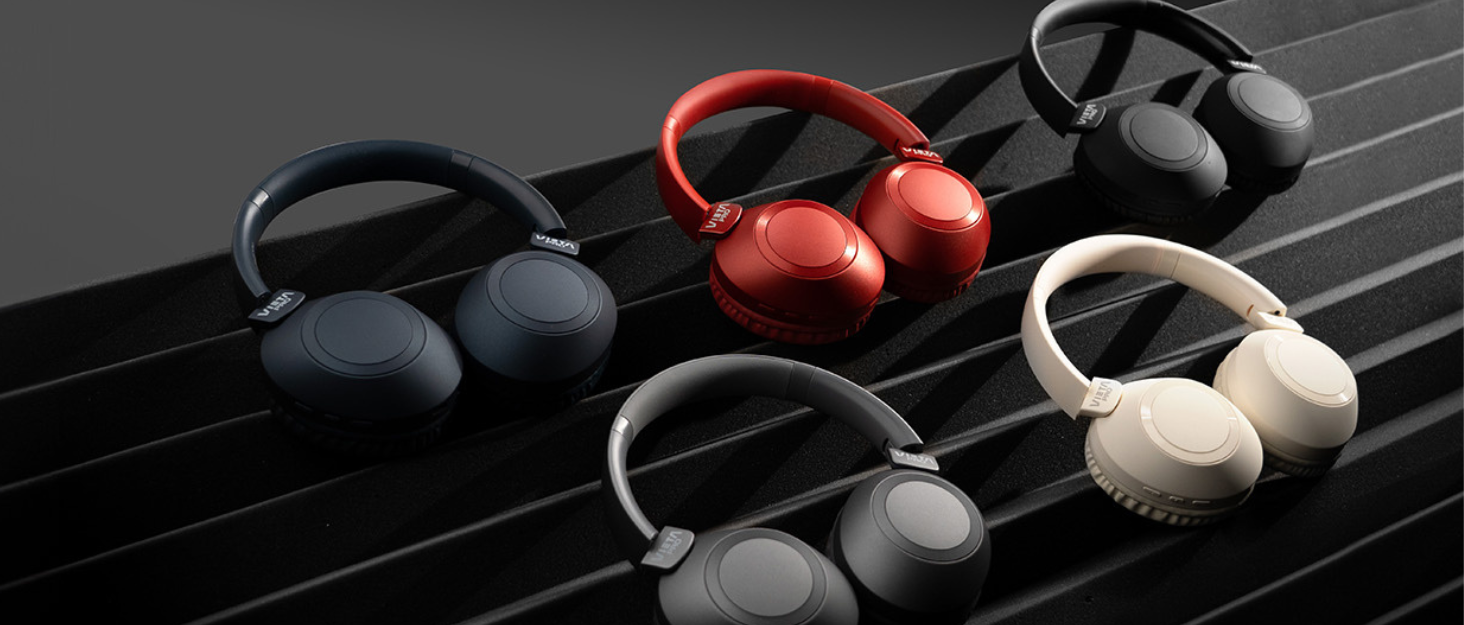
Image: Vieta Pro Way 3 headphones displayed in multiple color options.
Setha
1. Ukushaja ama-headphones
Before initial use, ensure the headphones are fully charged. The Vieta Pro Way 3 headphones support wireless charging. A full charge provides up to 50 hours of continuous playback.
- Connect the provided charging cable to the charging port on the headphones and to a compatible USB power source.
- Alternatively, place the headphones on a compatible wireless charging pad.
- The indicator light will show the charging status and turn off or change color once fully charged.
2. Ukuvula/Ukucisha
- Ukuvula: Cindezela futhi ubambe inkinobho yamandla cishe imizuzwana emi-3 kuze kube yilapho ukukhanya kwenkomba kukhanya.
- Ukucisha: Cindezela futhi ubambe inkinobho yamandla cishe imizuzwana emi-3 kuze kucishwe ukukhanya kwenkomba.
3. Ukubhanqa kwe-Bluetooth
Ukuze uxhume ama-headphone akho ngaphandle kwentambo kudivayisi:
- Qinisekisa ukuthi ama-headphone acishiwe.
- Cindezela bese ubamba inkinobho ethi Power cishe imizuzwana emi-5-7 kuze kube yilapho ukukhanya kwesikhombisi kukhanya ngokushesha, okubonisa imodi yokubhangqa.
- Ku-smartphone yakho, ithebhulethi, noma ikhompuyutha, vula i-Bluetooth bese usesha amadivayisi atholakalayo.
- Select "Vieta Pro Way 3" from the list of found devices.
- Once connected, the indicator light will stop flashing and remain solid or flash slowly.
4. Aux-in Connection
For a wired connection, use a 3.5mm audio cable:
- Connect one end of the 3.5mm audio cable to the Aux-in port on the headphones.
- Connect the other end to the 3.5mm audio output of your audio source.
- The headphones will automatically switch to Aux-in mode when a cable is detected.
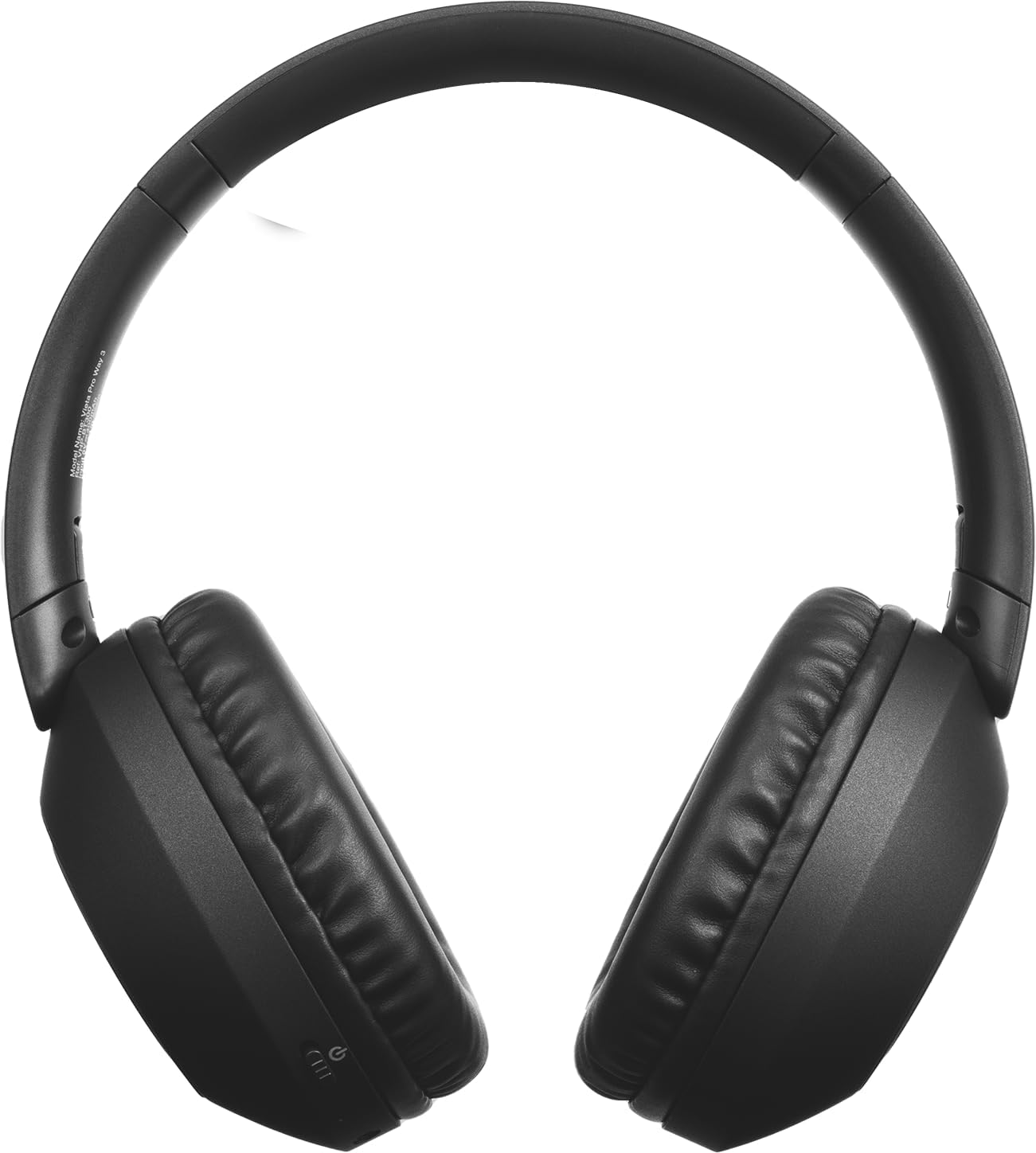
Isithombe: Ngaphambili view of the Vieta Pro Way 3 headphones, showing the earcups and headband.
Imiyalelo yokusebenza
1. Ukudlala Komculo
When connected via Bluetooth or Aux-in, you can control your music:
- Dlala/Misa kancane: Cindezela inkinobho yeMulti-function kanye.
- Ithrekhi Elandelayo: Cindezela bese ubamba inkinobho ethi Volume Up.
- Ithrekhi yangaphambilini: Cindezela bese ubamba inkinobho Yevolumu Phansi.
- Ivolumu ephezulu: Cindezela inkinobho ethi Volume Up isikhashana.
- Ivolumu Phansi: Cindezela inkinobho ethi Volume Down isikhashana.
2. Ukuphathwa Kwezingcingo
The integrated microphone allows for hands-free calls when connected via Bluetooth:
- Phendula/Phendula ikholi: Cindezela inkinobho yeMulti-function kanye.
- Yenqaba Ucingo: Cindezela bese ubamba inkinobho ye-Multifunction imizuzwana emi-2.
- Umsizi Wezwi: Cindezela kabili inkinobho ye-Multi-function ukuze usebenzise umsizi wezwi wedivayisi yakho.
3. Imodi yokudlala
Activate the dedicated gaming mode for optimized audio performance during gameplay, reducing latency and enhancing sound effects.
- Activate Gaming Mode: Refer to the specific button or gesture indicated in the quick start guide for your model. (Typically a dedicated button or a long press on a volume button).
4. Dual Pairing
The Dual Pairing feature allows the Vieta Pro Way 3 headphones to connect to two different Bluetooth devices simultaneously. This enables seamless switching between audio sources without the need to disconnect and re-pair.
- Pair the headphones with your first device following the Bluetooth Pairing instructions.
- Nqamula i-Bluetooth kudivayisi yokuqala okwesikhashana.
- Hlanganisa ama-headphone nedivayisi yakho yesibili.
- Vula kabusha i-Bluetooth kudivayisi yokuqala. Ama-headphone kufanele manje axhunywe kuwo womabili amadivayisi.
- Audio will play from the active source, and you can switch by pausing one and playing the other.

Image: A person wearing the Vieta Pro Way 3 headphones, demonstrating comfortable use.
Isondlo
1. Ukuhlanza
- Sula ama-headphone ngendwangu ethambile, eyomile, engena-lint.
- Ungasebenzisi izinto zokuhlanza abrasive, izinyibilikisi, noma amakhemikhali aqinile, njengoba lokhu kungalimaza ingaphezulu noma izingxenye zangaphakathi.
- Gwema ukuthola umswakama kunoma yiziphi izimbobo.
2. Isitoreji
- Gcina ama-headphone endaweni epholile, eyomile, kude nokukhanya kwelanga okuqondile kanye namazinga okushisa aphezulu.
- When not in use for extended periods, store them in their protective case (if included) to prevent dust and damage.
3. Ukunakekelwa Kwebhethri
- To prolong the lifespan of the battery, avoid fully discharging the headphones frequently.
- Charge the headphones regularly, even if not in frequent use.
Ukuxazulula inkinga
1. Awukho Umsindo
- Qinisekisa ukuthi ama-headphone avuliwe futhi ayashajwa.
- Check the volume levels on both the headphones and the connected device.
- Verify that the headphones are properly paired via Bluetooth or securely connected via the Aux-in cable.
- Zama ukuqala kabusha kokubili ama-headphone kanye nedivayisi yomthombo womsindo.
2. Izinkinga Zokubhangqa
- Ensure the headphones are in Bluetooth pairing mode (indicator light flashing rapidly).
- Khubaza futhi uvule kabusha i-Bluetooth kudivayisi yakho.
- Move the headphones closer to your device to ensure a strong signal.
- Clear previous Bluetooth connections from your device's Bluetooth settings and try pairing again.
3. Izinkinga zokushaja
- Verify that the charging cable is securely connected to both the headphones and the power source, or that the headphones are correctly placed on the wireless charging pad.
- Ensure the power source (USB adapter, computer port, wireless charger) is functional.
- Check the charging port on the headphones for any debris that might obstruct the connection.
Imininingwane
| Ibhrendi | I-Vieta Pro |
| Imodeli | Indlela 3 |
| I-Form Factor | Over-ear (Headband) |
| Ubuchwepheshe bokuxhumana | Wireless (Bluetooth), Wired (Aux-in) |
| Ukuxhumana Okungenantambo | I-Bluetooth |
| Impilo Yebhethri | Up to 50 hours (playback) |
| Izici ezikhethekile | Wireless Charging, Built-in Microphone, Gaming Mode, Dual Pairing |
| Umkhiqizi | FRAMASON AUDIO SA |
| ASIN | B0CRL99NBD |
Qaphela: Imininingwane ingashintsha ngaphandle kwesaziso.
Iwaranti kanye Nokusekela
For detailed warranty information, product registration, or technical assistance, please refer to the official Vieta Pro website or contact their customer support directly. It is recommended to retain your purchase receipt as proof of purchase for any warranty claims.
- Esemthethweni Webindawo: Vakashela www.cwebha.com (or relevant regional site) for support resources.
- Insizakalo yekhasimende: Contact information can typically be found on the official webindawo.