
1. Isingeniso
The LEAUDIO XDUOO XD05 Plus 2 is a high-performance portable Digital-to-Analog Converter (DAC) and headphone amplifier designed to deliver exceptional audio quality. It features advanced decoding capabilities, powerful output, and versatile connectivity options for various audio sources and headphones.
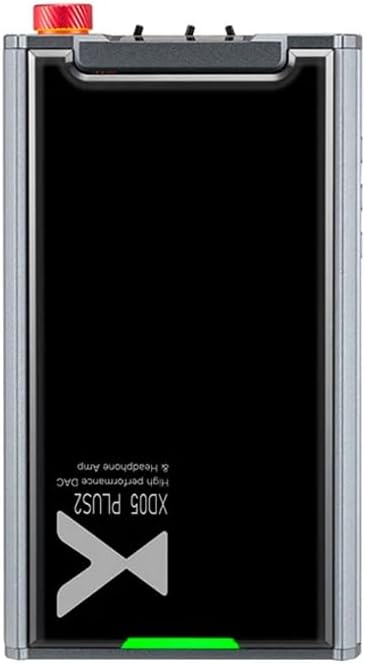
Umfanekiso 1: Phezulu view of the XDUOO XD05 Plus 2, highlighting its compact design and model branding.
2. Okuqukethwe Kwephakheji
Sicela uhlole iphakheji ngezinto ezilandelayo:
- XDUOO XD05 Plus 2 Portable DAC Headphone Ampokokuphila
- Ikhebula le-USB
- Incwadi Yomsebenzisi (le dokhumenti)
3. Isakhiwo Sedivayisi
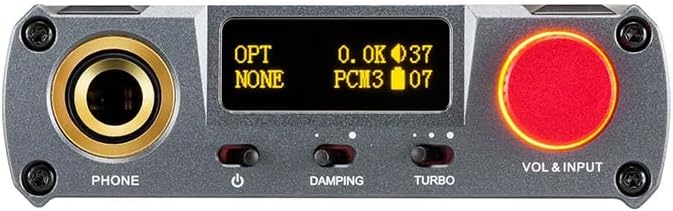
Figure 2: Front panel controls including the headphone output, OLED display, Damping switch, Turbo switch, and Volume/Input knob.

Figure 3: Rear panel connections featuring AUX In/Out, USB In, UAC 1.0/2.0 switch, Charge port, and Digital In (Optical/Coaxial).
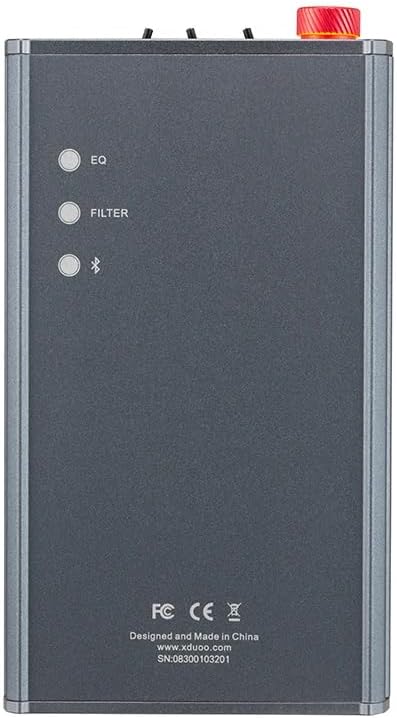
Figure 4: Side panel buttons for EQ, Filter, and Bluetooth functions.
4. Isethaphu kanye Nokuxhumana
4.1 Ukushaja Idivayisi
Connect the provided USB cable to the 'CHARGE' port on the rear panel (Figure 3) and plug the other end into a USB power adapter (not included) or a computer's USB port. The charging time is approximately 3 hours for fast charging and 5 hours for slow charging.
4.2 Ukuxhuma kwimithombo yomsindo
The XD05 Plus 2 offers multiple input options:
- Okokufaka kwe-USB: Connect to computers (Windows/Linux/Mac OSX), smartphones (iOS/Android), or other USB audio sources using the 'USB IN' port (Figure 3). Ensure the UAC switch is set to the appropriate mode (UAC 1.0 or UAC 2.0) for your device.
- Digital Input (Optical/Coaxial): Connect to desktop CDs, Hi-Fi players, or digital turntables via the 'DIGITAL IN' port (Figure 3).
- Okokufaka kwe-Bluetooth: For wireless audio streaming, refer to Section 5.4 for Bluetooth pairing instructions.
- AUX In/Out: Use the 'AUX IN/OUT' port (Figure 3) for analog input or output connections.
4.3 Ukuxhuma ama-headphone
Plug your headphones into the 'PHONE' output jack on the front panel (Figure 2).
5. Iziqondiso Zokusebenza
5.1 Ukuvula/ukuvala kanye nokukhethwa kokufaka
Press and hold the power button (located near the 'PHONE' jack, Figure 2) to turn the device on or off. Rotate the 'VOL & INPUT' knob (Figure 2) to adjust the volume. Press the 'VOL & INPUT' knob to cycle through available input sources (USB, Optical, Coaxial, Bluetooth, AUX).
5.2 Ukulawula ivolumu
The device features a 99-level digital volume adjustment, ensuring balanced left and right channels at any volume setting. Rotate the 'VOL & INPUT' knob to precisely set your desired listening level.
5.3 Sound Adjustments (EQ, Filter, Damping, Turbo)
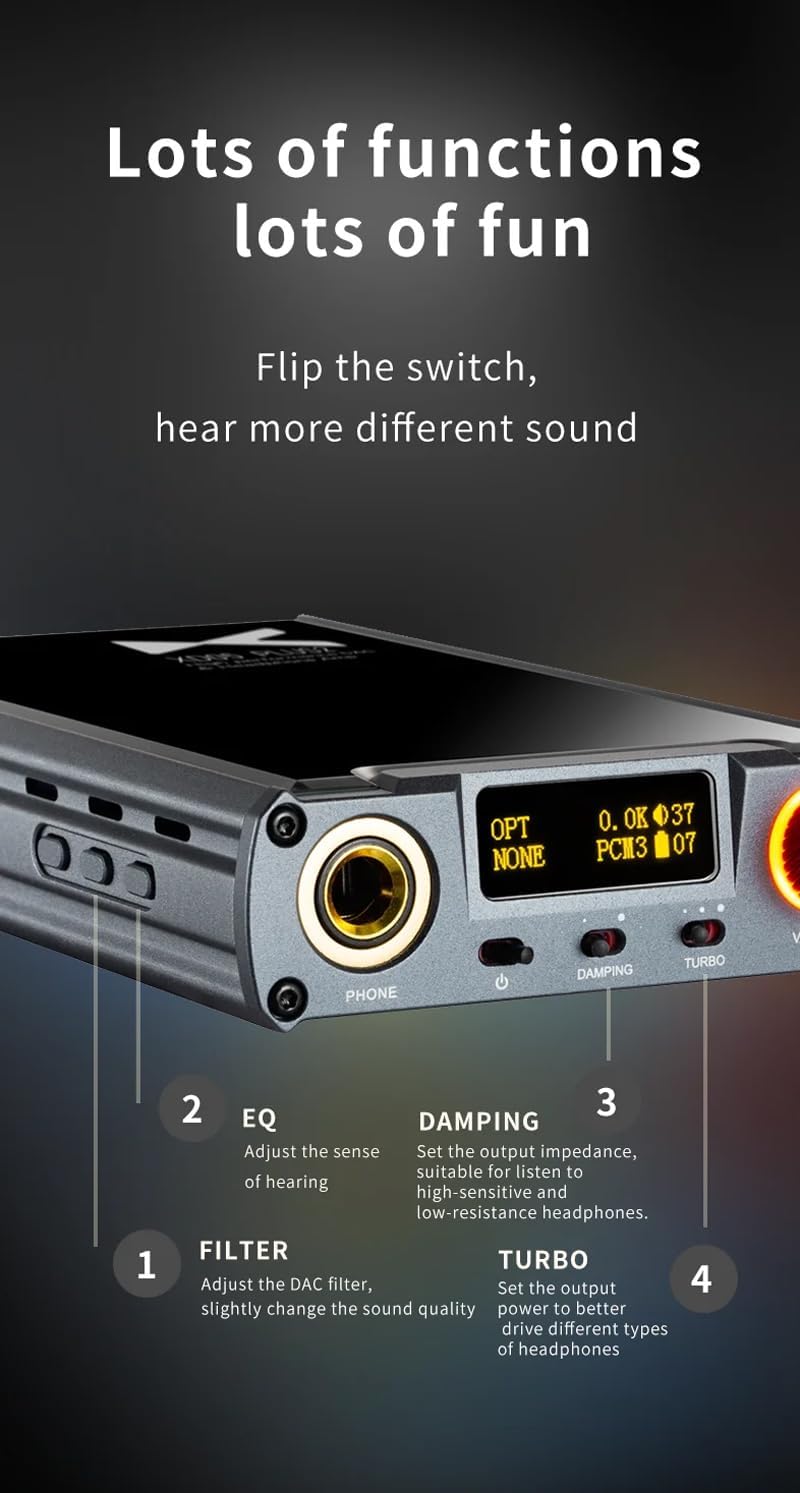
Umfanekiso 5: Okuningiliziwe view of sound adjustment controls and their functions.
- I-EQ (Isilinganisi): Press the 'EQ' button (Figure 4) to adjust the sense of hearing and tailor the sound to your preference.
- Hlunga: Press the 'FILTER' button (Figure 4) to slightly change the sound quality by adjusting the DAC filter settings.
- Damping: Use the 'DAMPING' switch (Figure 2) to set the output impedance, suitable for high-sensitivity and low-resistance headphones.
- I-Turbo: Use the 'TURBO' switch (Figure 2) to set the output power, allowing the device to better drive different types of headphones.
5.4 Ukumatanisa kwe-Bluetooth
To pair your device via Bluetooth 5.1:
- Ensure the XD05 Plus 2 is powered on and Bluetooth input is selected.
- Press the 'Bluetooth' button (Figure 4) to enter pairing mode. The Bluetooth indicator on the OLED screen will flash.
- On your source device (e.g., smartphone, tablet), search for available Bluetooth devices and select "XDUOO XD05 Plus 2".
- Once connected, the Bluetooth indicator will stop flashing.
Supported Bluetooth formats include AAC, SBC, aptX, aptX LL, aptX HD, and LDAC.
5.5 Ukushintsha i- Ampi-lifier Chip
I amplifier chip is user-replaceable, allowing for customization of your audio experience. Refer to the manufacturer's guidelines or a qualified technician for instructions on safely replacing the op-amp ama-chips.
6. Imininingwane
| Isici | Ukucaciswa |
|---|---|
| Ibhethri | 3.8V/5000mAh |
| Isikrini | 0.91 intshi OLED |
| I-OS ehambisanayo | Windows/Linux/Mac OSX/iOS/Android |
| Frequency Response (USB/SPDIF) | 20Hz~20kHz (±0.5dB) |
| Imvamisa Impendulo (AMP) | 10Hz~80kHz (±0.5dB) |
| I-USB SampIzinga le-ling (PCM) | 16-32BIT/44.1-384KHZ |
| I-USB SampIzinga le-ling (DSD) | DOP/NATIVE DSD64-256 |
| I-USB SampIzinga le-ling (MQA) | OFS rendering layer decoding |
| OPT/COA SampIzinga le-ling (PCM) | 16-24BIT/44.1-192KHZ |
| OPT/COA SampIzinga le-ling (DSD) | I-DSD64 (i-DOP) |
| Amafomethi e-Bluetooth | AAC/SBC/aptX/aptX LL/aptX HD/LDAC |
| Zuza | +0dB/3dB/6dB |
| Amandla Okukhipha Ama-headphone | 1200mW (32Ω umthwalo) |
| Headphone THD+N | 0.0015%@1kHz |
| Headphone S/N | 121db |
| Headphone Crosstalk | > 76dB |
| Izinga Lokukhipha le-AUX OUT | Ama-2.0Vrms |
| I-AUX OUT THD+N | 0.0009%@1kHz |
| AUX OUT S/N | 122db |
| I-AUX OUT Crosstalk | ≥109dB |
| Battery Life (USB IN) | ≥9H |
| Battery Life (SPDIF IN) | ≥15H |
| Battery Life (BT IN) | ≥18H |
| Charging Time (Fast) | ≤3 amahora |
| Charging Time (Slow) | ≤5 amahora |
| Usayizi | 13.0 x 7.5 x 2.2 cm |
| Isisindo | 0.29 kg |
7. Isondlo
To ensure the longevity and optimal performance of your XDUOO XD05 Plus 2, follow these maintenance guidelines:
- Gcina idivayisi ihlanzekile ngokuyisula ngendwangu ethambile, eyomile. Gwema ukusebenzisa amakhemikhali anokhahlo noma izinto ezilumayo.
- Protect the device from extreme temperatures, direct sunlight, and moisture.
- Gwema ukuwisa noma ukubeka idivayisi emithonyeni enamandla.
- Uma ingasetshenziswa isikhathi eside, gcina idivayisi endaweni epholile, neyomile.
8. Ukuxazulula izinkinga
If you encounter issues with your XDUOO XD05 Plus 2, please refer to the following common troubleshooting steps:
- Awukho Umsindo:
- Hlola ukuthi ingabe idivayisi ivuliwe yini.
- Ensure headphones are properly connected.
- Qinisekisa ukuthi umthombo wokufaka ofanele ukhethiwe.
- Lungisa izinga levolumu.
- Check the audio source device for proper playback and volume settings.
- Ikhwalithi Yomsindo Engalungile:
- Qinisekisa ukuthi zonke izintambo zixhumeke ngokuphephile.
- Try a different audio cable or source.
- Check EQ and Filter settings; reset them to default if necessary.
- Ensure the UAC switch is set correctly for your USB connection.
- Izinkinga zokuxhumana nge-Bluetooth:
- Ensure the device is in Bluetooth pairing mode.
- Move the source device closer to the ampokokuphila.
- Clear previous Bluetooth pairings on both devices and try pairing again.
- Idivayisi Ayishaji:
- Verify the USB cable is connected to the 'CHARGE' port.
- Zama ikhebuli ye-USB ehlukile noma i-adaptha yamandla.
- Qinisekisa ukuthi umthombo wamandla uyasebenza.
9. Ividiyo Yomkhiqizo Esemthethweni
Ividiyo 1: I-overview of the LEAUDIO XDUOO XD05 Plus 2 DAC Amp, umbukisoasing its features and design. This video provides a visual guide to the product's capabilities and physical aspects.
10. Iwaranti kanye Nokusekela
For warranty information and technical support, please refer to the documentation included with your product or contact LEAUDIO customer service directly. You may also visit the official LEAUDIO webisayithi lezinsiza zokusekela zakamuva kakhulu.