
Isingeniso
This manual provides instructions for the Akasa AK-CR-12 2-in-1 USB 3.2 Dual Card Reader. This device offers expanded connectivity for common memory cards, including SD, SDHC, SDXC, microSD, microSDHC, and microSDXC, in a compact aluminum housing. It is designed for compatibility with various devices featuring either USB Type-C or USB Type-A connectors.
Izici Zomkhiqizo
- I-Dual Port Design: Features both USB Type-A and Type-C connectors for versatile device compatibility.
- Ukudluliswa Kwedatha Okushesha Kakhulu: Supports USB 3.2 Gen 1, providing data transfer rates up to 5Gbps.
- Izikhala zamakhadi amabili: Simultaneously reads and writes SD and microSD cards.
- Wide Operating System Compatibility: Works with macOS, Windows, Linux, and Android systems.
- Ukwakhiwa Okuqinile: Premium aluminum housing enhances heat dissipation and protection.
- Xhuma futhi udlale: Awekho abashayeli abadingekayo ezinhlelweni eziningi zokusebenza.
- Okushisayo Okushintshwayo: Allows for connection and disconnection without restarting the device.
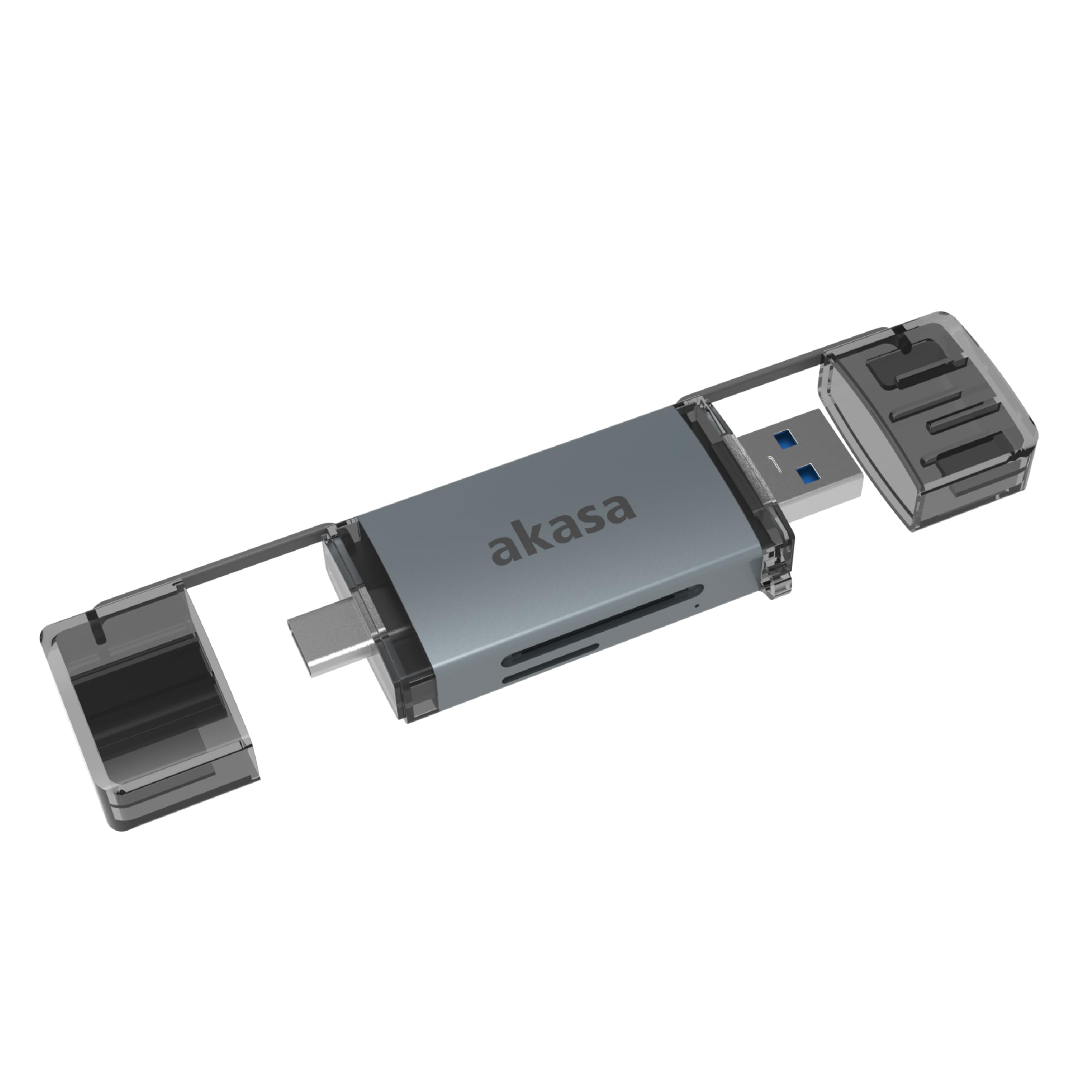
Image: The Akasa AK-CR-12 connected to a laptop, highlighting its USB 3.2 Gen 1 high-speed data transmission capability of up to 5Gbps, compared to USB 2.0's 480Mbps.

Isithombe: Ukuvala view of the Akasa AK-CR-12, emphasizing its aluminum housing designed for enhanced heat dissipation and protection, and its ease of plugging into various devices.
Ukusetha nokusebenza
- Faka Imemori Yekhadi: Gently insert your SD or microSD card into the corresponding slot on the Akasa AK-CR-12. Ensure the card is inserted correctly with the contacts facing down.
- Xhuma kudivayisi:
- For devices with a USB Type-C port (e.g., modern laptops, smartphones, tablets), connect the USB Type-C end of the card reader.
- For devices with a USB Type-A port (e.g., older laptops, desktop PCs), connect the USB Type-A end of the card reader.
- Access Data: Once connected, your operating system should automatically detect the card reader and the inserted memory card. The memory card will appear as a removable drive. You can then access, transfer, and manage files as you would with any other storage device.
- Eject Safely: Before disconnecting the card reader, always safely eject the removable drive through your operating system's interface to prevent data corruption.
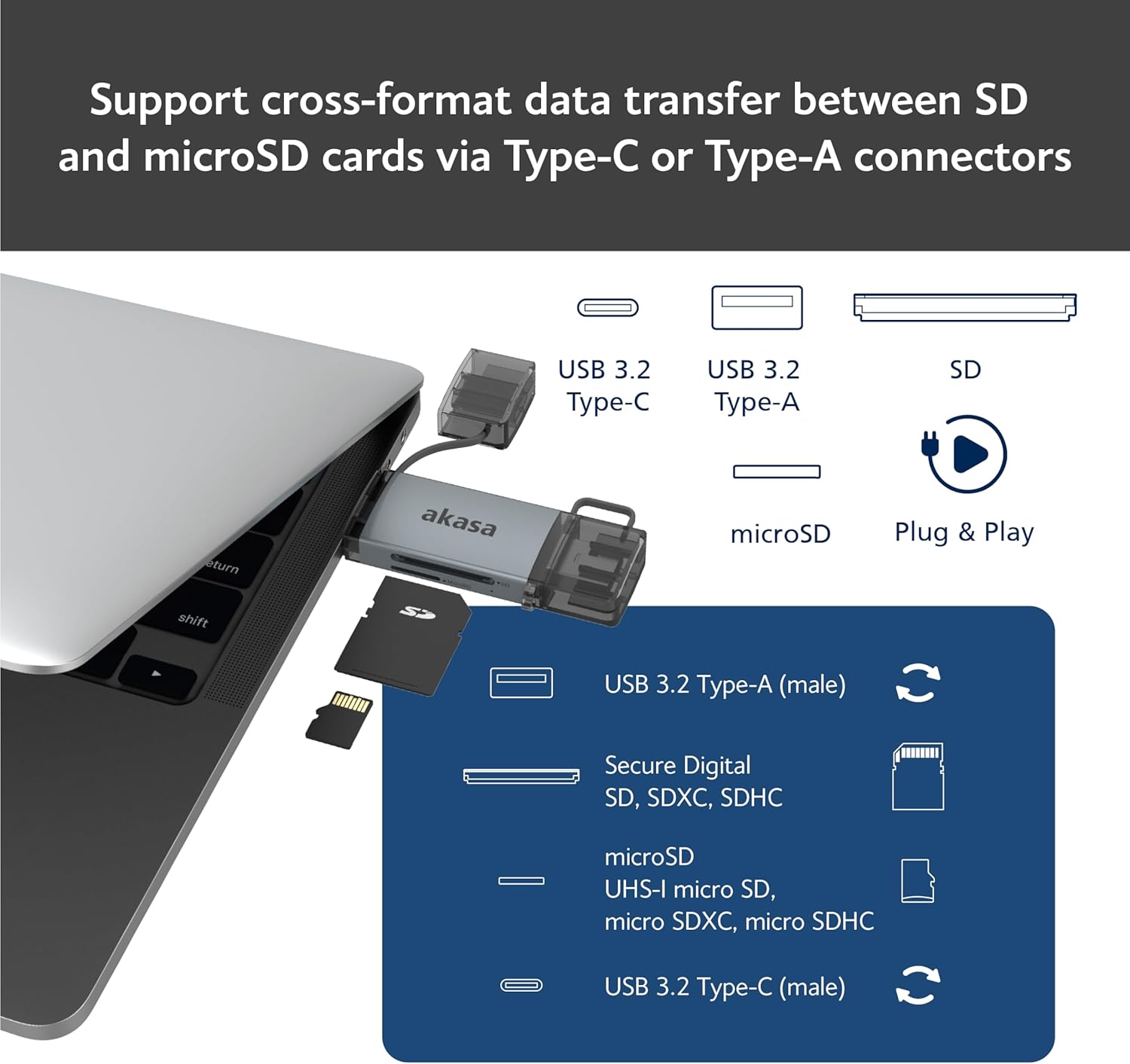
Image: An illustration demonstrating how to support cross-format data transfer between SD and microSD cards using the Type-C or Type-A connectors of the Akasa AK-CR-12, showing the different connector types and card slots.
Ukuhambisana
The Akasa AK-CR-12 is designed for broad compatibility with various operating systems and devices:
- Amasistimu Okusebenza:
- macOS 10.6.2 noma ngaphezulu
- Windows XP/7/8/10/11
- Linux Fedora FC8 or higher
- Isistimu ye-Android
- Amadivayisi Ahambisanayo: Personal Computers, Laptops, Smartphones, Tablets.
- Memory Card Types: Secure Digital (SD, SDHC, SDXC, UHS-I), microSD (microSD, microSDHC, microSDXC).
Note for Smartphone/Tablet Devices:
If an adapter is needed for smartphone/tablet devices, the device must have USB OTG (On-The-Go) functionality to utilize the card reader feature.
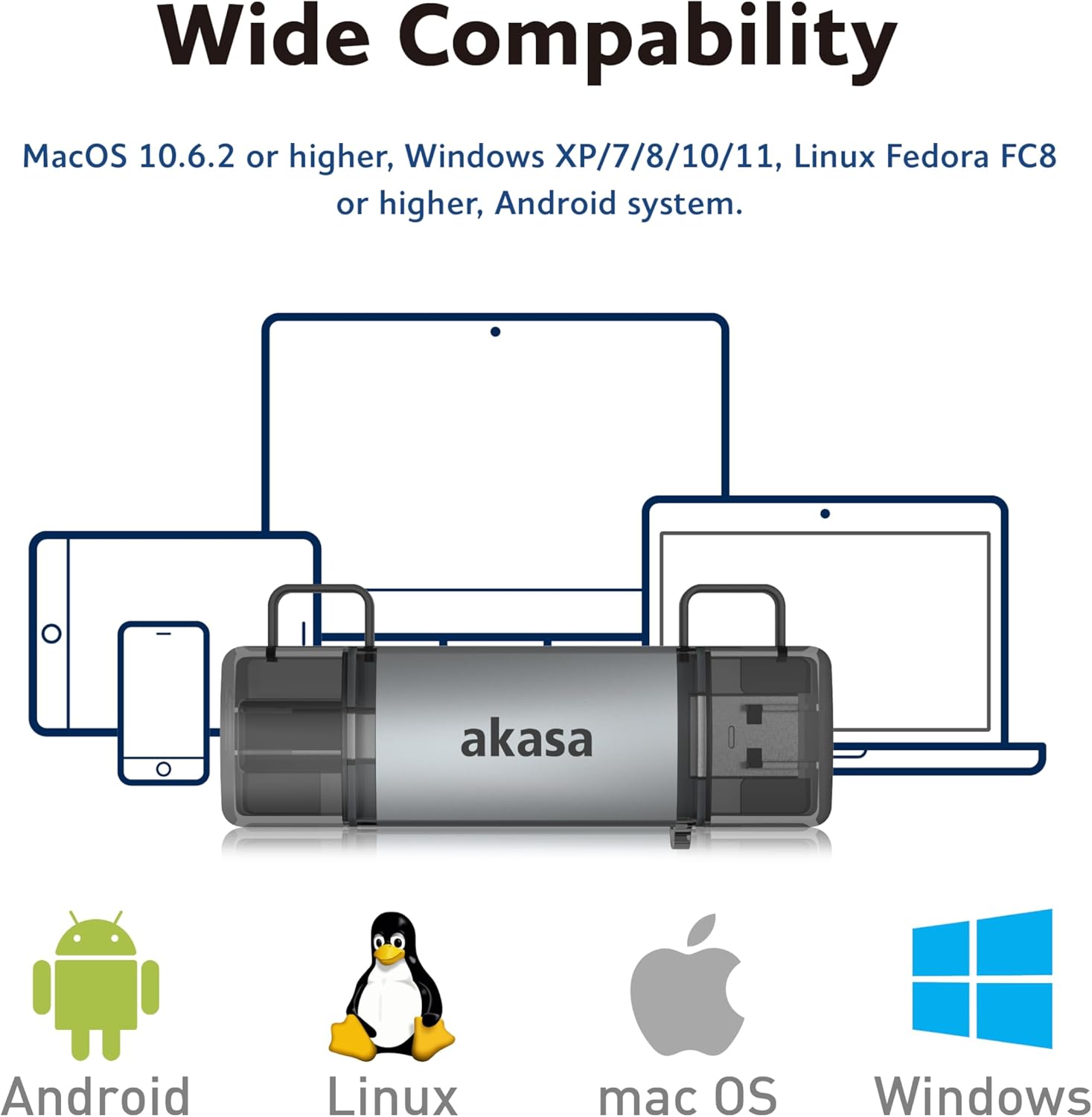
Image: The Akasa AK-CR-12 positioned centrally with logos for Android, Linux, macOS, and Windows operating systems, illustrating its wide compatibility across different platforms.
Imininingwane
| Isici | Imininingwane |
|---|---|
| Isicelo | External USB 3.2 Gen 1 Card Reader |
| Ubukhulu | 84.5 x 25.35 x 11.4 mm |
| Amachweba Aphezulu | USB 3.2 Type-C (male) & USB 3.2 Type-A (male) |
| Memory Card Types | Secure Digital (UHS-I micro SD, micro SDXC, micro SDHC), microSD (micro SD, micro SDXC, micro SDHC) |
| Isilinganiso sokudluliswa kwedatha enkulu | 5Gb/s (USB 3.2 Gen 1 / USB 3.0), 480Mb/s (USB 2.0) |
| Ukuhambisana kwe-OS | macOS 10.6.2 or higher, Windows XP/7/8/10/11, Linux Fedora FC8 or higher, Android System |
| Xhuma & Dlala | Isekelwe |
| Okushisayo Okushisayo | Isekelwe |
| Ikhodi Yomkhiqizo | I-AK-CR-12 |
| Isisindo sento | 20 amagremu |

Image: A detailed diagram illustrating the physical dimensions of the Akasa AK-CR-12, including its length (84.5mm), width (25.35mm), and thickness (11.4mm).
Ukuxazulula inkinga
- Idivayisi Ayitholakali:
- Ensure the card reader is firmly connected to your device's USB port.
- Try a different USB port on your computer or device.
- Verify that the memory card is correctly inserted into the card reader.
- Test the card reader on another compatible device to rule out a port issue.
- Ukudlulisa Idatha Okuhamba Kancane:
- Ensure you are connected to a USB 3.0/3.2 port for optimal speeds. Connecting to a USB 2.0 port will result in lower transfer rates (up to 480Mb/s).
- Check the speed class of your memory card; slower cards will limit transfer speeds.
- Gwema ukudlulisa eziningi ezincane files ngesikhathi esisodwa, njengoba lokhu kunganciphisa isivinini sonke.
- Ayikwazi Ukufinyelela Files:
- Ensure the memory card is not write-protected (check for a physical lock switch on SD cards).
- Verify the memory card is formatted correctly for your operating system.
- Try accessing the card directly if your device has a built-in card reader to confirm the card itself is functional.
- Smartphone/Tablet Compatibility:
- Confirm your smartphone or tablet supports USB OTG (On-The-Go) functionality. This is essential for the device to recognize external USB storage.
- Some devices may require enabling OTG in their settings.
Isondlo
- Ukuhlanza: Use a soft, dry cloth to clean the exterior of the card reader. Avoid liquid cleaners or solvents.
- Isitoreji: Gcina isifundi sekhadi endaweni epholile, eyomile kude nokukhanya kwelanga okuqondile kanye namazinga okushisa aphezulu.
- Ukuvikelwa: Keep the protective caps on the USB connectors when not in use to prevent dust and damage.
- Ukuphatha: Gwema ukuwisa idivayisi noma ukuyifaka ngaphansi kwemithelela enamandla.
Iwaranti kanye Nokusekela
For warranty information and technical support, please refer to the official Akasa webnoma xhumana nomthengisi wendawo. Gcina irisidi lakho lokuthenga njengobufakazi bokuthenga.
Akasa Official Webindawo: www.akasa.com.tw