
EBTOOLS EBTOOLS1756ogbieh-12
User Manual for EBTOOLS YEEMI K21+ 4G Flip Phone
Model: EBTOOLS1756ogbieh-12
Isingeniso
This manual provides comprehensive instructions for the operation, maintenance, and troubleshooting of your EBTOOLS YEEMI K21+ 4G Flip Phone. Designed with seniors in mind, this phone features large buttons, dual screens, and essential functions like SOS and GPS for enhanced safety and ease of use. Please read this manual carefully to ensure proper use and to maximize the phone's capabilities.
1. Setha
1.1 Okuqukethwe Kwephakheji
Ngaphambi kokuthi uqale, sicela uqinisekise ukuthi zonke izinto zikhona ephaketheni:
- EBTOOLS YEEMI K21+ 4G Flip Phone
- Ibhethri
- Ikhebula le-USB
- Incwadi Yomsebenzisi (le dokhumenti)

Image: The phone, battery, and USB cable included in the package.
1.2 Ukufaka i-SIM Card nebhethri
- Open the Back Cover: Vula kancane isembozo sangemuva sefoni.
- Faka ikhadi(ama) le-SIM: Locate the SIM card slot(s). This phone supports dual SIM. Carefully insert your 4G compatible SIM card(s) into the designated slot(s) with the gold contacts facing down.
- Faka Ibhethri: Align the battery contacts with the phone's contacts and gently press the battery into place.
- Close Back Cover: Buyisela isembozo sangemuva, uqinisekise ukuthi sicindezelwa kahle endaweni yaso.

Image: The phone in its open position, ready for SIM card and battery insertion.
1.3 Ukushaja Ibhethri
Ngaphambi kokuyisebenzisa okokuqala, shaja ngokugcwele ibhethri yefoni.
- Connect the small end of the USB cable to the phone's charging port.
- Xhuma olunye uhlangothi lwekhebula le-USB ku-adaptha yamandla ye-USB ehambisanayo (engafakiwe) noma imbobo ye-USB yekhompyutha.
- Inkomba yokushaja esibukweni izobonisa isimo sokushaja.
2. Iziqondiso Zokusebenza
2.1 Vula/Vala amandla
- Ukuvula: Cindezela futhi ubambe inkinobho ethi Amandla/Yokuqeda Ucingo (inkinobho ebomvu) kuze kube yilapho isikrini sikhanya.
- Ukucisha: Press and hold the Power/End Call button until the power off options appear, then select "Power Off".
2.2 Ukushaya nokwamukela izingcingo
- Ukushaya ucingo:
- Enter the phone number using the large keypad buttons.
- Press the Call button (green button) to dial.
- Ukwamukela Ucingo:
- When the phone rings, open the flip to answer, or press the Call button.
- To end a call, press the Power/End Call button.

Image: The phone showcasing its dual display feature, with the internal screen open and the external screen visible when closed.
2.3 Dual Screens and Large Font
The phone features a 2.6-inch high-definition main screen and a 1.77-inch external color high-definition screen. The external screen displays important information like time, date, and incoming call notifications without needing to open the phone. Large fonts and icons are used throughout the interface for improved readability.

Isithombe: Ukuvala view of the phone's external screen, highlighting its dual SIM dual standby capability.
2.4 SOS and GPS Functionality
For emergencies, the phone is equipped with an SOS button and GPS positioning.
- Ukusetha Oxhumana Nabo be-SOS: Navigate to the SOS settings in the phone's menu to add emergency contact numbers.
- Ukusebenzisa i-SOS: In an emergency, press and hold the dedicated SOS button (usually located on the back or side of the phone). The phone will automatically call and send an emergency message with your GPS location to the pre-set SOS contacts.
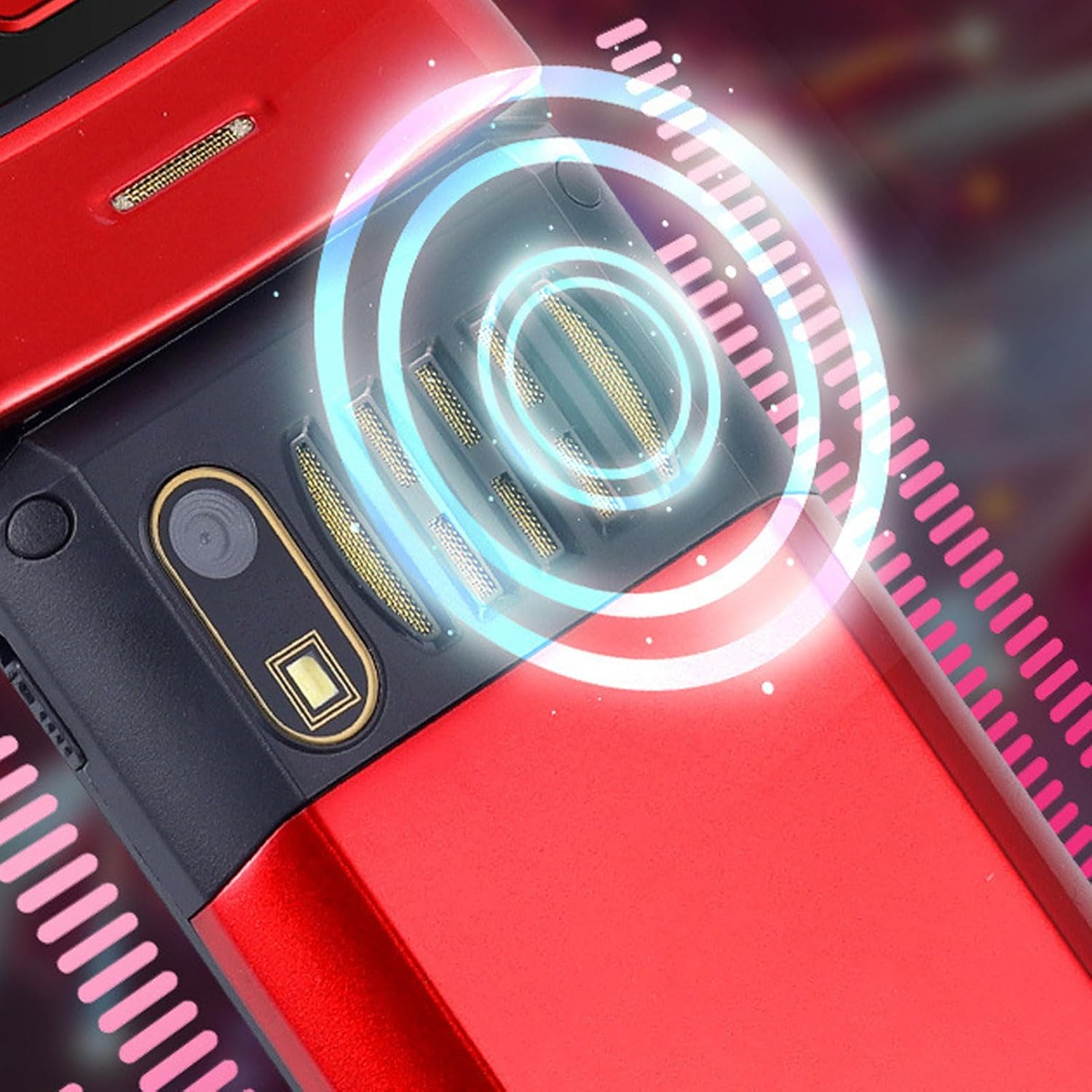
Image: The back of the phone, highlighting the speaker area, which contributes to clear sound for emergency calls.
2.5 Speed Dial and Shortcut Buttons
The phone supports 9 speed dial buttons for quick dialing of family numbers and 3 dedicated shortcut buttons for frequently used functions.
- Setting Speed Dial: Refer to the phone's menu for instructions on assigning contacts to speed dial numbers (typically 2-9).
- Using Shortcut Buttons: The dedicated shortcut buttons provide quick access to features like Camera, Messaging, or FM Radio.
3. Isondlo
3.1 Ukunakekelwa Kwebhethri
- Gwema ukubeka ibhethri esimweni esishisayo esishisayo.
- Ungalibhobozi, ungaliqaqa, noma ulifinyeze ibhethri.
- Uma ifoni ingeke isetshenziswe isikhathi eside, shaja ibhethri cishe ku-50% ngaphambi kokuyigcina.
3.2 Ukuhlanza Ifoni Yakho
- Use a soft, lint-free cloth to clean the phone's screen and body.
- Do not use harsh chemicals, cleaning sprays, or abrasive materials.
- Keep the charging port and speaker grilles free of dust and debris.
4. Ukuxazulula izinkinga
If you encounter issues with your phone, please refer to the following common problems and solutions:
| Inkinga | Imbangela Engenzeka | Isixazululo |
|---|---|---|
| Ifoni ayivuli. | Battery is drained or not properly inserted. | Shaja ibhethri. Qinisekisa ukuthi ibhethri ifakwe ngendlela efanele. |
| Ayikwazi ukushaya noma ukwamukela amakholi. | Alikho i-SIM khadi, i-SIM khadi ayifakiwe kahle, noma ayikho isignali yenethiwekhi. | Ensure SIM card is inserted correctly. Check network signal strength. Contact your service provider. |
| Ikhwalithi yekholi ephansi. | Weak network signal, or speaker/microphone obstruction. | Move to an area with better signal. Clean speaker and microphone openings. |
| Umsebenzi we-SOS awusebenzi. | SOS contacts not set up, or no network signal. | Verify SOS contacts are correctly configured in settings. Ensure phone has network signal. |
5. Imininingwane
Key technical specifications for the EBTOOLS YEEMI K21+ 4G Flip Phone:
- Imodeli: EBTOOLS1756ogbieh-12
- Ukuxhumana: 4G (supports 2G, 3G, and 4G network bands including GSM and CDMA)
- Isikrini Esiyinhloko: 2.6-inch High Definition
- Isikrini sangaphandle: 1.77-inch Color High Definition
- Amandla ebhethri: 4800mAh (Long Standby Time)
- Izici: Large Buttons, Dual Screens, SOS with GPS Positioning, 9 Speed Dial Buttons, 3 Dedicated Shortcut Buttons, Clear Sound Speaker
- Ubukhulu: Cishe 5.51 x 3.15 x 2.76 amayintshi (Ubukhulu bePhakeji)
- Izwe azalelwe kulo: China
6. Iwaranti kanye Nokusekela
Your EBTOOLS YEEMI K21+ 4G Flip Phone comes with a standard manufacturer's warranty. Please refer to the warranty card included in your package for specific terms and conditions. For technical support, troubleshooting assistance beyond this manual, or warranty claims, please contact the seller or manufacturer directly.
Umkhiqizi: EBTOOLS
Ukuze uthole olunye usizo, ungavakashela i- EBTOOLS Store on Amazon.
Ask a question about this manual
Ask about setup, troubleshooting, compatibility, parts, safety, or missing instructions. Manuals+ will review the question and use this page’s manual context to help answer it.