
Isingeniso
The Kviflon 38-inch Low Profile Ceiling Fan is designed to provide efficient air circulation and adjustable lighting for indoor spaces such as bedrooms and dining rooms. It features a modern design, 5 reversible blades, 6 fan speeds, 3 dimmable light colors, and can be controlled via remote or a smartphone application. This manual provides detailed instructions for safe installation, operation, and maintenance of your ceiling fan.

Figure 1: Kviflon 38-inch Low Profile Ceiling Fan.
Ulwazi Lokuphepha
Please read and understand all safety instructions before attempting to assemble, install, or operate this fan. Failure to follow these instructions could result in electric shock, fire, or personal injury.
- Always disconnect power at the main circuit breaker or fuse box before beginning installation or performing any maintenance.
- Installation must be performed by a qualified electrician or in accordance with all local electrical codes and ordinances.
- Ensure the mounting structure (ceiling outlet box) is securely attached and capable of supporting the fan's weight (minimum 35 lbs / 15.9 kg).
- Do not operate the fan with damaged blades or any other damaged components.
- Gwema ukubeka izinto endleleni yama-fan blades.
- Use only Kviflon replacement parts for repairs.
Okuqukethwe Kwephakheji
Verify that all components listed below are included in your package. If any parts are missing or damaged, contact Kviflon customer service before proceeding with installation.
- Umhlangano Wezimoto Zabalandeli
- I-Canopy
- Screw Bag (Mounting Hardware)
- Fan Blades (5 pieces)
- Lampumthunzi
- Umamukeli
- Isilawuli kude
- Incwadi Yeziqondiso
- Ilensi ye-LED

Figure 2: Included Package Accessories.
Imininingwane
| Ibhrendi | Kviflon |
| Inombolo Yemodeli | 8219 |
| Umbala | Mnyama |
| Idizayini yabalandeli | I-Pro ephansifile I-Flush Mount Ceiling Fan |
| Ubuningi be-Blade | 5 |
| Isivinini sabalandeli | 6 |
| Uhlobo Lwezimoto | DC Motor |
| Izinga Lomsindo | Less than 30 Decibels |
| Amandla Akhanyayo | 2 x 14W I-LED |
| Ukushisa Kombala | 3000K (Okufudumalayo), 4500K (Okwemvelo), 6500K (Mhlophe) |
| Kufiphele | 0-100% Ukufiphala Okubushelelezi |
| Voltage | 90-265V |
| Umsebenzi Wesibali sikhathi | 2h/4h |
| Indlela Yokulawula | Isilawuli kude, Isilawuli se-APP |
| Okubalulekile | Metal + ABS Blades + Acrylic |
| Ubukhulu | 38 amayintshi (Ububanzi) x 11.8 amayintshi (Ubude) |

Umfanekiso 3: Amapharamitha womkhiqizo kanye nobukhulu.

Figure 4: Fan Noise Level Comparison.
Ukusetha nokufaka
Follow these general steps for installation. Refer to the detailed instruction manual included in your package for specific wiring diagrams and mounting procedures.
- Lungiselela Ukufakwa: Turn off power at the main circuit breaker. Ensure the mounting location is suitable and the electrical box is rated for ceiling fan support.
- Faka ubakaki: Securely attach the mounting bracket to the ceiling outlet box using the provided hardware.
- Uxhumano Lwezintambo: Connect the fan's electrical wires to the household wiring according to the wiring diagram in your manual. Ensure all connections are secure and insulated.
- Namathisela Umzimba Wabalandeli: Carefully lift the fan motor assembly and attach it to the mounting bracket.
- Faka ama-Blades: Securely attach the 5 fan blades to the motor assembly.
- Faka i-Lampshade and LED Lens: Attach the LED lens and then the lampumthunzi phansi komzimba wefeni.
- Ukuhlola Kokugcina: Double-check all connections and ensure no wires are pinched. Restore power at the circuit breaker.
This fan is designed for flush mount installation only. Angle mounting is not supported.

Figure 5: Fan Blade Design for Enhanced Airflow.
Imiyalelo yokusebenza
Ukusebenza kwesilawuli kude
The included remote control allows full functionality of your ceiling fan and light. Ensure batteries are installed correctly.
- Khanyisa/Vala: Cindezela inkinobho yokukhanya ukuze uvule noma uvale isibani.
- 3 Colors Changing: Cycle through 3 color temperatures (Warm, Natural, White).
- Ukukhanya +/-: Adjust the light brightness from 0% to 100%.
- Izinga lokushisa lombala +/-: Fine-tune the light color temperature.
- Ring Lights Switch: Control the side-illuminated ring lights independently.
- Forward/Reverse (F/R): Change the fan's rotation direction for summer (downward airflow) or winter (upward airflow).
- Wind Speed Control (1-6): Select from 6 fan speeds.
- Konke Kuvaliwe: Turns off both the fan and light.
- Timer Setting (2H/4H): Set the fan to turn off automatically after 2 or 4 hours.
- Imodi Yomoya Wemvelo: Activates a fluctuating fan speed to simulate natural breezes.
- Umlandeli uvaliwe: Turns off the fan only.

Umfanekiso 6: Imisebenzi Yokulawula Kude.
APP Control Operation
Download the dedicated smartphone application (refer to the included manual for QR code or app store details) to control fan speeds, light settings, and timer functions directly from your mobile device. The app offers similar controls to the remote, providing convenience and smart home integration.
Izilungiselelo Zesivinini Sabalandeli
The fan offers 6 speed settings to meet various comfort needs:
- Isivinini 1-2: Sleeping Wind (Gentle airflow for quiet environments).
- Isivinini 3-4: Natural Wind (Moderate airflow for general comfort).
- Isivinini 5-6: Strong Wind (Powerful airflow for maximum cooling).

Figure 7: Fan Speed Modes.
Umsebenzi Wezimoto Obuyiselwayo
The fan features a reversible DC motor for multi-seasonal use:
- Summer (Forward Mode): Blades rotate counter-clockwise, pushing cool air downwards to create a cooling effect.
- Winter (Reverse Mode): Blades rotate clockwise, drawing air upwards to circulate warm air trapped near the ceiling, helping to warm the room.

Figure 8: Reversible Motor for Seasonal Use.
Izici zokukhanyisa
The integrated LED lighting offers versatile illumination options:
- 3 Ukushisa kombala: Easily switch between 3000K (Warm Light), 4500K (Natural Light), and 6500K (White Light) to suit your preference or activity.
- 0-100% Smooth Dimmable: Adjust the light intensity from completely off to full brightness without flickering or delay.
- Side-Illuminated Ring Lights: The fan includes a unique side-illuminated ring light feature, which can be used independently or in conjunction with the main light.
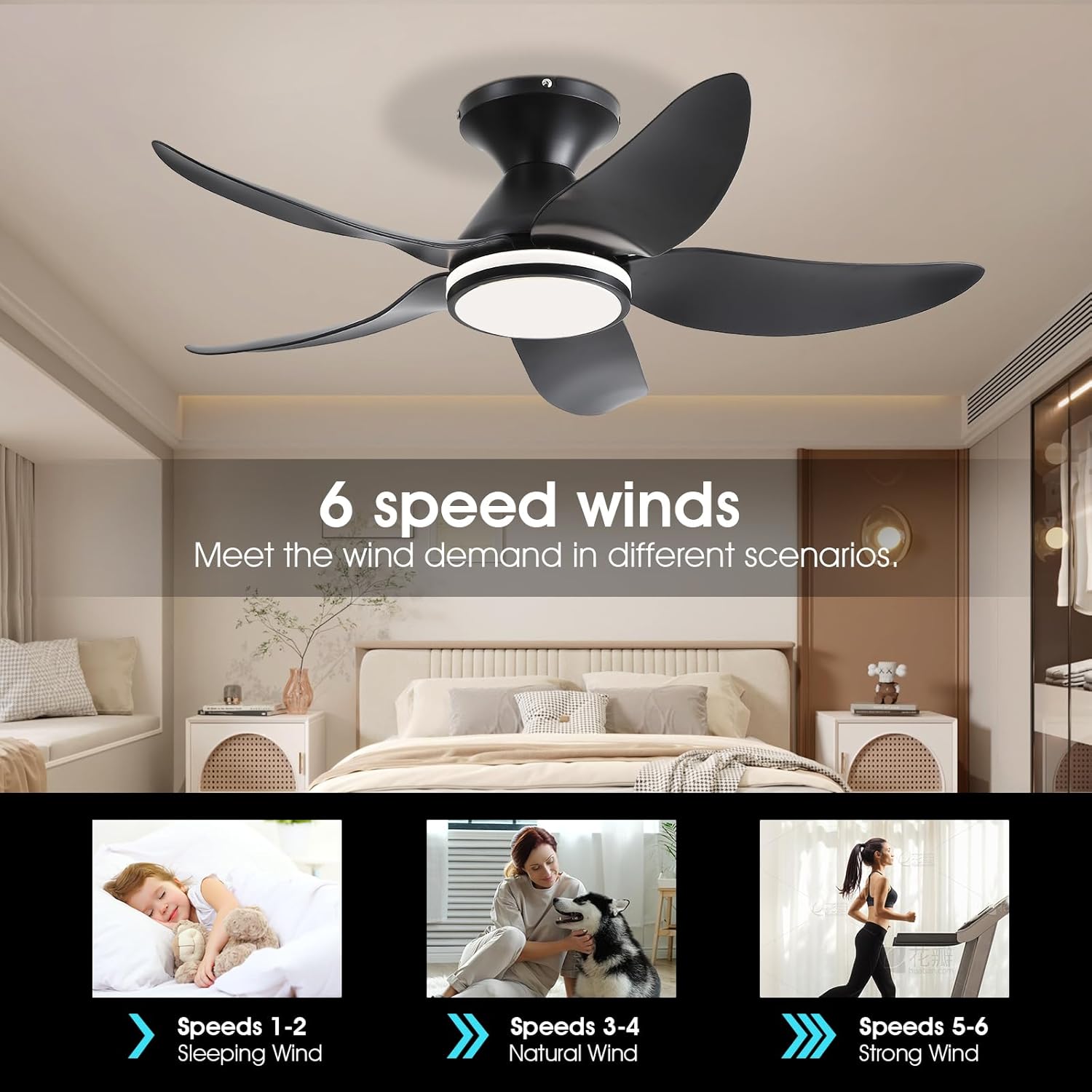
Figure 9: Dimmable and Color Temperature Settings.

Figure 10: Side-Illuminated Lighting Options.
Isondlo
Ukunakekelwa okuvamile kuqinisekisa ukusebenza kahle futhi kwandisa ubude bempilo yefeni lakho losilingi.
- Ukuhlanza: Periodically clean the fan blades and light fixture with a soft, damp indwangu. Ungasebenzisi izihlanzi ezirhabaxa noma izinyibilikisi, njengoba lokhu kungalimaza isiphetho noma izingxenye zikagesi.
- Ukuhlola Ukuqina: Annually check all mounting hardware and blade attachment screws for tightness. Loose connections can cause wobbling or noise.
- Akukho Lubrication edingekayo: The fan's motor is permanently lubricated and does not require additional oiling.
Ukuxazulula inkinga
If you experience issues with your Kviflon ceiling fan, consult the following common problems and solutions:
| Inkinga | Imbangela Engenzeka | Isixazululo |
|---|---|---|
| Umlandeli akaqali | No power to the fan; Remote control battery low or dead; Incorrect wiring. | Check circuit breaker/fuse; Replace remote battery; Verify wiring connections as per manual. |
| Ukukhanya akusebenzi | No power to the light; Incorrect light setting; Damaged LED lens. | Check power supply; Ensure light is turned on via remote/app; Contact customer service for replacement if LED is faulty. |
| Umlandeli uyavevezela | Izikulufo ze-blade ezixekethile; ama-blades angalingani; Abakaki abakhwezayo abaxegayo. | Tighten all blade screws; Use a balancing kit (not included) if necessary; Ensure mounting bracket is securely fastened to the ceiling. |
| Isilawuli kude asiphenduli | Low or dead battery; Remote not paired with receiver. | Replace remote battery; Refer to the manual for remote pairing instructions. |
| Ifeni inomsindo | Izikulufo ezixegayo; I-motor hum; Ama-blades ashaya isithiyo. | Check and tighten all screws; Ensure no wires are rubbing against the fan body; Verify blades are clear of obstructions. |
Iwaranti kanye Nokusekela
For specific warranty terms and conditions, please refer to the warranty card included with your product. Kviflon is committed to providing high-quality products and customer satisfaction.
For technical assistance, troubleshooting beyond this manual, or to inquire about replacement parts, please contact Kviflon customer service. Contact information can typically be found on the product packaging or the official Kviflon webindawo.