
1. Isingeniso
The Lanaform WL-100C is a versatile device designed to enhance your sleep and wake-up experience through light and sound simulation. It functions as a smart alarm clock, a bedside lamp, and a sleep aid, offering both sunrise and sunset simulations. This manual provides detailed instructions for setting up, operating, and maintaining your WL-100C device.

Image 1.1: Lanaform WL-100C device with its mobile application interface.
2. Ulwazi Lokuphepha
- Funda yonke imiyalelo ngaphambi kokuyisebenzisa futhi uyigcine ukuze uyisebenzise esikhathini esizayo.
- Do not immerse the device or power adapter in water or other liquids.
- Sebenzisa kuphela i-adaptha yamandla enikeziwe.
- Gcina idivayisi ikude nemithombo yokushisa kanye nokukhanya kwelanga okuqondile.
- Ungazami ukuqaqa noma ukulungisa idivayisi ngokwakho. Xhumana nabasebenzi besevisi abaqeqeshiwe.
- Qinisekisa ukuthi idivayisi ibekwe endaweni ezinzile, eyisicaba.
3. Okuqukethwe Kwephakheji
Qinisekisa ukuthi zonke izinto zikhona kuphakheji:
- Lanaform WL-100C Smart Sunrise & Sunset Simulator
- I-adaptha yamandla
- Incwadi Yomsebenzisi (le dokhumenti)
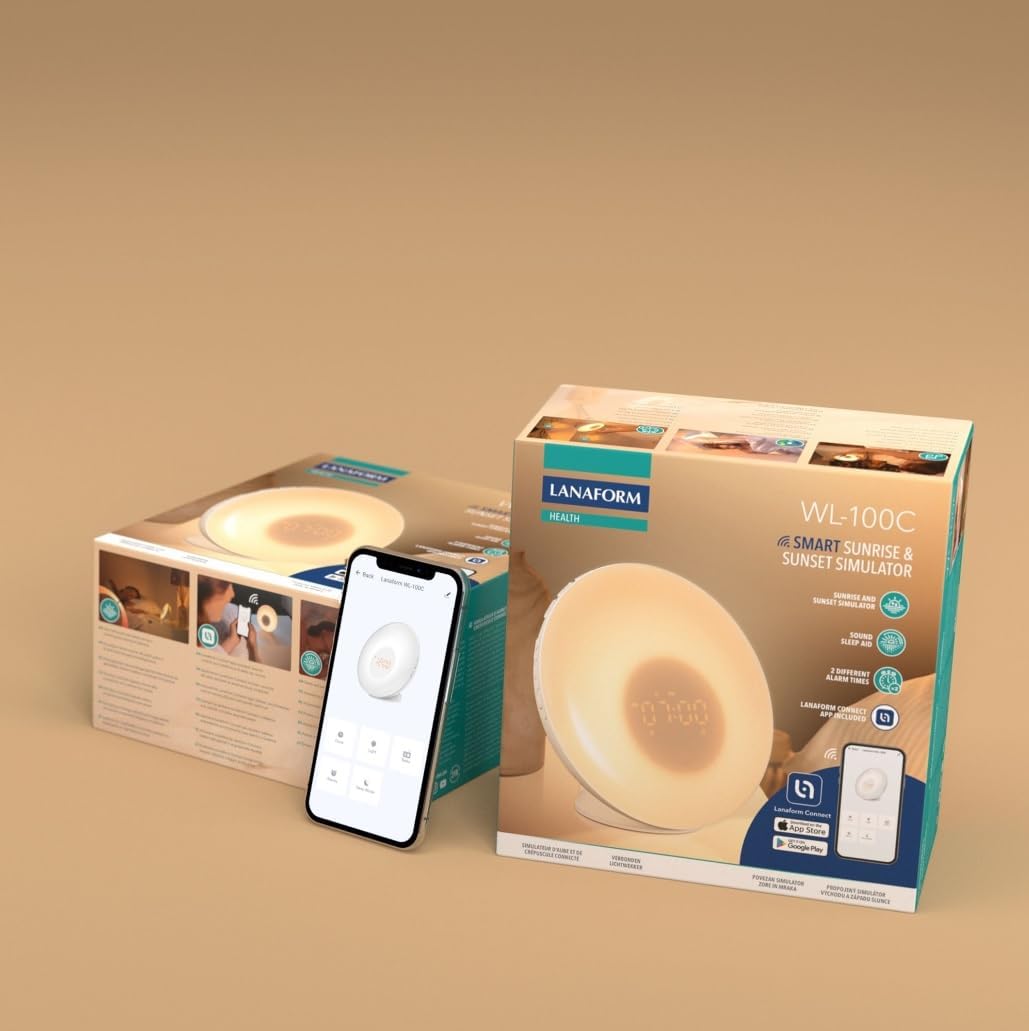
Image 3.1: The Lanaform WL-100C device and its packaging.
4. Idivayisi Ngaphezuluview
The WL-100C features an intuitive design with accessible controls and a clear display. Familiarize yourself with the main components:
- Iphaneli yangaphambili: Light panel, digital time display.
- Izinkinobho Eziphezulu: Control various functions such as time setting, alarm activation, light intensity, sound selection, and FM radio.
- Iphaneli Yasemuva: Power input, USB charging port, FM antenna.
Isithombe 4.1: Ngaphambili view of the Lanaform WL-100C device.
5. Setha
5.1 Ukuxhuma Amandla
- Connect the power adapter to the DC input port on the rear of the WL-100C.
- Plug the adapter into a standard wall outlet. The device will power on and the display will illuminate.
5.2 App Installation (Lanaform Connect)
For advanced features and convenient control, download the Lanaform Connect application:
- Scan the QR code provided in the packaging or search for "Lanaform Connect" on the Apple App Store or Google Play Store.
- Faka uhlelo lokusebenza ku-smartphone yakho.
5.3 Ukumatanisa kwe-Bluetooth
To connect the device to the Lanaform Connect app:
- Qinisekisa ukuthi i-Bluetooth ivuliwe ku-smartphone yakho.
- Open the Lanaform Connect app.
- Follow the in-app instructions to discover and pair with your WL-100C device. The device name will typically appear as "Lanaform WL-100C".

Image 5.1: Controlling the WL-100C via the Lanaform Connect mobile application.
6. Iziqondiso Zokusebenza
6.1 Isikhathi Sokusetha
The time can be set manually using the device buttons or automatically via the Lanaform Connect app after pairing.
6.2 Sunrise Simulation (Wake-up Light)
The sunrise simulation gradually increases light intensity over 30 minutes before your set alarm time, transitioning to a bright yellow light to simulate natural dawn.
- Ukwenza kusebenze: Enable this feature through the alarm settings on the device or via the app.
- Ubude besikhathi: Fixed at 30 minutes prior to the alarm.
6.3 Sunset Simulation (Sleep Aid)
The sunset simulation gradually decreases light intensity, promoting a peaceful transition to sleep. You can set the duration for 15, 30, or 60 minutes.
- Ukwenza kusebenze: Select the sunset mode on the device or through the app.
- Ubude besikhathi: Choose 15, 30, or 60 minutes for the light to dim completely.
6.4 Izilungiselelo ze-alamu
The WL-100C supports two customizable alarms.
- Ukusetha ama-alamu: Use the dedicated alarm buttons on the device or the alarm section in the Lanaform Connect app to set desired wake-up times.
- Izinketho Zomsindo: Choose from 6 neutral sounds or select an FM radio station as your alarm sound.
- Ivolumu: Adjust the alarm volume to your preference.
6.5 Ukusebenza komsakazo we-FM
The integrated FM radio can be used as an alarm sound or for general listening.
- Ukushuna: Use the radio function buttons to scan for and save FM stations.
- I-Antenna: Ensure the FM antenna on the rear of the device is extended for optimal reception.
6.6 Bedside Lamp Umsebenzi
The device can be used as a regular bedside lamp with adjustable brightness and color temperature.
- Ukukhanya: Adjust light intensity using the dedicated light control buttons or the app.
- Umbala: Customize light colors and ambiances via the Lanaform Connect app.
Umsebenzi we-6.7 Snuza
When an alarm sounds, press the Snooze button (usually located on top of the device) to temporarily pause the alarm and extend your sleep for a short period (e.g., 9 minutes). The alarm will sound again after the snooze period.
6.8 Imbobo yokushaja ye-USB
A USB port is available on the rear of the device for charging external devices like smartphones.
- Connect your device's USB charging cable to the WL-100C's USB port.
- Ensure the WL-100C is powered on for charging functionality.
6.9 App Control vs. Manual Control
All primary functions of the WL-100C can be controlled manually using the buttons on the device. For more detailed customization, such as specific light ambiances, advanced alarm scheduling, and sound selection, the Lanaform Connect application offers a comprehensive interface.

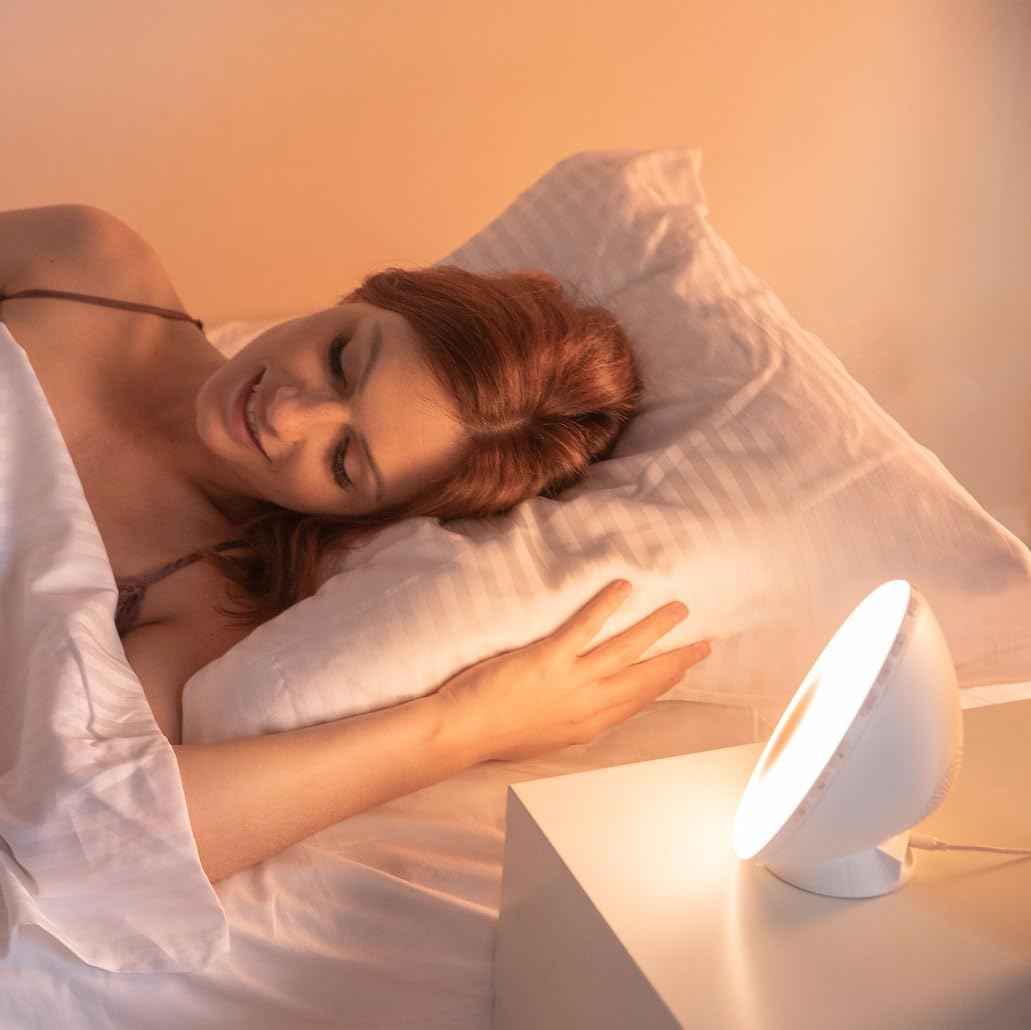
Isithombe 6.1: Phezuview of the WL-100C's multiple functions and customizable experience.
7. Isondlo
7.1 Ukuhlanza
- Ngaphambi kokuhlanza, khipha idivayisi ku-outlet yamandla.
- Sula ingaphandle ngendwangu ethambile, eyomile.
- Ungasebenzisi izinto zokuhlanza abrasive, izinyibilikisi, noma amakhemikhali anokhahlo.
7.2 Isitoreji
If storing the device for an extended period, unplug it and keep it in a cool, dry place, away from direct sunlight and moisture.
8. Ukuxazulula izinkinga
| Inkinga | Imbangela Engenzeka | Isixazululo |
|---|---|---|
| Idivayisi ayivuli. | I-adaptha yamandla ayixhunyiwe noma ayisebenzi kahle. | Ensure the power adapter is securely plugged into the device and a working outlet. Try a different outlet. |
| I-alamu ayizwakali. | I-alamu ayisebenzi noma ivolumu ayiphansi kakhulu. | Check alarm settings on the device or app. Increase alarm volume. |
| Sunrise/Sunset simulation not working. | Feature not enabled or incorrect settings. | Verify that the simulation is enabled and configured correctly in the alarm or sleep settings. |
| Cannot connect to Lanaform Connect app. | Bluetooth is off or device is out of range. | Ensure Bluetooth is enabled on your smartphone. Bring the device closer to your phone. Restart both the app and the device. |
| Ukwemukelwa kahle komsakazo we-FM. | I-Antenna ayinwetshiwe noma ayibonakali ibuthakathaka. | Fully extend the FM antenna. Try repositioning the device for better signal. |
9. Imininingwane
- Inombolo Yemodeli: 1625
- Ubukhulu bomkhiqizo (L x W x H): 17.5 x 8.5 x 17.5 cm
- Isisindo: awu 400g
- Umthombo wamandla: AC/DC Adapter (Input: 100-240V, Output: 5V)
- Ukuxhumana: I-Bluetooth
- Izici: Sunrise/Sunset Simulation, 2 Alarms, FM Radio, 6 Natural Sounds, Snooze Function, USB Charging Port, Bedside Lamp
- Umkhiqizi: Lanaform
- Izwe azalelwe kulo: EBelgium
10. Ulwazi Lwewaranti
Lanaform products are manufactured to high-quality standards. For detailed warranty terms and conditions, please refer to the official Lanaform website or the warranty card included with your purchase. Keep your proof of purchase for any warranty claims.
11. Ukusekela
For further assistance, technical support, or inquiries regarding your Lanaform WL-100C, please visit the official Lanaform website or contact their customer service department. Contact details can typically be found on the Lanaform webindawo noma emaphaketheni omkhiqizo wakho.
Webindawo: www.lanaform.com