
Isingeniso
This manual provides detailed instructions for the installation, operation, and maintenance of your Cooler Master MasterLiquid Atmos 360 Black CPU Liquid Cooler. This all-in-one (AIO) water cooling system is designed to deliver efficient thermal performance for your CPU, featuring a dual-chamber pump, pre-installed SickleFlow 120 Edge fans, and Addressable Gen 2 RGB lighting.
The MasterLiquid Atmos 360 is compatible with a wide range of Intel LGA (1700/1200/1151/1150/1155/1156) and AMD (AM5/AM4) sockets.

Image: The Cooler Master MasterLiquid Atmos 360 Black CPU Liquid Cooler, showcasing its radiator, three RGB fans, and illuminated pump head.
Okuqukethwe Kwephakheji
Ngaphambi kokuqala ukufaka, sicela uqinisekise ukuthi zonke izingxenye zikhona ephaketheni:
- 360mm Radiator with pre-installed SickleFlow 120 Edge Fans
- Iyunithi Yebhulokhi Yamanzi/Yephampu Ye-CPU
- Mounting Hardware for Intel LGA 1700/1200/115x sockets
- Mounting Hardware for AMD AM5/AM4 sockets
- I-Thermal Paste
- ARGB Gen 2 Controller (if included)
- Various Cables (PWM fan cables, ARGB cables)
- Imaniwali yosebenzisayo

Isithombe: A olunzulu view of all included components for the MasterLiquid Atmos 360, including the radiator, fans, pump, mounting brackets, and accessories.
Ukusetha nokufaka
Follow these steps carefully to install your liquid cooler. Refer to your motherboard and PC case manuals for specific guidance on component placement and cable routing.
1. Lungisa i-CPU Socket
- Identify your CPU socket type (Intel LGA or AMD AM).
- Install the appropriate backplate (for Intel) or retention clips (for AMD) as per the included hardware guide.
- Hlanza indawo ye-CPU nge-isopropyl alcohol ukuze ususe noma yikuphi ukusalela.
2. Apply Thermal Paste
- Apply a small, pea-sized amount of the included thermal paste to the center of your CPU's integrated heat spreader (IHS).
- Do not spread the paste manually; the pressure from the cold plate will distribute it evenly.
3. Install the Radiator and Fans
- Nquma indawo efanele yokufaka i-radiator engu-360mm esikhwameni se-PC yakho (ngokuvamile phezulu noma ngaphambili).
- Secure the radiator to the case using the provided screws. The SickleFlow Edge fans are pre-installed on the radiator for convenience.
4. Mount the Pump/Cold Plate
- Attach the correct mounting brackets to the pump unit for your CPU socket.
- Carefully place the pump/cold plate assembly onto the CPU, aligning the mounting holes.
- Secure the pump unit with the appropriate screws, tightening them in a diagonal pattern until snug. Do not overtighten.
5. Xhuma Izintambo
- Connect the pump's 3-pin power cable to an available CPU_FAN or AIO_PUMP header on your motherboard.
- Connect the PWM fan cables from the SickleFlow Edge fans to the CPU_FAN or other available fan headers on your motherboard. It is recommended to connect them to a single header using a splitter if necessary, to ensure synchronized fan speed control.
- Connect the ARGB cables from the pump and fans to an Addressable Gen 2 RGB header on your motherboard (5V-D-G) or to the included ARGB controller.

Image: The assembled MasterLiquid Atmos 360, showing the radiator, fans, and pump unit connected by tubing.
Imiyalelo yokusebenza
Amandla Okuqala Avuliwe
After installation, power on your system. The pump and fans should begin operating. Monitor your CPU temperatures using system monitoring software to ensure proper function.
Ukulawulwa Kokukhanyisa kwe-RGB
The MasterLiquid Atmos 360 features Addressable Gen 2 RGB lighting on both the pump and fans. You can control the lighting effects through several methods:
- Ukuvumelanisa Kwebhodi Lomama: If connected to a compatible ARGB motherboard header, use your motherboard's RGB software (e.g., ASUS Aura Sync, MSI Mystic Light, Gigabyte RGB Fusion, ASRock Polychrome Sync) to customize lighting.
- Included ARGB Controller: If an ARGB controller is included, use its physical buttons to cycle through pre-set lighting modes and colors.
- Cooler Master MasterCTRL/MasterPlus Software: Download and install Cooler Master's MasterCTRL or MasterPlus software for advanced customization of lighting effects and device performance.
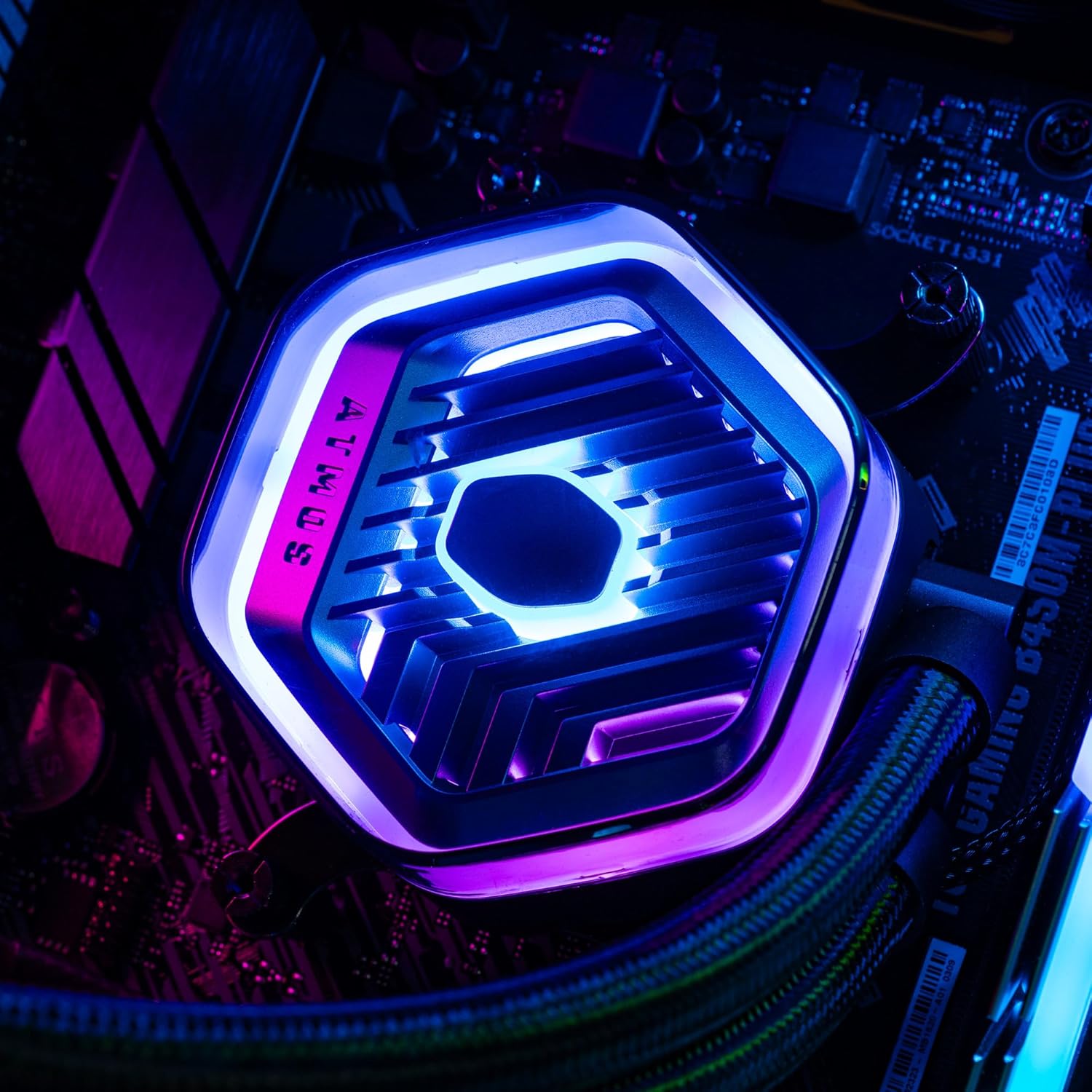
Isithombe: A enemininingwane view of the MasterLiquid Atmos pump head, showcasing its unique design and customizable RGB illumination.
Ukulawula Isivinini Sabalandeli
The SickleFlow Edge fans are PWM (Pulse Width Modulation) controlled. Their speed can be managed via your motherboard's BIOS/UEFI settings or through motherboard-specific software. Adjust fan curves to balance cooling performance and noise levels according to your preferences.
Isondlo
Ukugcinwa njalo kusiza ukuqinisekisa ukusebenza kahle kanye nobude besikhathi se-cooler yakho yoketshezi.
- Ukuhlanza Uthuli: Hlanza uthuli ngezikhathi ezithile emaphikweni e-radiator kanye nakuma-fan blades usebenzisa umoya ocindezelwe noma ibhulashi elithambile. Qinisekisa ukuthi uhlelo lucinyiwe ngaphambi kokuhlanza.
- Ukuhlola Okubonakalayo: Occasionally inspect the tubing and connections for any signs of leaks or damage. While AIO coolers are sealed systems, a quick visual check can prevent potential issues.
- Izibuyekezo zesofthiwe: Keep your Cooler Master MasterCTRL/MasterPlus software and motherboard BIOS/UEFI updated to ensure compatibility and access to the latest features and performance optimizations.
Ukuxazulula inkinga
If you encounter issues with your MasterLiquid Atmos 360, refer to the following common troubleshooting steps:
Amazinga Okushisa aphezulu e-CPU
- Check Pump Connection: Ensure the pump's power cable is securely connected to the correct motherboard header (CPU_FAN or AIO_PUMP) and receiving power.
- Qinisekisa Ukusebenza kwabalandeli: Confirm that all radiator fans are spinning. Check their connections to the motherboard or fan controller.
- I-Thermal Paste: Ensure thermal paste was applied correctly and the cold plate has good contact with the CPU. Re-apply if necessary.
- Ukungena komoya: Check your PC case's overall airflow. Ensure radiator fans are oriented correctly for intake or exhaust as desired.
Ukukhanyisa kwe-RGB Akusebenzi
- Ukuxhumeka kwe-ARGB: Verify that the ARGB cables are correctly connected to a 5V-D-G header on your motherboard or the ARGB controller. Ensure it is not connected to a 12V RGB header, which can damage the LEDs.
- Isoftware: Check your motherboard's RGB software or Cooler Master's MasterCTRL/MasterPlus software for lighting settings. Ensure the lighting is enabled and configured.
- Amandla Okulawula: If using an external ARGB controller, ensure it is receiving power (usually via SATA power connector).
Unusual Pump Noise
- Amabhamuza Omoya: New AIOs may have some air bubbles that can cause gurgling noises initially. These usually dissipate within a few hours of operation. Gently tilt your PC case to help move air bubbles to the radiator.
- Ukukhweza: Ensure the pump is securely mounted and not vibrating against other components.
If problems persist, please contact Cooler Master customer support.
Imininingwane
| Isici | Ukucaciswa |
|---|---|
| Inombolo Yemodeli | MLX-D36M-A25PZ-R1 |
| Ubukhulu bomkhiqizo (L x W x H) | 15.51" x 4.71" x 1.07" (394 x 119.6 x 27.2 mm) |
| Indlela Yokupholisa | Uketshezi (Konke-Kunye) |
| Amadivayisi Ahambisanayo | Ideskithophu, Iseva |
| Amasokhethi Ahambisanayo | Intel LGA 1700/1200/1151/1150/1155/1156, AMD AM5/AM4 |
| Izinga Lomsindo | 27.2 Decibels (Fan) |
| Maximum Rotational Speed (Fan) | 2500 RPM |
| Air Flow Capacity (Fan) | 70.7 CFM |
| Okubalulekile | I-Aluminium (I-Radiator) |
| Uhlobo Lwesixhumi Samandla | Amaphini ama-3 (Iphampu), amaphini ama-4 e-PWM (Abalandeli) |
| Voltage | 12 volts |
| Wattage | 3.6 watts |
| Isisindo sento | 1.42 kg |
Ulwazi Lwewaranti
The Cooler Master MasterLiquid Atmos 360 Black CPU Liquid Cooler comes with a Iwaranti Yonyaka ongu-5 kusukela ngedethi yokuthenga. Lesi siqinisekiso sihlanganisa amaphutha ezintweni zokwakha kanye nokusebenza ngaphansi kokusetshenziswa okuvamile.
For warranty claims or detailed terms and conditions, please retain your proof of purchase and visit the official Cooler Master webisayithi noma uxhumane nokwesekwa kwamakhasimende abo.
Ukusekela
For further assistance, technical support, or to download the latest software and drivers, please visit the official Cooler Master webindawo:
You may also find helpful resources, FAQs, and community forums on their support pages.