
TEYES CC3 2K
TEYES CC3 2K Car Multimedia System User Manual
For Toyota Hilux Pick Up AN120 (2015-2020) Right Hand Drive Models
Isaziso Esibalulekile
This product is designed exclusively for Right Hand Drive Toyota Hilux Pick Up AN120 models manufactured between 2015 and 2020. It is not compatible with Left Hand Drive vehicles.

Image: Incompatibility warning for Left Hand Drive vehicles. The system is only for Right Hand Drive models.
Okuqukethwe Kwephakheji
Qinisekisa ukuthi zonke izinto ezibalwe ngezansi zifakiwe kuphakheji yakho:
- 1* Head unit (TEYES CC3 2K)
- 1* Ikhebula le-USB
- 1* GPS antenna
- 1* AUX cable
- 1* 4G WiFi antenna
- 1* E-book (digital manual)
- 1* Frame (OEM Panel)
- 1* Ikhebula lamandla
- 1* AHD 1080p rear camera
- Izikulufu & I-Screwdriver
- Audio & Video harness + RCA
- Indwangu yokuhlanza
- Umdwebo wezintambo

Image: Visual representation of the TEYES CC3 2K package contents, including the head unit, cables, and accessories.
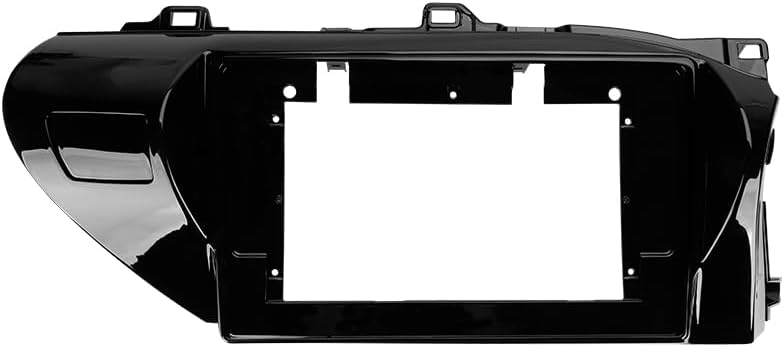
Image: The OEM panel frame, designed to integrate the head unit seamlessly into the Toyota Hilux dashboard.
Imininingwane
| Isici | Imininingwane |
|---|---|
| Inombolo Yemodeli | CC3 2K |
| Usayizi Wokubonisa | 10.36 amayintshi |
| Imemori (RAM) | 6 GB |
| Isitoreji (ROM) | 128 GB |
| Isistimu esebenzayo | Android |
| Iphrosesa | 8 Cores 2.0GHz |
| Ukuxhumana | Bluetooth, USB, WiFi, 4G Hotspot |
| Izici ezikhethekile | Touchscreen, Wireless CarPlay, Android Auto, RDS, DSP (ADAU1701 + ROHM32107), Optical/Coaxial Digital Audio Output |
| Uhlobo Lwemephu | North America (pre-installed) |
| Imodi Yokukhipha Umsindo | Isitiriyo |
| Uhlobo Lwezinsizakalo Zezimoto | Car (Toyota Hilux AN120 2015-2020 RHD) |
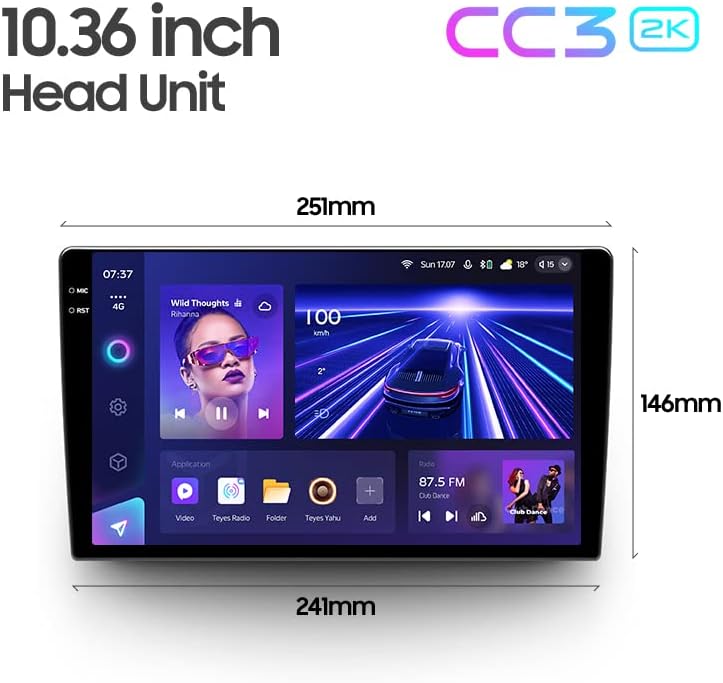
Image: Dimensions of the 10.36-inch TEYES CC3 2K head unit, providing measurements for installation planning.
Ukusetha nokufaka
Professional installation is highly recommended for this car multimedia system. Incorrect installation can lead to damage to the unit or your vehicle's electrical system.
Ukuhlola Ngaphambi Kokufaka:
- Qinisekisa ukuthi ukuthungela kwemoto kuvaliwe nebhethri linqanyuliwe.
- Qinisekisa ukuthi konke okuqukethwe kwephakheji kukhona.
- Review the provided wiring diagram thoroughly.
Izinyathelo Zokufaka (Okuvamile):
- Carefully remove the original car radio and dashboard trim.
- Connect the power cable, GPS antenna, 4G WiFi antenna, and other necessary harnesses to the TEYES CC3 2K head unit according to the wiring diagram.
- Install the AHD 1080p rear camera (if applicable) and route its cable to the head unit.
- Mount the TEYES CC3 2K head unit into the OEM panel frame.
- Secure the assembly into the dashboard opening.
- Reconnect the vehicle battery and test the system before fully reassembling the dashboard trim.
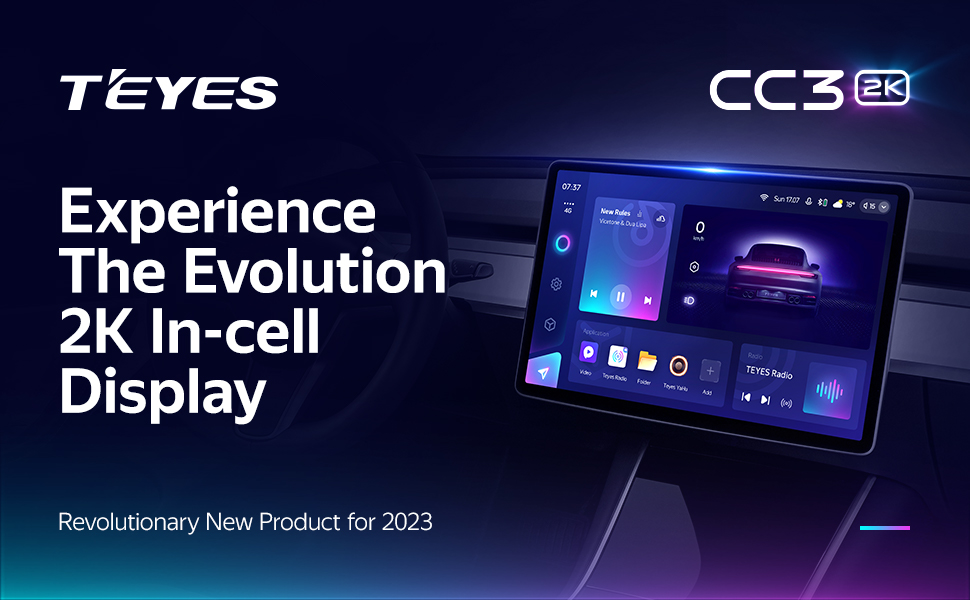
Image: Visual comparison of the car interior before and after the TEYES CC3 2K system installation, demonstrating seamless integration.
Imiyalelo yokusebenza
Lesi sigaba sinikeza i-overview of the main functions and how to operate your TEYES CC3 2K system.
Power On/Off and Basic Navigation:
Press the power button to turn the unit on or off. Use the touchscreen to navigate through the Android interface. Swipe gestures and taps are used for app selection and menu navigation.
Isibonisi kanye ne-User Interface:
The 2K In-cell Display offers vivid colors and sharp resolution. You can customize the user interface with various color styles to match your preference.

Isithombe: Examples of various customizable color styles and themes for the system's user interface.
Connectivity (CarPlay, Android Auto, Bluetooth, 4G, WiFi):
- I-Wireless CarPlay ne-Android Auto: Connect your compatible smartphone wirelessly for seamless integration of navigation, music, and communication apps.
- I-Bluetooth: Pair your phone for hands-free calling and audio streaming. The upgraded QCC3031QFN Qualcomm module ensures stable connection.
- 4G Internet: Insert a SIM card (not included) into the designated slot to enable 4G internet access directly on the head unit.
- I-WiFi: Connect to a local WiFi hotspot for internet access.
Izici zomsindo:
The system features dual DSP (ADAU1701 + ROHM32107) for enhanced audio processing.
- 27-Segment EQ: Fine-tune your audio output with the comprehensive 27-segment equalizer.
- Optical and Coaxial Digital Audio Output: For high-fidelity audio systems, connect via digital outputs.
- Sound Filtering: Adjust sound filters for optimal audio quality.

Image: Digital Sound Processor (DSP) interface for advanced audio adjustments.
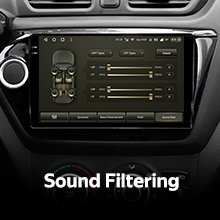
Image: The 27-segment Equalizer (EQ) for precise sound customization.

Image: Settings for optical and coaxial digital audio output, enabling connection to external high-quality audio systems.
Ukulawula Isondo Lokuqondisa:
The system supports original car steering wheel buttons. You can configure these buttons to control various functions of the multimedia system.

Image: Steering wheel controls, demonstrating the system's ability to integrate with existing vehicle buttons.
Ukudluliswa Kwedatha ye-USB:
The unit provides multiple USB outputs for high-speed data transmission, allowing connection of USB drives for media playback or other peripherals.

Image: Multiple USB outputs for connecting external devices and high-speed data transfer.
Imodi yokuhlukanisa isikrini:
Utilize the split-screen feature to run two applications simultaneously, such as navigation and media playback.
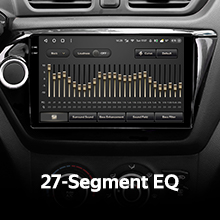
Image: Split-screen functionality, allowing two applications to be viewed concurrently on the display.
Ngemuva View Ikhamera:
The included AHD 1080p rear camera provides real-time viewing of the vehicle's rear. The system also supports video recording from the camera.

Image: Real-time display of the rear view camera feed, assisting with parking and maneuvering.
Isondlo
Ukuhlanza Isibonisi:
Use the provided cleaning cloth or a soft, lint-free cloth to gently wipe the screen. Avoid using harsh chemicals or abrasive materials that could damage the display.
Izibuyekezo zesofthiwe:
Periodically check for software updates through the system settings or the official TEYES webindawo yokuqinisekisa ukusebenza kahle nokufinyelela ezicini ezintsha.
Ukuxazulula inkinga
If you encounter issues with your TEYES CC3 2K system, refer to the following common solutions. For more detailed troubleshooting, consult the included e-book.
Izinkinga Ezivamile Nezixazululo:
- Awekho Amandla: Check all power connections and fuses. Ensure the vehicle battery is properly connected.
- Awukho Umsindo: Verify speaker connections, volume settings, and audio output selections. Check if the mute function is active.
- Ukulahlekelwa Kwesignali ye-GPS: Qinisekisa ukuthi uthi lwe-GPS lufakwe kahle futhi lucacile view wesibhakabhaka.
- Isikrini esithintwayo asiphenduli: Try restarting the unit. If the issue persists, a factory reset might be necessary (note: this will erase user data).
- Bluetooth/WiFi Connection Issues: Ensure the respective modules are enabled in settings. Try re-pairing devices or reconnecting to networks.
If these steps do not resolve the problem, please contact customer support.
Ulwazi Lwewaranti
The TEYES CC3 2K Car Multimedia System comes with a Iwaranti yonyaka ongu-1 from the date of purchase. This warranty covers manufacturing defects and malfunctions under normal use. It does not cover damage caused by improper installation, misuse, accidents, or unauthorized modifications.
Sicela ugcine ubufakazi bakho bokuthenga izimangalo zewaranti.
Ukwesekwa Kwamakhasimende
For further assistance, technical support, or warranty inquiries, please contact TEYES customer service through their official webisayithi noma imininingwane yokuxhumana enikeziwe ngokuthenga kwakho.
When contacting support, please have your product model (CC3 2K) and purchase details ready.
Ask a question about this manual
Ask about setup, troubleshooting, compatibility, parts, safety, or missing instructions. Manuals+ will review the question and use this page’s manual context to help answer it.