
1. Umkhiqizo Uphelileview
The Wokyo Portable Mini Projector (Model CA164965161) is a compact and lightweight device designed for displaying media from various sources. Its small form factor allows for easy portability, making it suitable for home cinema, outdoor viewing, or business presentations.
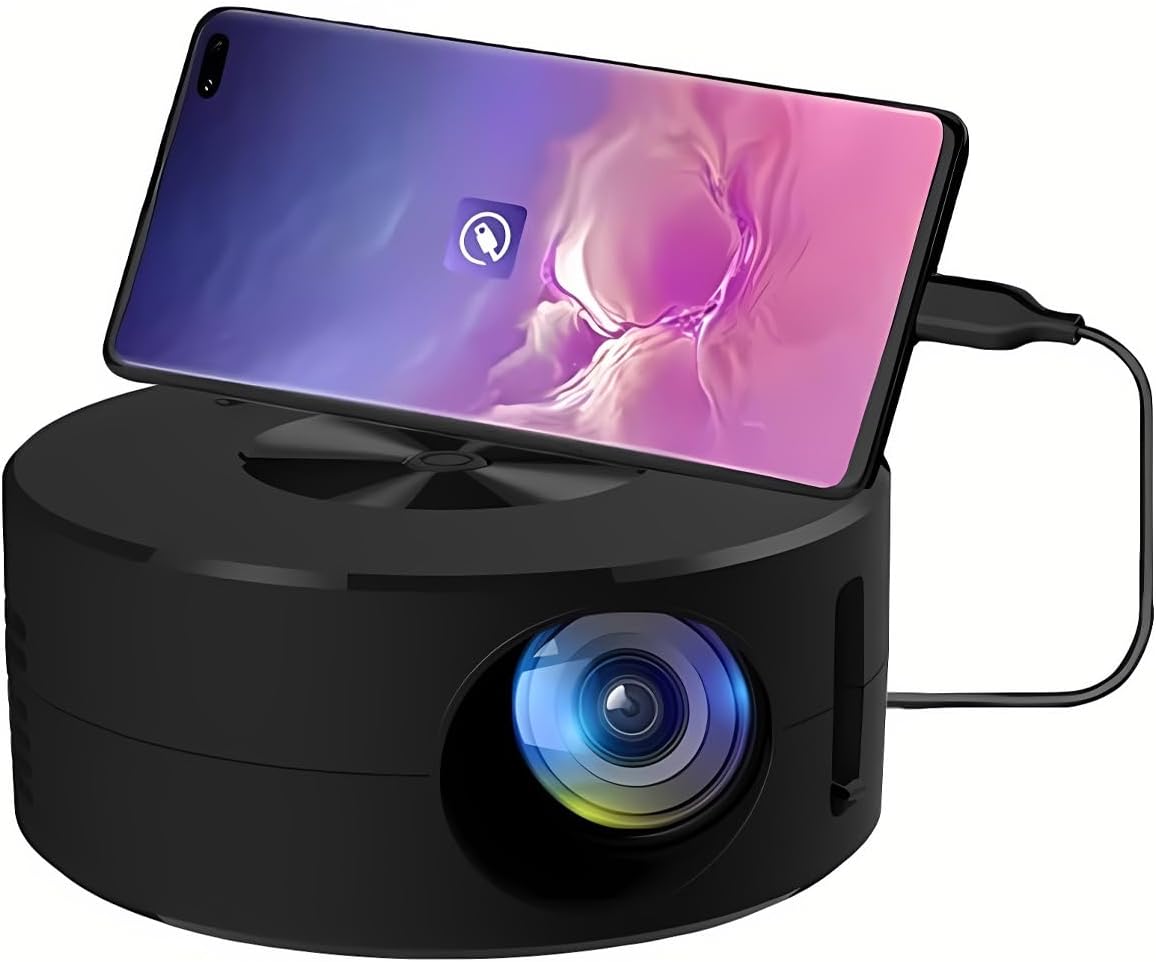
Isithombe 1.1: Ngaphambili view of the Wokyo Portable Mini Projector.
Key features of this projector include:
- Idizayini Ehlangene: Smaller than a typical smartphone, facilitating easy transport.
- I-Wired Screen Mirroring: Supports direct connection to mobile phones and tablets using their charging cables for screen display, eliminating the need for additional adapters.
- High Clarity Support: Capable of supporting resolutions up to 1920x1080p, providing clear image quality.
- Ukwakhiwa Okuqinile: Manufactured from environmentally friendly ABS material.
- Efficient Light Source: Utilizes an LCD light source for lower energy consumption and extended lifespan.
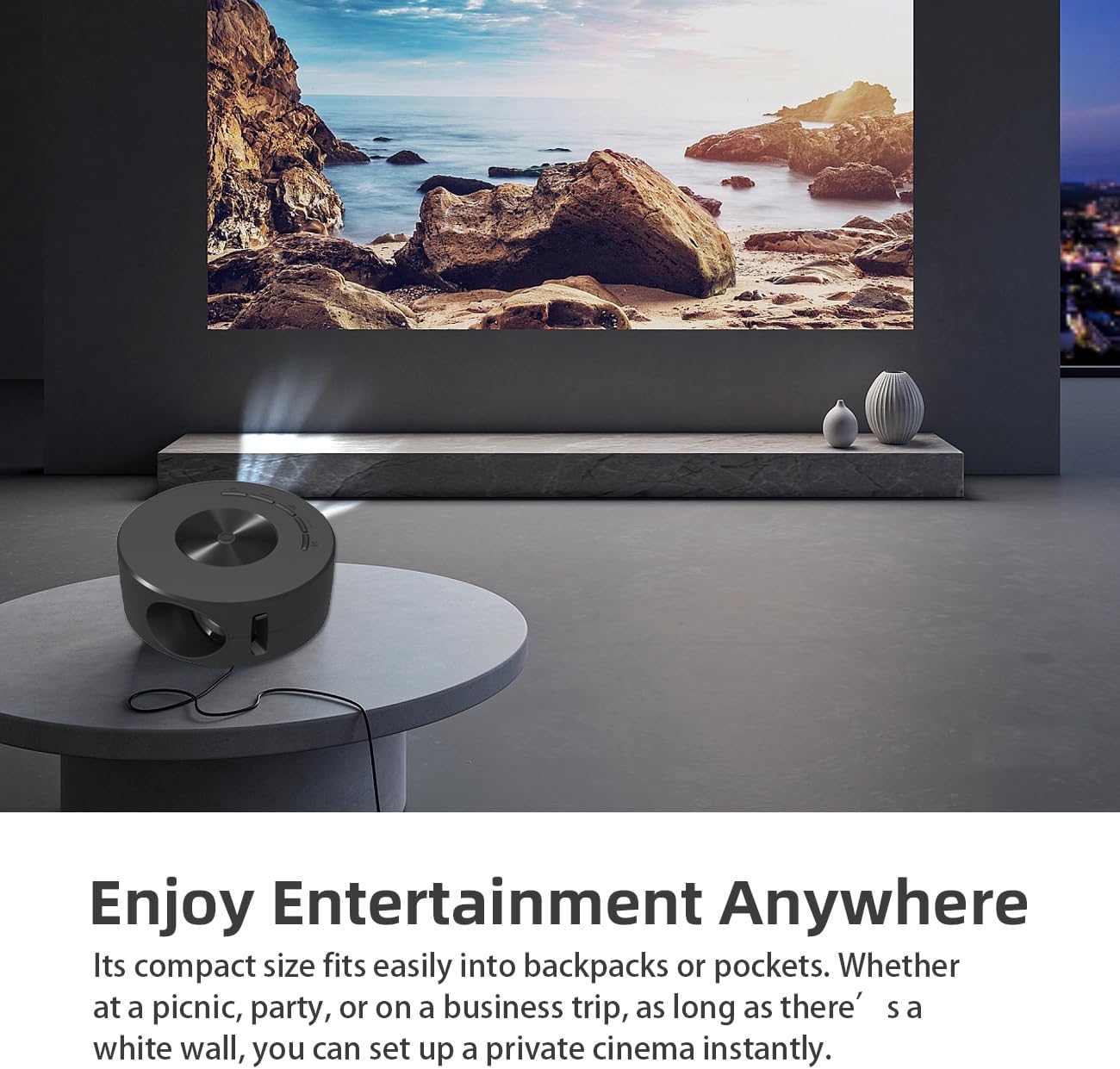
Image 1.2: Projector in use, demonstrating its compact size and projection capability.
2. Okuqukethwe Kwephakheji
Qinisekisa ukuthi zonke izinto ezibalwe ngezansi zifakiwe kuphakheji yomkhiqizo wakho:

Image 2.1: All items included in the Wokyo Portable Mini Projector package.
- Wokyo Portable Mini Projector
- Isilawuli kude
- Ikhebula le-USB
- Imaniwali yosebenzisayo
- Ibhokisi Lombala
- Ibhokisi Legwebu
- Parcel Bag
3. Ubukhulu bomkhiqizo
The projector features a compact design for portability.

Image 3.1: Product dimensions of the Wokyo Portable Mini Projector.
- Ububanzi: Approximately 4.33 inches (110mm)
- Ubude: Approximately 1.85 inches (47mm)
- Isisindo: Cishe ama-ounces angu-10.6
4. Ukusetha Kwasekuqaleni
4.1 Ukuxhuma Amandla
To power the projector, connect it to a suitable power source. The projector requires a 5V 2A power input.

Image 4.1: Power connection options for the projector.
- Ensure your power source (e.g., phone charger, power bank) provides at least 5V 2A output.
- Connect the provided USB cable to the projector's power input port.
- Connect the other end of the USB cable to your chosen power source.
- The projector will power on automatically or can be turned on using the power button.
4.2 Device Connection (Wired Screen Mirroring)
The projector supports wired screen mirroring from mobile phones and tablets using their standard charging cables.
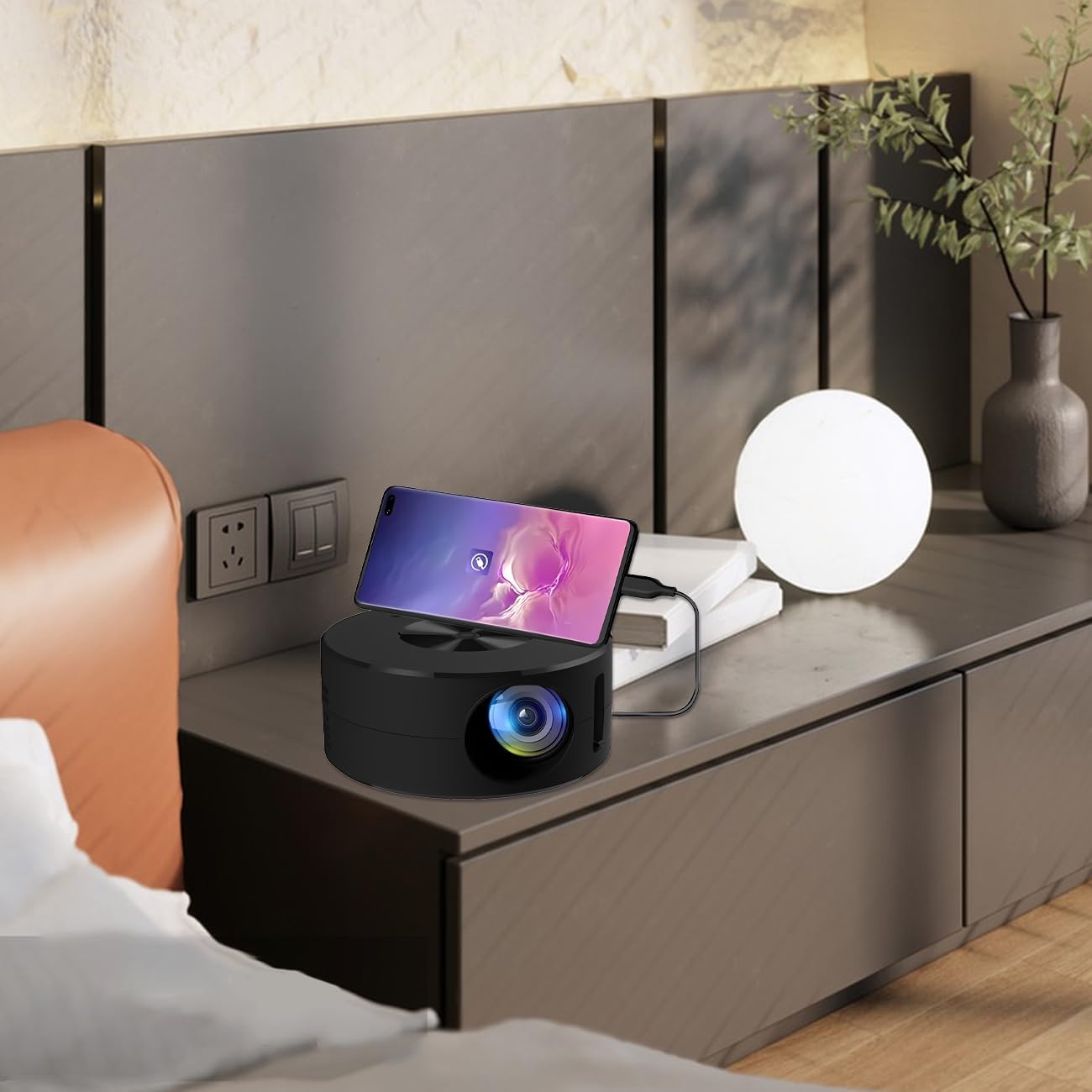
Image 4.2: Smartphone connected to the projector for wired screen mirroring.
- Connect your mobile phone or tablet to the projector using its original charging cable.
- The projector should automatically detect the connection and initiate screen mirroring.
- Follow any on-screen prompts on your device or the projector to confirm the connection.
5. Iziqondiso Zokusebenza
5.1 Basic Controls and Ports
Familiarize yourself with the projector's control buttons and input/output ports.

Isithombe 5.1: Phezuview of projector ports and controls.
- Inkinobho yamandla: Ivula/ivale iprojektha.
- Izinkinobho Zokuzulazula (Phezulu/Phansi/Kwesobunxele/Kwesokudla/Kulungile): Isetshenziselwa ukuzulazula kumamenyu nokuqinisekisa okukhethiwe.
- Imbobo ye-USB: Okokuxhuma isitoreji se-USB.
- Imbobo yehedisethi: Okokuxhuma amadivaysi omsindo angaphandle.
- Okokufaka kwe-IR: Ukwamukela amasignali avela kusilawuli kude.
- 5V 2A Okokufaka Amandla: Ukuxhuma ugesi.
- Isipikha se-Stereo esakhelwe ngaphakathi: Inikeza okukhipha umsindo.
5.2 Ukulungisa Ukugxila
To achieve a clear image, adjust the focus ring located around the projector lens. Rotate the ring until the projected image appears sharp.
5.3 Ukusebenzisa Isilawuli kude
The included remote control allows for convenient operation of the projector from a distance. Ensure the remote has batteries installed and is pointed towards the projector's IR sensor.
6. Isondlo
Ukugcinwa kahle kuqinisekisa ukuthi iphrojektha yakho ihlala isikhathi eside futhi isebenza kahle.
- Ukuhlanza Ilensi: Use a soft, lint-free cloth specifically designed for optical lenses. Avoid abrasive materials or harsh chemicals. Gently wipe the lens to remove dust or smudges.
- Ukuhlanza Ingaphandle: Wipe the projector's exterior with a soft, dry cloth. Do not use liquid cleaners directly on the device.
- Ukungenisa umoya: Ensure the projector's ventilation openings are not blocked during operation to prevent overheating.
- Isitoreji: When not in use, store the projector in a cool, dry place away from direct sunlight and excessive dust.
7. Ukuxazulula izinkinga
Bheka ithebula elilandelayo ngezinkinga ezivamile nezisombululo zazo.
| Inkinga | Imbangela Engenzeka | Isixazululo |
|---|---|---|
| Asikho isithombe esiveziwe | Power not connected; Input source not selected; Device not connected properly. | Ensure power is connected (5V 2A). Check device connection. Verify screen mirroring is active on your device. |
| Isithombe sifiphele | Ukugxila akulungisiwe. | Rotate the focus ring around the lens until the image is clear. |
| Awukho umsindo | Volume too low; External audio device connected; Device audio output settings. | Increase projector volume. Disconnect external audio devices if using internal speaker. Check audio settings on the connected source device. |
| Isilawuli kude asisebenzi | Batteries low/dead; Obstruction between remote and projector; Remote not pointed at IR sensor. | Replace remote batteries. Ensure clear line of sight to the projector's IR sensor. |
8. Imininingwane Yezobuchwepheshe
Detailed specifications for the Wokyo Portable Mini Projector.
| Isici | Ukucaciswa |
|---|---|
| Ibhrendi | Wokyo |
| Inombolo Yemodeli | I-CA164965161 |
| Isisindo sento | 10.6 amakhilogremu |
| Ubukhulu bomkhiqizo | 4.33 x 4.33 x 1.97 amayintshi |
| Umbala | Mnyama |
| Isici Esikhethekile | Ukuphatheka |
| Ubuchwepheshe bokuxhumana | I-Bluetooth |
| Display Resolution (Native) | 320 x 180 |
| Display Resolution (Maximum Supported) | 1920 x 1080 |
9. Iwaranti kanye Nokusekela
For warranty information or technical support, please refer to the contact details provided with your purchase documentation or visit the official Wokyo webindawo. Gcina irisidi lakho lokuthenga njengobufakazi bokuthenga izimangalo zewaranti.