
TEYES CC3 2K
TEYES CC3 2K Car Radio Multimedia System User Manual
Model: CC3 2K
Isingeniso
This manual provides comprehensive instructions for the installation, operation, and maintenance of your TEYES CC3 2K Car Radio Multimedia Video Player Navigation Stereo GPS Headunit. Please read this manual thoroughly before using the device to ensure proper functionality and safety.
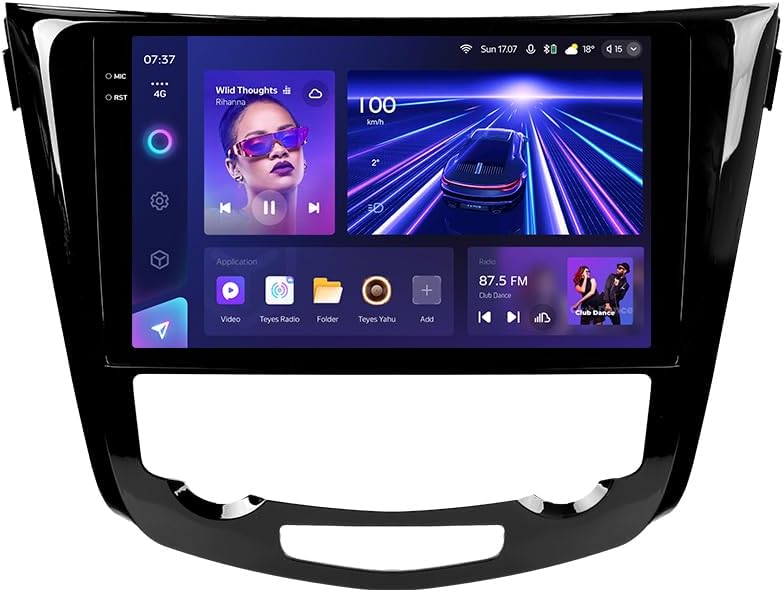
Isithombe: Ngaphambili view of the TEYES CC3 2K Car Radio Multimedia System, showcasing isibonisi sayo esikhulu kanye nomklamo omuhle.
Okuqukethwe Kwephakheji
Qinisekisa ukuthi zonke izinto ezibalwe ngezansi zifakiwe kuphakheji yakho. Uma kukhona izinto ezingekho noma ezilimele, sicela uxhumane nokwesekwa kwamakhasimende.
- 1x TEYES CC3 2K Head Unit
- 1x OEM Panel (Frame)
- 1x Ikhebula Lamandla
- 1x Ikhebula le-USB
- 1x i-GPS Antenna
- 1x Ikhebula le-AUX
- 1x 4G WiFi Antenna
- 1x AHD 1080p Rear Camera
- 1x E-book (Digital Manual)
- 1x Wiring Diagram
- 1x Indwangu Yokuhlanza
Ukusetha nokufaka
Professional installation is recommended for this device. Ensure the vehicle's battery is disconnected before beginning installation.
Ukuhambisana
This unit is designed for Nissan X-Trail 3 (T32) 2013-2022 and Qashqai 2 (J11) models. Please verify your vehicle's compatibility before installation.
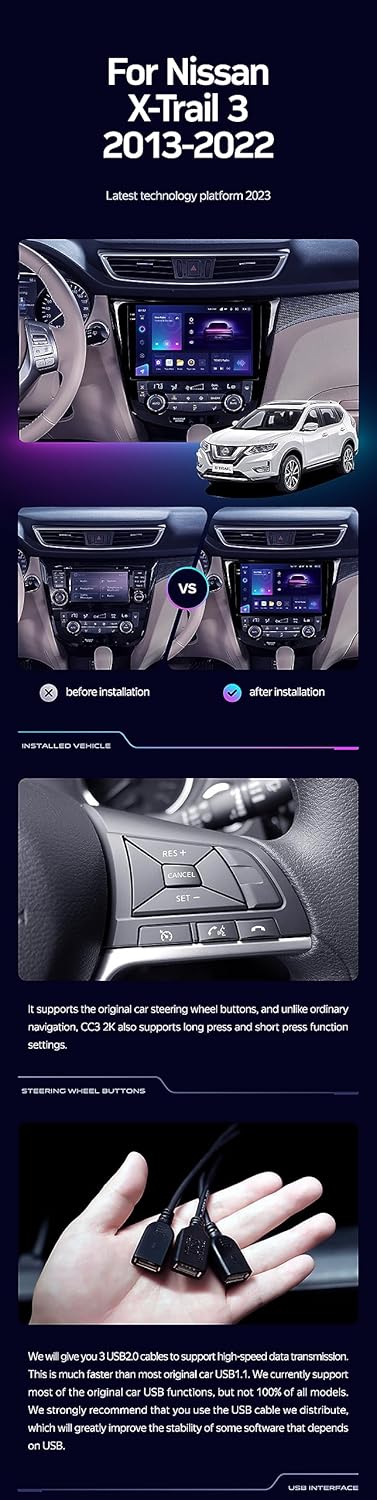
Image: A side-by-side comparison showing a car's dashboard before and after the installation of the TEYES CC3 2K unit, highlighting the integrated look.
Izinyathelo Zokufaka (Okuvamile)
- Nqamula Ibhethri: Ngaphambi kokuqala, nqamula i-terminal engemihle yebhethri lemoto yakho ukuze uvimbele ukushaqeka kukagesi.
- Remove Old Head Unit: Carefully remove the existing car radio and trim panels. Refer to your vehicle's service manual for specific instructions.
- Xhuma Izintambo Zokubopha: Connect the provided power cable, USB cable, GPS antenna, AUX cable, and 4G WiFi antenna to the TEYES CC3 2K head unit. Ensure all connections are secure.
- Faka Ikhamera Yasemuva: If installing the AHD 1080p rear camera, route its cable to the desired mounting location (typically near the license plate) and connect it to the head unit.
- Iyunithi Yekhanda Lokukhweza: Secure the TEYES CC3 2K head unit into the dashboard using the provided OEM panel (frame) and mounting hardware.
- Xhuma kabusha Ibhethri: Once all connections are made and the unit is securely mounted, reconnect the vehicle's battery.
- Ukusebenza Kokuhlola: Turn on the vehicle and test all functions of the new head unit, including audio, navigation, camera, and connectivity.
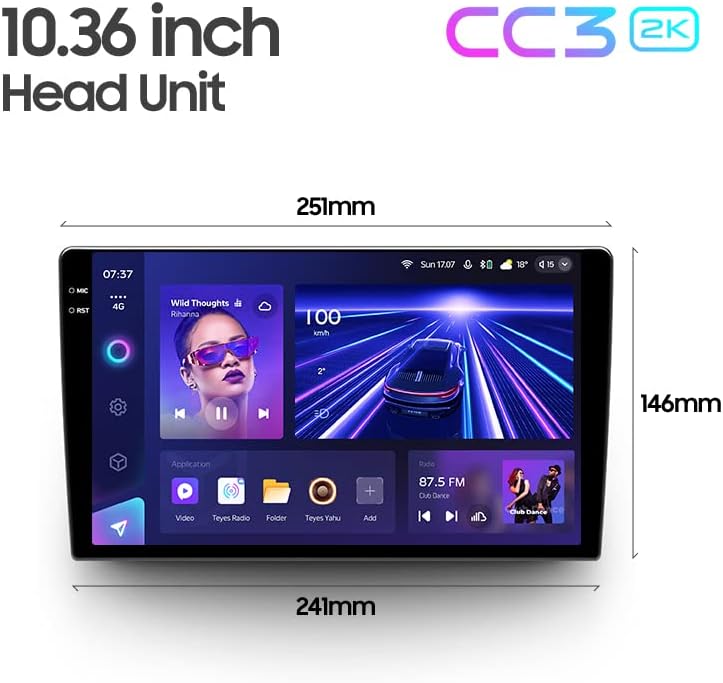
Image: The OEM panel (frame) included with the TEYES CC3 2K, designed for seamless integration into compatible vehicle dashboards.
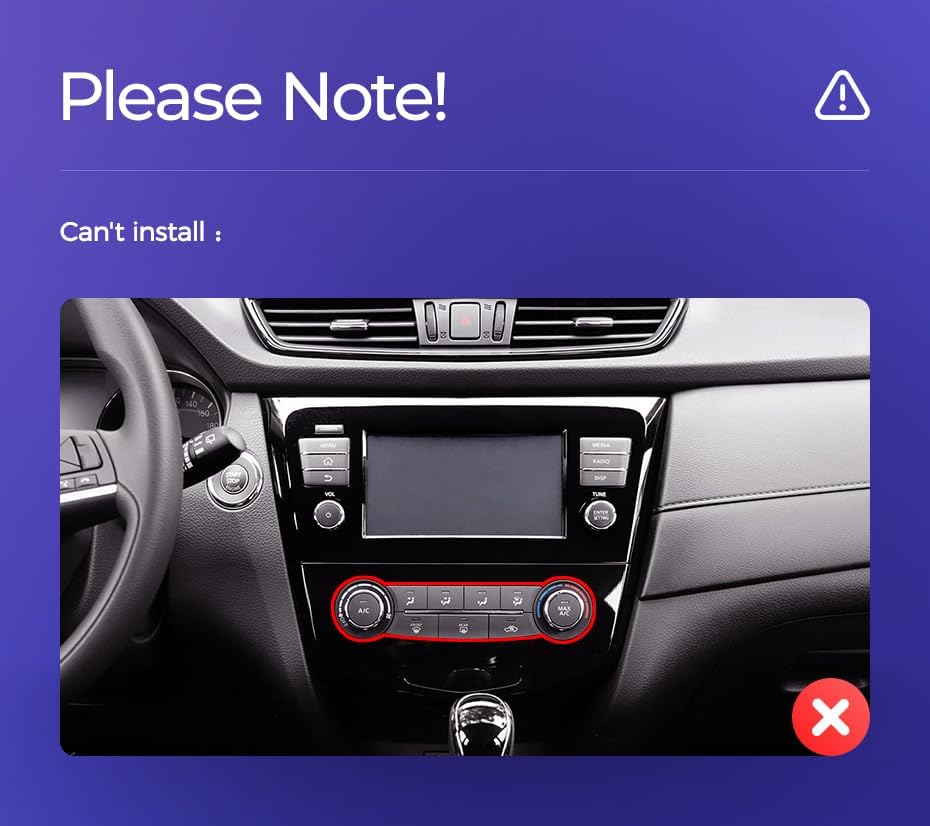
Image: Technical drawing showing the dimensions of the TEYES CC3 2K head unit, including its 10.36-inch screen size.
Inothi Lokufaka Elibalulekile
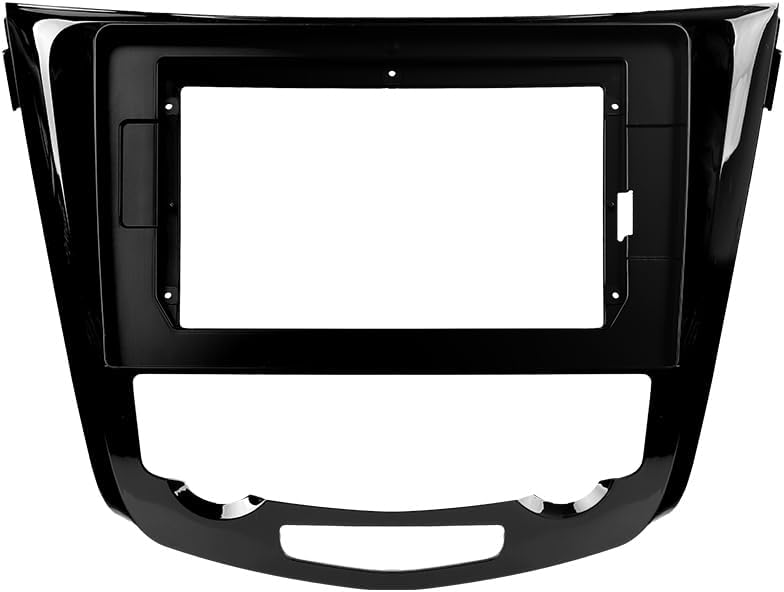
Image: Three USB output cables provided with the TEYES CC3 2K for data transfer and connectivity.
The unit provides multiple USB outputs for data transfer. While designed for broad compatibility, some original car USB functions may not be fully supported across all vehicle models. An included USB adapter cable can be used to ensure compatibility where needed.
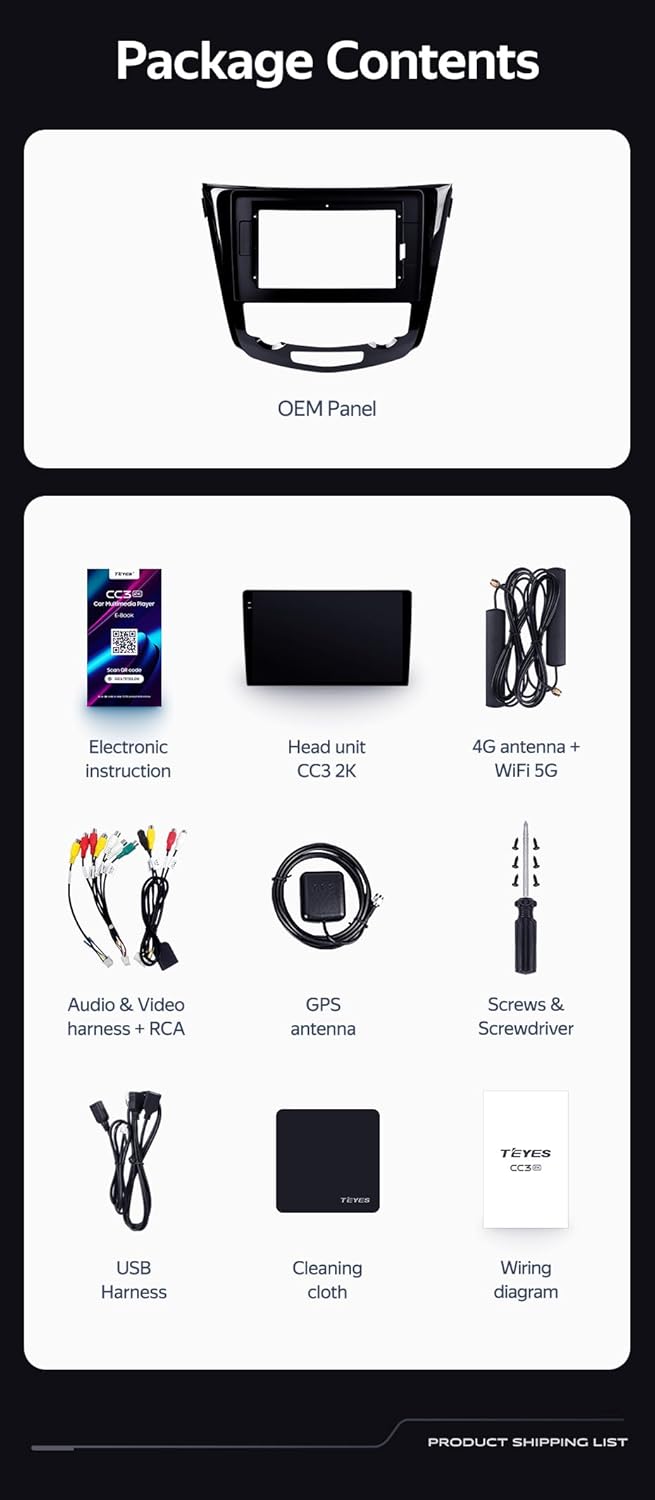
Image: A close-up of a car's steering wheel with controls, indicating support for steering wheel button integration with the TEYES CC3 2K.
The unit supports original car steering wheel buttons. Basic functions like volume and track control are supported. Advanced functions may require additional configuration or may not be fully compatible with all vehicle models.
Imiyalelo yokusebenza
Isibonisi nesixhumi esibonakalayo
The TEYES CC3 2K features a 10.36-inch 2K In-cell display, offering vivid colors and accurate touch response. The Android 10 operating system provides a user-friendly interface.
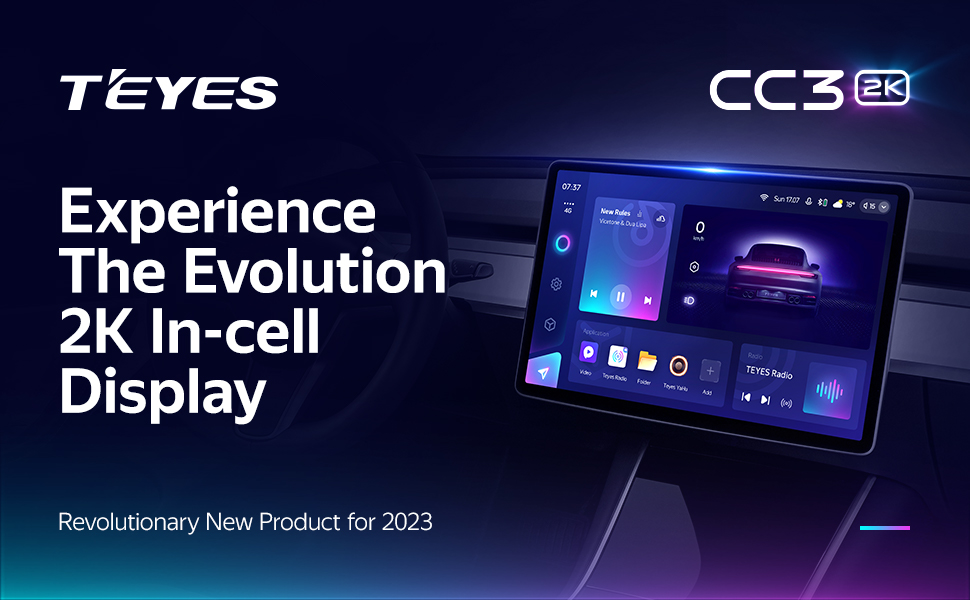
Image: A promotional image highlighting the TEYES CC3 2K's 2K In-cell display, showing a vibrant user interface.
Ukuxhumana
- I-Bluetooth: Connect your smartphone via the upgraded Qualcomm QCC3031QFN Bluetooth module for hands-free calling and audio streaming.
- Wi-Fi/4G Internet: The unit supports 4G internet connectivity (SIM card not included) and Wi-Fi for online navigation, app downloads, and streaming.
- I-USB: Use the USB ports for media playback, data transfer, and connecting external devices.
Navigation kanye Multimedia
- I-GPS: Built-in GPS with North America map type support for accurate navigation.
- CarPlay & Android Auto: Enjoy seamless integration with your smartphone via built-in wireless Apple CarPlay and Android Auto.
- Irediyo: Access local radio stations with the premium local radio feature.
- Imodi yokuhlukanisa isikrini: Utilize the freestyle combination split screen mode to run two applications simultaneously, such as navigation and media playback.

Image: The TEYES CC3 2K display showing split-screen functionality, with navigation on one side and video playback on the other.

Image: The TEYES CC3 2K display showing the premium local radio interface with various station icons.
Izici Zomsindo
The unit is equipped with dual DSP (ADAU1701 + ROHM32107) for enhanced audio processing, offering optical and coaxial digital audio output.
- 27-Segment EQ: Fine-tune your audio experience with the comprehensive 27-segment equalizer.
- Sound Filtering: Advanced sound filtering options are available to optimize audio output.

Image: The TEYES CC3 2K display showing the DSP audio settings interface, indicating dual DSP processors.
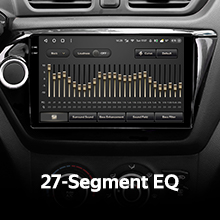
Image: The TEYES CC3 2K display showing the 27-segment equalizer interface for detailed audio customization.

Image: The TEYES CC3 2K display showing audio output settings, indicating support for optical and coaxial digital audio output.
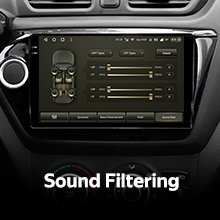
Image: The TEYES CC3 2K display showing sound filtering options, allowing users to refine audio quality.
Camera and Recording
The unit supports real-time viewing of the vehicle's rear view and video recording with the included AHD 1080p rear camera.

Image: The TEYES CC3 2K display showing the real-time feed from the rear view camera, with recording options.
Isondlo
- Ukuhlanza isikrini: Use the provided cleaning cloth or a soft, lint-free cloth to gently wipe the screen. Avoid abrasive cleaners or solvents.
- Izibuyekezo zesofthiwe: Periodically check for software updates from TEYES to ensure optimal performance and access to new features.
- Izimo Zemvelo: Gwema ukubeka iyunithi emazingeni okushisa aphezulu, ukukhanya kwelanga okuqondile isikhathi eside, noma umswakama oweqile.
Ukuxazulula inkinga
If you encounter issues with your TEYES CC3 2K, refer to the following common problems and solutions:
| Inkinga | Imbangela Engenzeka | Isixazululo |
|---|---|---|
| Iyunithi ayivuli. | Ukuxhumeka kwamandla okuxekethile, i-fuse eshaywayo, inkinga yebhethri yemoto. | Check power cable connections. Inspect vehicle fuses. Ensure vehicle battery is charged. |
| Akukho okukhipha umsindo. | Volume too low, incorrect audio source selected, speaker wiring issue. | Khulisa ivolumu. Khetha umthombo womsindo ofanele. Hlola ukuxhumana kwesipikha. |
| Isignali ye-GPS ilahlekile noma ayinembile. | I-antenna ye-GPS ivinjiwe noma ayifakwanga kahle. | Qinisekisa ukuthi i-antenna ye-GPS icacile view yesibhakabhaka futhi ixhumeke ngokuphephile. |
| Isikrini esithintwayo asiphenduli. | Temporary software glitch, screen protector interference. | Restart the unit. Remove any screen protectors to test. |
| Izinkinga zokuxhumeka kwe-Bluetooth. | Device not in pairing mode, interference, outdated firmware. | Ensure device is in pairing mode. Move closer to the unit. Check for firmware updates. |

Image: An icon representing Frequently Asked Questions, indicating further support resources.
Imininingwane
| Isici | Imininingwane |
|---|---|
| Inombolo Yemodeli | CC3 2K |
| Isistimu esebenzayo | I-Android 10 |
| Iphrosesa | 8 Cores 2.0GHz |
| RAM | 6GB |
| I-ROM | 128GB |
| Usayizi Wokubonisa | 10.36 amayintshi |
| Uhlobo lokubonisa | 2K In-cell Display |
| Ukuxhumana | Bluetooth (QCC3031QFN Qualcomm), USB, Wi-Fi, Hotspot, 4G Internet |
| Imodi Yokukhipha Umsindo | Isitiriyo |
| I-DSP | 2*DSP ADAU1701 + ROHM32107 |
| Okukhipha umsindo | Optical and Coaxial Digital Audio Output |
| Ukuzulazula | Built-in GPS, North America Map Type |
| Izici ezikhethekile | Touchscreen, Bluetooth, Wireless CarPlay, Android Auto, RDS, Real-time Rear View, Video Recording, TEYES Vision & TEYES Yahu software. |
| Uhlobo Lwezinsizakalo Zezimoto | Imoto |
Iwaranti kanye Nokusekela
The TEYES CC3 2K comes with a Iwaranti yonyaka ongu-1 kusukela ngedethi yokuthenga. Lesi siqinisekiso sifaka amaphutha okukhiqiza kanye nokungasebenzi kahle ngaphansi kokusetshenziswa okuvamile.
For technical support, troubleshooting assistance, or warranty claims, please contact TEYES customer service through the official TEYES store on Amazon or their official webindawo.
Vakashela i- TEYES Store on Amazon ukuze uthole ulwazi olwengeziwe nezinsiza zokusekela.
Ask a question about this manual
Ask about setup, troubleshooting, compatibility, parts, safety, or missing instructions. Manuals+ will review the question and use this page’s manual context to help answer it.