Isingeniso
This manual provides detailed instructions for the EKSA H1 Plus Bluetooth Trucker Headset. Please read thoroughly to ensure proper setup, operation, and maintenance of your device. This headset is designed for clear communication in various environments, featuring advanced noise-cancelling technology and versatile connectivity options.
Okuqukethwe Kwephakheji
- H1 Plus Headset
- Ikesi Lokuvikela
- Replacement Ear Pad (Mesh breathable)
- Uhlobo C lokushaja ikhebula
- USB Dongle (PC Adapter)
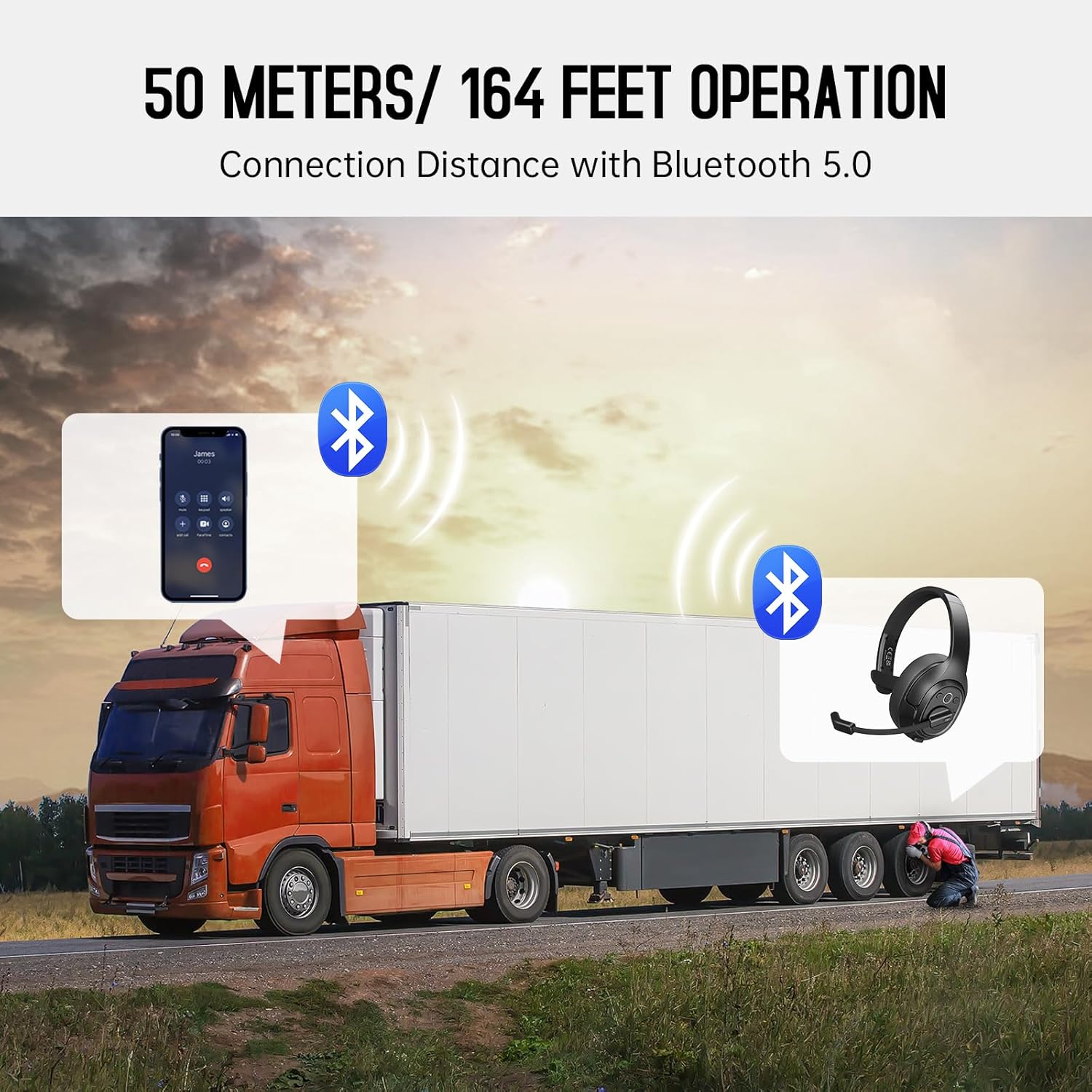
Image: The EKSA H1 Plus headset, USB dongle, and charging cable as typically found in the product packaging.
Setha
1. Ukushaja ihedisethi
Before first use, fully charge the headset. Connect the provided Type-C charging cable to the headset's charging port and the other end to a USB power source. The charging indicator will show the charging status. A full charge takes approximately 1.5 hours.

Image: Visual representation of the headset's battery life and charging duration.
2. Ukuvula/Ukucisha
Press and hold the Multi-Function Button (MFB) for 3 seconds to power on or off the headset. A voice prompt will indicate the status.
3. Bluetooth Pairing (for Mobile Devices)
- Qinisekisa ukuthi ihedsethi ivaliwe.
- Press and hold the MFB for 5-7 seconds until the LED indicator flashes blue and red alternately, indicating pairing mode.
- On your mobile device, enable Bluetooth and search for "EKSA-H1PLUS".
- Select "EKSA-H1PLUS" to connect. The LED will turn solid blue once connected.
4. Connecting with USB Dongle (for PC/Mac without Bluetooth)
- Xhuma i-dongle ye-USB embotsheni ye-USB etholakalayo kukhompyutha yakho.
- Vula i-headset. Izozama ngokuzenzakalelayo ukuxhuma ku-dongle.
- The LED on the dongle and headset will turn solid blue when connected.
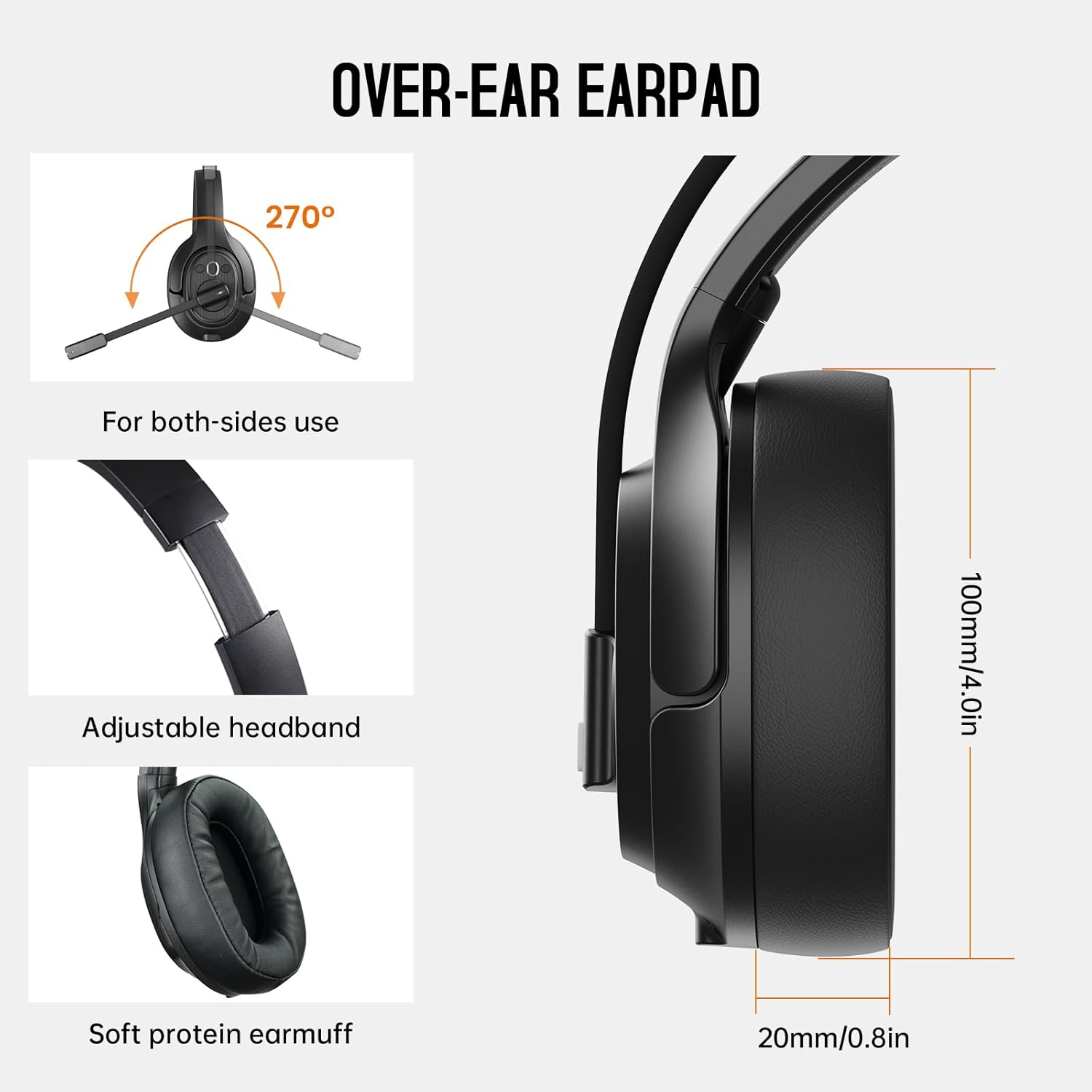
Image: The headset demonstrating simultaneous connection to a phone via Bluetooth and a laptop via USB dongle.
Imiyalelo yokusebenza
1. Ilawula Ngaphezuluview
The headset features intuitive controls located on the earcup:
- Inkinobho Yemisebenzi eminingi (MFB): Vula/vala, dlala/misa kancane umculo, phendula/vala izingcingo.
- Ivolumu ephezulu (+): Khulisa ivolumu.
- Ivolumu Phansi (-): Yehlisa ivolumu.
- Inkinobho yokuthulisa: Thulisa/susa ukuthulisa imakrofoni phakathi nezingcingo.
- AI Assistant Button: Sebenzisa umsizi wezwi wedivayisi yakho.

Isithombe: Eduze view of the headset's control buttons and ports.
2. Ukushaya nokwamukela izingcingo
- Phendula/Phendula ikholi: Cindezela kafushane i-MFB.
- Yenqaba Ucingo: Cindezela bese ubamba i-MFB imizuzwana emi-2.
- Phinda ushaye inombolo yokugcina: Cindezela kabili i-MFB.
- Thulisa/Susa ukuthula kumakrofoni: Short press the dedicated mute button on the microphone arm.
3. Microphone and Wearing Adjustments
The headset is designed for comfort and versatility:
- Ibhande lekhanda elilungisekayo: Extend or retract the headband to fit your head comfortably.
- Rotatable Microphone: The microphone arm can rotate 270 degrees, allowing it to be worn on either the left or right ear. Position the microphone close to your mouth for optimal voice pickup.
- Comfortable Earcups: The over-ear design with soft ear pads ensures comfort during extended use.

Image: Features illustrating the ergonomic design of the headset, including adjustable headband and rotatable microphone.
4. Environmental Noise Cancelling (ENC) Microphone
The AI-Powered ENC microphone filters out up to 99.8% of ambient noise, ensuring your voice is transmitted clearly even in noisy environments like call centers, construction sites, or trucks.

Image: A visual explanation of the ENC microphone's function, demonstrating noise reduction.
5. Multi-Device Connection
The headset supports simultaneous connection to two different devices, such as a smartphone and a computer, allowing seamless switching between calls and other audio sources.

Image: Illustration of the headset's ability to connect to two devices concurrently.
6. Extended Wireless Range
Utilizing Bluetooth 5.0 technology, the headset offers a stable wireless connection up to 30 meters (99 feet). In unobstructed environments, the range can extend up to 50 meters (164 feet).

Image: Visualizing the headset's long-range wireless capabilities in an outdoor setting.
Isondlo
- Ukuhlanza: Sebenzisa indwangu ethambile neyomile ukuhlanza i-headset. Gwema ukusebenzisa amakhemikhali anamandla noma izinto ezihudulayo.
- Ukufakwa Kwephedi Yendlebe: The headset comes with a replacement mesh breathable ear pad. To replace, gently twist and pull off the existing ear pad, then align and press the new ear pad into place.
- Isitoreji: Gcina i-headset esikhwameni sayo sokuvikela uma ingasetshenziswa ukuvimbela umonakalo.

Image: Demonstrating the detachable ear pads and the two types included for different comfort levels.
Ukuxazulula inkinga
| Inkinga | Isixazululo |
|---|---|
| I-Headset ayivuli. | Ensure the headset is fully charged. Press and hold the MFB for 3 seconds. |
| Ayikwazi ukubhanqa nge-Bluetooth. | Ensure the headset is in pairing mode (flashing blue/red LED). Turn off and on Bluetooth on your device. Move closer to the device. |
| Akukho msindo noma ikhwalithi yomsindo ephansi. | Check volume levels on both the headset and connected device. Ensure the headset is selected as the audio output device. Re-pair the headset. |
| Imakrofoni ayisebenzi. | Ensure the microphone is not muted. Check microphone settings on your connected device. Adjust microphone position. |
| I-dongle ye-USB ayixhumi. | Ensure the dongle is fully inserted. Try a different USB port. Restart your computer. |
Imininingwane
| Isici | Imininingwane |
|---|---|
| Igama Lemodeli | EKSA-H1PLUS |
| Ubuchwepheshe bokuxhumana | Okungenantambo (Bluetooth 5.0) |
| Inguqulo ye-Bluetooth | 5.0 |
| I-Bluetooth Range | 30 Meters (99 feet), up to 50 Meters (164 feet) unobstructed |
| Imakrofoni | AI-Powered Environmental Noise Cancelling (ENC) |
| Impilo Yebhethri (Isikhathi Sokukhuluma) | Kufika emahoreni angu-30 |
| Impilo Yebhethri (Isikhathi Somculo) | Kufika emahoreni angu-57 |
| Isikhathi sokushaja | Cishe. 1.5 Amahora |
| Ukuma kwe-Earpiece | Ngendlebe |
| Uhlobo Lokulawula | Volume Control, Mute, AI Assistant |
| Isisindo | 1.01 pounds (cishe 458g) |
Amavidiyo Omkhiqizo Osemthethweni
EKSA H1 Plus Wireless Bluetooth Headset Overview
Ividiyo: I-official overview of the EKSA H1 Plus Wireless Bluetooth Headset, highlighting its key features and design.
EKSA H1Plus Bluetooth Trucker Headset Features
Video: A detailed look at the features and benefits of the EKSA H1Plus Bluetooth Trucker Headset.
Iwaranti kanye Nokusekela
EKSA products are designed for durability and performance. For warranty information and customer support, please refer to the official EKSA website or contact their customer service directly. Optional protection plans are available for extended coverage.
Ukuze uthole olunye usizo, vakashela: www.eksa.net