Isingeniso
Thank you for choosing the AIR 7 Mini Wireless Bluetooth Earbuds. These earbuds are designed to provide a superior audio experience with advanced features such as Bluetooth 5.3 connectivity, active noise cancellation, and a comfortable, secure fit. This manual will guide you through the setup, operation, and maintenance of your new earbuds to ensure optimal performance and longevity.
The AIR 7 Mini earbuds offer crisp tones, deep bass, and clear sound, making them ideal for music, podcasts, and calls. With their IPX4 waterproof rating, they are suitable for various activities, including workouts and outdoor use. Enjoy wireless freedom and intuitive touch controls for a seamless audio experience.
Yini EseBhokisini
- AIR 7 Mini L side earbud
- AIR 7 Mini R side earbud
- Charging station (charging case)
- Reinforced charging cable
- Imaniwali yosebenzisayo

Image: Unboxing the AIR 7 Mini Earbuds, displaying all included components.
Setha
Ukushaja ama-Earbud nekesi
Before first use, fully charge the AIR 7 Mini earbuds and their charging case. Place the earbuds into the charging case, ensuring they are properly seated. Connect the provided charging cable to the charging port on the case and plug the other end into a USB power source. The indicator light on the case will show charging status.
A full charge provides 3-4 hours of playback, and the 200mAh charging case extends this significantly, offering up to 90 hours of standby time. The case can reach 50% charge in approximately 30 minutes.
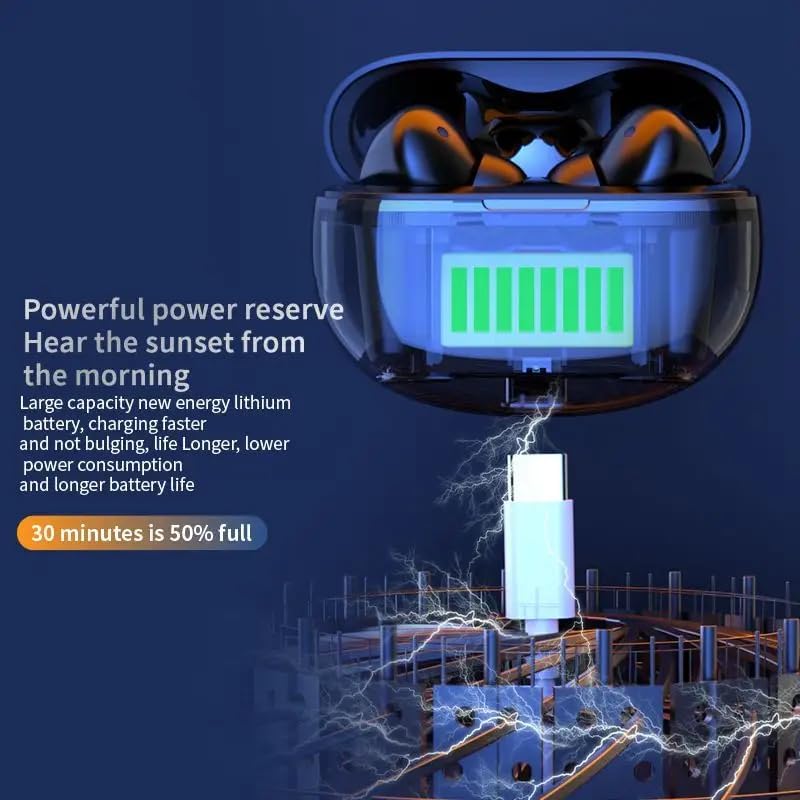
Image: The AIR 7 Mini charging case being charged via its USB-C port.
Ukumatanisa nedivayisi yakho
- Qinisekisa ukuthi ama-earbud ashajiwe futhi angaphakathi kwekesi lokushaja.
- Vula ibhokisi lokushaja. Ama-earbud azongena ngokuzenzakalelayo kwimodi yokubhangqa, ekhonjiswa ukukhanya okukhanyayo kuma-earbud.
- Kudivayisi yakho (i-smartphone, ithebhulethi, i-laptop), iya kuzilungiselelo ze-Bluetooth bese uvula i-Bluetooth.
- Cinga available devices. Select "AIR 7 Mini" from the list.
- Once connected, a voice prompt will confirm successful pairing, and the earbud lights will stop flashing.
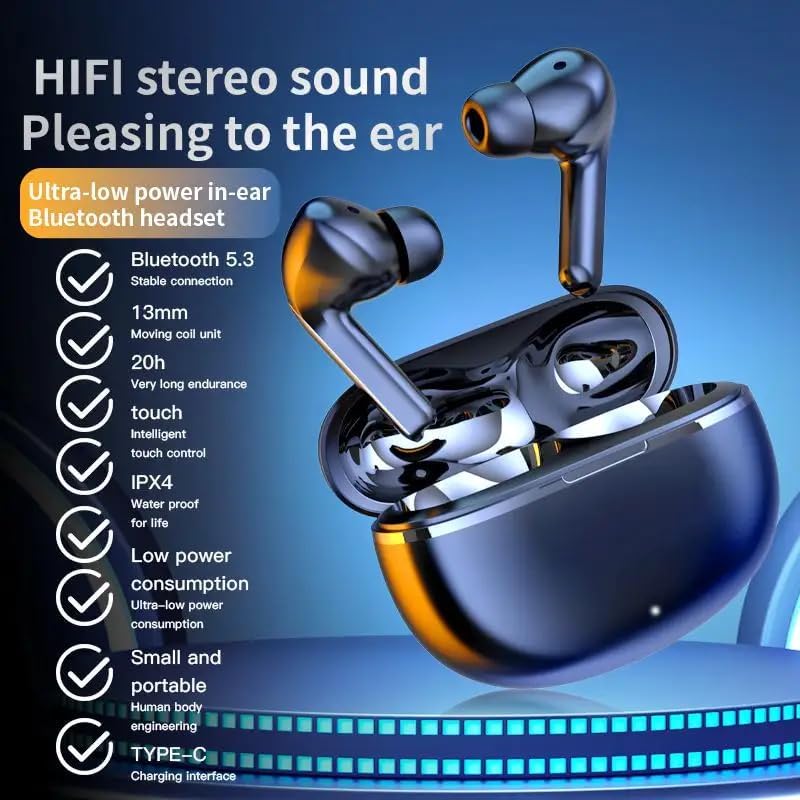
Image: Visual representation of the AIR 7 Mini earbuds' features, including Bluetooth 5.3 connectivity.
Imiyalelo yokusebenza
Izilawuli zokuthinta
The AIR 7 Mini earbuds feature intuitive touch controls for easy management of music playback and calls. The touch-sensitive area is located on the outer surface of each earbud.
| Isenzo | Umsebenzi |
|---|---|
| Ukuthepha Okukodwa (Kwesobunxele/Kwesokudla) | Dlala/Misa kancane umculo, Phendula/Cisha ucingo |
| Thepha kabili (kwesokudla) | Ithrekhi Elandelayo |
| Thepha kabili (Kwesobunxele) | Ithrekhi Edlule |
| Ukuthepha Kathathu (Kwesobunxele/Kwesokudla) | Vula Umsizi Wezwi |
| Cindezela isikhathi eside (Kwesobunxele/Kwesokudla) | Guqula i-Active Noise Cancellation (ANC) / Transparency Mode |
| Incoming Call (Long Press) | Yenqaba Ucingo |

Image: The AIR 7 Mini earbuds providing low sound delay for synchronized audio and visuals, ideal for gaming.
Ukugqoka ama-Earbuds
For optimal sound quality and comfort, ensure the earbuds are properly seated in your ears. Gently insert each earbud into the ear canal and twist slightly until it feels secure and comfortable. The ergonomic design of the AIR 7 Mini ensures a snug fit for prolonged listening sessions and active use.

Image: The AIR 7 Mini earbuds in their charging case, demonstrating their compact and ergonomic design.
Ukukhansela Umsindo
The AIR 7 Mini earbuds feature Dual ENC (Environmental Noise Cancellation) technology to reduce ambient noise, allowing you to focus on your audio. This feature is particularly useful in noisy environments, such as commutes or busy offices. To activate or deactivate noise cancellation, use the designated touch control as described in the "Touch Controls" table.

Image: The AIR 7 Mini earbuds illustrating their intelligent noise reduction capabilities.
Isondlo
Ukuhlanza
Regular cleaning helps maintain the performance and hygiene of your earbuds. Use a soft, dry, lint-free cloth to wipe the earbuds and charging case. For stubborn dirt, slightly dampen the cloth with water. Do not use abrasive cleaners or submerge the earbuds or case in liquid.
The earbuds are IPX4 waterproof, meaning they are resistant to splashes and sweat, but they are not designed for submersion.

Image: The AIR 7 Mini earbuds showcasing their life-grade waterproof and sweat-resistant design.
Isitoreji
When not in use, store the earbuds in their charging case to protect them from dust, damage, and to keep them charged. Store the case in a cool, dry place away from direct sunlight and extreme temperatures.

Image: The small and mini design of the AIR 7 Mini charging case, highlighting its portability.
Ukuxazulula inkinga
If you encounter any issues with your AIR 7 Mini earbuds, please refer to the following common solutions:
- Ama-earbud awamataniswa:
- Qinisekisa ukuthi womabili ama-earbud ashajiwe.
- Buyisela ama-earbud kukesi, vala isivalo, linda imizuzwana embalwa, bese uvule isivalo futhi ukuze ufake kabusha imodi yokumatanisa.
- Vala futhi uvule i-Bluetooth kudivayisi yakho.
- Forget "AIR 7 Mini" from your device's Bluetooth list and try pairing again.
- Awukho umsindo ovela ku-earbud eyodwa:
- Hlola ukuthi womabili ama-earbud ashajiwe yini.
- Zama ukubuyisela womabili ama-earbud ekesini uphinde uwakhiphe futhi.
- Perform a factory reset if available (refer to specific product instructions if provided, otherwise assume long press or similar).
- Izinkinga zokushaja:
- Qinisekisa ukuthi ikhebuli yokushaja ixhumeke ngokuphephile kukho kokubili ikesi nomthombo wamandla.
- Zama imbobo ye-USB ehlukile noma i-adaptha yamandla.
- Hlanza abathintwayo abashajayo kuma-earbud nangaphakathi kwekesi ngeswabhu eyomile kakotini.
- Ikhwalithi yomsindo ephansi noma ukwehla kokuxhumeka:
- Ensure your device is within the effective Bluetooth range (typically 10 meters/33 feet) without significant obstacles.
- Gwema ukuphazamiseka okukhulu kwe-electromagnetic.
- Qinisekisa ukuthi ama-earbud ahlanzekile futhi awanayo imfucuza.
Imininingwane
| Isici | Imininingwane |
|---|---|
| Ibhrendi | Okujwayelekile |
| Imodeli | AIR 7 Mini |
| Umbala | Mnyama |
| Ukubekwa Kwendlebe | Endlebeni |
| I-Form Factor | Endlebeni |
| Ukulawula Umsindo | Active Noise Cancellation (Dual ENC) |
| Inguqulo ye-Bluetooth | 5.3 |
| Isikhathi sokudlala | Amahora angu-3-4 (inkokhelo eyodwa) |
| Ibhethri yekesi yokushaja | 200mAh |
| Isikhathi sokulinda | Kufika emahoreni angu-90 |
| Isilinganiso Sokungangeni Manzi | IPX4 |
| Uhlobo Lokulawula | Izilawuli zokuthinta |
Ulwazi Lokuphepha Olubalulekile
- Do not disassemble or modify the earbuds or charging case.
- Gcina kude namazinga okushisa aphezulu, ilanga eliqondile, kanye namalangabi avulekile.
- Avoid exposing to excessive moisture or liquids beyond the IPX4 rating.
- Ungasebenzisi izintambo ezilimele noma amashaja.
- Prolonged exposure to high volume levels may cause hearing damage. Adjust volume to a safe level.
- Gcina endaweni lapho izingane nezilwane ezifuywayo zingafinyeleleki khona.
Ividiyo Yomkhiqizo
Video: An official product video titled "Air7 Earbuds: Premium Sound" from the seller, showcasing the features and design of the AIR 7 Mini True Wireless Headset, including its sound quality, low latency, long endurance, and touch controls.