
Isingeniso
Thank you for choosing the AWEI H26 Smart Watch. This device is designed to enhance your daily life with its multi-functional capabilities, including fitness tracking, communication features, and health monitoring. This manual provides essential information for setting up, operating, maintaining, and troubleshooting your smart watch to ensure optimal performance and longevity.
Setha
1. Ukushaja Iwashi Elihlakaniphile
Before first use, fully charge your AWEI H26 Smart Watch. The watch is equipped with a 260mAh battery. A full charge typically takes 2-3 hours.
- Xhuma ikhebula lokushaja elinozibuthe ezindaweni zokushaja ezingemuva kwewashi.
- Xhuma ingxenye yekhebula le-USB ku-adaptha yamandla ye-USB ejwayelekile (kunconywa i-5V/1A) noma imbobo ye-USB yekhompyutha.
- Isibonisi sewashi sizobonisa inkomba yokushaja.

Image: The AWEI H26 Smart Watch screen showing a battery charging icon, indicating magnetic charging in progress. The text on the image mentions "22-Day Standby Time Easy Magnetic Charging" and that usage time can last for 3 to 4 days per charge.
2. Ukumatanisa Nomakhalekhukhwini Wakho
The AWEI H26 Smart Watch is compatible with both Android and iOS smartphones. To unlock its full potential, you need to pair it with your phone via Bluetooth.
- Landa uhlelo lokusebenza: Cinga the official AWEI H26 companion app in your phone's app store (Google Play Store for Android or Apple App Store for iOS) and install it.
- Nika amandla i-Bluetooth: Qinisekisa ukuthi i-Bluetooth ivuliwe ku-smartphone yakho.
- Vula uhlelo lokusebenza: Launch the installed app on your phone and follow the on-screen instructions to create an account or log in.
- Engeza Idivayisi: Within the app, navigate to the 'Add Device' or 'Pair Device' section. The app will search for available Bluetooth devices.
- Khetha Iwashi Lakho: Select 'H26' from the list of found devices. Confirm the pairing request on both your phone and the watch if prompted.
- Qedela Ukusethwa: Follow any remaining prompts in the app to complete the initial setup, including granting necessary permissions for notifications, health data, etc.
Imiyalelo yokusebenza
1. Ukuhamba Okuyisisekelo
The AWEI H26 Smart Watch features a 1.95-inch touchscreen and physical buttons for navigation.
- Isikrini sokuthinta: Swipe left/right, up/down to navigate through menus and features. Tap to select an item.
- Inkinobho(izinkinobho) eseceleni: Typically, one button serves as a power on/off, back, or home button. Refer to the on-screen prompts for specific functions.

Image: A close-up of the AWEI H26 Smart Watch, showcasing its 1.95-inch HD TFT display. The watch face shows time, date, battery level, and activity tracking icons. The image text highlights "1.95" HD TFT Watch Face Adapt to Different Light Intensities" and its 86.6% screen-to-body ratio for better operating and reading experience in various light conditions.
2. Izici Eziyinhloko
- Phendula/Shaya izingcingo: Once paired with your smartphone, the H26 allows you to answer and make calls directly from your wrist using its one-touch Bluetooth calling feature.
- Izinhlobo Zezemidlalo Eziningi: The watch supports over 100 sports modes, including running, walking, climbing, cycling, hiking, basketball, badminton, football, yoga, and more. Select a mode before starting your activity to track exercise time, calories burned, and other relevant metrics.

Image: A person wearing the AWEI H26 Smart Watch during an outdoor activity. The watch face displays time, date, and icons for steps, heart rate, and calories burned. The image text states "100+ Sports Modes Create Your Exclusive Sports Style" and mentions heart rate monitoring, calorie consumption, and exercise duration tracking.
- Ukuqapha Ezempilo: The H26 provides all-day monitoring for heart rate, blood pressure, blood oxygen, and sleep patterns. This data helps you maintain a healthy balance and provides insights into your well-being.

Image: A close-up of the AWEI H26 Smart Watch displaying a heart rate graph with a current reading of 108 BPM. The image text highlights "Healthy Living Golden Partner" and mentions all-day heart-rate, blood-pressure, blood-oxygen, and sleep monitoring.
- Ubuso bewashi obenziwa ngendlela oyifisayo: Personalize your watch with a variety of cloud-based watch faces available through the app. You can also upload your own photos to create unique watch faces.
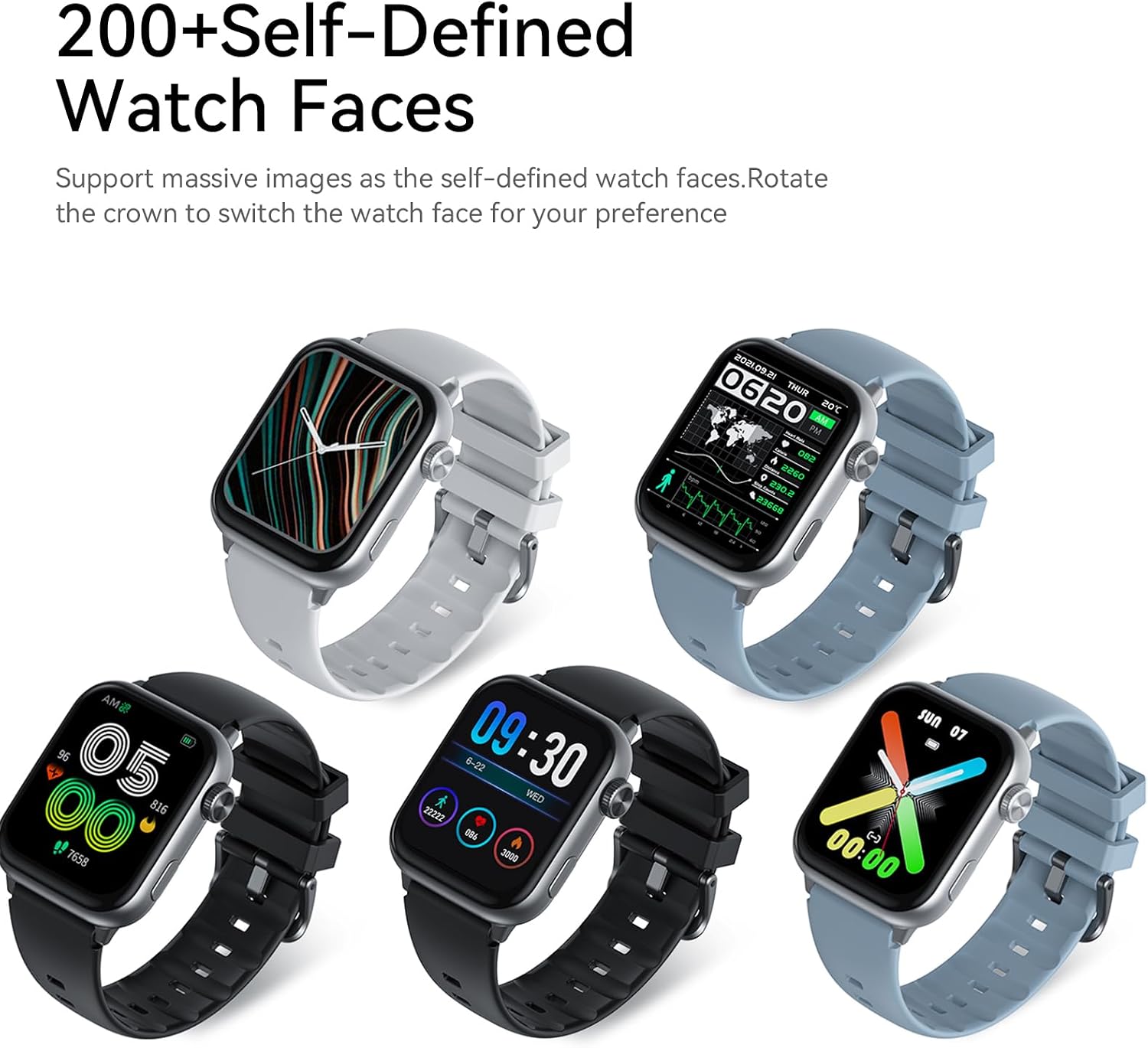
Image: Five AWEI H26 Smart Watches in various colors, each displaying a different customizable watch face. The image text indicates "200+ Self-Defined Watch Faces" and the ability to rotate the crown to switch watch faces.
- Eminye Imisebenzi: The watch includes features such as female physiological cycle tracking, wrist flip screen activation, time display, sedentary reminders, remote photography control, music control, and alarm clock.
Isondlo
1. Cleaning Your Smart Watch
Ukuhlanza njalo kusiza ukugcina ukubukeka nokusebenza kwewashi lakho.
- Sula isikrini futhi umzimba wewashi ngendwangu ethambile, engenantambo.
- Ngokungcola okunenkani, kancane dampen indwangu ngamanzi. Gwema ukusebenzisa amakhemikhali anokhahlo noma izinto ezilumayo.
- Hlanza oxhumana nabo bokushaja njalo ukuqinisekisa ukuxhumana okuhle.
2. Iziqondiso Zokumelana Namanzi
The AWEI H26 Smart Watch has an IP67 waterproof rating, meaning it is resistant to dust and can withstand immersion in water up to 1 meter for 30 minutes. This makes it suitable for daily activities like hand washing, face washing, and sweating during exercise.

Image: The AWEI H26 Smart Watch with water splashing around it, illustrating its water resistance. The image text prominently displays "IP67 Waterproof Rate Fearless of Rain & Sweat" and clarifies that it is waterproof and dustproof.
Okubalulekile:
- Ungalisebenzisi iwashi emanzini ashisayo, kuma-sauna, noma emakamelweni anomusi.
- Avoid using the watch in seawater, as salt can corrode the device.
- The waterproof rating is not permanent and may decrease over time with normal wear and tear.
- Do not intentionally submerge the watch for extended periods or beyond the specified depth.
Ukuxazulula inkinga
If you encounter issues with your AWEI H26 Smart Watch, try the following solutions:
- Iwashi elingavuliwe: Qinisekisa ukuthi iwashi lishajwe ngokugcwele. Ixhume kushaja bese ulinda imizuzu embalwa ngaphambi kokuzama ukuyivula.
- Ayikwazi ukubhanqa nefoni:
- Qinisekisa ukuthi i-Bluetooth ivuliwe efonini yakho futhi iwashi lingaphakathi kwebanga.
- Qala kabusha kokubili ifoni yakho newashi.
- Hlola ukuthi uhlelo lokusebenza lubuyekezelwe enguqulweni yakamuva yini.
- Khohlwa idivayisi kuzilungiselelo ze-Bluetooth yefoni yakho bese uzama ukubhanqa futhi ngohlelo lokusebenza.
- Idatha yezempilo enganembile: Qinisekisa ukuthi iwashi ligqokwa kahle esihlakaleni sakho, alikumpintshi kakhulu noma alixegi kakhulu. Hlanza inzwa ngemuva kwewashi.
- Izaziso azitholwanga: Check app permissions on your phone to ensure the watch app has access to notifications. Verify that notifications are enabled within the watch app settings.
- Impilo yebhethri emfushane: Reduce screen brightness, disable unnecessary features, and limit frequent heart rate monitoring if not needed.
If the problem persists, please refer to the support section for further assistance.
Imininingwane
| Isici | Imininingwane |
|---|---|
| Igama Lemodeli | H26 |
| Ibhrendi | Awei |
| Usayizi Wesikrini | 1.95 amayintshi |
| Uhlobo lokubonisa | Idijithali |
| Isistimu esebenzayo | Android, iOS |
| Ubuchwepheshe bokuxhumana | I-Bluetooth |
| Amandla ebhethri | 260 millionamp Amahora |
| Isikhathi sokushajwa kwebhethri | Amahora angu-2-3 |
| Isilinganiso Sokungangeni Manzi | IP67 (1 Meter for 30 Minutes) |
| Okokufaka kwe-Human Interface | Izinkinobho, Isikrini sokuthinta |
| Izici ezikhethekile | 100+ Sports Modes, One-touch Bluetooth Calling, Health Monitoring |
| Uhlobo Lwempahla Yebhendi | I-Silicone |
| Uhlobo Lwezinto Zekesi | Insimbi engagqwali |
| Amamethrikhi Akaliwe | I-Tracker Yomsebenzi |
| I-GPS | Nge-Smartphone |
Iwaranti kanye Nokusekela
Ulwazi Lwewaranti
The AWEI H26 Smart Watch comes with a Iwaranti ekhawulelwe yeminyaka engu-1 kusukela ngosuku lokuthenga. Lesi siqinisekiso simboza amaphutha okukhiqiza ngaphansi kokusetshenziswa okuvamile. Asimbozi umonakalo obangelwe ukusetshenziswa kabi, izingozi, izinguquko ezingagunyaziwe, noma ukwehluleka ukulandela imiyalelo ekule ncwadi.
Ukwesekwa Kwamakhasimende
If you have any questions, require technical assistance, or experience issues not covered in the troubleshooting section, please do not hesitate to contact our customer support team. We are committed to providing assistance and will respond to your inquiries within 24 hours.
Please refer to your purchase documentation or the official Awei webindawo yemininingwane yokuxhumana ethize.