
Fenton RP118B
Incwadi Yomsebenzisi ye-Fenton RP118B Bluetooth Turntable
Model: RP118B
1. Isingeniso
This manual provides essential information for the safe and efficient operation of your Fenton RP118B Bluetooth Turntable. Please read it thoroughly before using the device and retain it for future reference.

Image 1.1: The Fenton RP118B Bluetooth Turntable in its open position, showcasing a vinyl record ready for playback.
2. Iziyalezo Zokuphepha
- Umthombo wamandla: Qinisekisa ukuthi ukunikezwa kwamandla kufana nevolumutage icaciswe kuyunithi.
- Amanzi Nomswakama: Ungayibeki iyunithi emvuleni noma emswakameni. Ungabeki izinto ezigcwele uketshezi, njengamavasi, kuyunithi.
- Ukungenisa umoya: Ensure adequate ventilation. Do not cover ventilation openings.
- Ukushisa: Ungabeki iyunithi eduze nemithombo yokushisa efana nama-radiator, amarejista okushisa, izitofu, noma ezinye izinto (okuhlanganisa ampama-lifiers) akhiqiza ukushisa.
- Ukuhlanza: Hlanza kuphela ngendwangu eyomile.
- Ukusevisa: Thumela zonke izinsiza kubasebenzi benkonzo abaqeqeshiwe.
3. Okuqukethwe Kwephakheji
Qinisekisa ukuthi zonke izinto zikhona lapho kukhishwa:
- Fenton RP118B Bluetooth Turntable
- I-adaptha yamandla
- USB Cable (for PC encoding)
- Incwadi Yeziqondiso
4. Umkhiqizo Uphelileview
The Fenton RP118B turntable is designed for playing vinyl records. Its black polyurethane leather suitcase design provides a classic aesthetic. This turntable offers three playback speeds (33, 45, and 78 RPM). It features integrated stereo speakers for clear sound reproduction. Bluetooth connectivity allows for connecting external speakers, headphones, and other devices. The PC encoding function via USB enables conversion of vinyl records to MP3 files for digital archiving. The turntable includes a tonearm with manual or automatic stop functionality and a 3.5mm AUX input. Its belt drive system ensures stable record playback. The RP118B combines traditional vinyl playback with modern features in a compact format.

Isithombe 4.1: Phezuview of the Fenton RP118B's key features, including USB encoding, headphone output, integrated speakers, Bluetooth, and Line In.
4.1. Izilawuli nokuxhuma

Isithombe 4.2: Okuningiliziwe view of the turntable's control panel and connection ports.
- Ucwecwe: Isekela irekhodi le-vinyl.
- Ithoni: Ubamba i-stylus futhi alandelele imigqa yerekhodi.
- Stylus/Needle: Reads the audio information from the record.
- Isikhethi Sesivinini: Switch between 33, 45, and 78 RPM.
- Iswishi Yokuma Ngokuzenzakalelayo: Enables or disables automatic tonearm stop at the end of a record.
- I-Power/Volume Knob: Turns the unit on/off and adjusts speaker volume.
- Ukukhanya Kwenkomba: Shows power and Bluetooth status.
- I-Headphone Jack: Ngokuxhuma amahedfoni.
- Line In (AUX) Jack: Ukuxhumanisa imithombo yomsindo yangaphandle.
- Imbobo ye-USB: For PC connection for MP3 encoding.
- Line Out (RCA) Jacks: Okokuxhuma kwangaphandle ampama-lifiers noma izipikha ezinamandla.
- Okokufaka kwe-DC 5V: Okokuxhuma i-adaptha yamandla.
- BT OUT/PHONO/BT IN Switch: Selects Bluetooth transmission, Phono output, or Bluetooth reception mode.
5. Setha
5.1. Ukuqaqa nokubeka
- Susa ngokucophelela i-turntable emaphaketheni ayo.
- Place the unit on a stable, level surface away from direct sunlight, heat sources, and excessive dust or vibration.
- Remove any protective materials from the tonearm and stylus.
5.2. Ukuxhunywa kwamandla
- Connect the DC 5V power adapter to the DC 5V input port on the turntable.
- Plug the adapter into a suitable wall outlet.
5.3. External Audio Connections (Optional)
- To External Speakers/Ampophilayo: Connect RCA cables (not included) from the "Line Out" jacks on the turntable to the audio input of your ampi-lifier noma izipikha ezinamandla.
- To Headphones: Xhuma ama-headphone angu-3.5mm kujekhi yama-headphone.
- From External Audio Source (AUX In): Connect a 3.5mm audio cable (not included) from your external device (e.g., MP3 player, smartphone) to the "Line In" jack on the turntable.
6. Iziqondiso Zokusebenza
6.1. Ukudlala Irekhodi leVinyl
- Open the turntable lid.
- Beka irekhodi le-vinyl epulatini.
- Select the appropriate speed (33, 45, or 78 RPM) using the speed selector switch. For 45 RPM records, place the included 45 RPM adapter on the spindle.
- Turn the Power/Volume knob clockwise to power on the unit.
- Set the BT OUT/PHONO/BT IN switch to "PHONO" mode.
- Lift the tonearm using the cue lever and position it over the desired track of the record.
- Gently lower the tonearm onto the record using the cue lever. The record will begin to play.
- Lungisa ivolumu usebenzisa inkinobho yamandla/ivolumu.
- At the end of the record, if the Auto Stop switch is ON, the platter will stop rotating. If OFF, the platter will continue to rotate, and you must manually lift the tonearm.
- To stop playback, lift the tonearm and return it to its rest.

Image 6.1: The three-speed turntable platter, capable of playing 33 1/3, 45, and 78 RPM records.
6.2. Bluetooth Reception (BT IN)
Use this function to stream audio from your smartphone or tablet to the turntable's built-in speakers.
- Turn the Power/Volume knob clockwise to power on the unit.
- Set the BT OUT/PHONO/BT IN switch to "BT IN" mode. The indicator light will flash, indicating pairing mode.
- Enable Bluetooth on your smartphone or tablet and search for "Fenton RP118B" (or similar).
- Select the turntable from the list of available devices to pair. Once paired, the indicator light will stop flashing and remain solid.
- Play music from your device. Audio will be streamed through the turntable's speakers.
- Adjust the volume using the Power/Volume knob on the turntable and/or your connected device.

Image 6.2: The turntable utilizing Bluetooth wireless technology to receive audio from a smartphone.
6.3. Bluetooth Transmission (BT OUT)
Use this function to stream audio from your playing vinyl record to external Bluetooth speakers or headphones.
- Ensure your external Bluetooth speaker or headphones are in pairing mode.
- Turn the Power/Volume knob clockwise to power on the unit.
- Set the BT OUT/PHONO/BT IN switch to "BT OUT" mode. The indicator light will flash.
- The turntable will automatically search for and attempt to pair with nearby Bluetooth audio devices.
- Once paired, the indicator light will stop flashing.
- Begin playing a vinyl record as described in section 6.1. The audio will be transmitted to your paired Bluetooth device.
- Adjust the volume on your connected Bluetooth speaker or headphones.
6.4. USB Encoding (Vinyl to MP3)
This feature allows you to convert your vinyl records into digital MP3 files kukhompuyutha yakho.
- Connect the turntable to your computer using the supplied USB cable.
- Install the necessary recording software on your computer (software typically provided on a CD or available for download from the manufacturer's webindawo).
- Follow the instructions provided with the recording software to capture the audio from your vinyl record.
- Play the vinyl record on the turntable as you would normally. The audio will be sent to your computer for recording.
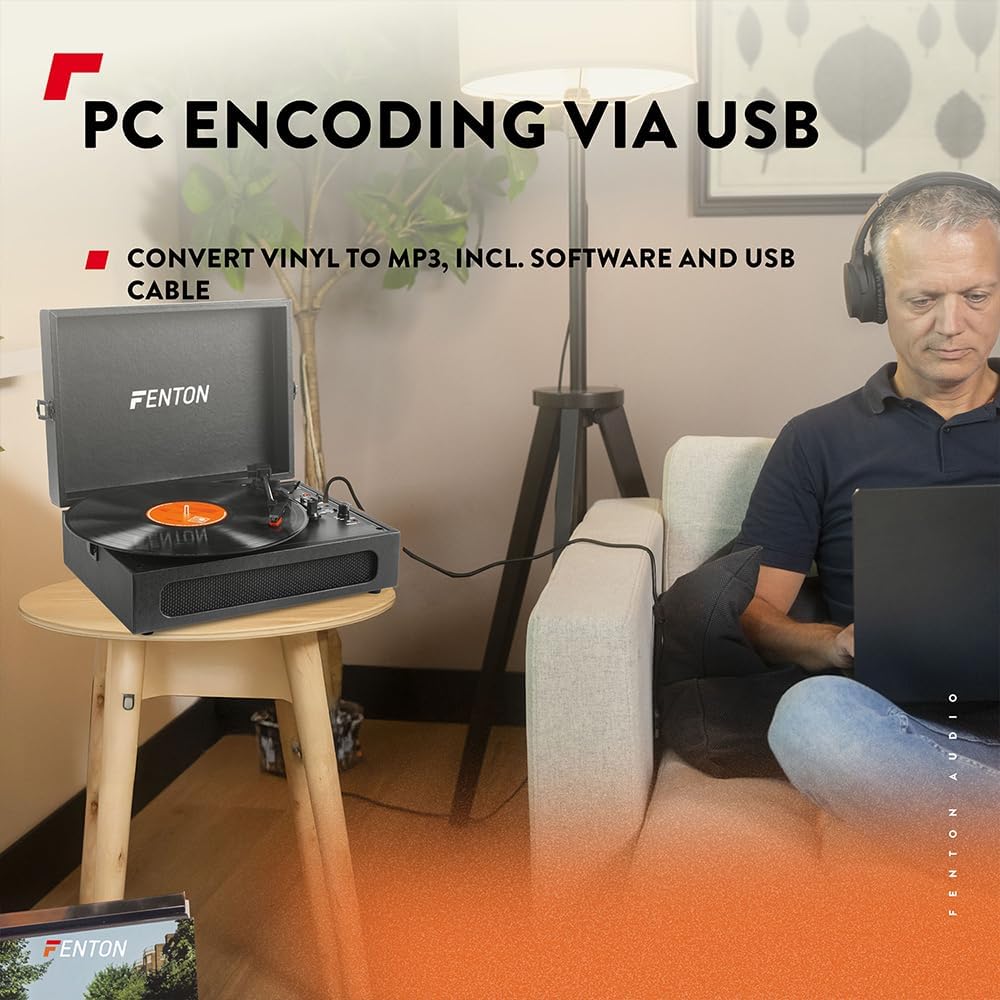
Image 6.3: USB encoding in progress, converting vinyl audio to MP3 files kukhompuyutha.
6.5. Using the AUX Input (Line In)
Connect an external audio device (e.g., smartphone, MP3 player) to the turntable's built-in speakers.
- Connect a 3.5mm audio cable from your external device's headphone or line-out jack to the "Line In" jack on the turntable.
- Turn the Power/Volume knob clockwise to power on the unit.
- Ensure the BT OUT/PHONO/BT IN switch is not in "BT IN" mode (it can be in PHONO or BT OUT, as Line In is a separate input).
- Play audio from your external device. The sound will be routed through the turntable's speakers.
- Adjust the volume using the Power/Volume knob on the turntable and/or your connected device.
7. Isondlo
7.1. Cleaning the Turntable
- Ngaso sonke isikhathi khipha iyunithi ku-outlet kagesi ngaphambi kokuhlanza.
- Sebenzisa indwangu ethambile, eyomile ukuze usule izindawo zangaphandle. Ungasebenzisi izinto zokuhlanza abrasive, wax, noma izincibilikisi.
- Gently brush the stylus with a soft brush designed for stylus cleaning, moving from back to front.
- Keep the dust cover closed when not in use to prevent dust accumulation.
7.2. Ukushintshwa Kwe-stylus
The stylus is a consumable part and will wear out over time. A worn stylus can damage your records and degrade sound quality. Replace the stylus after approximately 300-500 hours of playback, or if you notice a significant drop in sound quality or visible damage.
- Xhumana nomkhiqizi website or your retailer for compatible replacement styli.
- Follow the instructions provided with the replacement stylus for proper installation.
8. Ukuxazulula izinkinga
| Inkinga | Imbangela Engenzeka | Isixazululo |
|---|---|---|
| Awekho amandla | Power adapter not connected; Power outlet not working; Power/Volume knob off. | Ensure power adapter is securely connected. Try a different outlet. Turn Power/Volume knob clockwise to ON. |
| Awukho umsindo ovela kuzipikha | Volume too low; BT OUT/PHONO/BT IN switch in incorrect position; Headphones connected. | Increase volume. Set switch to "PHONO" for vinyl or "BT IN" for Bluetooth reception. Disconnect headphones. |
| Umsindo uhlanekezelwe noma weqa | Record dirty or damaged; Stylus worn or dirty; Turntable not level. | Clean record. Clean or replace stylus. Place turntable on a level surface. |
| Izinkinga zokumataniswa kwe-Bluetooth | Device too far; Turntable not in pairing mode; Incorrect BT mode selected. | Move device closer. Ensure turntable is in "BT IN" (for reception) or "BT OUT" (for transmission) mode and indicator is flashing. Restart both devices. |
| Record stops prematurely (Auto Stop) | Auto Stop switch is ON. | This is normal operation. If you prefer continuous rotation, set the Auto Stop switch to OFF. |
9. Imininingwane
| Ibhrendi | Fenton |
| Inombolo Yemodeli | I-RP118B |
| Umbala | Mnyama |
| Okubalulekile | I-polyurethane |
| Uhlobo Lwezimoto | Kuqhutshwa ibhande |
| Isivinini sokudlala | 33 1/3, 45, 78 RPM |
| Amadivayisi Ahambisanayo | Personal computer, MP3 player, smartphone, headphones, speakers, tablet |
| Inguqulo ye-Bluetooth | 5.0 (for reception and transmission) |
| Ukusebenza kwe-USB | PC encoding (Vinyl to MP3) |
| Imiphumela yomsindo | RCA Line Out, 3.5mm Headphone Jack |
| Okokufaka komsindo | 3.5mm AUX Ngaphakathi |
| Izipikha Ezididiyelwe | Yes, stereo |
| Isisindo sento | 3.25 kg |
| Ukunikezwa kwamandla kagesi | DC 5V (Adapter included) |

Image 9.1: Dimensions of the Fenton RP118B turntable.
10. Iwaranti kanye Nokusekela
For warranty information, please refer to the documentation included with your purchase or visit the official Fenton website. For technical support or service inquiries, please contact your retailer or the manufacturer directly.
Manufacturer: Tronios B.V.
Ask a question about this manual
Ask about setup, troubleshooting, compatibility, parts, safety, or missing instructions. Manuals+ will review the question and use this page’s manual context to help answer it.