
1. Isingeniso
Thank you for choosing the Choetech True Wireless Earbuds. This manual provides detailed instructions on how to set up, operate, and maintain your earbuds to ensure optimal performance and longevity. Please read this manual carefully before using the product and keep it for future reference.
2. Okuqukethwe Kwephakheji
- Choetech True Wireless Earbuds (Left & Right)
- Ikesi lokushaja
- Ikhebula lokushaja le-USB
- Usayizi Ohlukahlukene Wezindlebe
- Imaniwali yosebenzisayo
3. Umkhiqizo Uphelileview
Familiarize yourself with the components of your Choetech True Wireless Earbuds.

Image: The Choetech True Wireless Earbuds and their compact charging case.

Image: The earbuds placed inside the open charging case, showing the charging contacts.
Izingxenye ze-Earbud:
- Indawo yokulawula ukuthinta: Ukuphatha ukudlala, izingcingo, kanye nomsizi wezwi.
- Inkomba ye-LED: Shows pairing status and battery level.
- Imakrofoni: Ngezingcingo kanye nemiyalelo yezwi.
- Ishaja Oxhumana Nabo: Ukuze kushajwe ngaphakathi kwekesi.
Izingxenye zekesi lokushaja:
- Izikhala Zokushaja Ama-Earbud: Ibamba futhi ishaje ama-earbud ngokuphephile.
- Charging Case LED Indicator: Ibonisa isimo sebhethri lekesi.
- I-Port yokushaja ye-USB: Ukushaja icala.
4. Setha
4.1 Ukushaja ama-Earbud nekesi
Ngaphambi kokusebenzisa okokuqala, shaja ngokugcwele ama-earbud kanye nebhokisi lokushaja.
- Faka ama-earbud ebhokisini lokushaja, uqinisekise ukuthi ahlezi kahle.
- Connect the USB charging cable to the charging port on the case and a power source (e.g., USB wall adapter, computer USB port).
- Izinkomba ze-LED kuma-earbud kanye nekesi zizobonisa isimo sokushaja. Zizocima noma zishintshe umbala uma sezishajwe ngokuphelele.
A full charge provides over 5 hours of playback time for the earbuds, and the charging case extends total usage to approximately 120 hours in standby mode.

Image: Visual representation of the earbuds' long battery endurance, indicating playback, talk, and standby times.
4.2 Pairing with Your Device (Bluetooth 5.2)
The earbuds utilize advanced Bluetooth 5.2 technology for a fast and stable connection.
- Open the charging case. The earbuds will automatically power on and enter pairing mode. The earbud LED indicators will flash, indicating they are ready to pair.
- Edivayisini yakho (i-smartphone, ithebhulethi, njll.), vula i-Bluetooth.
- Cinga available Bluetooth devices and select "Choetech BH-T06" from the list.
- Once connected, the earbud LED indicators will stop flashing. You will hear a confirmation tone.
The earbuds support seamless switching, allowing each earbud to independently fast switch between two different audio devices.
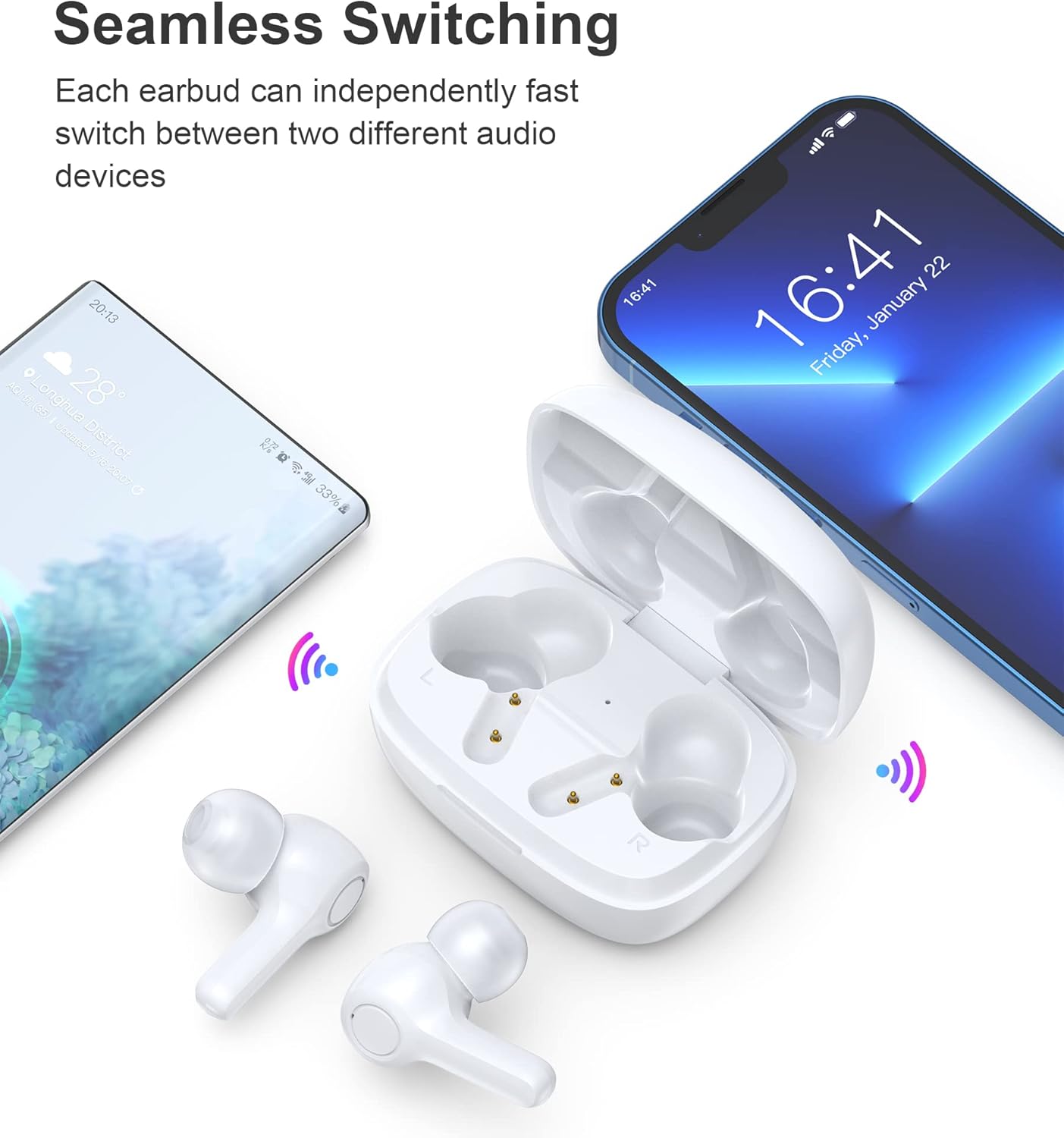
Image: Illustration demonstrating the seamless switching capability between a smartphone and another device.
Qaphela: Ngemva kokubhanqa kokuqala, ama-earbud azoxhuma ngokuzenzakalelayo kudivayisi yokugcina ebhangqiwe lapho ekhishwa ebhokisini, uma nje i-Bluetooth ivuliwe kudivayisi.
5. Iziqondiso Zokusebenza
5.1 Vula/Vala amandla
- Vula: Vula ikesi lokushaja, futhi ama-earbud azovuleka ngokuzenzakalelayo.
- Cisha ugesi: Buyisela ama-earbud ekesini lokushaja bese uvala isivalo. Azocisha ngokuzenzakalelayo futhi aqale ukushaja.
5.2 Izilawuli zokuthinta
The earbuds feature sensitive touch controls for easy operation.
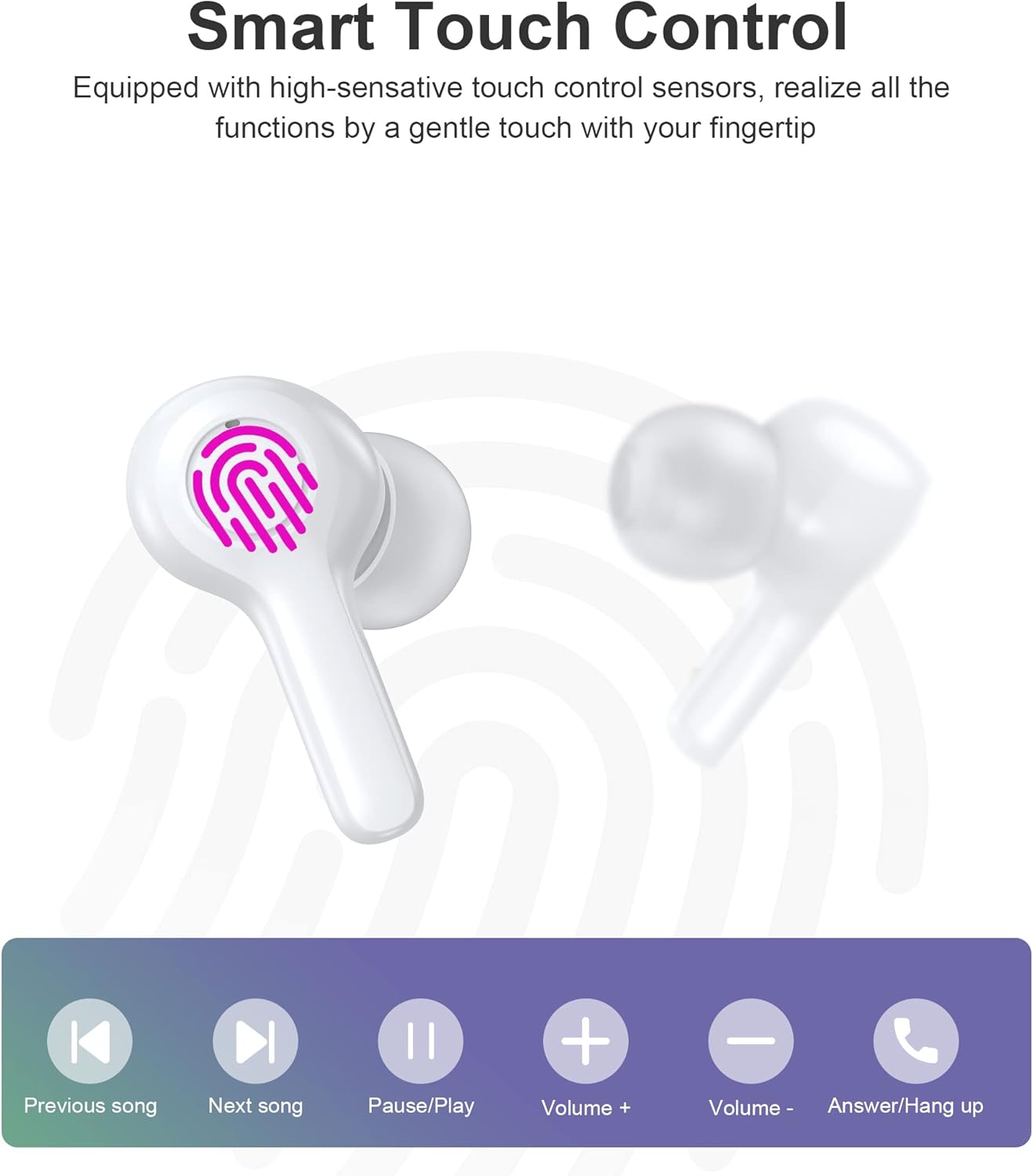
Image: Diagram illustrating the various touch control functions on the earbuds, including playback, volume, and call management.
| Isenzo | I-Earbud engakwesokunxele | I-Earbud yangakwesokudla |
|---|---|---|
| Dlala/Misa kancane | Ukuthepha Okukodwa | Ukuthepha Okukodwa |
| Iculo Elilandelayo | Thepha kabili | |
| Ingoma Edlule | Thepha kabili | |
| Ivolumu phezulu | Ukuthepha Kathathu | |
| Ivolumu Phansi | Ukuthepha Kathathu | |
| Phendula/Qeda ucingo | Ukuthepha Okukodwa | Ukuthepha Okukodwa |
| Yenqaba Ucingo | Cindezela isikhathi eside (2s) | Cindezela isikhathi eside (2s) |
| Vula Umsizi Wezwi | Cindezela isikhathi eside (2s) | Cindezela isikhathi eside (2s) |
Qaphela: Specific touch control functions may vary slightly depending on your connected device and its operating system.
6. Isondlo
6.1 Ukuhlanza
The earbuds are IPX8 waterproof, making them resistant to sweat and water. They can be easily cleaned.
- Sula ama-earbud nekesi lokushaja ngendwangu ethambile, eyomile, engena-lint.
- Ngokungcola okunenkani, kancane dampfaka indwangu ngamanzi. Ungasebenzisi amakhemikhali anamandla noma izinto ezihudulayo.
- Qinisekisa ukuthi abathintwayo abashajayo kukho kokubili ama-earbud nekesi bahlanzekile futhi bomile ukuze uvimbele izinkinga zokushaja.

Image: Visual representation of the earbuds' IPX8 waterproof protection, showing them submerged in water.
6.2 Isitoreji
- Uma ingasetshenziswa, gcina ama-earbud kukesi lawo lokushaja ukuze uwavikele futhi uwagcine eshajile.
- Gcina umkhiqizo endaweni epholile, eyomile, kude namazinga okushisa aphezulu kanye nokukhanya kwelanga okuqondile.
7. Ukuxazulula izinkinga
Uma uhlangabezana nanoma yiziphi izinkinga, sicela ubheke izixazululo ezilandelayo ezivamile:
- Ama-earbud awamataniswa: Ensure both earbuds are out of the case and in pairing mode. Turn off and on your device's Bluetooth. Try forgetting the device in your Bluetooth settings and re-pairing.
- I-earbud eyodwa kuphela esebenzayo: Place both earbuds back into the charging case, close the lid, wait a few seconds, then take them out again. This often re-syncs them.
- Awukho umsindo: Check the volume level on your device and the earbuds. Ensure the earbuds are properly connected to your device.
- Izinkinga zokushaja: Clean the charging contacts on both earbuds and the case. Try a different USB cable and power source.
- Ikhwalithi yocingo embi: Ensure the microphones are not obstructed. Move closer to your device. The smart noise reduction technology helps provide clear calls, but extreme noisy environments may still affect quality.

Image: Visual representation of the noise reduction technology, showing sound waves being processed for clearer audio.
Uma inkinga iqhubeka, sicela uxhumane nokwesekwa kwamakhasimende.
8. Imininingwane
| Isici | Imininingwane |
|---|---|
| Imodeli | I-BH-T06 |
| Inguqulo ye-Bluetooth | 5.2 |
| Isilinganiso Sokungangeni Manzi | IPX8 (Waterproof to 1 meter for 30 minutes) |
| Amandla we-Earbud Battery | 40mAh (i-earbud ngayinye) |
| Ikesi lokushaja Amandla ebhethri | 300mAh |
| Isikhathi sokudlala | ~5+ hours (earbuds) |
| Isikhathi sokulinda (necala) | ~ 120 amahora |
| Usayizi wesipika | 8 mm |
| Imakrofoni | 4 (for clear calls) |
| Ubuchwepheshe bokuxhumana | Okungenantambo (Bluetooth) |
| Ukulawula Umsindo | Automatic Noise Reduction |
9. Ulwazi Lokuphepha
- Ungawuhlakazi noma uguqule umkhiqizo.
- Gcina kude namazinga okushisa aphezulu, ilanga eliqondile, kanye namalangabi avulekile.
- Gwema ukuwisa noma ukubeka umkhiqizo ngaphansi kwemithelela enamandla.
- Gcina endaweni lapho izingane nezilwane ezifuywayo zingafinyeleleki khona.
- Ungawasebenzisi ama-earbud ngamavolumu aphezulu kakhulu isikhathi eside ukuze uvimbele ukulimala kokuzwa.
10. Iwaranti kanye Nokusekela
Choetech products come with a standard warranty. Please refer to the warranty card included in your package or visit the official Choetech website for detailed warranty terms and conditions. For technical support, troubleshooting assistance, or any inquiries, please contact Choetech customer service through their official channels.