
MARK ADLER Xeno 4.1
MARK ADLER Xeno 4.1 Electric Height-Adjustable Desk Frame
Model: Xeno 4.1 | Brand: MARK ADLER
Isingeniso
This manual provides essential instructions for the assembly, operation, and maintenance of your MARK ADLER Xeno 4.1 Electric Height-Adjustable Desk Frame. Please read this manual thoroughly before use to ensure safe and efficient operation.
The MARK ADLER Xeno 4.1 desk frame offers a flexible workspace solution, allowing you to switch between sitting and standing positions. Its robust construction and intuitive controls are designed for comfort and stability in various work environments.
Ulwazi Lokuphepha
- Qinisekisa ukuthi zonke izingxenye ziboshwe ngokuphephile ngaphambi kokusetshenziswa.
- Ungeqi umthamo omkhulu wokulayisha ongu-70 kg (154 lbs).
- Keep children and pets away from the desk during height adjustments.
- Gwema ukubeka uketshezi ngqo kuphaneli yokulawula noma izingxenye zemoto.
- Nqamula amandla ngaphambi kokuhlanza noma ukwenza noma yikuphi ukulungisa.
- Sebenzisa kuphela i-adaptha yamandla nezingxenye ezinikeziwe.
- If any unusual noise or malfunction occurs, immediately stop operation and disconnect power.
Okuqukethwe Kwephakheji
Verify that all parts are present before beginning assembly. Refer to the included assembly guide for a detailed list of components.
- Electric Height-Adjustable Desk Frame components
- Control Panel with Memory Function
- I-adaptha yamandla
- Umhlahlandlela Womhlangano
- Necessary Screws and Tools (Screwdriver recommended for assembly)
Ukusetha nokuhlanganisa
Follow these general steps for assembling your MARK ADLER Xeno 4.1 desk frame. A detailed assembly guide is included with your product.
- Khipha Izingxenye: Susa ngokucophelela zonke izingxenye ephaketheni bese uzibeka endaweni ehlanzekile, eyisicaba.
- Hlanganisa Imilenze Nezinyawo: Attach the desk legs to the feet using the provided screws. Ensure they are stable and level.
- Xhuma i-Crossbar: Attach the adjustable crossbar between the two leg assemblies. Adjust the width to match your desired tabletop size (90 to 160 cm).
- Faka Ibhokisi Lemoto Nokulawula: Secure the motor and control box to the frame according to the assembly guide.
- Namathisela Iphaneli Yokulawula: Mount the LED control panel in an accessible location on the frame.
- Izintambo: Connect all cables from the motor, control panel, and power adapter to the control box. Ensure all connections are secure.
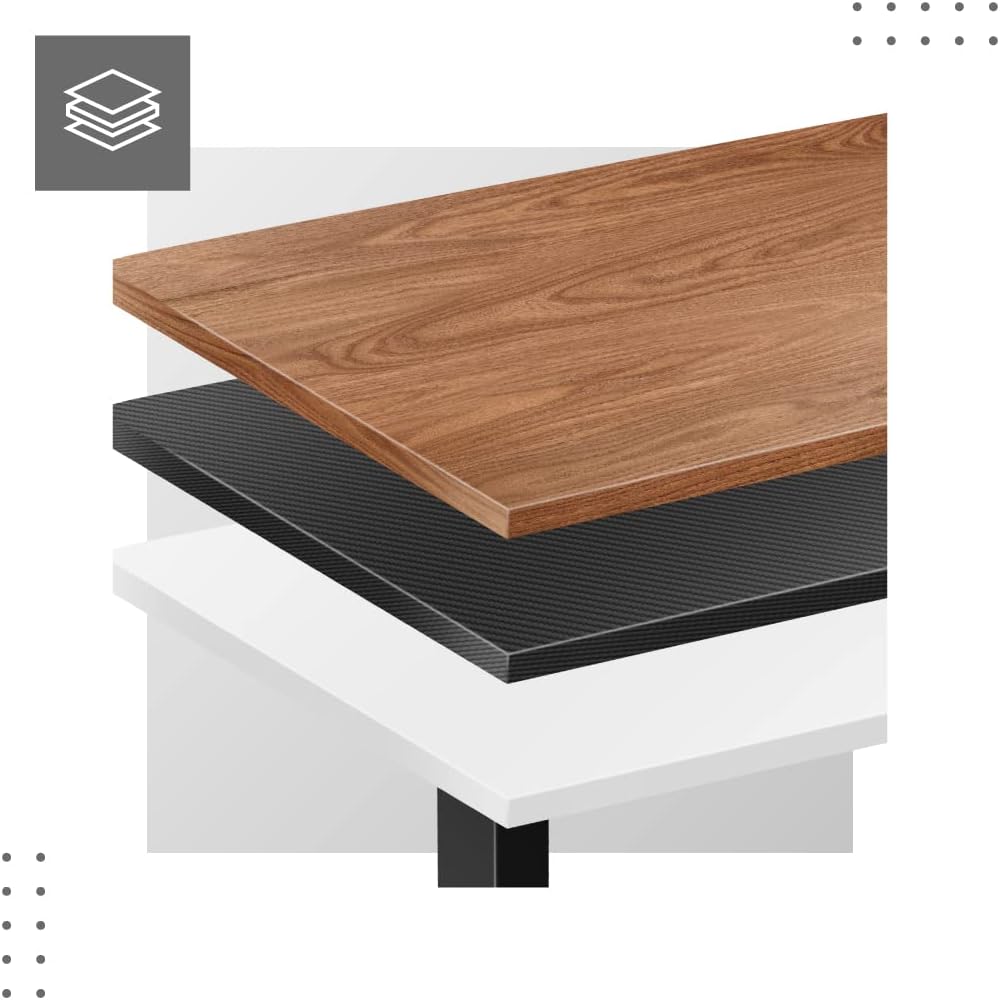
- Attach Tabletop (Not Included): Place your tabletop (90-160 cm width recommended) onto the assembled frame and secure it using appropriate screws (not included with frame).
- Amandla Aphezulu Okuqala: Plug the power adapter into a wall outlet. The desk is now ready for calibration.
Dimensions and Compatibility:

Imiyalelo yokusebenza
The MARK ADLER Xeno 4.1 features an intuitive LED control panel for easy height adjustment and memory functions.


Basic Height Adjustment
- Sebenzisa i- Phezulu (▲) inkinobho yomcibisholo yokuphakamisa ideski lifike ekuphakameni okufisayo kokuma.
- Sebenzisa i- Phansi (▼) inkinobho yomcibisholo yokwehlisa ideski liye endaweni oyifunayo yokuhlala.
- Ukuphakama kwamanje kuzoboniswa esikrinini se-LED.
Setting Memory Presets
The desk allows you to save up to three preferred height settings.
- Lungisa ideski libe ukuphakama okufisayo usebenzisa izinkinobho ezithi Phezulu/Phansi.
- Cindezela inkinobho "S" (Save) button. The display will show "S-".
- Ngemizuzwana emi-3, cindezela eyodwa yezinkinobho zememori ("1", "2", noma "3"). The current height is now saved to that preset.
Recalling Memory Presets
- Simply press the desired memory button ("1", "2", noma "3"). Ideski lizohamba ngokuzenzakalelayo liye ekuphakameni okugciniwe.
Initial Calibration / Reset
If the desk does not operate correctly or displays an error code, a reset may be required.
- Cindezela bese ubamba i Phansi (▼) button until the desk reaches its lowest position and then slightly rises. Release the button.
- If the issue persists, disconnect the power for 10 seconds, then reconnect and attempt the reset procedure again.
Isondlo
- Ukuhlanza: Sula uhlaka lwedeski ngomshini othambile, damp cloth. Avoid abrasive cleaners or solvents. Ensure the control panel and electrical components remain dry.
- Ukuphathwa Kwekhebula: Regularly check and organize cables to prevent tangles or damage, especially during height adjustments.
- Isheke Lokubopha: Njalo hlola zonke izikulufu namabhawudi ukuze uqinisekise ukuthi ziqinile. Phinda uqinise uma kunesidingo.
- Ukuthambisa: The electric lifting mechanism is generally maintenance-free. Do not attempt to lubricate internal components unless specifically instructed by the manufacturer.
Ukuxazulula inkinga
| Inkinga | Imbangela Engenzeka | Isixazululo |
|---|---|---|
| Ideski alinyakazi. | Power cable disconnected; Overload; Motor overheating; Control panel issue. | Check power connection. Reduce load. Allow motor to cool down. Perform a reset (see Operating Instructions). |
| Uneven movement or desk tilting. | Uneven load distribution; Loose fasteners. | Distribute weight evenly on the tabletop. Check and tighten all assembly screws. |
| Ikhodi yephutha iboniswa kuphaneli yokulawula. | System malfunction; Overload; Sensor issue. | Perform a reset (see Operating Instructions). If the error persists, contact customer support. |
| Amasethingi ememori awasebenzi. | Amasethingi awakagcinwa kahle. | Re-save your desired height presets (see Operating Instructions). |
Imininingwane
| Isici | Imininingwane |
|---|---|
| Igama Lemodeli | Xeno 4.1 Black |
| Ibhrendi | UMAKA ADLER |
| Ububanzi Bokulungisa Ubude | 72 cm - 118 cm (28.3 in - 46.5 in) |
| Width Adjustment Range | 84 cm - 129 cm (33.1 in - 50.8 in) |
| Ububanzi Betafula Elinconyiwe | 90 cm - 160 cm (35.4 in - 63 in) |
| Umthamo Omkhulu Womthwalo | 70 kg (154 lbs) |
| I-Frame Material | Insimbi |
| Umbala | Mnyama |
| Iphaneli yokulawula | LED with 3 Memory Presets |
| Uhlobo Lwezimoto | Electric, Smooth Operation |
| Kudingeka Umhlangano | Yebo |
| Amathuluzi Anconyiwe | Isikulufi |
| Isisindo sento | 17 kg (37.5 lbs) |
| Umkhiqizi | Meester Group sp. z o.o. |
Iwaranti kanye Nokusekela
For warranty information and customer support, please refer to the official MARK ADLER webisayithi noma uxhumane nomthengisi wakho. Gcina irisidi lakho lokuthenga njengobufakazi bokuthenga kwanoma yiziphi izimangalo zewaranti.
Umkhiqizi: Meester Group sp. z o.o.
ASIN: B0C66DP9NT
Ukuze uthole olunye usizo, sicela uvakashele i- ikhasi lomkhiqizo ku-Amazon or contact MARK ADLER customer service.
Ask a question about this manual
Ask about setup, troubleshooting, compatibility, parts, safety, or missing instructions. Manuals+ will review the question and use this page’s manual context to help answer it.