
Isingeniso
This manual provides instructions for the safe and efficient operation of your iLiving 12-Inch Rechargeable Battery Operated Camping Floor Fan. Please read all instructions carefully before use and retain this manual for future reference.
Imiyalelo Ebalulekile Yezokuphepha
- Ngaso sonke isikhathi qinisekisa ukuthi ifeni ibekwe endaweni ezinzile, eyisicaba ukuze ugweme ukuthinta.
- Do not insert fingers or any objects through the fan grilles when the fan is operating.
- Keep the fan away from water or excessive moisture. This product has an IPx4 rating for indoor and outdoor use, but should not be submerged.
- Ungayisebenzisi ifeni ngentambo eyonakele noma ipulaki.
- Gcina izingane nezilwane ezifuywayo kude nefeni ngesikhathi sokusebenza.
- Disconnect the power adapter when not in use or before cleaning.
- Sebenzisa kuphela i-adaptha enikeziwe ukuze ushaje.
Okuqukethwe Kwephakheji
- iLiving 12-Inch Rechargeable Fan
- I-adaptha yamandla
- Incwadi Yomnikazi
Umkhiqizo Uphelileview
Familiarize yourself with the main parts of your iLiving fan.
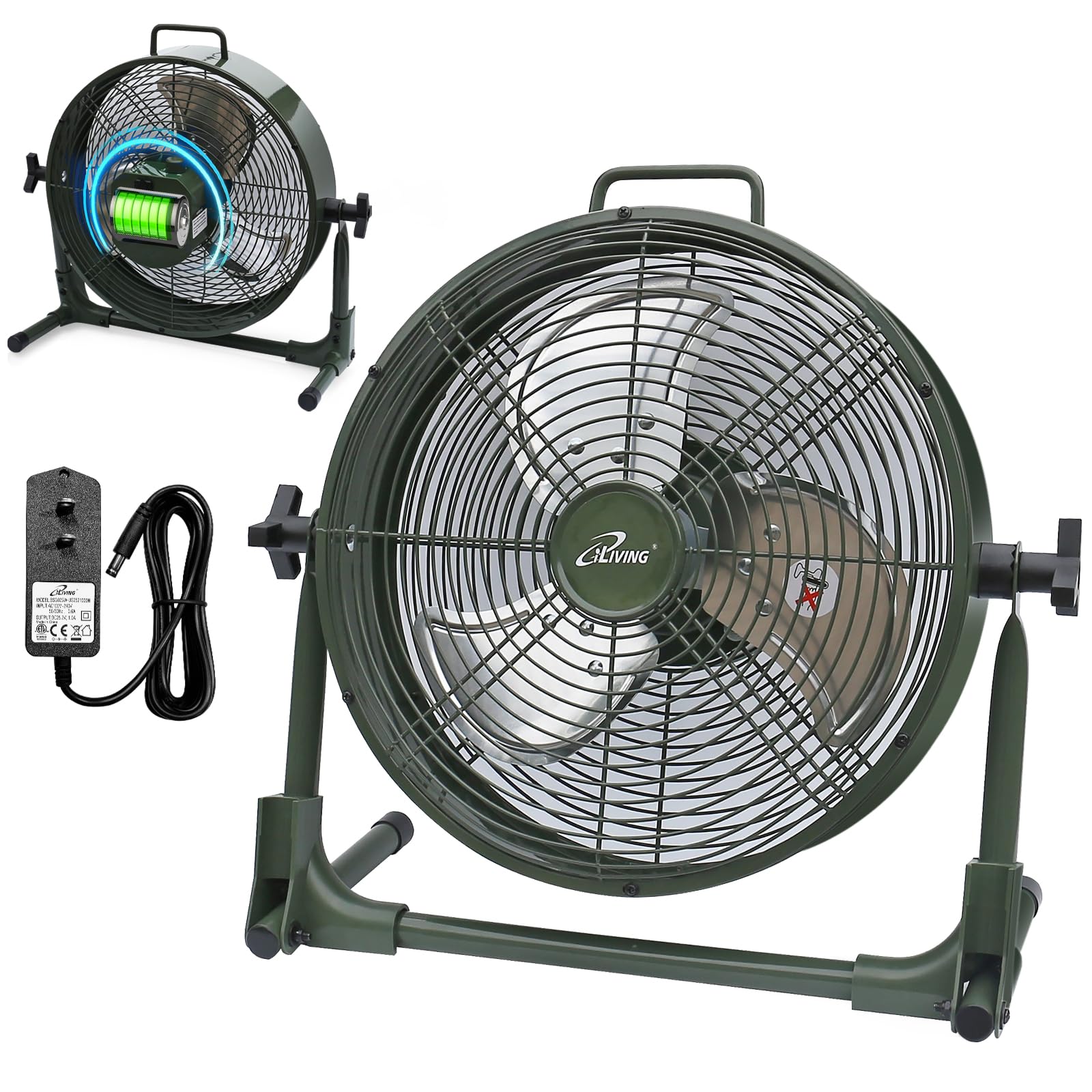
Setha
Your iLiving fan comes mostly pre-assembled. Follow these steps for initial setup:
- Unpack the fan and all accessories from the box.
- Beka ifeni endaweni ezinzile, eyisicaba.
- Adjust the fan head to your desired angle by loosening the side knobs, tilting the fan, and then tightening the knobs.
- Before first use, fully charge the fan using the provided power adapter. Connect the adapter to the charging port on the fan and plug it into a standard electrical outlet. The battery indicator lights will show charging progress.
Imiyalelo yokusebenza
Turning On/Off and Adjusting Speed
The fan features a control knob located on the back for power and speed adjustment.
- To turn the fan on, rotate the control knob clockwise from the "OFF" position.
- Continue rotating the knob clockwise to increase the fan speed from "LOW" to "MAX".
- To decrease the fan speed, rotate the knob counter-clockwise.
- To turn the fan off, rotate the knob counter-clockwise until it reaches the "OFF" position.
Inkomba Yebhethri
The LED lights next to the control knob indicate the current battery level. When charging, these lights will illuminate to show progress.

Umsebenzi Webhange Lamandla
Your iLiving fan can also function as a portable power bank to charge mobile devices.
- Locate the USB charging port on the back of the fan.
- Connect your mobile device's USB cable (not included) to this port.
- Press the "USB ON/OFF" button to activate the charging function.
- The fan's internal battery will provide power to charge your device.

Isondlo
Ukunakekela Nokuhlanza
- Njalo khipha isiphephetha-moya ngaphambi kokuhlanza.
- Sebenzisa okuthambile, damp indwangu yokusula ubuso bangaphandle befeni.
- To clean the fan blades, carefully remove the front grille (if removable, otherwise use a vacuum cleaner with a brush attachment). Ensure the fan is completely off and unplugged.
- Do not use abrasive cleaners or solvents, as these may damage the fan's finish.
- Gcina ifeni endaweni epholile, neyomile uma ingasetshenziswa.
Ukuxazulula inkinga
Izinkinga Ezivamile
| Inkinga | Imbangela Engenzeka | Isixazululo |
|---|---|---|
| Ifeni ayivuli. | Akukho mandla noma ibhethri eliphansi. | Ensure the fan is charged or plugged into a working outlet. Check the power adapter connection. |
| Ifeni igijima kancane noma kancane. | Low battery or obstruction. | Charge the battery fully. Check for any obstructions around the fan blades or grilles. |
| Imbobo yokushaja i-USB ayisebenzi. | USB function not activated or low fan battery. | Press the "USB ON/OFF" button. Ensure the fan has sufficient battery charge to power external devices. |
| Umsindo ongajwayelekile ngesikhathi sokusebenza. | Loose parts or foreign object. | Turn off and unplug the fan. Inspect for any loose parts or foreign objects within the fan grille. If the issue persists, contact customer support. |
Imininingwane Yomkhiqizo
| Isici | Imininingwane |
|---|---|
| Igama Lemodeli | I-ILG8RX12 |
| Ibhrendi | iLiving |
| Ubukhulu bomkhiqizo | 7.25"D x 16"W x 15.25"H |
| Isisindo sento | 6.4 Amakhilogremu |
| Umthombo wamandla | Rechargeable Battery Operated |
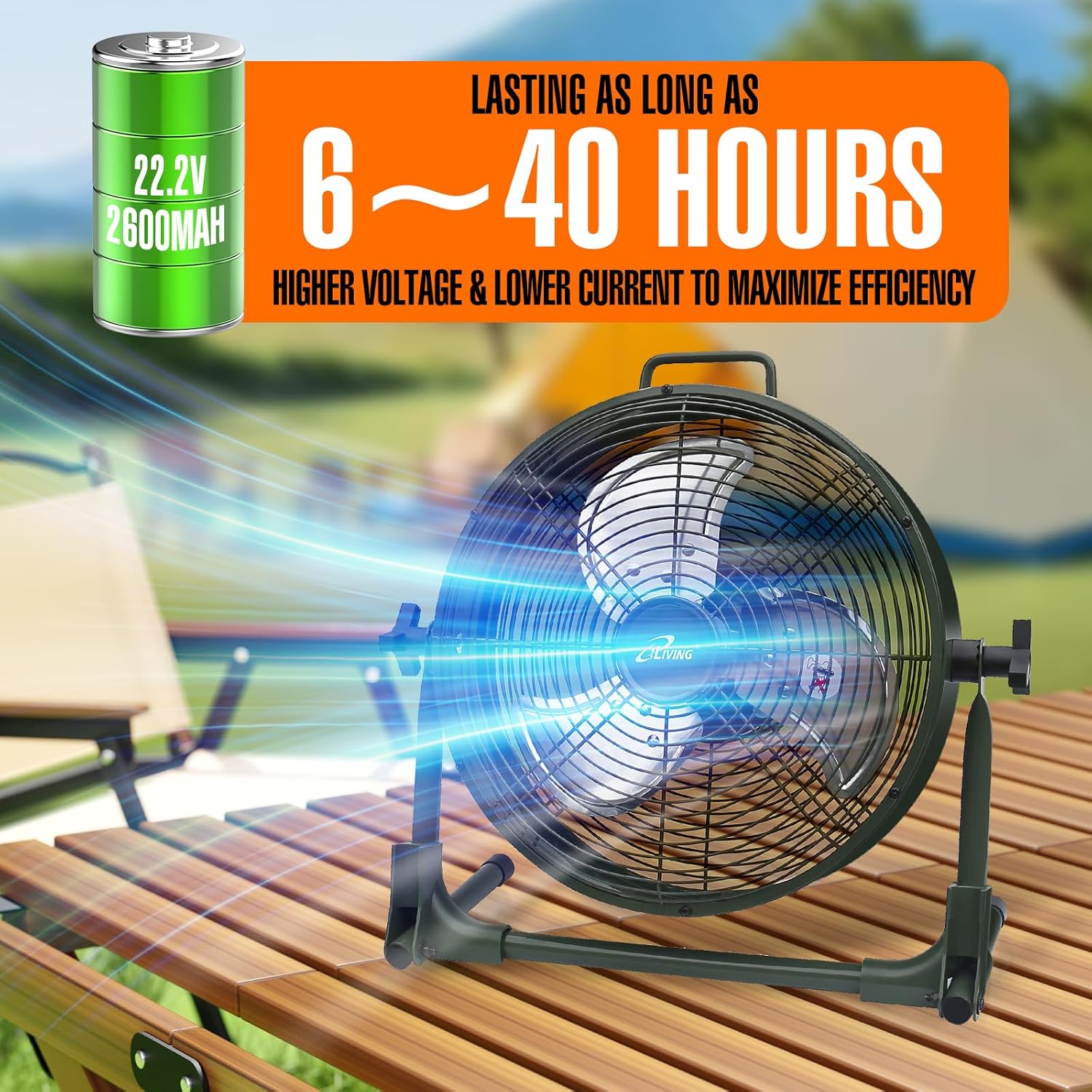
| Ibhethri | 22.2V, 2600mAh Lithium-ion |
| Wattage | 13 watts |
| Isivinini | 1360 RPM |
| Izinga Lomsindo | 58 Decibel |
| Okubalulekile | Metal (casing), Plastic (blade) |
| Isici Esikhethekile | Adjustable Tilt, Power Bank Function |
| Ukusetshenziswa Kwangaphakathi/Kwangaphandle | Ngaphakathi, Ngaphandle |
| Ukumelana Namanzi | IPx4 Ikaliwe |
| Izingxenye Ezihlanganisiwe | Rechargeable Fan, Adapter, Owner's Manual |
| Izitifiketi | ul, ul |
Ulwazi Lwewaranti
This iLiving product comes with a 1-Year Limited Component Warranty. For warranty claims or technical assistance, please contact iLiving customer service.
Ukwesekwa Kwamakhasimende
For any questions, concerns, or support needs, please visit the official iLiving webisayithi noma uxhumane nomnyango wabo wesevisi yamakhasimende.
You can also leave a review for the product at Amazon Product Review Ikhasi.