
Isingeniso
This manual provides essential information for the safe and effective use of your Paladone Green Xbox Icons Light. Please read these instructions carefully before use and retain them for future reference.

The Paladone Green Xbox Icons Light, featuring the iconic Xbox logo and sphere, illuminated in a vibrant green hue.
Ulwazi Lokuphepha
- Gcina lapho izingane zingafinyeleleki khona: Lo mkhiqizo awulona ithoyizi.
- Ukusetshenziswa kwangaphakathi kuphela: Ungabeki imvula noma umswakama.
- Umthombo wamandla: Use only the provided USB cable or 3x AAA batteries. Do not mix old and new batteries, or different types of batteries.
- Gwema amazinga okushisa aphezulu: Do not operate in excessively hot or cold environments.
- Ukuhlanza: Disconnect from power before cleaning. Use a soft, dry cloth. Do not use liquid cleaners.
- Ukulahlwa: Lahla amabhethri kanye nomkhiqizo ngendlela efanele ngokwemithetho yendawo.
Okuqukethwe Kwephakheji
Khumula ibhokisi ngokucophelela futhi uqinisekise ukuthi zonke izinto zikhona:
- 1 x Paladone Green Xbox Icons Light Unit
- 1 x Ikhebula lamandla e-USB

The product packaging, indicating the Xbox Icons Light and its features.
Setha
Your Xbox Icons Light can be powered by either the included USB cable or 3x AAA batteries (not included).
Powering via USB:
- Insert the small end of the USB cable into the USB port on the back of the light unit.
- Insert the large end of the USB cable into a powered USB port (e.g., computer, USB wall adapter, game console).
Powering via Batteries:
- Locate the battery compartment on the underside of the light unit.
- Vula ikhava yengxenye yebhethri.
- Insert 3x AAA batteries, ensuring correct polarity (+/-).
- Vala ikhava yengxenye yebhethri ngokuphephile.

The Xbox Icons Light can be powered using the included USB cable or 3x AAA batteries (not included).
Imiyalelo yokusebenza
The Xbox Icons Light features a power button, typically located on the base or side of the unit. Press this button to cycle through the available lighting modes.
Ukuvula/Ukuvala:
- Cindezela inkinobho yamandla kanye ukuze uvule isibani.
- Continue pressing the power button to cycle through the lighting modes.
- Press the power button after the last lighting mode to turn the light off.

The Xbox Icons Light offers dynamic phasing and pulsing light modes for varied visual effects.
Amamodi Okukhanyisa
The Paladone Green Xbox Icons Light offers three distinct lighting modes:
- Imodi Ejwayelekile: The light remains steadily illuminated.
- Shifting Mode: The light transitions between different brightness levels or sections.
- Imodi Yokushaya: The light gently pulses, creating a dynamic effect.
Press the power button repeatedly to switch between these modes.
Isondlo
Ukuhlanza:
- Ensure the light is turned off and disconnected from any power source before cleaning.
- Sula indawo engaphezulu ngendwangu ethambile, eyomile, engena-lint.
- Ungasebenzisi izihlanzi ezirhabaxa, izinyibilikisi, noma amakhemikhali anamandla, njengoba lokhu kungalimaza isiphetho.
Ukushintshwa Kwebhethri:
- If using batteries, replace all three AAA batteries when the light dims or stops functioning.
- Follow the instructions in the 'Powering via Batteries' section under 'Setup' for safe battery replacement.
- Always dispose of used batteries according to local environmental guidelines.
Ukuxazulula inkinga
| Inkinga | Imbangela Engenzeka | Isixazululo |
|---|---|---|
| Ukukhanya akukhanyi. | No power supply or depleted batteries. | Check USB cable connection or replace AAA batteries. |
| Ukukhanya kufiphele noma kuyacwayiza. | Amandla ebhethri aphansi. | Replace AAA batteries or use USB power. |
| Cannot change lighting modes. | Power issue or button malfunction. | Ensure stable power. If problem persists, contact support. |
Imininingwane
| Isici | Imininingwane |
|---|---|
| Inombolo Yemodeli | PP8961XB |
| Ubukhulu (L x W x H) | 12.45 x 4.92 x 2.91 amayintshi (31.8 cm x 12.5 cm x 7.4 cm) |
| Isisindo sento | 16 ama-ounces (cishe amagremu angu-453) |
| Okubalulekile | Ipulasitiki |
| Umthombo wamandla | USB Cable (included) or 3x AAA Batteries (not included) |
| Uhlobo Lwebhalbhu | I-LED |
| Inombolo yezibani | 1 |
| Voltage | Operates on low voltage DC (5V via USB, 4.5V via AAA batteries). Listed specification: 230 Volts (AC) for power adapter compatibility (adapter not included). |
| Izici ezikhethekile | Dynamic Phasing and Pulsing Light Modes |
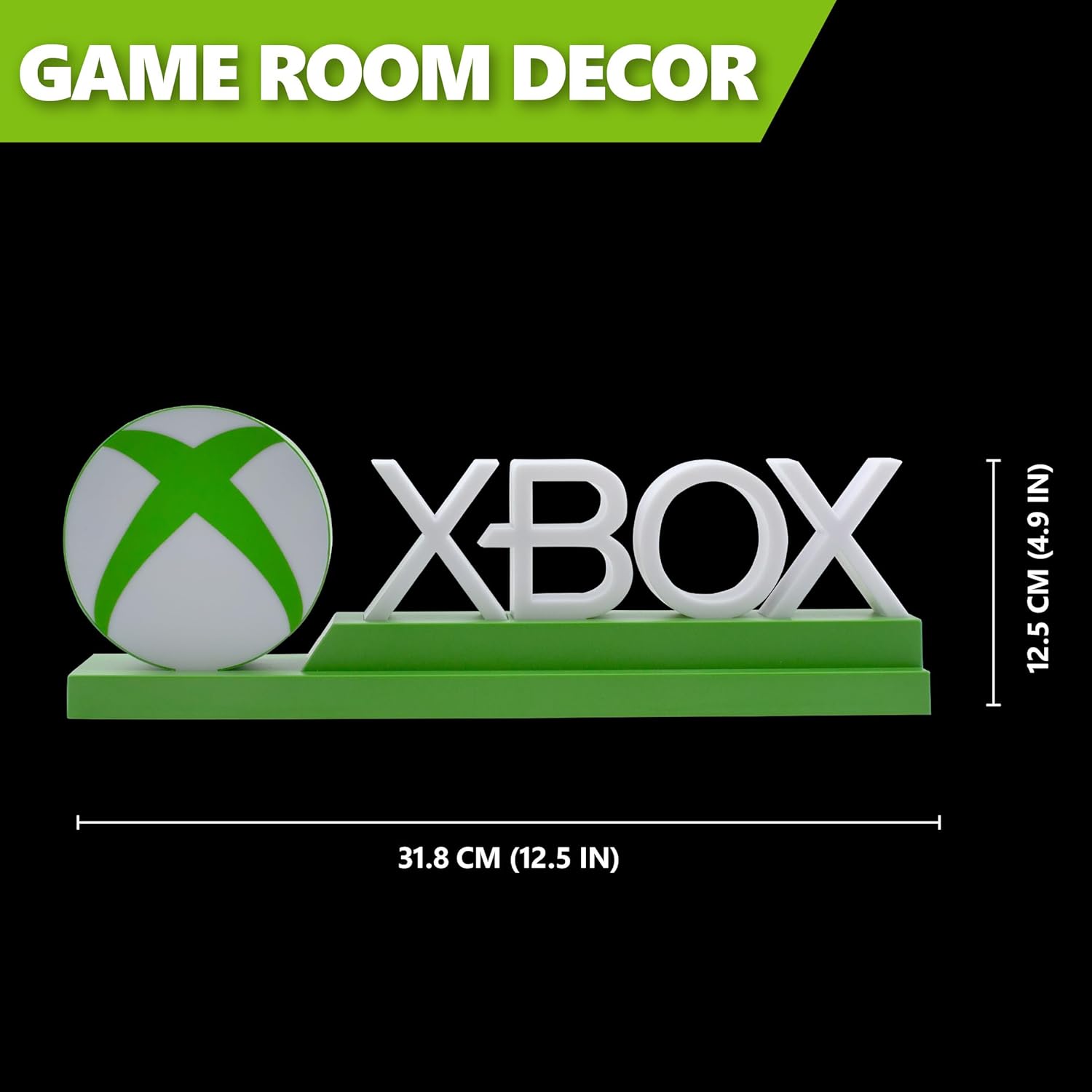
Detailed dimensions of the Xbox Icons Light, measuring 31.8 cm (12.5 inches) in width and 12.5 cm (4.9 inches) in height.
Iwaranti kanye Nokusekela
For warranty information, product support, or to inquire about replacement parts, please refer to the retailer where the product was purchased or visit the official Paladone webindawo. Gcina ubufakazi bakho bokuthenga ngezimangalo zewaranti.
Paladone Official Webindawo: www.paladone.com