
1. Isingeniso
Thank you for choosing the ProfiCook PC SM 1237 A Cordless Immersion Blender. This manual provides essential information for the safe and efficient use, maintenance, and troubleshooting of your new appliance. Please read these instructions carefully before first use and keep them for future reference.

Image 1.1: The ProfiCook PC SM 1237 A Cordless Immersion Blender.
2. Iziyalezo Zokuphepha
Ngaso sonke isikhathi qaphela izinyathelo zokuphepha eziyisisekelo lapho usebenzisa izinto zikagesi ukuze unciphise ingozi yomlilo, ukushaqeka kukagesi, nokulimala komuntu siqu.
- Funda yonke imiyalelo ngaphambi kokusebenzisa okokusebenza.
- Do not immerse the motor unit in water or other liquids. Only the blending shaft is designed for immersion.
- Gcina izandla, izinwele, nezingubo, kanye nama-spatula nezinye izinto, kude nezinsika ezihambayo ngesikhathi sokusebenza ukuze kuvinjelwe ukulimala.
- The blades are sharp. Handle with care when cleaning.
- Lo mshini awuhloselwe ukusetshenziswa abantu (okuhlanganisa nezingane) abanekhono elincishisiwe lomzimba, lezinzwa noma lengqondo, noma abangenalo ulwazi nolwazi, ngaphandle uma benikezwe ukugadwa noma umyalelo ophathelene nokusetshenziswa kwento esebenza ngumuntu onesibopho sokuphepha kwabo.
- Izingane kufanele zigadwe ukuze kuqinisekiswe ukuthi azidlali ngalo mshini.
- Do not use the appliance if the power cord, plug, or the appliance itself is damaged. Contact customer service for repair.
- Only use the USB-C charging cable and power adapter supplied with the appliance.
- Do not operate the appliance near hot surfaces or open flames.
- Ensure the appliance is switched off before assembling, disassembling, or cleaning.
- Do not overfill containers when blending to prevent spills.
- Exercise caution when blending hot liquids to avoid scalding.
3. Umkhiqizo Uphelileview
Familiarize yourself with the components and controls of your ProfiCook PC SM 1237 A Immersion Blender.
Isithombe 3.1: Phezuview of the immersion blender's controls and charging port.
Izingxenye:
- Iyunithi yezimoto: Contains the powerful Longlife motor, battery, and control panel.
- I-Shaft Yokuhlanganisa: Detachable stainless steel shaft with a sharp blade and extra-wide mixing head.
- Ikhebuli yokushaja ye-USB-C: For connecting the blender to the power adapter.
- I-adaptha yamandla: For charging the appliance from a wall outlet.
Izici zephaneli yokulawula:
- Ukushintsha kokuphepha: (1) Must be pressed before activating the ON/OFF switch.
- Ukubonisa Isimo Se-LED: (2) Shows various statuses.
- ON/OFF Touch Switch: (3) Activates and deactivates the blender.
- Izinkinobho Zokulungisa Isivinini: (4) Use '+' and '-' to select one of the 3 speed levels.
- Battery Status Indicator (Blue LED): (5) Displays the current battery charge level.
- Speed Level Indicator (Green LED): (6) Shows the selected speed level (1-3).
4. Setha
Before using your immersion blender for the first time, follow these steps:
- Khipha: Susa ngokucophelela zonke izingxenye ephaketheni. Gcina iphakheji ukuze igcinwe noma ithuthwe esikhathini esizayo.
- Hlanza: Wash the detachable blending shaft in warm soapy water, rinse thoroughly, and dry completely. Wipe the motor unit with a damp indwangu.
- Hlanganisa: Align the blending shaft with the motor unit and twist until it locks securely into place. Ensure it is firmly attached before use.

Image 4.1: Illustration of how to attach the removable stainless steel blending shaft to the motor unit.
5. Ukushaja Ibhethri
The ProfiCook PC SM 1237 A is powered by a 7.4V lithium-ion battery, offering cordless convenience. Ensure the battery is fully charged before first use.
- Xhuma: Plug the USB-C charging cable into the charging port located on the top of the motor unit.
- Vula: Connect the other end of the USB-C cable to the provided power adapter, and then plug the adapter into a standard wall outlet.
- Gada: The LED display will indicate the charging status. A full charge typically takes approximately 2.5 hours.
- Nqamula: Once fully charged, unplug the power adapter from the wall outlet and then disconnect the USB-C cable from the blender.
A fully charged battery provides up to 25 minutes of continuous operation, depending on the load and speed setting.

Image 5.1: The included USB-C charging cable and power adapter.
6. Ukusebenza
Using your cordless immersion blender is straightforward. Follow these steps for optimal results:
- Lungiselela Izithako: Cut larger ingredients into smaller pieces for easier blending. Place ingredients in a suitable container (e.g., a tall beaker, pot, or bowl).
- Gxilisa i-blender: Submerge the blending shaft into the ingredients. Ensure the blade guard is fully covered to prevent splashing.
- Yenza kusebenze: Cindezela bese ubamba i Ukushintsha Ukuphepha (1) on the top of the motor unit, then press the VULIWE/VUMA Iswishi yokuthinta (3) to start the blender.
- Khetha isivinini: Sebenzisa i- Izinkinobho Zokulungisa Isivinini (4) ('+' and '-') to choose one of the three available speed levels. The Inkomba Yezinga Lesivinini (6) will show the selected speed.
- Hlanganisa: Move the blender gently up and down and in circular motions to ensure all ingredients are processed evenly.
- Qeda: Khipha i VULIWE/VUMA Iswishi yokuthinta (3) to stop the blender. Wait for the blades to stop completely before removing the blender from the container.
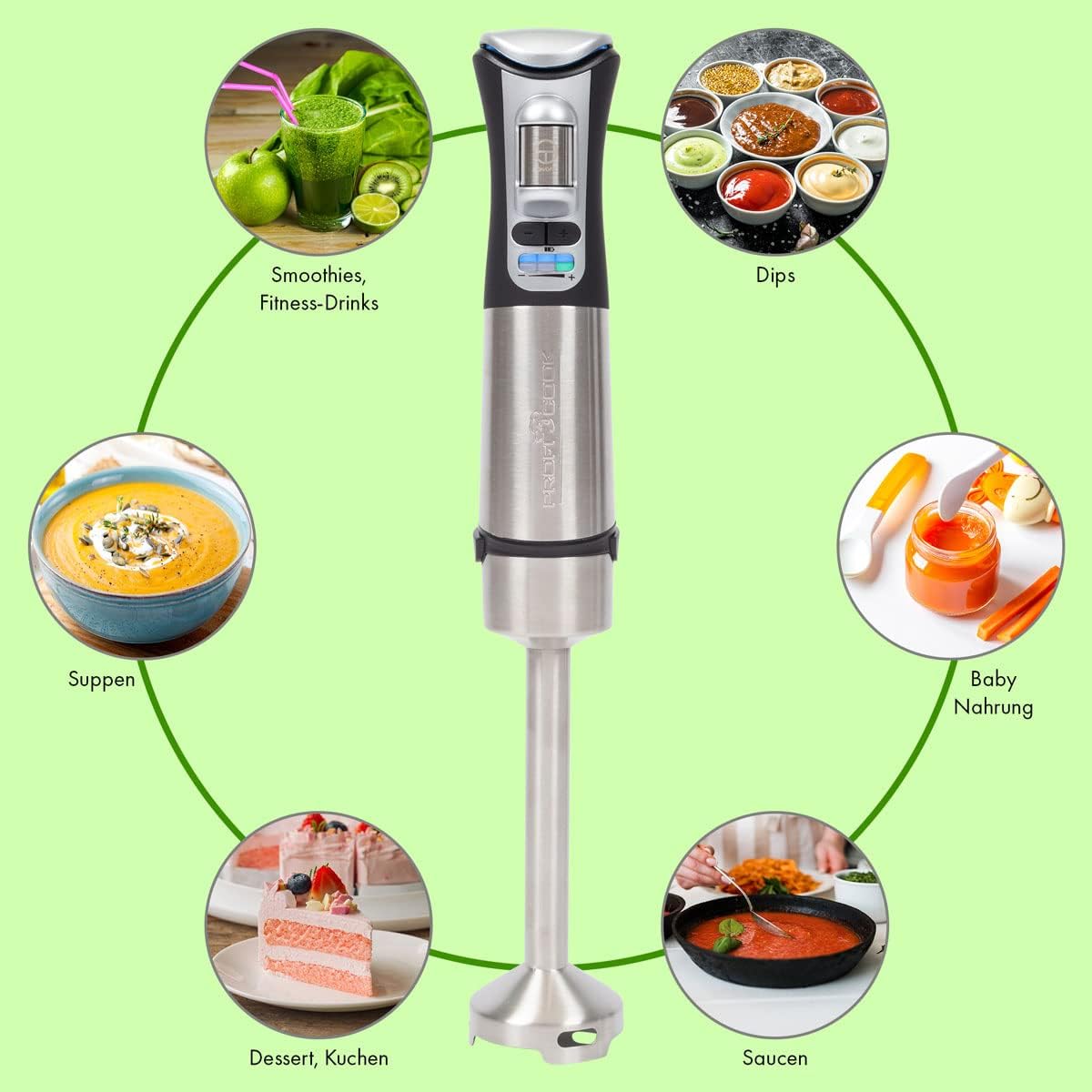
The extra-wide mixing head is designed to minimize splashing and ensure efficient blending. The blender is suitable for both cold and hot dishes, such as smoothies, sauces, shakes, purees, and soups.
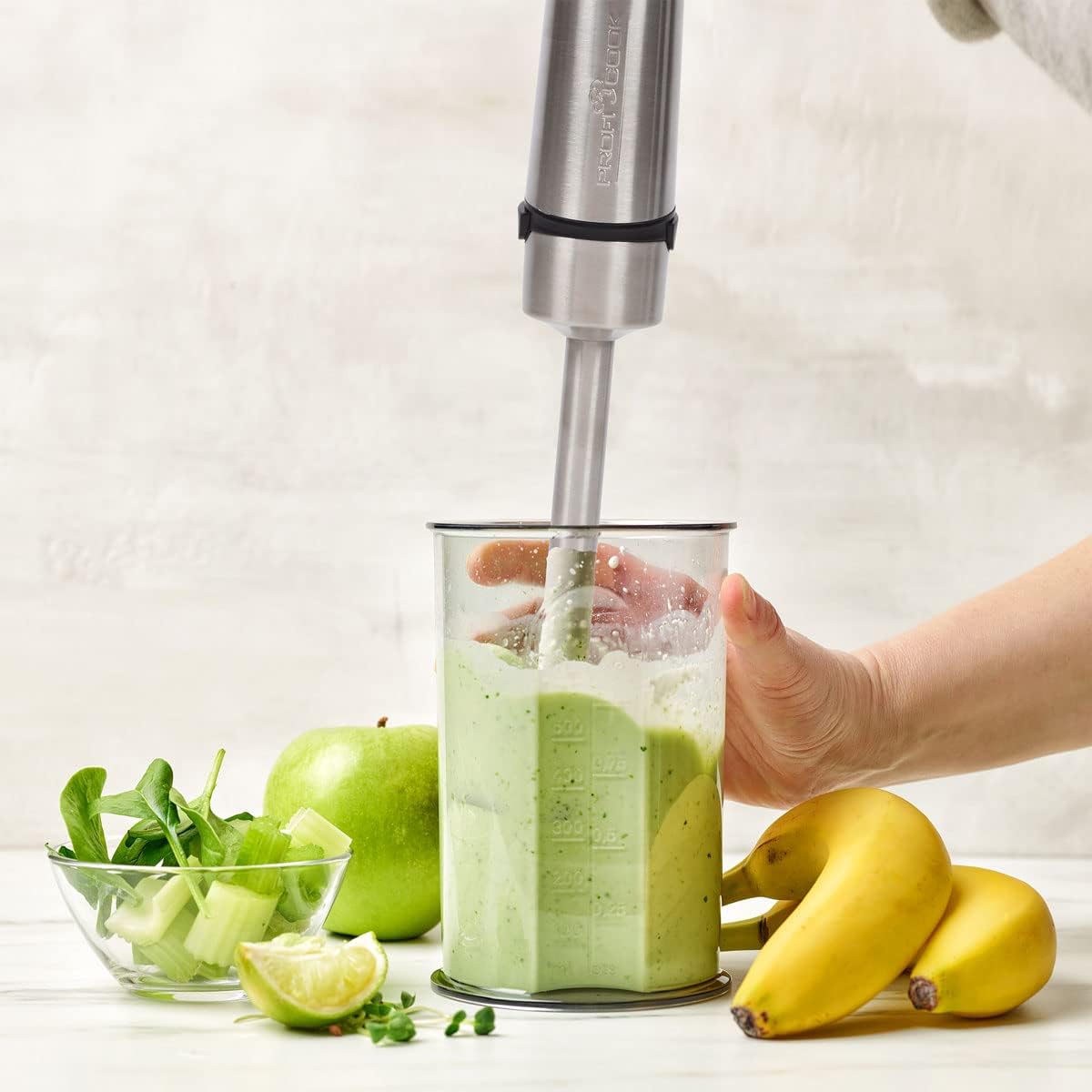
Image 6.1: Blending a smoothie with the ProfiCook immersion blender.

Image 6.2: The immersion blender can be used directly in pots for hot dishes.
7. Ukuhlanza Nokunakekela
Regular cleaning and proper maintenance will ensure the longevity and optimal performance of your immersion blender.
Ukuhlanza:
- Nqamula: Always ensure the blender is switched off and disconnected from the charging cable before cleaning.
- Detach Blending Shaft: Phendula bese udonsa umgodi wokuxuba ukuze uwususe kuyunithi yemoto.
- Wash Blending Shaft: Wash the blending shaft, including the blade, under running water with a mild detergent. Use a brush if necessary to remove food residue. Caution: The blades are very sharp. Handle with extreme care.
- Hlanza Iyunithi Yezimoto: Sula iyunithi yemoto ngesikhangisoamp indwangu. Ungacwilisi iyunithi yemoto emanzini noma kunoma yiluphi olunye uketshezi.
- Yomisa: Qinisekisa ukuthi zonke izingxenye zome kahle ngaphambi kokuhlanganisa kabusha noma ukugcinwa.
Ukunakekela:
- Store the blender in a dry place when not in use.
- Avoid dropping the appliance or subjecting it to strong impacts.
- Do not attempt to repair the appliance yourself. Contact qualified service personnel for any repairs.
8. Ukuxazulula izinkinga
If you encounter issues with your ProfiCook PC SM 1237 A, refer to the following table for common problems and solutions.
| Inkinga | Imbangela Engenzeka | Isixazululo |
|---|---|---|
| I-blender ayivuli. | Battery is depleted. Safety switch not pressed. Blending shaft not properly attached. | Charge the battery. Press the safety switch before the ON/OFF switch. Ensure the blending shaft is securely locked. |
| Ukusebenza okungalungile kokuhlanganisa. | Too many ingredients. Ingredients are too large. Low battery. | Reduce the amount of ingredients. Cut ingredients into smaller pieces. Charge the battery. |
| I-blender iyama ngesikhathi sokusebenza. | Battery is depleted. Overload protection activated. | Charge the battery. Reduce the load, turn off, wait a few minutes, then restart. |
| Ibhethri ayishaji. | Charging cable or adapter faulty. Not properly connected. | Check connections. Try a different USB-C port or adapter if available (ensure it meets specifications). |
If the problem persists after trying these solutions, please contact ProfiCook customer support.
9. Imininingwane
Technical details for the ProfiCook PC SM 1237 A Cordless Immersion Blender:
| Isici | Ukucaciswa |
|---|---|
| Inombolo Yemodeli | PC SM 1237 A (501237) |
| Amandla | 200 Watts |
| Voltage | Ama-volt angu-7.4 (Ibhethri) |
| Uhlobo Lwebhethri | I-Lithium-Ion, 2000 mAh |
| Impilo Yebhethri | Kufika kumaminithi angu-25 (cishe.) |
| Isikhathi sokushaja | Cishe. Amahora angu-2.5 |
| Inombolo Yezivinini | 3 |
| Okubalulekile | Insimbi engagqwali, iPolycarbonate |
| Umbala | Stainless Steel Black |
| Ubukhulu (L x W x H) | 10 x 5 x 1.27 cm (Product); 6P x 6l x 40H cm (Overall) |
| Isisindo | 650 g |
| Izici ezikhethekile | Removable blade, LED display, Ergonomic Soft Touch handle, Extra wide mixing head |
| Izingxenye Ezihlanganisiwe | USB-C charging cable, Power adapter |

Image 9.1: Product dimensions of the immersion blender.
10. Iwaranti kanye Nokusekela
For warranty information, please refer to the warranty card included with your product or contact your retailer. For technical support or service inquiries, please contact ProfiCook customer service through their official webisayithi noma imininingwane yokuxhumana enikezwe nemibhalo yakho yokuthenga.