
Unitech TS100
Unitech TS100 2D Hands-Free Presentation Barcode Scanner
Imaniwali yosebenzisayo
Isingeniso
This manual provides essential information for the proper setup, operation, and maintenance of your Unitech TS100 2D Hands-Free Presentation Barcode Scanner. Please read this manual thoroughly before using the device to ensure optimal performance and to prevent damage.
The Unitech TS100 is an omnidirectional USB wired desktop barcode reader designed for efficient and intuitive scanning of 1D and 2D barcodes, including PDF417 and Data Matrix, in retail and other point-of-sale environments.
Ulwazi Lokuphepha
- Do not expose the scanner to extreme temperatures, humidity, or direct sunlight.
- Avoid dropping the scanner or subjecting it to strong impacts.
- Do not attempt to disassemble or modify the scanner. This will void the warranty.
- Sebenzisa kuphela ikhebula le-USB elihlinzekiwe ukuze uxhumeke.
- Keep the scanning window clean to ensure accurate barcode reading.
Okuqukethwe Kwephakheji
Sicela uhlole okuqukethwe kwephakheji ukuze uqinisekise ukuthi zonke izinto zikhona:
- Unitech TS100 2D Presentation Barcode Scanner
- Ikhebula le-USB
- Umhlahlandlela Wokuqala Ngokushesha (uma ukhona)
Umkhiqizo Uphelileview
The Unitech TS100 features a compact design with a large scan window for easy barcode presentation. Its omnidirectional scanning capability allows for quick and efficient data capture.
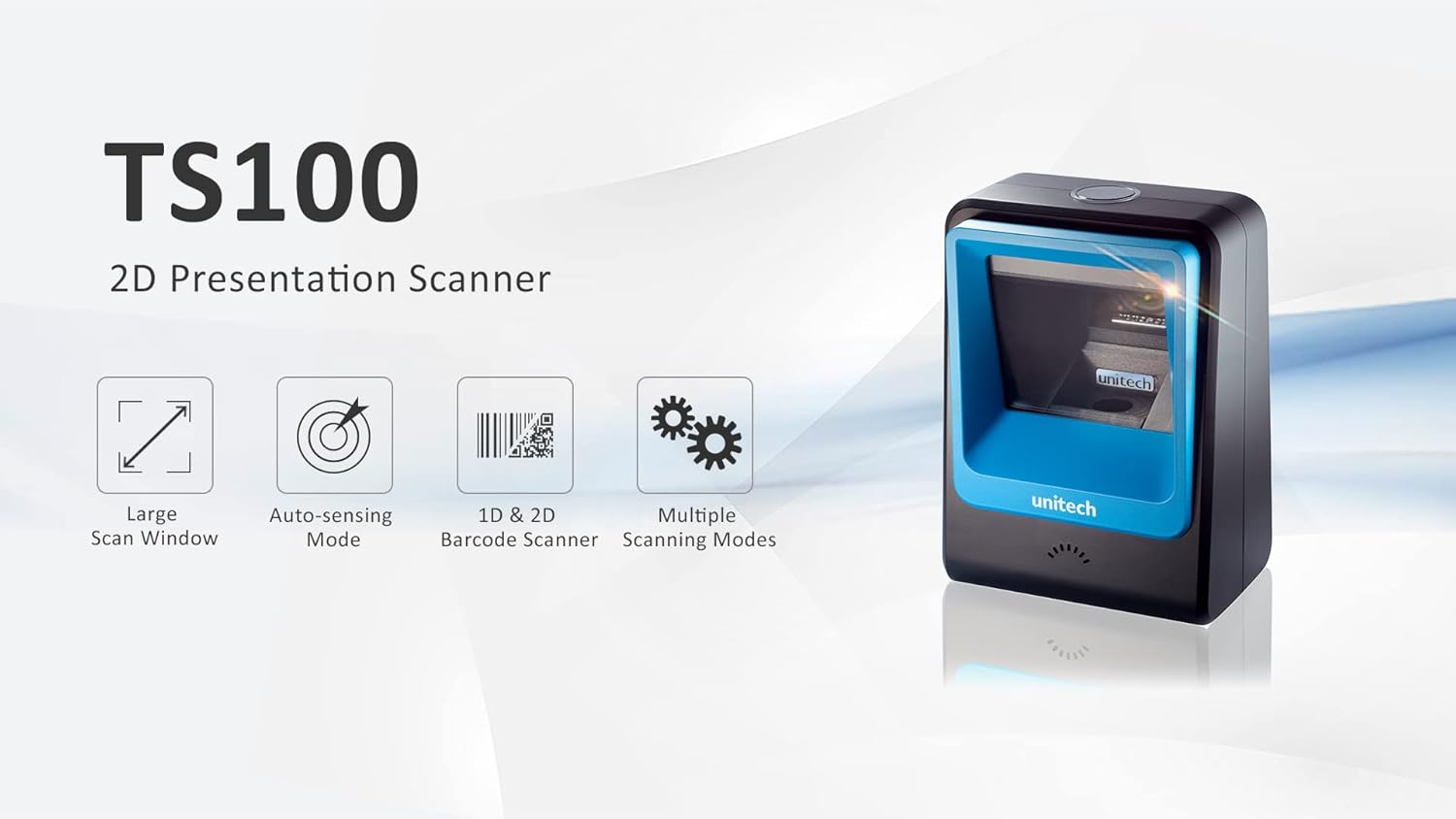
Figure 1: Unitech TS100 2D Presentation Scanner highlighting its large scan window, auto-sensing mode, 1D & 2D barcode scanning, and multiple scanning modes.

Umfanekiso 2: Ngaphambili view of the Unitech TS100 scanner, showing the blue scanning window and the Unitech logo.

Umfanekiso 3: Emuva view of the Unitech TS100 scanner, displaying the product label with model number TS100-SUCB00-SG and power specifications.
Setha
Follow these steps to set up your Unitech TS100 barcode scanner:
- Khipha isikena: Carefully remove the TS100 scanner and its accessories from the packaging.
- Xhuma Ikhebula le-USB: Insert the USB cable into the port at the back of the scanner.
- Xhuma Kudivayisi Yokusingatha: Plug the other end of the USB cable into an available USB port on your computer, laptop, or POS system.
- Ukufakwa komshayeli: The scanner is typically plug-and-play. Your operating system should automatically detect and install the necessary drivers. Wait for the installation to complete.
- Vula: The scanner will power on automatically once connected to a powered USB port. A beep and/or LED indicator will confirm it is ready for use.
Imiyalelo yokusebenza
The Unitech TS100 is designed for hands-free operation, offering multiple scanning modes for various applications.
Ukuskena Okuyisisekelo
- Place the barcode within the scanner's field of view, facing the scanning window.
- The scanner will automatically detect the barcode and emit a successful scan indication (e.g., a beep and/or green LED).
- The scanned data will be transmitted to your connected host device as keyboard input.
Amamodi wokuskena
The TS100 supports multiple scanning modes to optimize performance for different barcode types and environments:
- Imodi Ejwayelekile: Standard scanning for most 1D and 2D barcodes.
- Smartphone Mode: Optimized for reading barcodes displayed on smartphone screens, which can sometimes be reflective.
- Imodi esheshayo: Designed for faster scanning of multiple barcodes in quick succession.
Refer to the full programming manual (available on the Unitech website) for instructions on how to switch between these modes using configuration barcodes.
Isondlo
Ukunakekelwa okufanele kuqinisekisa impilo ende nokusebenza kwesithwebuli sakho:
- Ukuhlanza iwindi lokuskena: Sebenzisa indwangu ethambile, engenantambo kancane dampefakwe ngamanzi noma isicoci esithambile esingaqhumi. Ungasebenzisi amakhemikhali anokhahlo noma izinto ezilumayo.
- Ukuhlanza Ingaphandle: Sula ingaphandle leskena ngendwangu ethambile, eyomile.
- Isitoreji: Uma ingasetshenziswa, gcina isithwebuli endaweni ehlanzekile neyomile kude nokukhanya kwelanga okuqondile kanye namazinga okushisa aphezulu.
Ukuxazulula inkinga
If you encounter issues with your TS100 scanner, refer to the table below for common problems and solutions:
| Inkinga | Imbangela Engenzeka | Isixazululo |
|---|---|---|
| Iskena asivuli amandla. | USB cable not properly connected or host device USB port is not powered. | Qinisekisa ukuthi ikhebula le-USB lixhumeke ngokuphephile kukho kokubili isikena kanye nedivayisi yomsingathi. Zama imbobo ye-USB ehlukile noma idivayisi yokusingatha. |
| Iskena asiwafundi amabhakhodi. | Barcode is damaged, poorly printed, or not supported. Scanning window is dirty. Incorrect scanning mode. | Ensure the barcode is clear and undamaged. Clean the scanning window. Verify the barcode symbology is supported. Try switching scanning modes (e.g., Smartphone Mode for screen barcodes). |
| Idatha eskeniwe ayilungile noma ayiphelele. | Poor barcode quality. Scanner configuration issues. | Ensure the barcode is clear. Refer to the programming manual for advanced configuration settings. |
| Iskena siyakhala kodwa ayikho idatha edluliswayo. | Host device not recognizing the scanner as a keyboard input. | Ensure the cursor is in a text field on your host device. Reconnect the USB cable. Restart the host device. |
Imininingwane
Detailed technical specifications for the Unitech TS100 scanner:
| Isici | Ukucaciswa |
|---|---|
| Inzwa | Image Sensor with 1280x800 pixels |
| Ukukhanyisa | 650nm RED LED |
| Izinga lokuskena | 60fps |
| Skew Angle | Horizontal Angle: 50°; Vertical Angle: 35° |
| I-Pitch angle | ±65° |
| I-Engeli Yokugingqa | 360° |
| Isixazululo se-Optical | 1D: 4 mil; 2D: 6.7 mil |
| Printing Contrast Scale | 25% |
| Isikhungo Sokubamba | I-USB |
| Ubukhulu (L x W x H) | 4.1 kokuthi x 5.7 kokuthi x 2.7 kokungu (105mm x 146mm x 70mm) |
| Isisindo | 12.1 oz / 345g (without cable) |
| 1D Symbologies Supported | UPC-A/E, EAN-8/13, UPC/EAN Supplementals, EAN-8 Extend, Code 128, Code 39, Code 93, Code 11, Interleaved 2 of 5, Matrix 2 of 5, Codabar, MSI Plessey, GS1 DataBar, China Postal, Korean Postal, etc. |
| 2D Symbologies Supported | PDF417, MicroPDF417, DataMatrix, DataMatrix-Inverse, Maxicode, QRcode, MicroQR, Aztec, Aztec Inverse, Han Xin, Han Xin Inverse |
| Inkomba | I-LED, i-Buzzer |
| Izinga Lokushisa Lokusebenza | 32°F ukuya ku-122°F (0°C ukuya ku-50°C) |
| Izinga Lokushisa Lesitoreji | -40°F ukuya ku-158°F (-40°C kuya ku-70°C) |
| Umswakama Ohlobene | I-0% kuya ku-95% ayinciphisi |
Iwaranti kanye Nokusekela
The Unitech TS100 barcode scanner main unit comes with a Iwaranti yonyaka ongu-1 kusukela ngedethi yokuthenga. Lesi siqinisekiso sihlanganisa amaphutha ezintweni zokwakha kanye nokusebenza ngaphansi kokusetshenziswa okuvamile.
For technical support, warranty claims, or further assistance, please contact Unitech customer service or visit the official Unitech webindawo. Gcina irisidi lakho lokuthenga njengobufakazi bokuthenga izinsizakalo zewaranti.
Unitech America Webindawo: www.unitechamerica.com
Ask a question about this manual
Ask about setup, troubleshooting, compatibility, parts, safety, or missing instructions. Manuals+ will review the question and use this page’s manual context to help answer it.