
PRORECK SP-15
PRORECK SP-15 Powered PA Speaker & Stage Monitor User Manual
Imodeli: SP-15
Isingeniso
Thank you for choosing the PRORECK SP-15 15-inch 1400W P.M.P.O Stereo Powered Stage Monitor and PA Speaker. This versatile audio system is designed to deliver powerful and clear sound for a wide range of applications, including churches, weddings, conferences, ballrooms, and live performances. Featuring a built-in Digital Signal Processor (DSP), Bluetooth 5.0 connectivity, and multiple input channels, the SP-15 offers exceptional flexibility and control over your audio. Please read this manual thoroughly before operating the unit to ensure proper use and to maximize its performance and longevity.
Ulwazi Lokuphepha
Ngaso sonke isikhathi qaphela lezi zinyathelo zokuphepha ezilandelayo ukuze uvimbele ukushaqeka kukagesi, umlilo, noma ukulimala:
- Umthombo wamandla: Xhuma iyunithi kuphela ku-volt yokunikezwa kwamandla ecacisiwetage. Qinisekisa ukuthi intambo kagesi ayonakele noma ayicindezelwanga.
- Ukungenisa umoya: Do not block ventilation openings. Ensure adequate airflow around the speaker to prevent overheating.
- Amanzi Nomswakama: Ungayibeki iyunithi emvuleni noma emswakameni. Ungabeki izinto ezigcwele uketshezi, njengamavasi, kuyunithi.
- Imithombo Yokushisa: Gcina iyunithi kude nemithombo yokushisa efana nama-radiator, amarejista okushisa, izitofu, noma ezinye izisetshenziswa (okuhlanganisa ampama-lifiers) akhiqiza ukushisa.
- Ukuhlanza: Unplug the unit from the power outlet before cleaning. Use only a dry cloth.
- Ukusevisa: Ungazami ukusevisa lo mkhiqizo ngokwakho. Thumela konke ukusevisa kubasebenzi besevisi abafanelekayo. Ukusevisa kuyadingeka uma idivayisi yonakele nganoma iyiphi indlela, njengentambo yokuhambisa ugesi noma ipulaki yonakele, uketshezi luchithekile noma izinto ziwele kudivayisi, idivayisi ivezwe emvuleni noma emswakama, ayisebenzi kahle, noma iwile.
- Ukubekwa: Place the speaker on a stable, flat surface or a suitable speaker stand. Avoid placing it in unstable positions where it could fall and cause injury or damage.
Okuqukethwe Kwephakheji
Sicela uhlole ukuthi zonke izinto zikhona yini kuphakheji:
- PRORECK SP-15 Powered PA Speaker
- Power Cord (5-inch, 3-prong)
- Incwadi Yomsebenzisi (le dokhumenti)
Umkhiqizo Uphelileview
Ngaphambili naseceleni View
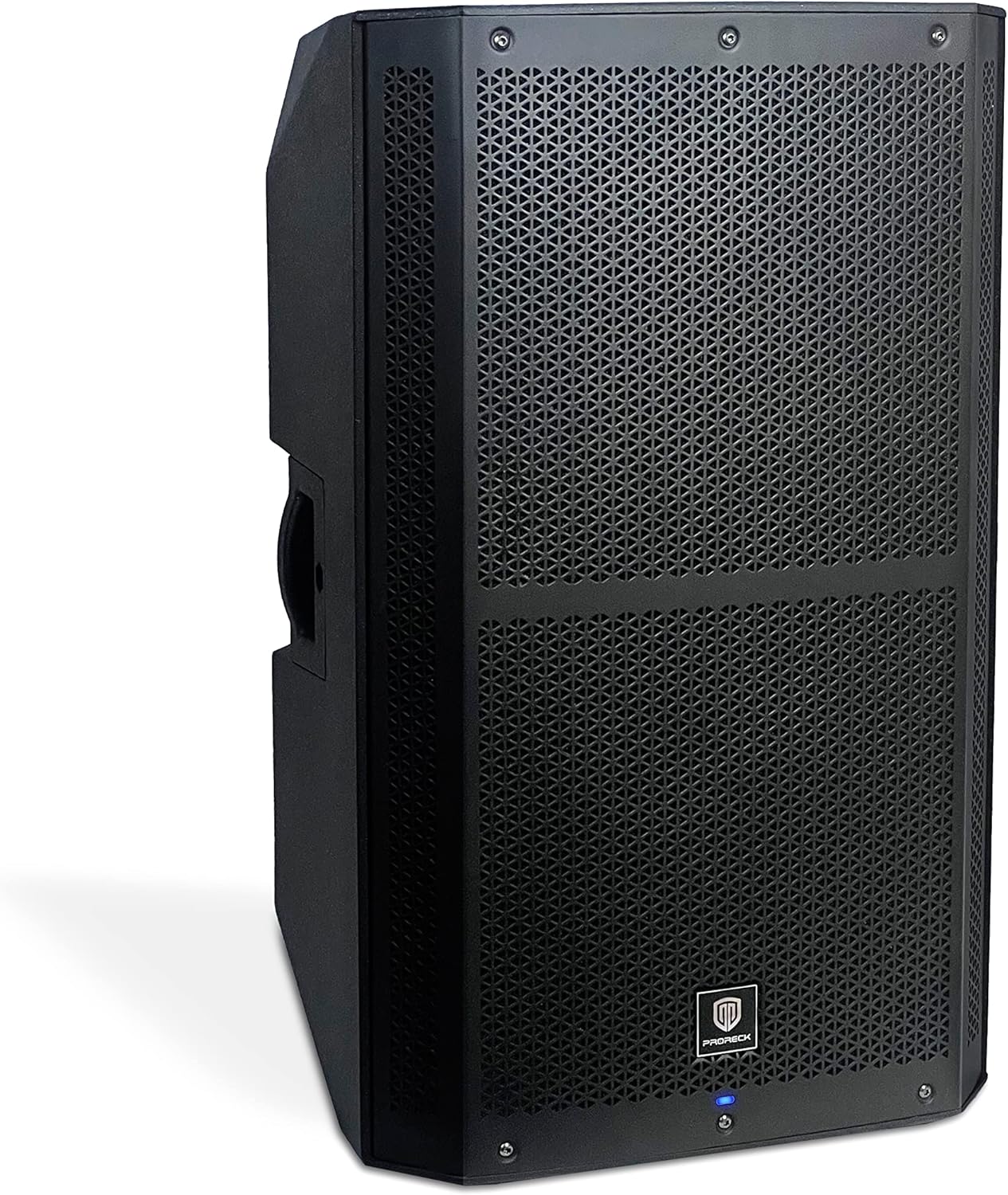
Umfanekiso 1: Ngaphambili nangaseceleni view of the PRORECK SP-15 speaker, showcasing its robust polypropylene enclosure and front grille.

Umfanekiso 2: Uhlangothi view of the PRORECK SP-15, highlighting the integrated handle for easy transport.
The PRORECK SP-15 features a durable polypropylene construction designed to reduce resonance and enhance sound quality. It includes an integrated handle for convenient portability. The front grille protects the 15-inch woofer and 1.75-inch horn coil, which are engineered for powerful and clear audio output.

Figure 3: Illustration of the 15-inch woofer with 3-inch voice coil and 1.75-inch horn coil for enhanced sound.
Rear Panel and Controls (4-Channel Mixer)

Umfanekiso 4: Okuningiliziwe view of the PRORECK SP-15's rear panel, showing the 4-channel mixer and DSP controls.

Figure 5: Full rear panel view, including power input and switch.
The rear panel houses all the essential inputs, outputs, and controls for the SP-15. It features a comprehensive 4-channel mixer with a built-in Digital Signal Processor (DSP) for precise audio adjustments.
- DSP USB SET: USB port for DSP settings and updates.
- Bluetooth Switch Button: Activates/deactivates Bluetooth pairing mode.
- Stereo RCA Input: Ukuxhuma amadivayisi anemiphumela ye-RCA.
- XLR Mix Output: For connecting to another speaker or mixer.
- Isikrini sokubonisa i-LED: Shows DSP menu, levels, and settings.
- Function Selection Knob (DSP CONTROL): Navigates and selects options within the DSP menu.
- 1/4"/XLR Combo Aux/Line Input: Versatile input for auxiliary or line-level signals.
- 1/4"/XLR Combo Mic/Line Input: Versatile input for microphone or line-level signals.
- Line/Mic Switch button: Toggles input sensitivity between line and microphone levels for the combo inputs.
- I-Gain Control Knob: Adjusts the input gain for connected devices.
Setha
Ukubekwa Kwasekuqaleni
The PRORECK SP-15 can function as both a traditional PA speaker and a stage monitor. Its design allows for flexible placement:
- PA Speaker Mode: For general sound reinforcement, place the speaker upright on a flat, stable surface or mount it on a compatible speaker stand.
- Stage Monitor Mode: For use as a floor monitor, position the speaker on its side, utilizing its angled design to direct sound towards the performer.

Figure 6: The PRORECK SP-15 configured as a PA speaker (left) and a stage monitor (right).
Ukuxhuma Amandla
- Ensure the power switch on the rear panel is in the "OFF" position.
- Connect the provided 3-prong power cord to the AC inlet on the rear panel of the speaker.
- Xhuma enye ingxenye yentambo yamandla endaweni kagesi esekelwe phansi.
Ixhuma Imithombo Yomsindo
The SP-15 offers multiple input options:
- Microphones/Line-level Instruments: Use the 1/4"/XLR Combo Mic/Line Input (8). Ensure the Line/Mic Switch button (9) is set appropriately for your source.
- Auxiliary/Line-level Devices: Use the 1/4"/XLR Combo Aux/Line Input (7).
- RCA Devices: Connect devices like CD players or DJ mixers to the Stereo RCA Input (3).
- Amadivayisi e-Bluetooth: For wireless audio streaming, refer to the "Bluetooth Pairing" section under Operating Instructions.
After connecting your sources, you can use the XLR Mix Output (4) to link the SP-15 to another powered speaker or a main mixer, expanding your sound system.
Imiyalelo yokusebenza
Ivula/Vala amandla
- Before powering on, ensure all gain control knobs are turned down to their minimum setting.
- Flip the power switch on the rear panel to the "ON" position. The LED display screen (5) will illuminate.
- Slowly increase the Gain Control Knob (10) for your active input to the desired listening level.
- To power off, turn down all gain controls, then flip the power switch to the "OFF" position.
Using the DSP Processor
The built-in Digital Signal Processor (DSP) allows for advanced sound customization:
- Press the Function Selection Knob (DSP CONTROL) (6) to enter the DSP menu on the LED Display Screen (5).
- Rotate the knob to navigate through the menu options (e.g., EQ settings, crossover, delay, presets).
- Press the knob again to select an option.
- Rotate the knob to adjust the selected parameter.
- Press the knob to confirm the setting or exit the sub-menu.
- The DSP allows you to set up your speaker with personal sound styles, optimizing it for different environments or audio content.
Ukubhanqa kwe-Bluetooth
The SP-15 features Bluetooth 5.0 for wireless audio streaming:
- Press the Bluetooth Switch Button (2) on the rear panel. The LED display will indicate Bluetooth pairing mode (e.g., "BT Pairing").
- On your Bluetooth-enabled device (e.g., smartphone, tablet), go to its Bluetooth settings and search for available devices.
- Select "PRORECK SP-15" from the list.
- Once connected, the LED display will confirm the successful pairing.
- You can now stream audio wirelessly from your device to the SP-15.

Figure 7: Illustrates Bluetooth connectivity between a smartphone and the PRORECK SP-15 speaker.
Using as PA Speaker or Stage Ukuqapha
The SP-15 is designed for dual functionality:
- PA Speaker: Ilungele amplifying sound to a large audience. Position upright on a stand or flat surface.
- Stage Monitor: Perfect for musicians to hear themselves on stage. Position on its side with the angled design facing the performer.
The 1400W peak power and 3-inch voice coil ensure penetrating sound, capable of accommodating up to 100 persons in a typical setting.
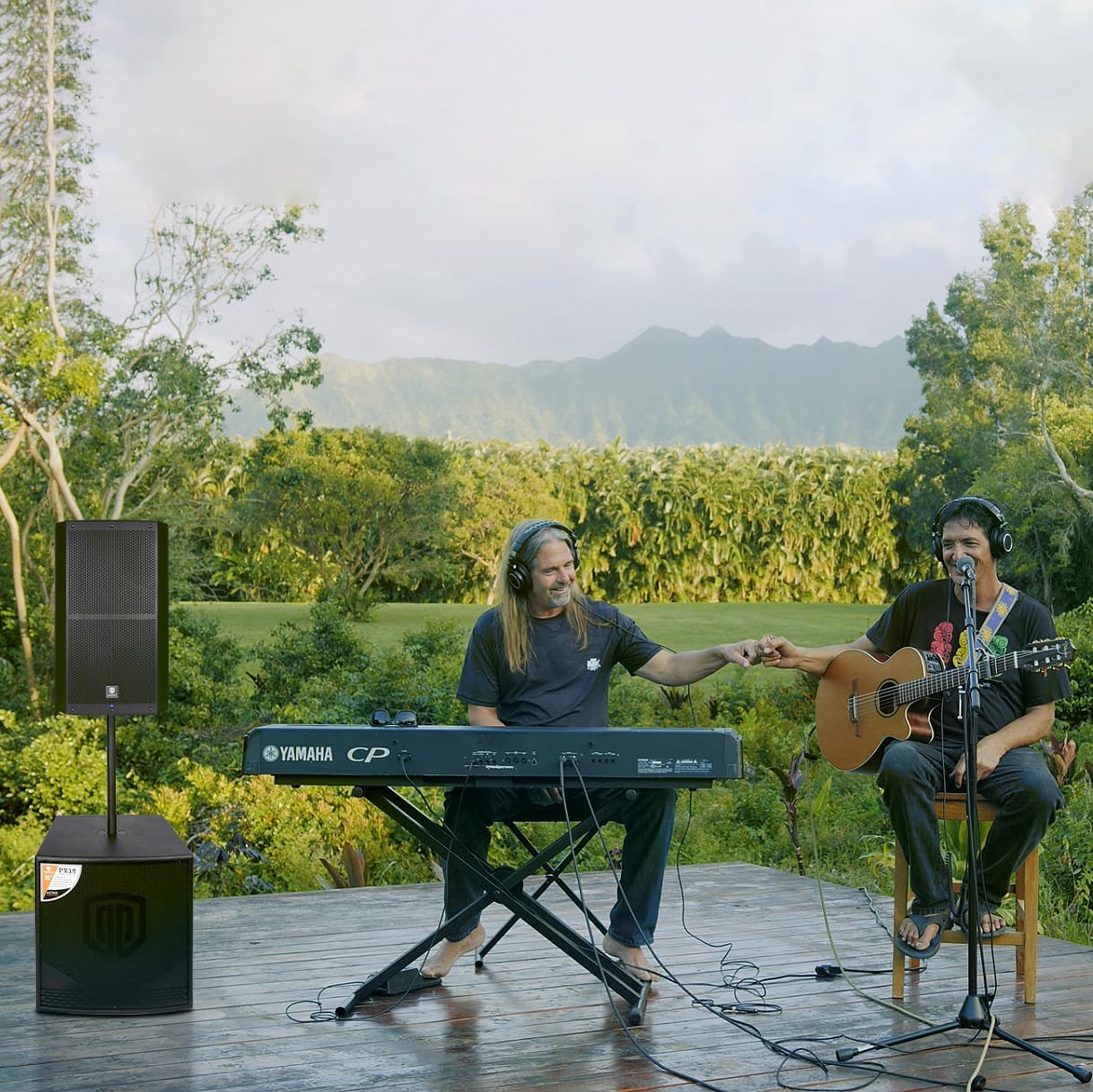
Figure 8: The PRORECK SP-15 being used in an outdoor musical performance, demonstrating its versatility.
Isondlo
- Ukuhlanza: Always unplug the speaker before cleaning. Use a soft, dry cloth to wipe down the exterior. Do not use abrasive cleaners, waxes, or solvents.
- Isitoreji: If storing the speaker for an extended period, keep it in a cool, dry place, away from direct sunlight and extreme temperatures.
- Ukungenisa umoya: Regularly check that the ventilation openings are clear of dust and debris to ensure proper heat dissipation.
- Izintambo: Inspect power and audio cables periodically for any signs of wear or damage. Replace damaged cables immediately.
Ukuxazulula inkinga
| Inkinga | Imbangela Engenzeka | Isixazululo |
|---|---|---|
| Awekho amandla | Power cord not connected; Power outlet faulty; Power switch off; Blown fuse. | Ensure power cord is securely connected. Try a different outlet. Turn power switch ON. Check and replace fuse if necessary (T5A fuse). |
| Akukho okukhipha umsindo | Input gain too low; Incorrect input selected; Audio cable faulty; Source device not playing; Bluetooth not paired. | Increase gain control. Verify correct input connection. Test with a different audio cable. Ensure source device is playing audio. Re-pair Bluetooth device. |
| Umsindo ohlanekezelwe | Input gain too high; Source signal too strong; DSP settings incorrect. | Reduce input gain. Lower output volume on source device. Adjust DSP settings (e.g., EQ, limiters). |
| I-Bluetooth ayixhumi | Speaker not in pairing mode; Device too far; Interference; Device already connected to another speaker. | Press Bluetooth switch button to enter pairing mode. Move device closer to speaker. Reduce interference from other wireless devices. Disconnect from other Bluetooth devices. |
| Umsindo ohumuzayo noma obhayizayo | Ground loop; Faulty cable; Interference from other electronics. | Ensure all equipment is on the same electrical circuit. Try different cables. Move speaker away from other electronic devices. |
Imininingwane
| Isici | Imininingwane |
|---|---|
| Igama Lemodeli | SP-15 |
| Uhlobo lwesipika | Monitor / Powered PA Speaker |
| AmpUhlobo lwe-lifier | CLASS D BI-Ampokokuphila |
| Amandla Okukhipha Isipikha aphezulu | 1400 Watts (P.M.P.O) |
| I-Woofer Diameter | 15 Inches (with 3-inch voice coil) |
| Horn Coil Size | 1.75 amayintshi |
| I-Frequency Range | 40Hz - 18kHz |
| Ukumboza ama-Angles | 120° x 60° |
| Ubuchwepheshe bokuxhumana | Bluetooth 5.0, Auxiliary, USB, XLR |
| Okokufaka | Stereo RCA, XLR 1/4-inch combo Aux/Line, XLR 1/4-inch combo Mic/Line |
| Imiphumela | I-XLR Mix Output |
| Okubalulekile | I-Polypropylene (PP) |
| Umbala | Mnyama |
| Ubukhulu bomkhiqizo (D x W x H) | 18" x 19" x 30" (45.7cm x 48.3cm x 76.2cm) |
| Isisindo sephakheji | 23.3 KGS / 51.5 LBS |
| Umthombo wamandla | I-Corded Electric |
| Izici ezikhethekile | Built-in Digital Signal Processor (DSP) |

Figure 9: Dimensions of the PRORECK SP-15 speaker (15 inch / 380mm width, 16.5 inch / 420mm depth, 27 inch / 690mm height).
Iwaranti kanye Nokusekela
The PRORECK SP-15 comes with a limited warranty. For specific details regarding warranty coverage, duration, and terms, please refer to the warranty card included with your product or visit the official PRORECK website. For technical support, troubleshooting assistance beyond this manual, or service inquiries, please contact PRORECK customer service through their official channels. You can often find contact information on the PRORECK webindawo noma emaphaketheni omkhiqizo.
PRORECK Official Store: Visit PRORECK Store on Amazon
Ask a question about this manual
Ask about setup, troubleshooting, compatibility, parts, safety, or missing instructions. Manuals+ will review the question and use this page’s manual context to help answer it.