
Pro-Ject PJ292792
Pro-Ject Debut PRO S Turntable User Manual
Imodeli: PJ292792
Isingeniso
This manual provides essential information for the proper setup, operation, and maintenance of your Pro-Ject Debut PRO S Turntable. Please read these instructions carefully before using your turntable to ensure optimal performance and longevity of the product.
Okuqukethwe Kwephakheji
Ngaphambi kokuqhubeka nokusetha, qinisekisa ukuthi zonke izingxenye zikhona ephaketheni:
- Pro-Ject Debut PRO S Turntable Unit
- Pick it S2 C integrated cartridge/headshell
- 10" Aluminum S-Shaped Tonearm (pre-installed)
- Precision aluminum platter with TPE damping
- TPE-Damped Die-Cast Aluminum Record Platter
- I-Dustcover
- Ikhebula lephono le-premium semi-symmetrical phono
- Ukunikezwa kwamandla kagesi
- I-Counterweight
- Isisindo se-Anti-skate
- Setup tools (e.g., alignment protractor, stylus force gauge)
Setha
Proper setup is crucial for the performance of your turntable. Follow these steps carefully.
1. Ukuqaqa nokubeka
Carefully remove all components from the packaging. Place the turntable on a stable, level surface, away from direct sunlight, heat sources, and vibrations. Ensure adequate ventilation around the unit.

Image: The Pro-Ject Debut PRO S Turntable, showcasing its sleek satin black finish and the S-shaped tonearm. This view highlights the overall design and footprint of the unit, important for placement considerations.
The turntable features height-adjustable TPE-damped metal feet. Adjust these feet to ensure the turntable chassis is perfectly level. This minimizes resonance and improves playback stability.

Isithombe: I-engeli view from below the turntable, illustrating the motor suspension system and the adjustable TPE-damped metal feet. Proper adjustment of these feet is essential for leveling the turntable and isolating it from vibrations.
2. Ukufakwa kwePlatter nebhande
Carefully place the TPE-damped die-cast aluminum record platter onto the spindle. Locate the drive belt and loop it around the motor pulley and the sub-platter rim. Ensure the belt is not twisted.

Image: A schematic diagram illustrating the turntable's platter and belt drive mechanism. This visual aid helps in correctly installing the drive belt around the motor pulley and the sub-platter.
3. Tonearm and Cartridge Setup
The Debut PRO S comes with a 10" S-shaped aluminum tonearm and a Pick it S2 C integrated cartridge/headshell pre-installed. You will need to balance the tonearm and set the tracking force.
- Linganisa i-Tonearm: Gently release the tonearm clamp. While supporting the tonearm, rotate the counterweight until the tonearm floats freely and horizontally.
- Setha Amandla Okulandelela: Once balanced, rotate the tracking force scale ring on the counterweight to '0' without moving the counterweight itself. Then, rotate the entire counterweight counter-clockwise until the desired tracking force (typically specified by the cartridge manufacturer, usually around 1.8g for the Pick it S2 C) is indicated on the scale.
- Isethi ye-Anti-Skate: Attach the anti-skate weight to the small fishing line and loop it over the anti-skate post. The recommended setting for the Pick it S2 C cartridge is typically the second groove from the tonearm pivot.
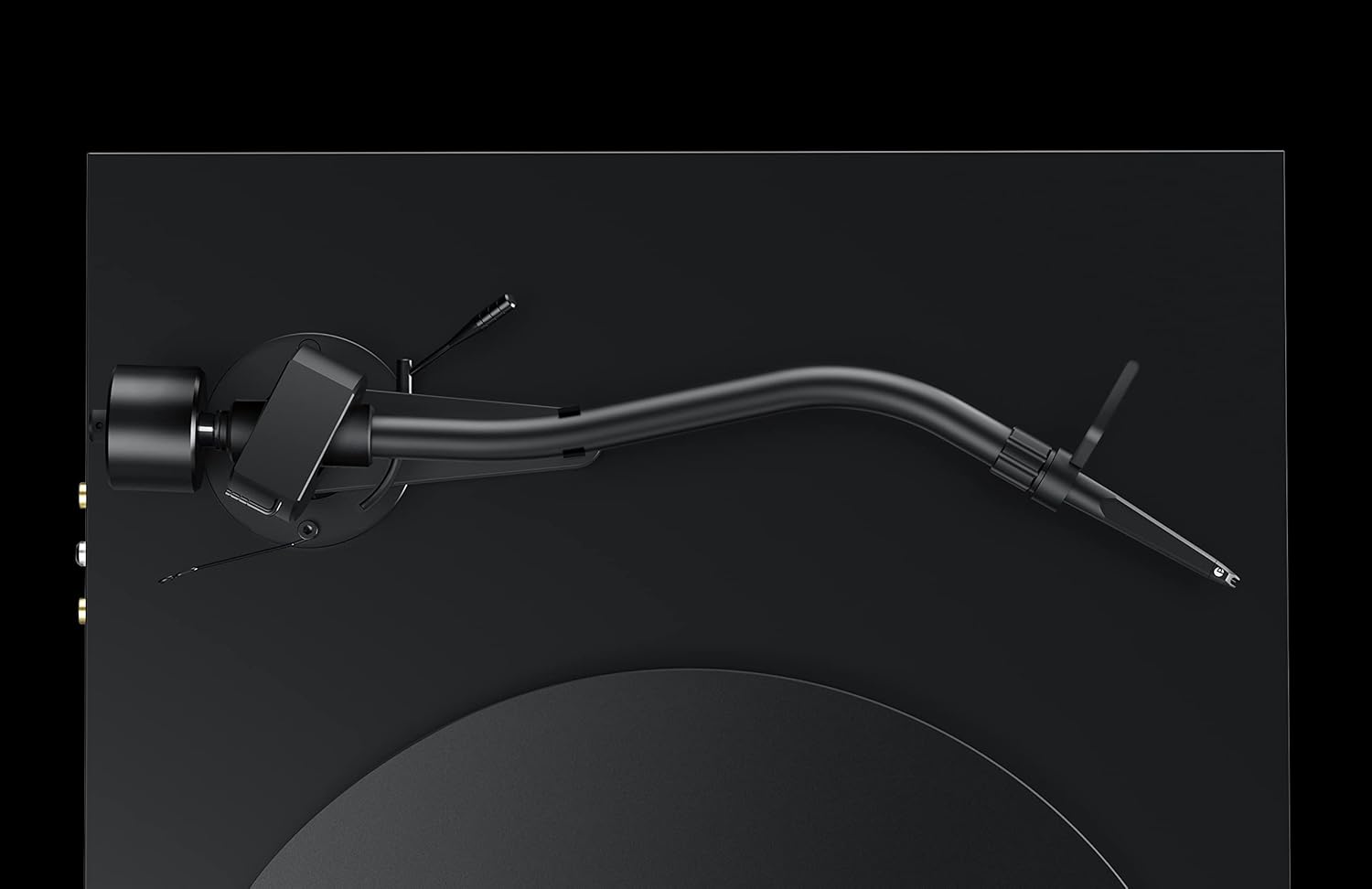
Isithombe: A enemininingwane view of the S-shaped tonearm, highlighting the counterweight and anti-skate mechanism. This image is crucial for understanding the physical components involved in balancing the tonearm and setting the tracking force.
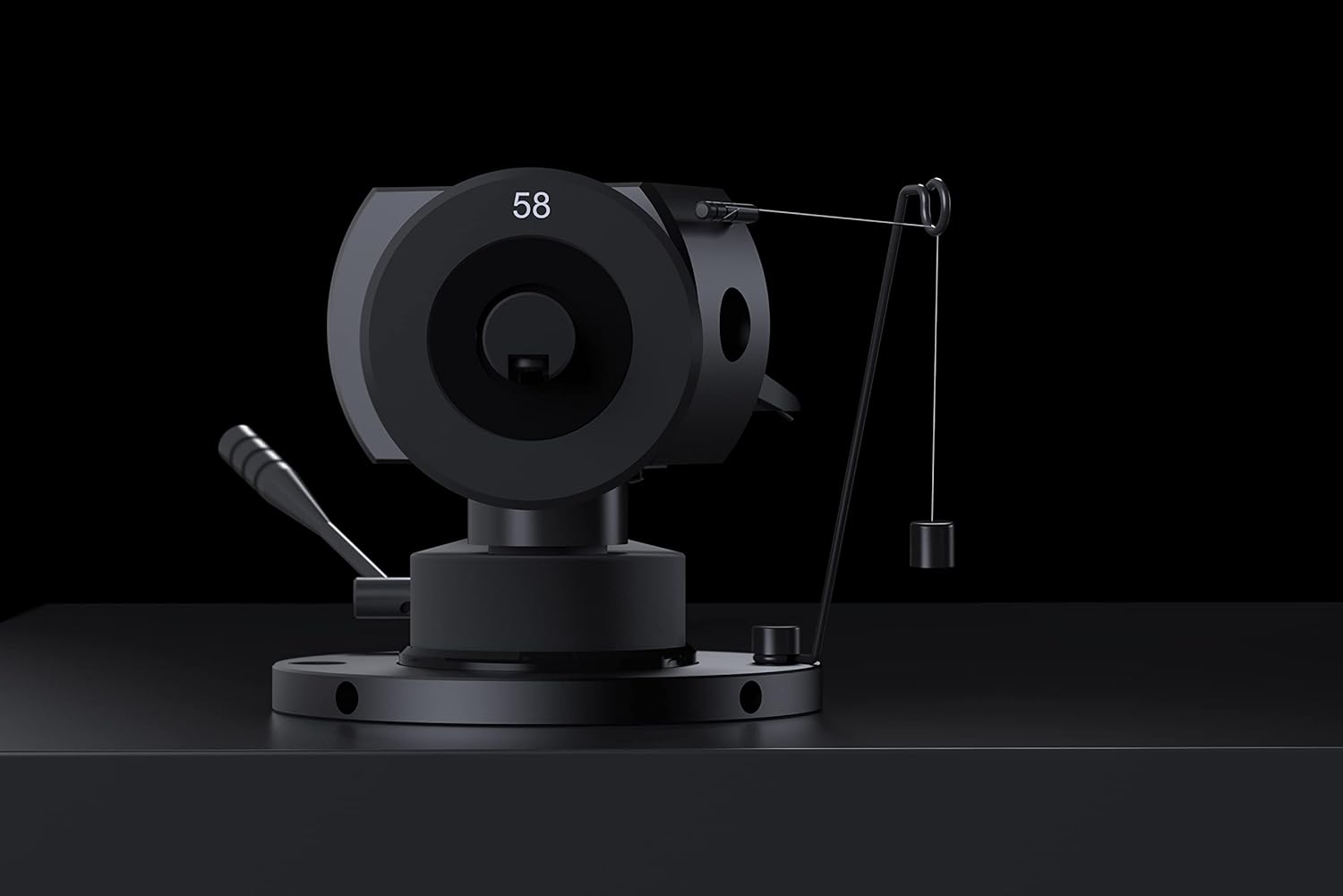
Image: A close-up of the tonearm's pivot area, clearly showing the anti-skate weight and its attachment point. This detail assists users in correctly setting the anti-skate force.
The tonearm also supports VTA (Vertical Tracking Angle) and Azimuth adjustment for fine-tuning cartridge performance. Refer to advanced setup guides if you wish to adjust these parameters.
4. Ukuxhumana
Connect the premium semi-symmetrical phono cable from the turntable's RCA outputs to the phono input of your ampi-lifier noma i-phono preamplifier. Ensure the ground wire is connected to the ground terminal on your amplifier to prevent hum.
Connect the power supply to the turntable's power input and then to a suitable wall outlet.
Imiyalelo yokusebenza
Once set up, operating your Pro-Ject Debut PRO S Turntable is straightforward.
1. Powering On and Speed Selection
Locate the power switch, typically on the underside or side of the plinth. Turn the turntable on. The Debut PRO S supports multiple speeds, including 33 1/3, 45, and 78 RPM. Adjust the speed according to the record you are playing. For 78 RPM records, a special stylus may be required.

Isithombe: I-overhead view of the Pro-Ject Debut PRO S Turntable, providing a clear perspective of the platter, tonearm, and the overall layout. This angle is useful for understanding the operational components.
2. Ukudlala Irekhodi
- Faka irekhodi ngoqwembe.
- Ensure the correct playback speed is selected.
- Phakamisa kancane ithoningalo usebenzisa i-cueing lever.
- Position the stylus over the lead-in groove of the record.
- Slowly lower the cueing lever to allow the stylus to descend onto the record.
- At the end of the record, lift the tonearm using the cueing lever and return it to the tonearm rest. Secure it with the tonearm clamp.
Isondlo
Regular maintenance will help preserve the performance and appearance of your turntable.
- Cleaning the Chassis: The turntable features an 8-coat hand-painted satin black MDF chassis. Use a soft, dry, lint-free cloth to gently wipe the surface. Avoid abrasive cleaners or solvents.
- Ukuhlanza I-Stylus: Use a dedicated stylus cleaning brush or fluid to carefully clean the stylus before or after each play. Always brush from back to front.
- Dustcover Care: The included dustcover protects the turntable from dust. Clean it with a soft, damp indwangu. Ungasebenzisi amakhemikhali anokhahlo.
- Ukuhlolwa kwebhande: Periodically inspect the drive belt for wear or stretching. Replace if necessary to maintain accurate playback speed.
Ukuxazulula inkinga
If you encounter issues with your turntable, refer to the following common problems and solutions.
| Inkinga | Imbangela Engenzeka | Isixazululo |
|---|---|---|
| Akukho msindo noma umsindo ophansi kakhulu |
|
|
| Umsindo ovungamayo |
|
|
| Umsindo oweqayo noma ohlanekezelwe |
|
|
| Incorrect playback speed |
|
|
Imininingwane
| Isici | Imininingwane |
|---|---|
| Igama Lemodeli | I-Debut PRO S |
| Inombolo Yemodeli Yento | PJ292792 |
| Ibhrendi | I-Pro-Ject |
| Ubukhulu bomkhiqizo (L x W x H) | 13.39 x 18.11 x 5.51 amayintshi |
| Isisindo sento | 15.4 pounds (7 kilograms) |
| Tonearm Style | S Shape Tonearm, 10" Aluminum |
| Ikhatriji | Pick it S2 C integrated cartridge/headshell |
| Isitsha | Precision aluminum platter with TPE damping, TPE-Damped Die-Cast Aluminum Record Platter |
| I-Chassis Material | Engineered Wood (MDF) with 8-coat hand-painted satin black finish |
| Uhlobo Lwezimoto | AC Motor with motor suspension |
| Izici ezikhethekile | VTA & Azimuth Adjustment, 78 RPM Support, Height-adjustable TPE-damped metal feet |
| Umbala | Mnyama |
| Amadivayisi Ahambisanayo | Laptop, Desktop, Personal Computer, Headphone, Speaker (via appropriate ampi-liification) |
Iwaranti kanye Nokusekela
Ulwazi Lwesiqinisekiso: Specific warranty terms and conditions for the Pro-Ject Debut PRO S Turntable are typically provided with the product packaging or can be found on the official Pro-Ject Audio Systems webindawo. Sicela ugcine ubufakazi bakho bokuthenga izimangalo zewaranti.
Ukwesekwa Kwamakhasimende: For technical assistance, troubleshooting beyond this manual, or service inquiries, please contact Pro-Ject Audio Systems customer support or your authorized dealer. Contact information can usually be found on the manufacturer's webisayithi noma emibhalweni yomkhiqizo.
Ask a question about this manual
Ask about setup, troubleshooting, compatibility, parts, safety, or missing instructions. Manuals+ will review the question and use this page’s manual context to help answer it.