
Isingeniso
The IMICE T97 RGB Honeycomb Gaming Mouse is designed to provide a precise and comfortable experience for gaming and general computer use. It features a high-precision 4800 DPI sensor, a durable and ergonomic design, and is compatible with various operating systems. This manual will guide you through the setup, operation, and maintenance of your new gaming mouse.
- Ibhrendi: IMICE
- Uhlobo: Igundane
- Ukuhambisana: Amakhompyutha namalaptop
- Izici Eziyinhloko: High precision 4800 DPI, comfortable and durable design, anti-sweat design, precise positioning.
- Umbala: Mnyama
Setha Imiyalelo
1. Ukuxhuma Igundane
The IMICE T97 mouse uses a standard USB connection for plug-and-play functionality. No additional drivers are typically required for basic operation on supported operating systems.
- Thola imbobo ye-USB etholakalayo kukhompuyutha yakho noma ikhompuyutha ephathekayo.
- Insert the USB connector of the IMICE T97 mouse firmly into the USB port.
- Uhlelo lwakho lokusebenza kufanele luzitholele ngokuzenzakalelayo futhi lufake abashayeli abadingekayo. Le nqubo ingase ithathe isikhashana.
- Once installed, the mouse will be ready for use.
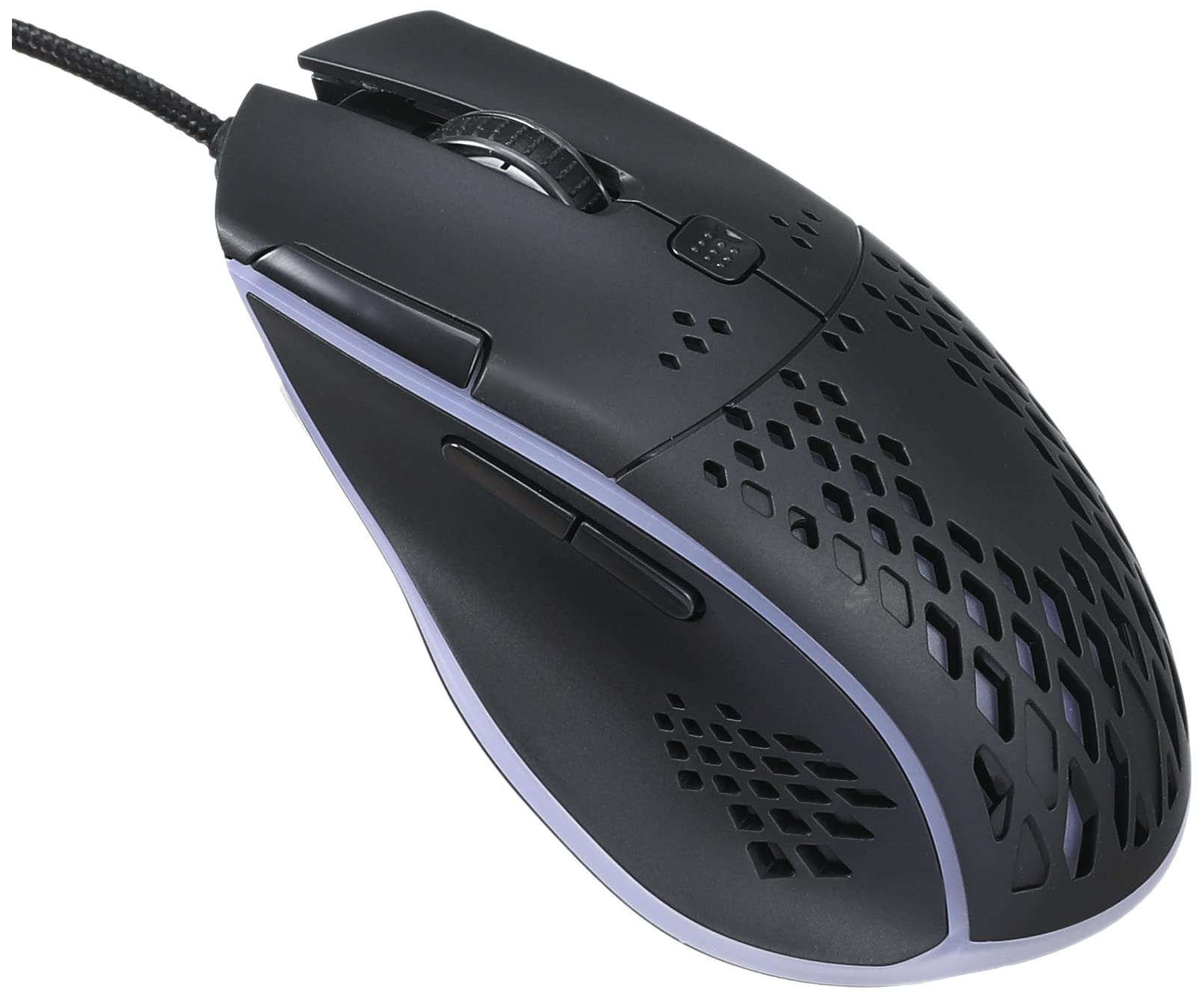
Isithombe: Phezulu phambili view of the IMICE T97 RGB Honeycomb Gaming Mouse, showing its ergonomic shape and honeycomb shell design.
Ukusebenza Igundane
Imisebenzi Eyisisekelo
- Chofoza kwesokunxele: Primary action, selection, activation.
- Chofoza kwesokudla: Imenyu yokuqukethwe, izenzo zesibili.
- Isondo Lokuskrola: Skrolela phezulu/phansi amadokhumenti futhi web amakhasi. Ungaphinda uchofoze ukuze uthole umsebenzi wokuchofoza okuphakathi.
- Izinkinobho Eziseceleni: (If present, typically for forward/back navigation in browsers or custom functions in games). The T97 model typically includes two side buttons.
Ukulungiswa kwe-DPI
The IMICE T97 mouse features adjustable DPI (Dots Per Inch) settings, allowing you to change the cursor sensitivity. This mouse supports up to 4800 DPI. There is usually a dedicated button, often located behind the scroll wheel, to cycle through different DPI levels. Press this button to switch between sensitivity settings to find your preferred speed.
Ukukhanyisa kwe-RGB
The mouse features RGB lighting, which typically cycles through various colors automatically. There may not be user-configurable software for lighting control, and it operates as a default aesthetic feature.

Isithombe: Ngaphansi view of the IMICE T97 RGB Honeycomb Gaming Mouse, showing the optical sensor, product label with model T97, and regulatory marks.
Isondlo
Ukuhlanza
- Nqamula igundane kukhompuyutha yakho ngaphambi kokuhlanza.
- Sebenzisa indwangu ethambile, eyomile, engena-lint ukuze usule ubuso begundane.
- Ngokungcola okunenkani, kancane dampzu indwangu enamanzi noma isixazululo esithambile sokuhlanza (gwema amakhemikhali anokhahlo).
- Sebenzisa i-swab kakotini noma umoya ocindezelwe ukuze uhlanze izinkinobho nesondo lokuskrola.
- Qinisekisa ukuthi alukho uketshezi olungena ezingxenyeni zangaphakathi zegundane.
Isitoreji
Store the mouse in a cool, dry place away from direct sunlight and extreme temperatures when not in use for extended periods.
Ukuxazulula inkinga
| Inkinga | Isixazululo |
|---|---|
| Igundane aliphenduli. |
|
| Ukunyakaza kwesikhombisi kuyashintshashintsha noma kuyagxumagxuma. |
|
| Buttons or scroll wheel are not working. |
|
| Cannot find software for customization. | The IMICE T97 mouse is primarily designed for plug-and-play operation. Dedicated software for advanced customization (like button remapping or detailed RGB control) may not be available or easily accessible for this model. Most functions are hardware-controlled. |
Imininingwane
| Ibhrendi | IMICE |
| Imodeli | T97 |
| Umbala | Mnyama |
| Ubuchwepheshe bokuxhumana | I-USB |
| I-DPI (Ubukhulu) | 4800 DPI |
| Izici ezikhethekile | Comfortable design, RGB lighting, honeycomb shell |
| Ukuma kwezandla | Ambidextrous |
| Ukusetshenziswa Okunconyiwe | Amageyimu |
| Amadivayisi Ahambisanayo | Ikhompyutha Yomuntu Siqu, I-Laptop |
| Ukuhambisana Kwesistimu Esebenzayo | I-Linux, i-Windows XP (nezinguqulo ezintsha) |
| Isisindo sento | awu 120g |
| Ubukhulu bokuthumela | 15 x 11 x 5 cm |
| Amabhethri afakiwe | No (Wired USB mouse) |
| ASIN | B0BD2DDWNQ |
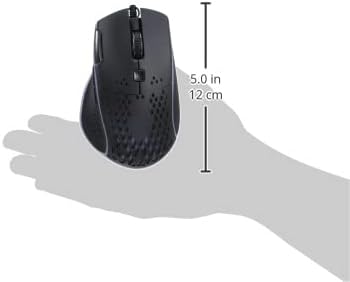
Isithombe: Side view of the IMICE T97 RGB Honeycomb Gaming Mouse held in a hand, illustrating its compact size (approximately 5.0 inches or 12 cm in length).
Ulwazi Lwewaranti
Please refer to the retailer or your purchase documentation for specific warranty terms and conditions. IMICE products typically come with a limited warranty against manufacturing defects. Keep your proof of purchase for warranty claims.
Ukwesekwa Kwamakhasimende
For technical assistance or further inquiries, please contact your retailer or visit the official IMICE website for support resources. Ensure you have your product model (T97) and purchase details ready when contacting support.